See llms.txt for all machine-readable content.
Integrate Dutify with 2,000+ apps and services
Unlock the full potential of Dutify and n8n’s automation platform by connecting Dutify’s capabilities with over 2,000 apps, data sources, services, and n8n’s built-in AI features.
Need something that’s not covered yet?
Use n8n’s pre-authenticated HTTP Request node to create new connections, giving you the flexibility to build powerful automations on any stack.

- Created by
- Dutify
- Version
- 0.1.8
Dutify integration
is built and maintained by our partners at Dutify and verified by n8n. That means it’s solid, safe, and ready to help you tap into some great capabilities.
What can you do with Dutify?
| Who Am I | Return the type, scopes and bound workspace of the API key in use |
|---|---|
| Get Many Workspaces | List the workspaces the key can use. A workspace key returns only its bound workspace. |
| Find My Workspace | Show a workspace key's bound workspace and scopes, or a personal key's workspaces |
| Get Many Feature Request Boards | List the Roadmarq feature request boards you can view in the workspace |
|---|---|
| Get Many Wiki Spaces | List the Codexum wiki spaces you can view in the workspace, with page counts |
| Get Context | Members, spaces, folders (sub-folders nest in folders), lists, statuses, task types and tags of the workspace in one call |
| Get Dashboard | Task counts and distributions for a workspace, space, folder or list |
| Get Reference Data | List the accepted values of a Dutify enum, such as custom field types |
| Search | Find tasks with name-based filters and free text |
|---|---|
| Get | Fetch a task by key or ID |
| Get Subtasks | List the direct children of a task |
| Create | Create a task in a list, or as a subtask of another task |
| Update | Change only the fields you set on a task |
| Delete | Delete a task and its subtasks |
| Get Many Types | List the task types of the workspace |
| Bulk Change Type | Set, or clear, the task type of up to 5000 tasks at once |
| Get Many | List the comments of a task |
|---|---|
| Create | Post a comment, optionally mentioning people or replying to a comment |
| Update | Replace the text of your own comment |
| Delete | Delete your own comment |
| Add Reaction | React to a comment with an emoji code |
| Get Many Reactions | List the reactions of a comment |
| Remove Reaction | Remove your own reaction from a comment |
| Get Many | List the links where the task is the owner or the target |
|---|---|
| Create | Link a task to another task with a relationship type |
| Delete | Delete a relationship |
| Create | Create a space in the workspace |
|---|---|
| Get | Fetch a space with its settings, such as whether subtasks and sprints are on |
| Update | Change only the settings you set on a space, such as turning subtasks or sprints on |
| Delete | Soft-delete a space with its folders, lists and tasks |
| Create | Create a folder in a space |
|---|---|
| Update | Change only the metadata you set on a folder |
| Delete | Soft-delete a folder with its sub-folders, lists and tasks |
| Create | Create a list in a space, or inside one of its folders |
|---|---|
| Update | Change only the metadata you set on a list |
| Delete | Soft-delete a list and its tasks |
| Create | Create a custom field at workspace, space or list scope |
|---|---|
| Update | Change a custom field name, description, emoji, color or privacy |
| Delete | Permanently delete a custom field and every task value stored in it |
| Create | Create a tag in a space |
|---|---|
| Get | Fetch a tag by identifier |
| Update | Rename or recolor a tag |
| Delete | Delete a tag and remove it from every task that carries it |
| Get Many | List the views attached to a workspace, space, folder or list |
|---|---|
| Get | Fetch a view by its identifier |
| Create | Create a view at workspace, space, folder or list scope. Only dashboards can be created above list level |
| Update | Rename a view or change its privacy, grouping, sorting, filters or columns |
| Delete | Delete a view. Mandatory views cannot be deleted |
| Clone | Copy a view, with its grouping, sorting, filters, widgets and columns, into another scope |
| Get Many Widgets | List the widgets on a view, in order. Views other than dashboards have none |
| Add Widget | Append a widget to a dashboard view |
| Add Widget From Preset | Append a ready-made widget to a dashboard view |
| Update Widget | Change a widget title, position, size or data settings |
| Remove Widget | Remove a widget from a dashboard view. The other widgets keep their position |
| Get Many Sprint Groups | List the sprint groups of a space, each with a summary of its sprints |
|---|---|
| Create Sprint Group | Create a sprint group in a space. A group holds sprints, and only one of them can be in progress at a time |
| Create | Create a sprint in a sprint group. New sprints start as not started |
| Get | Fetch a sprint with its task statistics |
| Update | Change the name, goal or planned dates of a sprint |
| Delete | Delete a sprint. Its tasks stay in their lists and lose the sprint |
| Start | Move a sprint from not started to in progress. Only one sprint per group can be active |
| Complete | Move a sprint from in progress to done, optionally rolling unfinished tasks over |
| Add Tasks | Put tasks into a sprint. A task can be in one sprint at a time |
| Remove Tasks | Take tasks out of a sprint. They stay in their lists |
| Get Tasks | List every task in a sprint |
| Get Burndown | Daily snapshots of remaining and completed work, for burndown and burnup charts |
| Get Many | List the teams of the workspace, each with its members |
|---|---|
| Create | Create a team of workspace members. Needs the Manage Teams permission |
| Get | Fetch a team with its members |
| Update | Change a team. Members, if you set them, replace the whole current membership. Needs the Manage Teams permission |
| Delete | Delete a team. Its members stay in the workspace. Needs the Manage Teams permission |
| Add Member | Add a workspace member to a team. Needs the Manage Teams permission |
| Remove Member | Take a member out of a team. They stay in the workspace. Needs the Manage Teams permission |
| Get Many | List the members of the workspace with their access level and product access |
|---|
| Get Many | List the pending invitations of the workspace. Needs the Manage Users permission |
|---|---|
| Send | Send an e-mail invitation to join the workspace. This sends a real e-mail. Needs the Manage Users permission |
| Cancel | Revoke a pending invitation so it can no longer be accepted. Needs the Manage Users permission |
| Get Many | List the import jobs of the workspace, newest first |
|---|---|
| Get | Fetch the status and progress of an import job |
| Confirm Mappings | Confirm which CSV column goes to which task field for a previewed import job. This starts the import and creates tasks |
| Get Many | List the automations of a space, a folder or a list |
|---|---|
| Get | Fetch an automation with its triggers, conditions and actions |
| Create | Create an automation in a space, a folder or a list |
| Update | Change the name, enabled state, triggers, conditions or actions of an automation |
| Delete | Permanently delete an automation |
| Get Audit | List the runs of an automation with the result of each action |
| Get | Fetch whether a task is shared publicly, its public link and what the page shows |
|---|---|
| Configure | Turn the public link of a task on or off and choose what the page shows. Needs full access to the task |
| Get Current | Fetch the profile of the user the API key belongs to |
|---|---|
| Update Current | Change the display name of the current user |
| Get Notification Settings | Fetch which notifications the current user gets in the app, by email and in the browser, for Dutify Cloud, Codexum and Roadmarq |
| Update Notification Channel | Turn individual notifications on or off for the app, email or browser channel |
| Update Module Notification Channel | Turn individual Codexum (wiki) or Roadmarq (feedback) notifications on or off for the app, email or browser channel. Dutify Cloud notifications use Update Notification Channel |
| Get Avatar URL | Get a temporary link to the avatar image of a workspace member |
| Get Many | List the time logged against a task |
|---|---|
| Create | Log time spent on a task for yourself. Needs edit access to the task |
| Delete | Remove a time entry from a task. Needs edit access to the task |
| Get Many | List your saved filters of a list. Saved filters are private to their owner |
|---|---|
| Create | Save a filter on a list for yourself |
| Delete | Delete one of your saved filters |
| Get Many | List the notifications of the current user in the workspace |
|---|---|
| Count Unread | Count the notifications of the current user that are not read yet |
| Mark Read | Mark one of your notifications as read |
| Mark All Read | Mark every unread notification of the workspace as read |
| Get Many | Read the activity log of the workspace, a space, a folder, a list or a task |
|---|
| Create | Subscribe a URL to Dutify Cloud, Codexum or Roadmarq events. Dutify signs each delivery with the secret you set (HMAC-SHA256, X-Webhook-Signature-256 header). Needs the Manage Webhooks permission |
|---|---|
| Get Many | List your webhooks in the workspace. The secret is never included |
| Get Usage | Count the webhooks in use against the plan limit of the workspace |
| Get | Fetch a webhook with its URL, events, scope and state. The secret is never included |
| Update | Change a webhook. Resuming it or changing its URL or secret cancels its pending deliveries |
| Delete | Delete a webhook for good. Its signing secret cannot be recovered |
| Send Test Event | Deliver a synthetic webhook-test event to the URL, signed like a real delivery. The result is the delivery record |
| Get Delivery Log | List the delivery attempts of a webhook, newest first |
| Replay Delivery | Send a past delivery again with the same payload and delivery ID, so the receiver must treat it as a possible duplicate |
| Get Event Types | List every event type a webhook can subscribe to, across Dutify Cloud, Codexum and Roadmarq, each with its product (pm for Dutify Cloud, codexum or roadmarq), a description and the scope types that can narrow it |
| Search | Search the wiki, by default with keyword and semantic ranking combined |
|---|---|
| Retrieve Passages | Semantic retrieval for question answering: the best-matching passages with page, space and score |
| Get Many | List the pages of a space (titles and slugs, no body), one level at a time |
| Get | Get a page with its body as Markdown |
| Create | Create a page or folder from a title and a Markdown body |
| Update | Change the title, Markdown body, visibility, icon or cover of a page |
| Move | Move a page under another page, to the top level, or into another space |
| Delete | Archive a page with everything below it, or delete it permanently |
| Get Share Link | Get whether a page is shared publicly, and its public URL |
| Enable Share Link | Create a public link to a page |
| Disable Share Link | Revoke the public link to a page |
| Get Many | List the wiki spaces you can see in the workspace |
|---|---|
| Get | Get a wiki space |
| Get With Pages | Get a wiki space together with its full page tree |
| Create | Create a wiki space |
| Update | Change the name, description, visibility or icon of a space |
| Delete | Permanently delete a wiki space and all its pages. Needs admin access to the space |
| Get Public Wiki Settings | Get whether the space is published as a public wiki, and how |
| Check Public Slug | Check whether a custom slug is valid and still free |
| Set Public Wiki Settings | Change the public wiki settings. Settings you leave out keep their current value |
| Get Many | List the file attachments of a page |
|---|---|
| Upload | Upload a binary file as an attachment of a page |
| Delete | Delete an attachment and its file |
| Get Many | List the feature requests of a board, or search them by title |
|---|---|
| Get | Get a feature request by its short ID |
| Create | Create a feature request on a board |
| Set Status | Change a feature request's status by name |
| Comment | Add a comment to a feature request |
| Vote | Toggle a vote or an emoji reaction on a feature request |
| Moderate | Approve, reject or mark a feature request as spam (needs Manage Queue) |
| Delete | Permanently delete a feature request (needs Manage Queue) |
| Get Many | List the bug reports of a board |
|---|---|
| Get | Get a bug report by its short ID |
| Create | Create a bug report on a board |
| Set Status | Change a bug's status by name |
| Set Assignee | Assign a bug to a workspace member, or unassign it |
| Set Visibility | Make a bug public or private (security bugs stay private) |
| Toggle Affected | Toggle your "I'm affected" marker on a bug |
| Comment | Add a comment to a bug report |
| Moderate | Approve, reject or mark a bug report as spam (needs Manage Queue) |
| Delete | Permanently delete a bug report (needs Manage Queue) |
| Update | Change a board's name, visibility or settings, such as whether it takes bug reports and which new bugs wait for approval. Only the fields you set change (needs Manage Settings) |
|---|
| Get Many | List your calls, most recent first |
|---|---|
| Count | Get the total number of your calls |
| Search | Search calls by name, description, attendees and transcript |
| Count Search Results | Get the number of calls matching a search |
| Get | Get one call with its summary, attendees, recordings and action items |
| Delete | Permanently delete a call with its recording media, transcript and notes. This cannot be undone |
| Set Custom Prompt | Set your own prompt for this call. It shapes only your version of the notes and is stored only: run Recording > Regenerate Summary to apply it |
| Clear Custom Prompt | Remove your own prompt for this call. Your next Regenerate Summary runs without it |
| Get Media URL | Get a short-lived signed URL for the recording file (audio or video), optionally downloading it |
|---|---|
| Get Audio URL | Get a short-lived signed URL for the recording's audio, optionally downloading it. An uploaded video has no separate audio track, so this is the video file |
| Get Preview URL | Get a short-lived signed URL for the recording's preview thumbnail, optionally downloading it. Only a video has one: for an audio recording Dutify answers 404 NO_PREVIEW |
| Get Processing Status | Get whether a recording is processed, its progress and its media state |
| Get Progress | Get the processing progress of a recording as a number from 0 to 100 |
| Regenerate Summary | Re-generate your own summary, key points and action items from the existing transcript. This uses AI compute. |
| Reprocess | Queue a re-run of the whole pipeline: transcription, summary, key points and action items. It returns at once; follow the run with Get Processing Status or the Meeting Processed trigger. Slow and expensive; prefer Regenerate Summary. |
| Upload | Upload an audio or video file as a new recording of this workspace. Dutify transcribes and summarises it like any upload; the result carries recordingId. Uses transcription quota |
| Ask | Ask AI Coworker, which answers from the workspace's recordings, calls and transcripts. It can take 15 to 30 seconds and counts toward the workspace's AI Coworker usage, which is billed separately. |
|---|---|
| Get Usage | Get what the workspace has left for AI Coworker questions: allowanceRemaining of the monthlyAllowance (renewed at cycleResetsAt), purchasedBalance and total. Each question uses one; at total 0 Ask fails with 402 AI_COWORKER_USAGE_EXHAUSTED. |
| Create | Send each processed meeting of this workspace to a URL. Dutify signs each delivery with the secret (HMAC-SHA256, X-Dutify-Signature header). At most 10 webhooks per user |
|---|---|
| Get Many | List your meeting webhooks of this workspace, oldest first, each with its last delivery. The secret is never included |
| Get | Fetch a meeting webhook. The secret is never included, only whether one is set |
| Update | Change the URL, secret, name, sections or state of a meeting webhook |
| Delete | Delete a meeting webhook and its delivery log |
| Send Test Delivery | Send your latest processed meeting of this workspace (or a sample meeting when there is none) to the URL now, marked test: true. The result is the delivery record |
| Get Delivery Log | List the latest delivery attempts of a meeting webhook with their payloads, newest first |
| Get | Get the selected workspace as Hub knows it: its UUID, name, owner and Hub access |
|---|---|
| Get Members | List the members of the workspace with their user ID, name, email and role |
| Get Custom Prompt | Get the workspace's custom AI prompt; customPrompt is null when none is set |
| Set Custom Prompt | Replace the custom AI prompt. It applies to recordings processed from now on, and to a recording whose summary is regenerated; there is no history, so read the current prompt first if you need it |
| Clear Custom Prompt | Remove the custom AI prompt of the workspace |
| Get Default Workspace | Get your default workspace: the one your new recordings are filed in. workspaceId is null only when you belong to no workspace |
| Set Default Workspace | Choose the workspace your new recordings are filed in, or reset it to Hub's automatic choice. An API key can only choose its own workspace |
| Get Many | List the integrations connected to the workspace, each with its system and status (CONNECTED, REVOKED, ERROR or ACCESS_REQUIRED) |
|---|---|
| Get Preferred | Get the workspace's task system: always Dutify Cloud, since that is where Hub creates new action items |
| Set Preferred | Set the workspace's task system. Dutify Cloud is the only one Hub supports |
| Get Many | List your calendar events in a date range, each with its event ID, series master ID, subject, start and end, whether a recording bot is subscribed, and any event or series prompt |
|---|---|
| Set Custom Prompt | Set the prompt of one meeting (one occurrence). For a recurring meeting it is applied together with the series prompt |
| Clear Custom Prompt | Remove one meeting's own prompt. A series prompt, if any, keeps applying to it |
| Set Series Custom Prompt | Set the prompt of every meeting in a recurring series, applied together with any prompt of a single occurrence |
| Clear Series Custom Prompt | Remove a series' prompt. Each occurrence keeps only its own prompt, if it has one |
How to install Dutify and use it in your n8n workflows
Verified nodes need a quick setup by an instance owner first, but after that, everyone on the instance can start using them in their workflows. Learn more here.
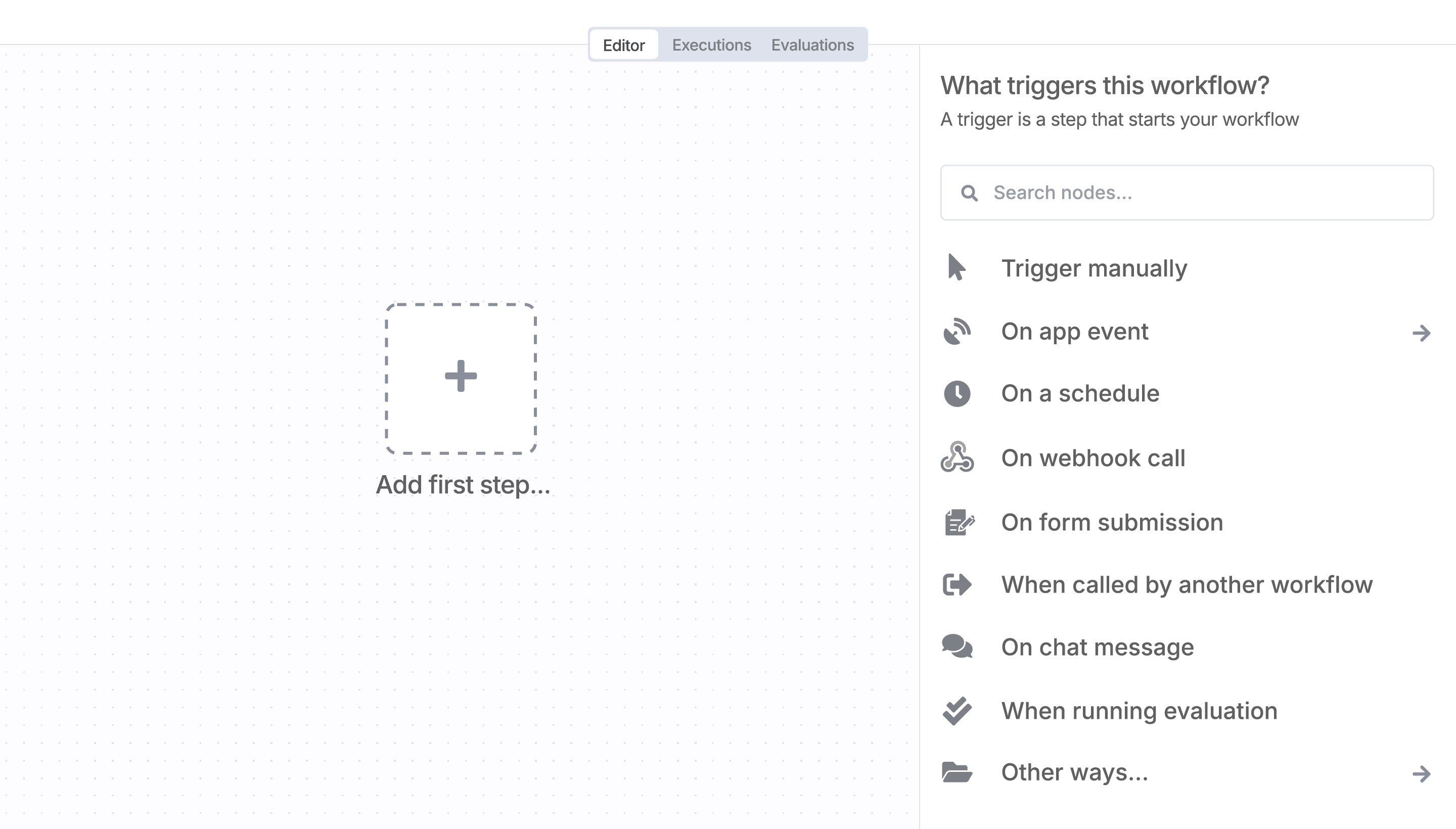
Sign in to n8n, open the editor, and click + in the top right to open the Nodes panel
Search for Dutify using the search bar. Look for the version marked by a badge  . Then, select install.
Once Dutify is installed, just drag, drop, and connect it like any other node in a workflow.
Resources for Dutify
Trusted by teams building smarter workflows.


Connect Dutify with your company’s tech stack and create automation workflows

n8n makes complex workflows easy to build, and versatile enough for me to add my own 'secret sauce.'
Danny Melamed 
I have found the holy grail of automation.
Luisa Vidal 
n8n’s integration with third-party services is absolutely mind-blowing. It’s like a Swiss army knife for automation.
Felix Leber n8n is the tool that turns 'I have an idea' into 'it's running in production' faster than anything else.
Ric Neves 
Anything is possible with n8n. I think the cloud version is great, they are doing amazing stuff.
Robyn Tindall n8n’s integration with third-party services is absolutely mind-blowing. It’s like a Swiss army knife for automation.
Nanbing 
Thank you to the n8n community. I did the beginners course and promptly took an automation WAY beyond my skill level.
Charley Mann I love the flexibility of n8n and how it lets different applications work together in a single workflow.
Ray Fourie n8n is the glue that holds many of our systems together.
Paul Cook I can move fast, go deep when things get complex, and never feel boxed in.
Ali Mazloum
Simple enough to
understand + sophisticated
enough to ship
