See llms.txt for all machine-readable content.
Integrate cashwerk with 2,000+ apps and services
Unlock the full potential of cashwerk and n8n’s automation platform by connecting cashwerk’s capabilities with over 2,000 apps, data sources, services, and n8n’s built-in AI features.
Need something that’s not covered yet?
Use n8n’s pre-authenticated HTTP Request node to create new connections, giving you the flexibility to build powerful automations on any stack.

- Created by
- cashwerk
- Last update
- 7 days ago
cashwerk integration
is built and maintained by our partners at cashwerk and verified by n8n. That means it’s solid, safe, and ready to help you tap into some great capabilities.
Popular ways to use the cashwerk integration
What can you do with cashwerk?
| Approve | Approve an absence request |
|---|---|
| Create | Create a new absence |
| Delete | Delete an absence |
| Get | Get absence by ID |
| Get By Date Range | Get user absence meta by date range |
| Get Many | Get absences by user |
| Get Meta | Get user absence meta (vacation days info) |
| Get Pending | Get pending absences for organization |
| Reject | Reject an absence request |
| Update | Update an absence |
| Create | Create a new asset group |
|---|---|
| Delete | Delete an asset group |
| Get | Get an asset group by ID |
| Get Many | Get many asset groups for an organization |
| Update | Update an asset group |
| Create | Create a new service |
|---|---|
| Delete | Delete a service |
| Delete Many | Delete multiple services |
| Get | Get a service by ID |
| Get Many | Get many services for an organization |
| Query | Query services with filters and pagination |
| Update | Update an existing service |
| Upload Image | Upload or update service image |
| Create | Create a new asset unit |
|---|---|
| Delete | Delete an asset unit |
| Get | Get an asset unit by ID |
| Get Many | Get many asset units for an organization |
| Search | Search for a unit by name within an organization |
| Update | Update an asset unit |
| Cancel | Cancel a booking by host |
|---|---|
| Create | Create a staff booking (internal booking on behalf of invitee) |
| Get | Get booking by ID |
| Get Many | List bookings with optional filters |
| Create | Create a date override for availability |
|---|---|
| Delete | Delete a date override by ID |
| Get Many | List date overrides for availability |
| Upload Batch | Batch save date overrides for availability |
| Availability | Save availability rules for an event type |
|---|---|
| Create | Create a booking event type |
| Delete | Delete booking event type by ID |
| Form Fields | Save form fields for an event type |
| Get By Page | Get event types by booking page ID |
| Update | Update booking event type by ID |
| Create | Create a booking page |
|---|---|
| Delete | Delete booking page by ID |
| Get | Get booking page by ID |
| Get Many | List booking pages |
| Share Links | Create a share link for a booking page |
| Theme | Update booking page theme |
| Update | Update booking page by ID |
| Create | Create a new calendar |
|---|---|
| Delete | Delete a calendar by ID |
| Get | Get a calendar by ID |
| Get Many | Get many calendars for the organization |
| Update | Update a calendar by ID |
| Check Busy | Check if a user is busy during a time range |
|---|---|
| Clear All Events | Clear all calendar events for user |
| Convert Guest To Contact | Convert an event guest email into a CRM contact (auto-creates company from domain when applicable) |
| Create | Create a new calendar event |
| Delete | Delete a calendar event by ID |
| Ensure Drive Folder | Ensure a Drive folder exists for the event and return drive + folder IDs (used for direct uploads via nx-upload-container) |
| Get | Get a calendar event by ID |
| Get Many | Query calendar events with filters |
| Link Attachment | Link an already-uploaded Drive file to the event (used when the file is uploaded via the centralized nx-upload-container / chunked Drive pipeline instead of the legacy multipart endpoint) |
| Split Series | Split a recurring series at a date |
| Update | Update a calendar event by ID |
| Update Occurrence | Update a single occurrence of a recurring event |
| Update Response | Update event response (accept/decline/tentative) |
| Upload Attachment | Upload attachment to calendar event |
| Archive | Archive a cancellation invoice by ID |
|---|---|
| Archive Many | Archive multiple cancellation invoices |
| Create | Create a new cancellation invoice |
| Create X Invoice | Create XRechnung document for a cancellation invoice |
| Create Zugferd | Create ZUGFeRD document for a cancellation invoice |
| Delete Many | Delete multiple cancellation invoices |
| Get | Get a cancellation invoice by ID |
| Get Many | Query cancellation invoices with pagination and filters |
| Get Preview | Get cancellation invoice PDF preview |
| Restore | Restore an archived cancellation invoice by ID |
| Restore Many | Restore multiple archived cancellation invoices |
| Update | Update a cancellation invoice by ID |
| Archive | Archive a conversation |
|---|---|
| Create | Create a direct (1:1) conversation |
| Delete | Delete a conversation |
| Get Many | List chat conversations |
| Participants | Add a participant to a group conversation |
| Read | Mark messages in a conversation as read |
| Send Message | Send a message to a conversation |
| Update | Update conversation (rename group) |
| Archive | Archive (soft-delete) a single company |
|---|---|
| Archive Many | Archive multiple companies |
| Create | Create a new company in the organization |
| Export Csv | Export companies to CSV |
| Export Pdf | Export companies to PDF |
| Get | Get a single company by ID |
| Get Appointments | Get appointments for a company |
| Get Cancellation Invoices | Get cancellation invoices for a company |
| Get Deals | Get deals for a company |
| Get Invoices | Get invoices for a company |
| Get Many | Query companies with pagination and filters |
| Get Offers | Get offers for a company |
| Get Projects | Get projects for a company |
| Get Tasks | Get tasks for a company |
| Link Contacts | Link contacts to a company |
| Remove Contact | Remove a contact from a company |
| Restore | Restore an archived company |
| Restore Many | Restore multiple archived companies |
| Update | Update an existing company |
| Upload Logo | Upload logo for a company |
| Archive | Archive (soft-delete) a contact |
|---|---|
| Archive Many | Archive multiple contacts |
| Create | Create a new contact in the organizatioontact |
| Export Csv | Export contacts to CSV |
| Export Pdf | Export contacts to PDF |
| Find By Emails | Batch-resolve CRM contacts by email (calendar guest lookup) |
| Get | Get a single contact by ID |
| Get Appointments | Get appointments for a contact |
| Get Cancellation Invoices | Get cancellation invoices for a contact |
| Get Deals | Get deals for a contact |
| Get Invoices | Get invoices for a contact |
| Get Many | Query contacts with pagination and filters |
| Get Offers | Get offers for a contact |
| Get Projects | Get projects for a contact |
| Get Tasks | Get tasks for a contacontact |
| Link Companies | Link companies to a contacontacontact |
| Restore | Restore an archived contact |
| Restore Many | Restore multiple archived contactontact |
| Unlink Company | Remove a company from a contact |
| Update | Update an existing contact |
| Upload Avatar | Upload avatar for a contact |
| Get Company Metrics | Get company metrics for the organization |
|---|---|
| Get Contact Metrics | Get contact metrics for the organization |
| Add Companies | Add companies to a deal |
|---|---|
| Add Contacts | Add contacts to a deal |
| Add Tag | Add a tag to a deal |
| Bulk Update Positions | Bulk update deal positions in pipeline stages |
| Create | Create a new deal in a pipeline |
| Delete | Delete a deal by ID |
| Get | Get a single deal by ID |
| Get Drive Folder | Get or create the deal documents folder |
| Get Many | List deals in a pipeline with optional filters |
| Stage | Move a deal to a new stage |
| Update | Update a deal |
| Update Lines | Update deal line items |
| Clear Trash | Permanently delete all trashed items |
|---|---|
| Create Folder | Create folder in drive |
| Get | Get drive by ID |
| Get Contents | Get paginated folder contents |
| Get Folders | Get root-level folders in drive |
| Get Many | List many drives for the organization |
| Get Trash | Get trashed items in drive |
| Get View | Get unified drive view with folders and contents |
| Init Chunked Upload | Initialize a chunked upload session for large files |
| Search | Search for files and folders within a drive |
| Upload Batch | Batch upload multiple files |
| Upload File | Upload a file to a drive |
| Delete | Permanently delete a drive file |
|---|---|
| Get Details | Get file details with metadata |
| Move | Move file to another location or drive |
| Move to Trash | Move file to trash (soft delete) |
| Restore | Restore file from trash |
| Update | Update file name or expiry date |
| Update Tags | Set tags on a file |
| Delete | Permanently delete a drive folder |
|---|---|
| Get | Get drive folder by ID |
| Get Details | Get folder details with metadata |
| Get Size | Calculate folder size |
| Get Subfolders | Get child folders |
| Move | Move folder to another location or drive |
| Move to Trash | Move folder to trash (soft delete) |
| Restore | Restore folder from trash |
| Update | Update folder name or color |
| Update Tags | Set tags on a folder |
| Zip | Create a ZIP archive of the folder |
| Delete | Delete share access |
|---|---|
| Delete Access | Remove a user's access entry from a share |
| Get | Get shared file |
| Get Folder Contents | List items inside a shared folder |
| Get Shared File | Get details of a shared file |
| Get Shared Folder | Get details of a shared folder |
| Get Shared Items | List all shared drive items |
| Share | Share file to user |
| Share File | Share a file with a user |
| Share Folder | Share a folder with a user |
| Unshare | Unshare file from user |
| Unshare File | Remove a user's access to a shared file |
| Unshare Folder | Remove a user's access to a shared folder |
| Update | Update share access |
| Update Access | Update a user's access level (e.g. readonly) |
| Update Share | Update share visibility, password, expiry, or add users |
| Create For Invoice | Create a new incoming payment for an invoice |
|---|---|
| Delete | Delete an incoming payment by ID |
| Get By Invoice | Get all payments for an invoice |
| Get Total | Get total paid amount for an invoice |
| Archive | Archive an invoice by ID |
|---|---|
| Archive Many | Archive multiple invoices |
| Book | Book an invoice by ID |
| Cancel | Cancel an invoice by ID |
| Cancellation | Create a cancellation invoice |
| Create | Create a new invoice |
| Create X Invoice | Create XRechnung document for an invoice |
| Create Zugferd | Create ZUGFeRD document for an invoice |
| Delete | Delete an invoice by ID |
| Delete Many | Delete multiple invoices |
| Get | Get a single invoice by ID |
| Get Dashboard | Get invoice dashboard data by ID |
| Get Many | Query invoices with pagination and filters |
| Mark As Paid | Mark an invoice as paid |
| Restore | Restore an archived invoice by ID |
| Restore Many | Restore multiple archived invoices |
| Revert Committed | Revert an invoice to committed state |
| Send | Send an invoice by email |
| Update | Update an invoice by ID |
| Validate X Invoice | Validate XInvoice document for an invoice |
| Create | Create a new machine |
|---|---|
| Delete | Delete a machine |
| Delete Many | Delete multiple machines |
| Get | Get a machine by ID |
| Get Many | Get many machines for an organization |
| Query | Query machines with filters and pagination |
| Update | Update an existing machine |
| Upload Image | Upload or update machine image |
| Get Many | List many mail connections for the authenticated user |
|---|
| Create | Create a new material |
|---|---|
| Delete | Delete a material |
| Delete Many | Delete multiple materials |
| Get | Get a material by ID |
| Get Many | Get many materials for an organization |
| Query | Query materials with filters and pagination |
| Update | Update an existing material |
| Upload Image | Upload or update material product image |
| Accept | Mark a committed offer as accepted by the customer |
|---|---|
| Archive | Archive an offer by ID |
| Archive Many | Archive multiple offers |
| Book | Book an offer by ID |
| Cancel | Cancel an offer by ID |
| Convert To Invoice | Convert an offer to an invoice |
| Create | Create a new offer |
| Create From Deal | Create an offer from a deal |
| Delete | Delete an offer by ID |
| Delete Many | Delete multiple offers |
| Get | Get a single offer by ID |
| Get Dashboard | Get an offer dashboard by ID |
| Get Many | Query offers with pagination and filters |
| Get Preview | Get offer PDF preview |
| Preview From Data | Preview offer from DTO changes |
| Reject | Mark a committed offer as rejected by the customer |
| Restore | Restore an archived offer by ID |
| Restore Many | Restore multiple archived offers |
| Send | Send an offer by email |
| Update | Update an offer by ID |
| Create Branch | Create organization branch |
|---|---|
| Create Sector | Create organization sector |
| Delete Branch | Delete organization branch |
| Get My Organization | Get your organization details (derived from API key) |
| Invite User | Invite user to organization |
| Set Sector Members | Set the full member list of an organization sector |
| Update Headquarters | Update organization headquarters address |
| Update Sector | Update organization sector |
| Upload Logo | Upload organization logo |
| Add Stage | Add a stage to a pipeline |
|---|---|
| Archive | Archive (soft-delete) a sales pipeline |
| Create | Create a new sales pipeline |
| Delete | Delete a sales pipeline |
| Get | Get a single pipeline by ID |
| Get Many | List many pipelines |
| Reorder Stages | Reorder pipeline stages |
| Restore | Restore an archived pipeline |
| Update | Update a sales pipeline |
| Update Assigned Users | Update pipeline assigned users |
| Create | Create a new portfolio |
|---|---|
| Delete | Delete a portfolio |
| Get | Get a single portfolio by ID |
| Get Many | Query portfolios with pagination |
| Portfolios | Create a new portfolio |
| Update | Update an existing portfolio |
| Add Assignees | Add assignees to a project |
|---|---|
| Add Contact | Add contact to project |
| Add Contact Persons | Add contact persons (Ansprechpartner) to a project |
| Archive | Archive a project |
| Archive Many | Archive multiple projects |
| Create | Create a new project |
| Customer | Update project customer |
| Delete | Delete a project by ID |
| Delete Many | Delete multiple projects |
| Duplicate | Duplicate a project |
| Get | Get a single project by ID |
| Get Assignees | Get project assignees |
| Get Dashboard | Get project dashboardtacts |
| Get Statuses | Get project status options |
| Query | List projects with pagination and filters |
| Restore | Restore an archived project |
| Restore Many | Restore multiple archived projects |
| Update | Update a project by ID |
| Update Address With Portfolio | Update project address with portfolio sync |
| Update Assignees | Update project assignees |
| Update Default Task Board | Update default task board for a project |
| Upload Image | Upload project image |
| Create | Create a new sales tax regulation |
|---|---|
| Delete | Delete a sales tax regulation by ID |
| Delete Many | Delete multiple sales tax regulations |
| Get | Get a sales tax regulation by ID |
| Get Many | Get many sales tax regulations for the organization |
| Update | Update a sales tax regulation by ID |
| Create | Create a new shift plan |
|---|---|
| Delete | Delete a shift plan |
| Duplicate | Duplicate a shift plan |
| Get | Get shift plan by ID |
| Get By Date Range | Get shift plans by user with date range |
| Get Many | Get shift plans by user |
| Update | Update a shift plan |
| Create | Create a new subcontract |
|---|---|
| Delete | Delete a subcontract |
| Delete Many | Delete multiple subcontracts |
| Get | Get a subcontract by ID |
| Get Many | Get many subcontracts for an organization |
| Query | Query subcontracts with filters and pagination |
| Update | Update an existing subcontract |
| Upload Image | Upload or update subcontract image |
| Add Collaborator | Add collaborator to task |
|---|---|
| Add Companies | Add companies to task |
| Add Contacts | Add contacts to task |
| Add Tag | Add tag to task |
| Assign To Column | Assign an unassigned task to a board column |
| Clone | Clone a task |
| Clone Subtask | Clone a subtask |
| Convert To Subtask | Convert a top-level task into a subtask of another task |
| Create Comment | Create comment on task |
| Create Subtask | |
| Delete | Delete a task |
| Get | Get a single task by ID |
| Get Drive Folder | Get or create the drive folder for a task — upload task documents into this folder (not the drive root) |
| Get Many | Search and list tasks with filters |
| Mark As Completed | Mark task as completed |
| Mark As Incomplete | Mark task as incomplete |
| Move To Board | Move a task to another board |
| Remove Collaborator | Remove collaborator from task |
| Remove Subtask | |
| Remove Tag | Remove tag from task |
| Update Assignee | Update task assignee |
| Update Description | Update task description |
| Update Due Date | Update task due date |
| Update Position | Update task position on board |
| Update Subtask Position | |
| Update Title | Update task title |
| Activate | Activate task board |
|---|---|
| Activate Many | Activate multiple task boards |
| Archive | Archive task board |
| Archive Many | Archive multiple task boards |
| Create | Create a new task board |
| Create Column | Create column in task board |
| Delete | Delete task board |
| Get | Get task board by ID |
| Get Many | Search task boards with filters |
| Get Presets | Get all task board presets |
| Invite User | Invite user to task board |
| Remove User | Remove user from task board |
| Save As Preset | Save task board as preset |
| Update Due Date | Update task board due date |
| Update Project | Update task board default project |
| Update Title | Update task board title |
| Create Task | Create a task in a board column |
|---|---|
| Delete | Delete a task board column |
| Update Name | Update a task board column name |
| Update Position | Update a task board column position |
| Delete | Delete a comment |
|---|---|
| Update | Update comment |
| Create | Create a new tax rate |
|---|---|
| Delete | Delete a tax rate by ID |
| Delete Many | Delete multiple tax rates |
| Get | Get a tax rate by ID |
| Get Many | Get many tax rates for the organization |
| Update | Update a tax rate |
| Breaks | Create a new break entry |
|---|---|
| Create Break | Create a new break entry |
| Delete Break | Delete a break entry |
| Delete Breaks | Bulk delete break entries |
| Get | Get time entries for a user on a specific date |
| Get By Date Range | Get time entries for a user in a date range |
| Get Running | Get the currently running tracker for a user |
| Get Task Trackings | Get time entries for a task |
| Pause Tracker | Pause the live tracker |
| Resume Tracker | Resume the live tracker |
| Start Tracker | Start the live tracker |
| Stop Tracker | Stop the live tracker |
| Trackings | Create a new time tracking entry |
| Update | Update a time tracking entry |
| Update GPS | Update GPS data for a tracking entry |
| Create | Create a new tracking category |
|---|---|
| Delete | Delete a tracking category |
| Get | Get a tracking category by ID |
| Get Many | Get many tracking categories for organization |
| Update | Update a tracking category |
| Activate | Activate a user |
|---|---|
| Archive | Archive a user |
| Create | Create a new user |
| Delete | Delete a user |
| Get | Get user by ID |
| Get Active | Get active users for organization |
| Get Many | Search users with filters |
| Update Address | Update user address |
| Update Birth Place | Update user birth place |
| Update Birthdate | Update user birthdate |
| Update Branch | Update user branch |
| Update Nationality | Update user nationality |
| Update Position | Update user position |
| Update Profile Data | Update user profile data |
| Update Public Phone | Update user public phone |
| Update Sector | Update user sector |
| Update Social Media | Update user social media links |
| Update Timezone | Update user timezone |
| Upload Avatar | Upload own avatar |
| Upload Header | Upload own header/background |
| Export CSV | Generate and save a CSV report for a user |
|---|---|
| Export PDF | Generate and save a PDF report for a user |
| Get Organization Report | Full organization report with all users for a date range |
| Get Organization Summary | Organization-level aggregated metadata for a date range |
| Get User Monthly Summary | Monthly aggregated summary for a user by year and month |
| Get User Report | Full user work report with tracking entries for a date range |
| Get User Summary | Aggregated tracking metadata (hours, overtime, etc.) for a date range |
| Get User Weekly Stats | Weekly hour breakdown by year and month (for charts) |
| Get Working Days | Working day and vacation day count for a date range |
| Query User Trackings | Search and filter individual tracking entries |
| Start | Get user working days in range for vacation calculation |
| Bulk Assign | Assign one time model to multiple users |
|---|---|
| Delete | Delete a work time period |
| For User | Create a work time period for a user |
| Get | Get latest work time for a user |
| Update | Edit an existing work time period (contract history entry) |
| Update Vacation Days | Update vacation days for a user |
| Update Work Days | Update work days for a user |
How to install cashwerk and use it in your n8n workflows
Verified nodes need a quick setup by an instance owner first, but after that, everyone on the instance can start using them in their workflows. Learn more here.
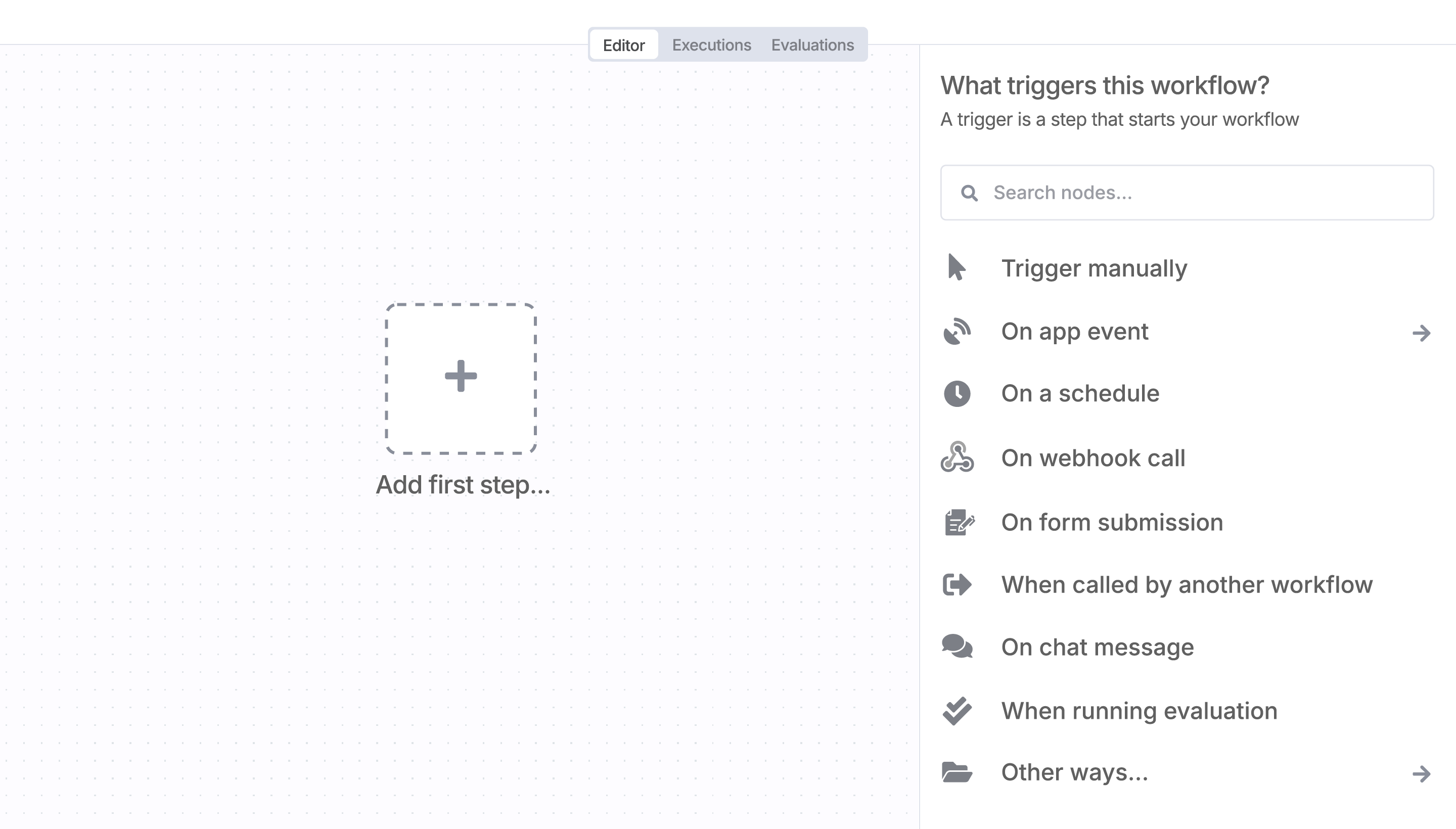
Sign in to n8n, open the editor, and click + in the top right to open the Nodes panel
Search for cashwerk using the search bar. Look for the version marked by a badge  . Then, select install.
Once cashwerk is installed, just drag, drop, and connect it like any other node in a workflow.
Resources for cashwerk
Trusted by teams building smarter workflows.


Connect cashwerk with your company’s tech stack and create automation workflows

n8n makes complex workflows easy to build, and versatile enough for me to add my own 'secret sauce.'
Danny Melamed 
I have found the holy grail of automation.
Luisa Vidal 
n8n’s integration with third-party services is absolutely mind-blowing. It’s like a Swiss army knife for automation.
Felix Leber n8n is the tool that turns 'I have an idea' into 'it's running in production' faster than anything else.
Ric Neves 
Anything is possible with n8n. I think the cloud version is great, they are doing amazing stuff.
Robyn Tindall n8n’s integration with third-party services is absolutely mind-blowing. It’s like a Swiss army knife for automation.
Nanbing 
Thank you to the n8n community. I did the beginners course and promptly took an automation WAY beyond my skill level.
Charley Mann I love the flexibility of n8n and how it lets different applications work together in a single workflow.
Ray Fourie n8n is the glue that holds many of our systems together.
Paul Cook I can move fast, go deep when things get complex, and never feel boxed in.
Ali Mazloum
Simple enough to
understand + sophisticated
enough to ship
