See llms.txt for all machine-readable content.
Back to integrations
Integrate GPTMaker with 1000+ apps and services
Unlock the full potential of GPTMaker and n8n’s automation platform by connecting Irrah Tech’s capabilities with over 1,000 apps, data sources, services, and n8n’s built-in AI features.
Need something that’s not covered yet?
Use n8n’s pre-authenticated HTTP Request node to create new connections, giving you the flexibility to build powerful automations on any stack.

Created by
Irrah Tech
Last update
2 days ago
GPTMaker integration
is built and maintained by our partners at Irrah Tech and verified by n8n. That means it’s solid, safe, and ready to help you tap into some great capabilities.
About GPTMaker
Connect n8n to the GPTMaker API to automate AI agent operations, workspace management, channels, chats, intentions, interactions, and training. Create, update, query, and manage GPTMaker resources with bearer-token authentication and dynamic workspace and agent selection.

What can you do with GPTMaker?
Activate
Set an agent status to active via PUT /v2/agent/{agentId}/active
Add Context
Add conversation context via POST /v2/agent/{agentId}/add-message
Conversation
Chat with an agent via POST /v2/agent/{agentId}/conversation
Create
Create a new agent via POST /v2/workspace/{workspaceId}/agents
Delete
Permanently remove an agent via DELETE /v2/agent/{agentId}
Get By ID
Fetch a single agent via GET /v2/agent/{agentId}
Get Credits Spent
Retrieve credits spent via GET /v2/agent/{agentId}/credits-spent
Get Many
Retrieve agents for a workspace via GET /v2/workspace/{workspaceId}/agents
Get Settings
Retrieve agent settings via GET /v2/agent/{agentId}/settings
Get Webhooks
List all webhooks configured for an agent via GET /v2/agent/{agentId}/webhooks
Inactivate
Set an agent status to inactive via PUT /v2/agent/{agentId}/inactive
Update
Edit an agent via PUT /v2/agent/{agentId}
Update Settings
Update agent settings via PUT /v2/agent/{agentId}/settings
Update Webhooks
Update webhooks via PUT /v2/agent/{agentId}/webhooks
Create
Create a new channel for an agent via POST /v2/agent/{agentId}/create-channel
Create In Workspace
Create a new channel in a workspace via POST /v2/workspace/{workspaceId}/create-channel
Delete
Remove a channel via DEL /v2/channel/{channelId}
Get Config
Get channel config via GET /v2/channel/{channelId}/config
List By Workspace
List channels via GET /v2/workspace/{workspaceId}/channels
Update
Edit a channel via PUT /v2/channel/{channelId}
Update Config
Update channel config via PUT /v2/channel/{channelId}/config
Delete Chat
Delete a chat (DELETE /v2/chat/{chatId})
Delete Message
Delete a message (DELETE /v2/chat/{chatId}/message/{messageId})
Delete Messages
Clear messages from a chat (DELETE /v2/chat/{chatId}/messages)
Edit Message
Edit a message (PUT /v2/chat/{chatId}/message/{messageId})
End Human Support
End human support (PUT /v2/chat/{chatId}/stop-human)
Get Many
List workspace chats (GET /v2/workspace/{workspaceId}/chats)
List Messages
List chat messages (GET /v2/chat/{chatId}/messages)
Send Message
Send a new message to the chat (POST /v2/chat/{chatId}/send-message)
Take Over Support
Mark that a human will take over the support (PUT /v2/chat/{chatId}/start-human)
List
List agent intentions via GET /v2/agent/{agentId}/intentions
Create
Create an intention via POST /v2/agent/{agentId}/intentions
Update
Update an intention via PUT /v2/intention/{intentionId}
Delete
Delete an intention via DELETE /v2/intention/{intentionId}
List Interactions
GET /v2/workspace/{workspaceId}/interactions
Delete Interaction
DELETE /v2/interaction/{ID}
Create
Add a new training via POST /v2/agent/{agentId}/trainings
Get Many
List trainings via GET /v2/agent/{agentId}/trainings
Update
Update a training via PUT /v2/training/{trainingId} (TEXT only)
Delete
Delete a training via DELETE /v2/training/{trainingId}
Get Many
Retrieve many workspaces via GET /v2/workspaces
Get Credits Balance
Retrieve workspace credits via GET /v2/workspace/{workspaceId}/credits
How to install GPTMaker and use it in your n8n workflows
Verified nodes need a quick setup by an instance owner first, but after that, everyone on the instance can start using them in their workflows. Learn more here.
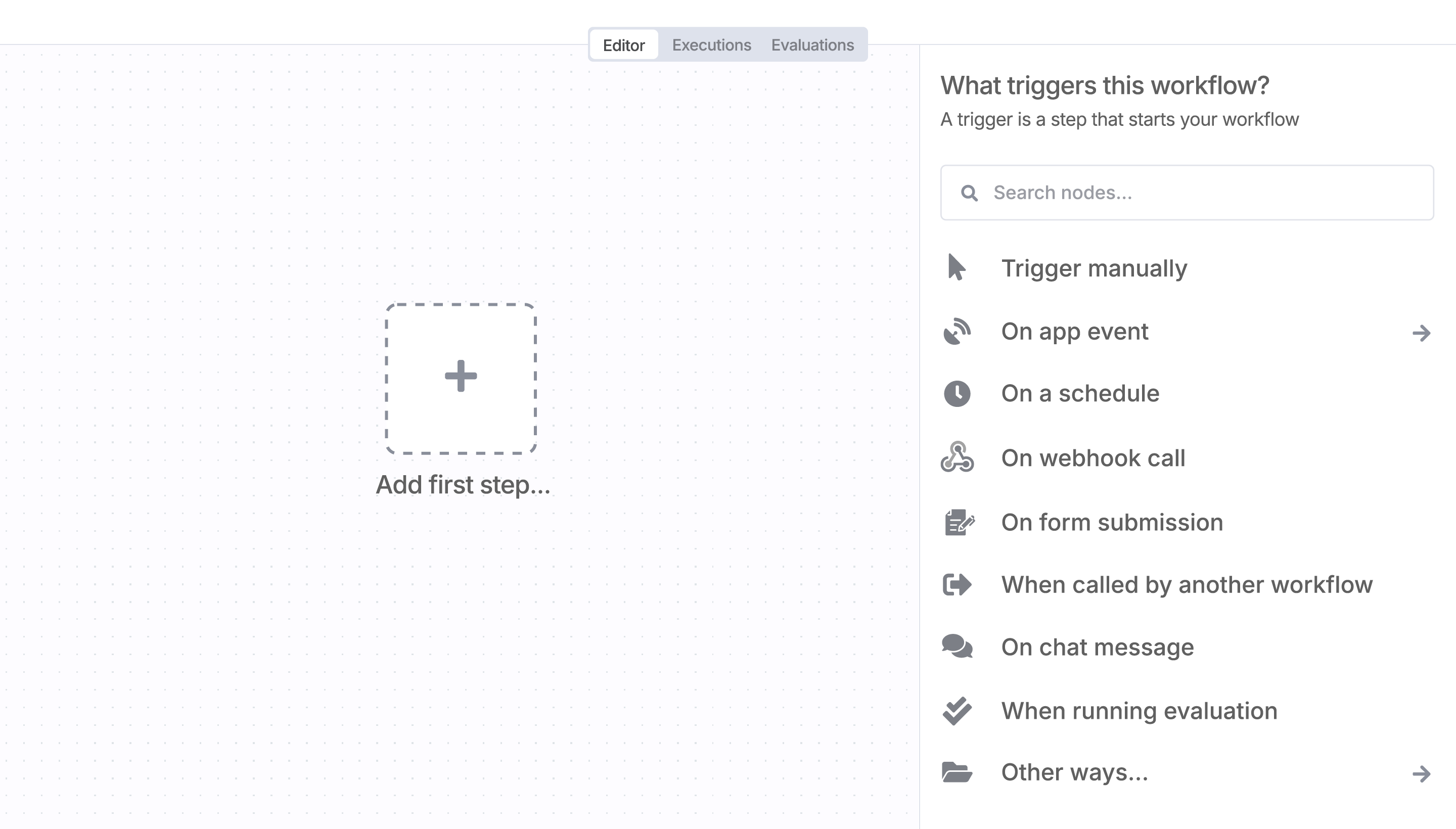
Sign in to n8n, open the editor, and click + in the top right to open the Nodes panel
Resources for GPTMaker
AI agents and workflows for technical teams at


