See llms.txt for all machine-readable content.
Integrate RoxyAPI with 2,000+ apps and services
Unlock the full potential of RoxyAPI and n8n’s automation platform by connecting RoxyAPI’s capabilities with over 2,000 apps, data sources, services, and n8n’s built-in AI features.
Need something that’s not covered yet?
Use n8n’s pre-authenticated HTTP Request node to create new connections, giving you the flexibility to build powerful automations on any stack.

- Created by
- RoxyAPI
- Last update
- 3 days ago
RoxyAPI integration
is built and maintained by our partners at RoxyAPI and verified by n8n. That means it’s solid, safe, and ready to help you tap into some great capabilities.
Popular ways to use the RoxyAPI integration
What can you do with RoxyAPI?
| Analyze Number Sequence | Analyze any number sequence: Angel number analysis API |
|---|---|
| Get Angel Number | Get angel number meaning: Angel number lookup API |
| Get Daily Angel Number | Daily angel number: Angel number of the day API |
| List Angel Numbers | List all angel numbers: Angel number catalog API |
| Calculate Ayurvedic Constitution | Ayurvedic constitution from a birth chart: Dosha profile API |
|---|---|
| Get Daily Ayurveda Reading | Daily Ayurveda reading: Dosha clock and brahma muhurta by location API |
| Get Dinacharya Schedule | Dinacharya daily routine: Brahma muhurta and dosha clock API |
| Get Dosha | Get one dosha: Vata pitta kapha profile API |
| Get Ritucharya | Ayurveda seasonal regimen: Ritucharya and ritu resolution API |
| List Doshas | List the three doshas: Dosha catalogue API |
| List Gunas | List the twenty qualities: Ayurveda guna pairs API |
| List Rasas | List the six tastes: Ayurveda rasa and dosha matrix API |
| Calculate Biorhythm Compatibility | Calculate compatibility: Biorhythm alignment between two people |
|---|---|
| Get Critical Days | Find critical days: Zero crossing detection for any date range |
| Get Daily Biorhythm | Get daily biorhythm: Seeded reading for daily check-in features |
| Get Forecast | Get biorhythm forecast: Multi-day cycle predictions with best and worst days |
| Get Phases | Get phase info: Lightweight cycle status for dashboards and widgets |
| Get Reading | Get biorhythm reading: Complete cycle analysis for any date |
| Calculate Annual Forecast | Calculate BaZi annual forecast: Liu Nian yearly pillar API |
|---|---|
| Calculate Bazi Compatibility | Calculate BaZi compatibility: Four Pillars matchmaking API |
| Calculate Day Master Strength | Calculate Day Master strength: BaZi favorable element API |
| Calculate Luck Pillars | Calculate luck pillars: BaZi Da Yun ten-year cycle API |
| Calculate Lunar Date | Convert lunar and Gregorian dates: Chinese lunisolar calendar API |
| Calculate Zodiac Animal | Find the Chinese zodiac animal for a birth date: Sheng Xiao calculator |
| Generate Bazi Chart | Generate BaZi chart: Four Pillars of Destiny calculator API |
| Get Almanac Day | Get the almanac for a day: Tong Shu API with day officers and mansions |
| Get Daily Zodiac Reading | Daily Chinese zodiac reading: Day pillar forecast by animal sign |
| Get Monthly Almanac | Get a month of almanac days: Chinese calendar month view API |
| Get Zodiac Animal | Get one Chinese zodiac animal: Full sign profile with compatibility partners |
| Get Zodiac Compatibility | Chinese zodiac compatibility: Trine, six harmony, clash and harm analysis |
| List Five Elements | List the five elements: Wu Xing API with generating and controlling cycles |
| List Solar Terms | List the 24 solar terms: Jie Qi calendar API with exact instants |
| List Zodiac Animals | List the 12 Chinese zodiac animals: Sheng Xiao sign catalogue |
| Lookup Auspicious Days | Find auspicious days: Chinese date selection API for weddings and openings |
| Get Birthstones | Birthstones by month: Birthstone lookup API |
|---|---|
| Get Crystal | Get crystal by ID: Crystal healing properties API |
| Get Crystal Pairings | Crystal pairings: Crystal combination API |
| Get Crystals by Chakra | Crystals by chakra: Chakra healing stones API |
| Get Crystals by Element | Crystals by element: Elemental crystal lookup API |
| Get Crystals by Zodiac | Crystals by zodiac sign: Zodiac birthstone API |
| Get Daily Crystal | Daily crystal: Crystal of the day API |
| Get Random Crystal | Random crystal: Crystal discovery API |
| List Crystal Colors | List crystal colors: Crystal color filter API |
| List Crystal Planets | List crystal planets: Planetary ruler filter API |
| List Crystals | List all crystals: Crystal healing database API |
| Search Crystals | Search crystals: Crystal search API |
| Get Daily Dream Symbol | Daily dream symbol: Dream symbol of the day API |
|---|---|
| Get Dream Symbol | Get dream symbol by ID: Dream interpretation API |
| Get Random Symbols | Random dream symbols: Dream symbol discovery API |
| Get Symbol Letter Counts | Symbol counts by letter: Dream dictionary index API |
| Search Dream Symbols | List and search dream symbols: Dream dictionary API |
| Calculate Kua Number | Calculate Kua number: Feng shui personal direction calculator API |
|---|---|
| Generate Eight Mansions | Generate Eight Mansions map: Ba Zhai lucky direction API |
| Generate Flying Star Chart | Generate flying star natal chart: Xuan Kong Fei Xing API |
| Get Annual Afflictions | Annual afflictions: Tai Sui, San Sha and Five Yellow API |
| Get Annual Flying Stars | Annual flying stars: Yearly feng shui star chart API |
| Get Bagua Sector | Look up a Bagua sector: Life area reference API |
| Get Kua Number | Look up a Kua number: Eight Mansions reference API |
| Get Monthly Flying Stars | Monthly flying stars: Month by month feng shui overlay API |
| List Bagua Sectors | List Bagua sectors: Feng shui bagua map API |
| List Flying Stars | List the nine flying stars: Xuan Kong star reference API |
| List Nine Periods | List the nine periods: San Yuan period table API |
| Find Significant Dates | Significant dates: High-significance cross-domain forecast highlights |
|---|---|
| Forecast Solar Return | Solar return chart: Annual birthday forecast chart for a single subject |
| Forecast Transits | Western astrology forecast: aspects, ingresses, stations, eclipses, moon phases |
| Generate Digest | Forecast digest: Pre-summarized next 24h, 7d, 30d, and 90d rollups |
| Generate Timeline | Cross-domain forecast timeline: Transits, ingresses, stations, dasha changes, critical days |
| Calculate Centers | Calculate the nine Human Design centers |
|---|---|
| Calculate Channels | Calculate the defined Human Design channels |
| Calculate Connection | Calculate Human Design connection chart: Two-person composite bodygraph compatibility |
| Calculate Gates | Calculate the 26 Human Design gate activations |
| Calculate Penta | Calculate Human Design Penta: Small-group BG5 operating system for three to five people |
| Calculate Profile | Calculate the Human Design profile and line keynotes |
| Calculate Type | Calculate Human Design type, authority and profile |
| Calculate Variables | Calculate Human Design Variables: The four arrows and Color, Tone, Base substructure |
| Generate Bodygraph | Generate full Human Design bodygraph: Type, authority, profile, centers, channels, gates |
| Generate Transit | Generate Human Design transit overlay: Current planetary activations on a natal bodygraph |
| Get Center | Look up a Human Design center by ID |
| Get Gate | Look up a Human Design gate by number |
| Cast Daily Reading | Cast daily reading with changing lines: I-Ching divination API |
|---|---|
| Cast Reading | Cast an I-Ching reading: Hexagram divination API |
| Get Daily Hexagram | Daily hexagram: Daily I-Ching oracle API |
| Get Hexagram | Get hexagram by number: I-Ching hexagram detail API |
| Get Random Hexagram | Random hexagram: I-Ching hexagram picker API |
| Get Trigram | Get trigram by number or name: Bagua trigram detail API |
| List Hexagrams | List all 64 hexagrams: I-Ching hexagram catalog API |
| List Trigrams | List all 8 trigrams: Bagua trigram catalog API |
| Lookup Hexagram | Lookup hexagram by line pattern: I-Ching binary lookup API |
| Calculate Gematria | Calculate gematria: Hebrew gematria calculator API with every spelling shown |
|---|---|
| Calculate Name Compatibility | Compare two names: gematria name compatibility API with every component published |
| Generate Birth Profile | Generate a birth profile: Hebrew birthday and birth angel API |
| Generate Name Profile | Generate a name profile: Kabbalah name numerology API with the spelling shown |
| Get Daily Sephirah | Get the sephirah of the day: Omer count API with the sephirot pairing |
| Get Hebrew Letter | Get one Hebrew letter: Hebrew letter meaning API |
| Get Sephirah | Get one sephirah: sefirot meaning API with the paths that touch it |
| Get Shem Name | Get one of the 72 names: 72 names of God API by index |
| Get Tree of Life | Get the Tree of Life: sephirot and 22 paths API with typed school variants |
| List Gematria Ciphers | List gematria ciphers: gematria methods API with provenance on every row |
| List Hebrew Letters | List the Hebrew letters: Hebrew alphabet API with the Sefer Yetzirah attributions |
| List Shem Names | List the 72 names: Shem HaMephorash API derived from the verses |
| Get Field Labels | Get field labels for a language |
|---|---|
| List Languages | List supported response languages |
| Get Cities by Country | Get cities in a country: Geocoding directory sorted by population |
|---|---|
| List Countries | List all countries: ISO codes and city coverage |
| Search Cities | Search cities worldwide: Geocoding autocomplete with coordinates and timezone |
| Calculate Mayan Compatibility | Mayan nawal compatibility: Tzolkin pair analysis API |
|---|---|
| Calculate Tonalpohualli | Aztec day sign for a date: Tonalpohualli calculator API |
| Calculate Tzolkin | Mayan day sign for a date: Tzolkin calculator API |
| Convert Long Count | Convert a Maya Long Count: Long Count calendar converter API |
| Generate Mayan Chart | Generate a Mayan chart: Tzolkin, Haab and Long Count calculator API |
| Get Aztec Day Sign | Get one Aztec day sign: Tonalpohualli sign profile API |
| Get Aztec Trecena | Get one Aztec trecena: Tonalpohualli period profile API |
| Get Daily Aztec Reading | Daily Aztec energy reading: Tonalpohualli day sign of the day API |
| Get Daily Mayan Reading | Daily Mayan energy reading: Tzolkin day sign of the day API |
| Get Haab Month | Get one Haab period: Maya solar calendar month profile API |
| Get Mayan Day Sign | Get one Mayan day sign: Nawal profile API |
| Get Monthly Tzolkin Calendar | Monthly Tzolkin calendar grid: Maya calendar month API |
| Get Trecena | Get one Mayan trecena: Thirteen day period profile API |
| List Aztec Day Signs | List the 20 Aztec day signs: Tonalpohualli sign catalogue API |
| List Aztec Trecenas | List the 20 Aztec trecenas: Tonalpohualli thirteen day period API |
| List Haab Months | List the 19 Haab periods: Maya solar calendar month API |
| List Mayan Day Signs | List the 20 Mayan day signs: Tzolkin nawal catalogue API |
| List Trecenas | List the 20 Mayan trecenas: Tzolkin thirteen day period API |
| Analyze Karmic Lessons | Analyze Karmic Lessons: Missing numbers numerology API |
|---|---|
| Calculate Birth Day | Calculate Birth Day number: Birthday numerology API |
| Calculate Bridge Numbers | Calculate Bridge Numbers: Numerology bridge numbers API |
| Calculate Business Name | Calculate business name numerology: Brand name numerology API |
| Calculate Chaldean | Calculate Chaldean numerology: Chaldean name number calculator API |
| Calculate Dual | Calculate dual numerology: Pythagorean and Chaldean name number API |
| Calculate Expression | Calculate Expression number: Destiny number calculator API |
| Calculate Life Path | Calculate Life Path number: Calculator and meaning API |
| Calculate Maturity | Calculate Maturity number: Realization number numerology API |
| Calculate Numerology Compatibility | Calculate numerology compatibility: Love match scoring API |
| Calculate Personal Day | Calculate Personal Day: Daily numerology forecast API |
| Calculate Personal Month | Calculate Personal Month: Monthly numerology forecast API |
| Calculate Personal Year | Calculate Personal Year: Personal Year number forecast API |
| Calculate Personality | Calculate Personality number: Outer personality numerology API |
| Calculate Soul Urge | Calculate Soul Urge number: Heart Desire number calculator API |
| Check Karmic Debt | Detect Karmic Debt numbers: Karmic debt 13, 14, 16, 19 API |
| Generate Numerology Chart | Generate numerology chart: Complete numerology reading API |
| Get Compound Number | Get compound number meaning: Chaldean compound numbers 10 to 52 API |
| Get Daily Number | Get daily numerology number: Number of the Day API |
| Get Number Meaning | Get number meaning: Numerology number meanings API |
| Cast Career Spread | Career spread, 7 cards: Career tarot reading API |
|---|---|
| Cast Celtic Cross | Celtic Cross spread, 10 cards: Tarot spread API |
| Cast Custom Spread | Custom spread builder: Configurable tarot spread API |
| Cast Love Spread | Love spread, 5 cards: Relationship tarot reading API |
| Cast Three Card | Three card spread, past present future: Tarot spread API |
| Cast Yes No | Yes or no answer: Yes no tarot reading API |
| Draw Cards | Draw tarot cards: Seeded tarot draw API |
| Get Card | Get tarot card by ID: Tarot card meaning API |
| Get Daily Card | Daily tarot card: Card of the day API |
| List Cards | List all 78 tarot cards: Tarot deck catalog API |
| Get Usage Stats | Get API usage statistics |
|---|
| Calculate Ayadi | Calculate Ayadi shadvarga: Vastu proportion and yoni calculator API |
|---|---|
| Calculate Entrance Pada | Calculate entrance pada: Vastu main door direction API |
| Calculate Plot Analysis | Analyse a plot: Vastu land and site assessment API |
| Calculate Room Compliance | Check room placement: Vastu room direction compliance API |
| Find Griha Pravesh Dates | Find griha pravesh dates: Vastu house warming muhurta API |
| Generate Mandala | Generate Vastu Purusha Mandala: 81 pada and 64 pada grid API |
| Get Devata | Look up one devata: Vastu mandala devata reference API |
| Get Dikpala Direction | Look up one direction: Vastu dikpala reference API |
| List Devatas | List the 45 devatas: Vastu Purusha Mandala reference API |
| List Dikpala Directions | List the eight directions: Vastu dikpala and direction reference API |
| Calculate Arudha Padas | Get the twelve Arudha padas: Arudha Lagna Calculator API |
|---|---|
| Calculate Ashtakavarga | Get Ashtakavarga (planetary strength) analysis: Ashtakavarga Calculator API |
| Calculate Bhav Chalit | Get the Bhav Chalit (Chalit Kundli) cusp-based house chart: Bhav Chalit API |
| Calculate Bhava Bala | Get Bhava Bala (house strength) for all twelve houses: Bhava Bala Calculator API |
| Calculate Chara Karakas | Get Chara Karakas including Atmakaraka: Jaimini Karaka Calculator API |
| Calculate Dashakoot | Calculate ten porutham match: Dashakoot South Indian Kundli Matching API |
| Calculate Drishti | Get planetary aspects (Drishti): Mutual aspects between all planets |
| Calculate Gun Milan | Calculate compatibility score: Gun Milan API (Ashtakoot Matching) |
| Calculate Papasamyam | Compare malefic affliction: Papasamyam Kundli Matching API |
| Calculate Parallels | Declination Parallels: Planets at same or opposite declination |
| Calculate Shadbala | Get Shadbala (six-fold planetary strength) analysis: Shadbala Calculator API |
| Calculate Transit | Transit Analysis: Compare current planets to natal chart (Gochar) |
| Cast KP Horary Chart | Cast a KP horary (Prashna) chart from a number 1-249: KP Horary API |
| Check Kalsarpa Dosha | Check Kalsarpa Dosha: Kalsarpa Yoga Calculator API |
| Check Manglik Dosha | Check Manglik Dosha: Mangal Dosha Calculator API |
| Check Sadhesati | Check Sadhesati: Sade Sati Calculator API (Saturn Transit) |
| Detect Yogas | Detect classical Vedic yogas in a birth chart |
| Generate Birth Chart | Get birth chart (D1 Rashi chart): Kundli Calculator API |
| Generate Divisional Chart | Get divisional chart (Varga): D2 to D60 Calculator |
| Generate KP Chart | Generate complete KP birth chart |
| Generate Navamsa | Get Navamsa chart (D9): Marriage Compatibility Calculator |
| Get Avastha | Get avastha by ID: Planetary State Detail |
| Get Basic Panchang | Get basic Panchang: Tithi Nakshatra Yoga Karana Calculator |
| Get Choghadiya | Get Choghadiya: 8 Muhurta divisions of day and night |
| Get Current Dasha | Get current Mahadasha, Antardasha, Pratyantardasha, Sookshma, Prana: Dasha Calculator API |
| Get Detailed Panchang | Get detailed Panchang with Rahu Kaal, Yamaganda, Gulika |
| Get Ecliptic Crossings | Ecliptic Crossings: When planets cross the ecliptic plane |
| Get Heliacal Visibility | Heliacal rising and setting (udaya and asta): Graha Asta Calculator API |
| Get Hora | Get Hora: 24 Planetary Hours (12 day + 12 night) |
| Get KP Ayanamsa | Get KP-Newcomb ayanamsa: Dynamic daily calculation |
| Get KP Cusps | Get KP Placidus house cusps with sub-lords |
| Get KP Daily Finance | Daily finance score from four KP sub lord layers: KP Daily Finance API |
| Get KP Planets | Get KP planetary positions with sub-lords |
| Get KP Planets Interval | Get KP planets at time intervals |
| Get KP Rasi Changes | Find KP rasi ingress times |
| Get KP Ruling Interval | Get KP ruling planets with significators at intervals |
| Get KP Ruling Planets | Get KP ruling planets with optional significators |
| Get KP Sublord Changes | Find KP sublord changes |
| Get Lunar Aspects | Monthly Lunar Aspects: Moon aspect events with all planets for a month |
| Get Major Dashas | Get all 9 Mahadasha periods (120-year cycle) |
| Get Monthly Aspects | Monthly Planetary Aspects: Major and minor aspect events for a month |
| Get Monthly Ephemeris | Monthly Ephemeris: Daily sidereal planetary positions for a month |
| Get Monthly Parallels | Monthly Declination Parallels: Parallel and contraparallel events for a month |
| Get Monthly Transits | Monthly Transit: Planetary sign changes for an entire month |
| Get Nakshatra | Get Nakshatra by ID: Lunar Mansion Detail |
| Get Planet Positions | Get planetary positions: Graha Positions API |
| Get Prana Dashas | Get all Prana dashas for a Mahadasha, Antardasha, Pratyantardasha and Sookshma |
| Get Pratyantardashas | Get all Pratyantardashas (antara periods) for a Mahadasha and Antardasha |
| Get Rashi | Get Rashi by ID: Vedic Zodiac Sign Detail |
| Get Sookshma Dashas | Get all Sookshma dashas for a Mahadasha, Antardasha and Pratyantardasha |
| Get Sub Dashas | Get all Antardashas (sub-periods) for a specific Mahadasha |
| Get Upagraha Positions | Get upagraha (sub-planet) positions: Upagraha Calculator API |
| Get Vedic Daily Reading | Daily Reading: Composed Gochara, Panchanga and Dasha for one native on one day |
| Get Yoga | Get yoga details by ID: Vedic Yoga Glossary Entry |
| List Avasthas | List all 17 avastha states: Planetary State Reference |
| List Nakshatras | List all 27 Nakshatras: Lunar Mansions Reference |
| List Rashis | List all 12 Rashis: Vedic Zodiac Signs Reference |
| List Yogas | List all planetary yogas: 301 entry Vedic Yoga Glossary |
| Calculate Arabic Lots | Arabic lots calculator: seven Hermetic parts including Part of Fortune and Spirit |
|---|---|
| Calculate Aspects | Calculate planetary aspects: Aspect finder for any date and time |
| Calculate Compatibility | Compatibility score: Relationship compatibility API |
| Calculate Houses | Calculate house cusps: House system calculator with comparison |
| Calculate Synastry | Calculate synastry: Relationship compatibility analysis API |
| Calculate Transit Aspects | Transit Aspects: Detailed transit-to-natal aspect analysis with interpretations |
| Calculate Transits | Calculate planetary transits: Current transits with natal chart comparison |
| Detect Aspect Patterns | Detect aspect patterns: Grand Trine, Kite, T-Square, Grand Cross, Yod, Mystic Rectangle, Stellium |
| Generate Asteroids | Asteroid goddesses calculator: Ceres, Pallas, Juno, and Vesta natal positions |
| Generate Astrocartography | Astrocartography map: planetary lines and relocation calculator |
| Generate Composite Chart | Composite Chart: Midpoint relationship chart with interpretations |
| Generate Fixed Stars | Fixed stars and star conjunctions calculator: Regulus, Spica, Algol natal report |
| Generate Lilith | Black Moon Lilith calculator: mean and true lunar apogee in the natal chart |
| Generate Local Space | Local space astrology map: Directional planetary compass lines |
| Generate Lunar Return | Lunar Return Chart: Monthly emotional forecast with Moon cycle chart |
| Generate Natal Chart | Generate natal chart: Birth chart calculator API with houses and aspects |
| Generate Planetary Return | Planetary Return Chart: Saturn return, Jupiter return, and inner planet cycles |
| Generate Profections | Annual profections calculator: lord of the year and yearly time lord by age |
| Generate Progressions | Secondary progressions calculator: progressed chart, progressed Sun and Moon |
| Generate Relocation Chart | Generate relocation chart: Relocated birth chart calculator with shifted houses and angles |
| Generate Solar Arc | Solar arc directions calculator: directed chart at one degree per year |
| Generate Solar Return | Solar Return Chart: Annual birthday forecast with relocated chart |
| Get Current Moon Phase | Get current moon phase: Lunar phase calculator with zodiac sign |
| Get Daily Horoscope | Daily horoscope by zodiac sign: Transit-based editorial columns |
| Get Monthly Declination Parallels | Monthly Parallels: Declination contacts for an entire month |
| Get Monthly Horoscope | Monthly horoscope by zodiac sign: Editorial column with key dates |
| Get Monthly Tropical Aspects | Monthly Aspects: Tropical aspect calendar for an entire month |
| Get Monthly Tropical Ephemeris | Monthly Ephemeris: Daily tropical planetary positions for a month |
| Get Monthly Tropical Transits | Monthly Transits: Tropical sign ingresses for an entire month |
| Get Moon Calendar | Get lunar calendar: Moon phases for entire month |
| Get Planet Meaning | Get planet meaning details: Complete astrology planet interpretation |
| Get Planetary Node Passages | Ecliptic Crossings: Node passages for a whole year |
| Get Planetary Positions | Get planetary positions: Ephemeris calculator for all planets |
| Get Upcoming Moon Phases | Get upcoming moon phases: Next new moon, full moon, quarters |
| Get Weekly Horoscope | Weekly horoscope by zodiac sign: Seven-day editorial column |
| Get Yearly Horoscope | Yearly horoscope by zodiac sign: Year ahead forecast with themes, key periods, eclipses and retrogrades |
| Get Zodiac Sign | Get zodiac sign details: Complete astrology sign profile with personality traits |
| List Planet Meanings | Get all planet meanings: Complete astrology planet interpretations list |
| List Zodiac Signs | Get all zodiac signs: Complete zodiac signs list with dates and elements |
How to install RoxyAPI and use it in your n8n workflows
Verified nodes need a quick setup by an instance owner first, but after that, everyone on the instance can start using them in their workflows. Learn more here.
Sign in to n8n, open the editor, and click + in the top right to open the Nodes panel
Search for RoxyAPI using the search bar. Look for the version marked by a badge  . Then, select install.
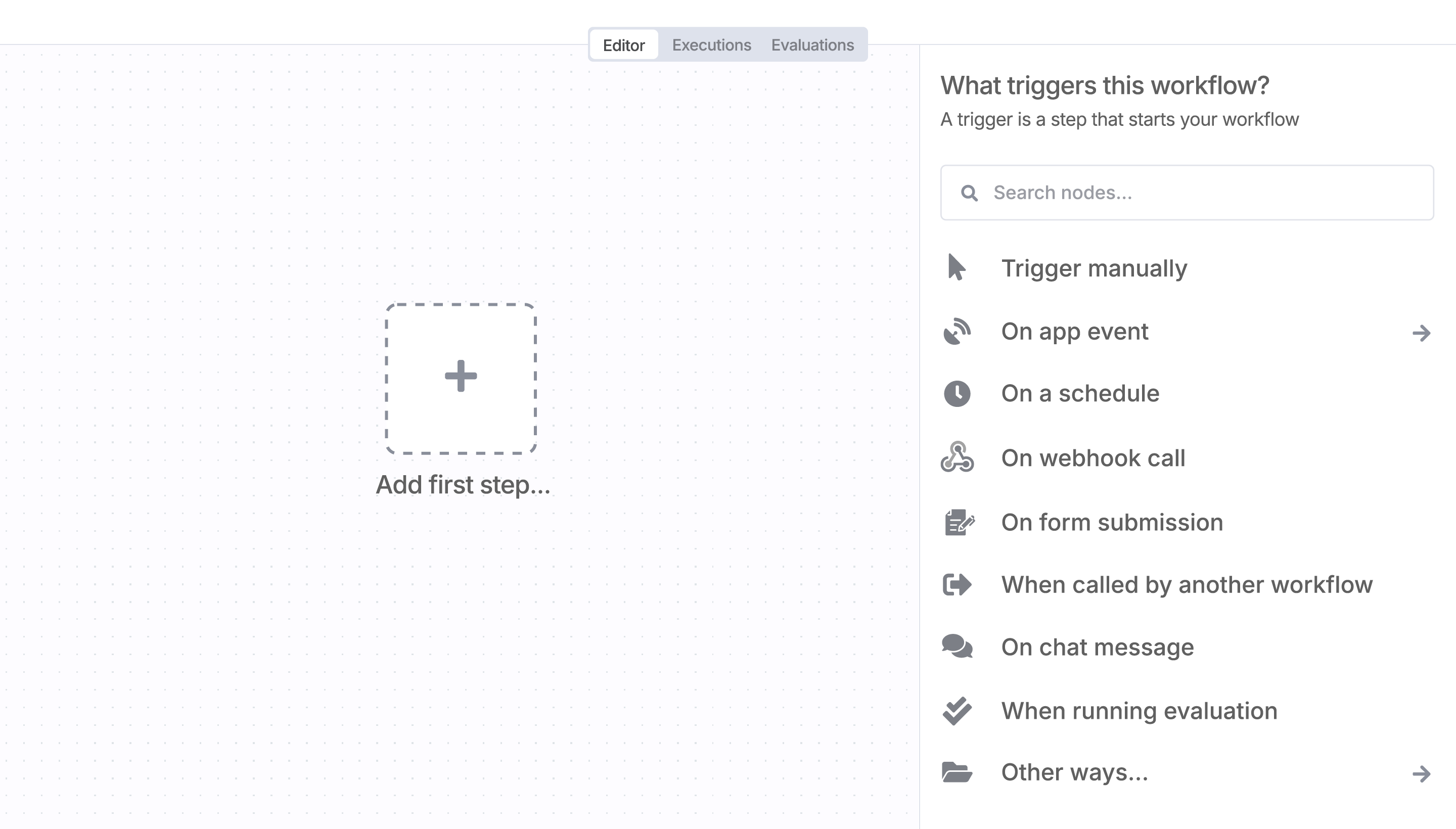
Once RoxyAPI is installed, just drag, drop, and connect it like any other node in a workflow.
Resources for RoxyAPI
Trusted by teams building smarter workflows


Connect RoxyAPI with your company’s tech stack and create automation workflows

n8n makes complex workflows easy to build, and versatile enough for me to add my own 'secret sauce.'
Danny Melamed 
I have found the holy grail of automation.
Luisa Vidal 
n8n’s integration with third-party services is absolutely mind-blowing. It’s like a Swiss army knife for automation.
Felix Leber n8n is the tool that turns 'I have an idea' into 'it's running in production' faster than anything else.
Ric Neves 
Anything is possible with n8n. I think the cloud version is great, they are doing amazing stuff.
Robyn Tindall n8n’s integration with third-party services is absolutely mind-blowing. It’s like a Swiss army knife for automation.
Nanbing 
Thank you to the n8n community. I did the beginners course and promptly took an automation WAY beyond my skill level.
Charley Mann I love the flexibility of n8n and how it lets different applications work together in a single workflow.
Ray Fourie n8n is the glue that holds many of our systems together.
Paul Cook I can move fast, go deep when things get complex, and never feel boxed in.
Ali Mazloum
Simple enough to
understand + sophisticated
enough to ship
