See llms.txt for all machine-readable content.


Summary
Automatically syncs your Zoho contacts with Beex Contact Center by handling creation and update events in real time.
How It Works
- Trigger: The workflow is activated when a contact is created or updated in Zoho CRM.
- Data Transformation: The incoming Zoho payload is flattened and formatted for easier field handling downstream. Two additional fields are set here:
portfolio_idandsequence_idboth must be provided by Beex so the client is assigned to the correct portfolio and initial contact sequence (calls, messages, etc.). - Event Routing: The workflow routes the action based on the event type received via the header sent by Zoho.
- Create Branch: Only contacts with a valid (non-null) phone number are accepted and created in Beex.
- Update Branch: To update a contact, the Get Client node fetches the existing Beex record using the client code which by convention is the Zoho Contact ID ensuring a reliable match between both platforms.
⚠️ Important: Each Beex campaign can enable custom fields that can be conveniently mapped to Zoho fields. In this template, the main fields used are first name and last name.
Setup Instructions
-
Install Beex nodes: Before importing the template, install the Beex trigger and action node using the following package name:
n8n-nodes-beex -
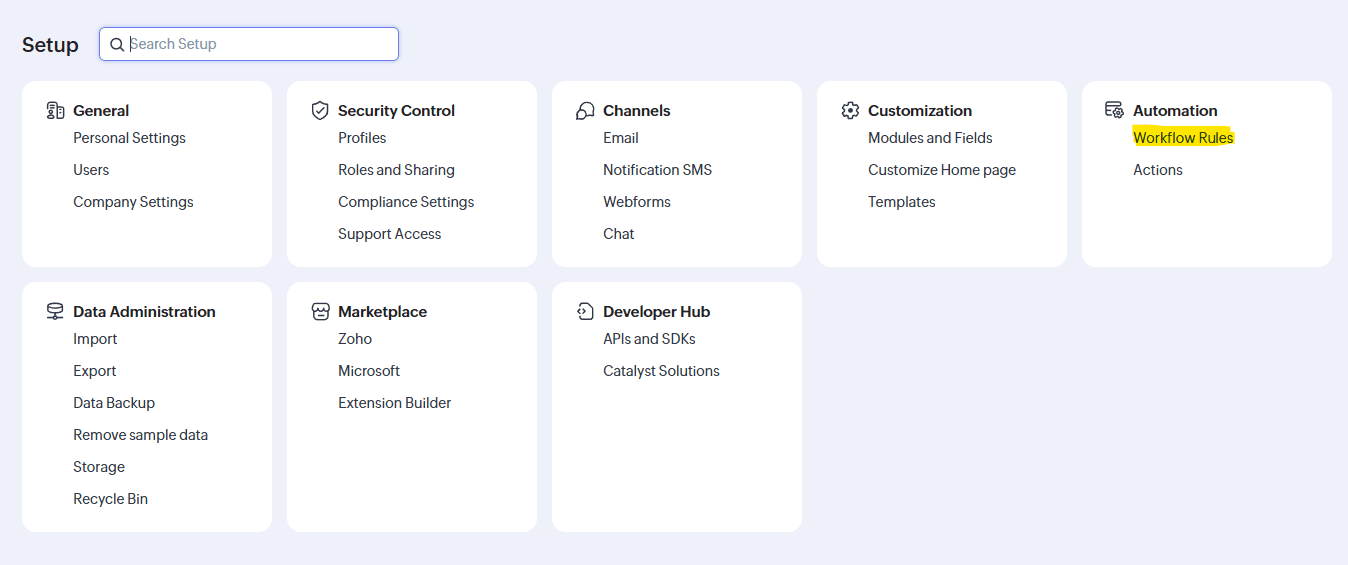
Configure Zoho Workflow Rules: Set up your Zoho automation to send events to the n8n Webhook URL.
-
Go to Configuration → Automation → Workflow Rules
-
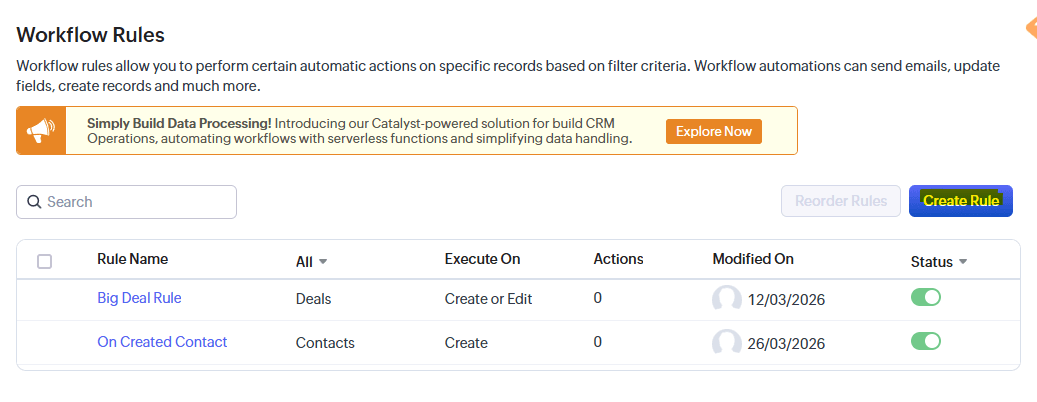
Create a new rule
-
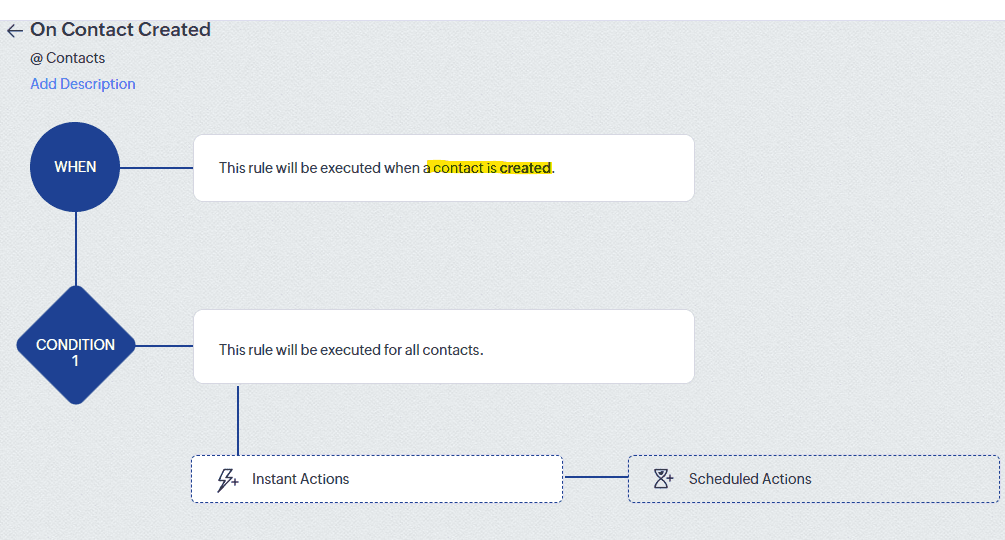
Schedule an action for Contact Created
-
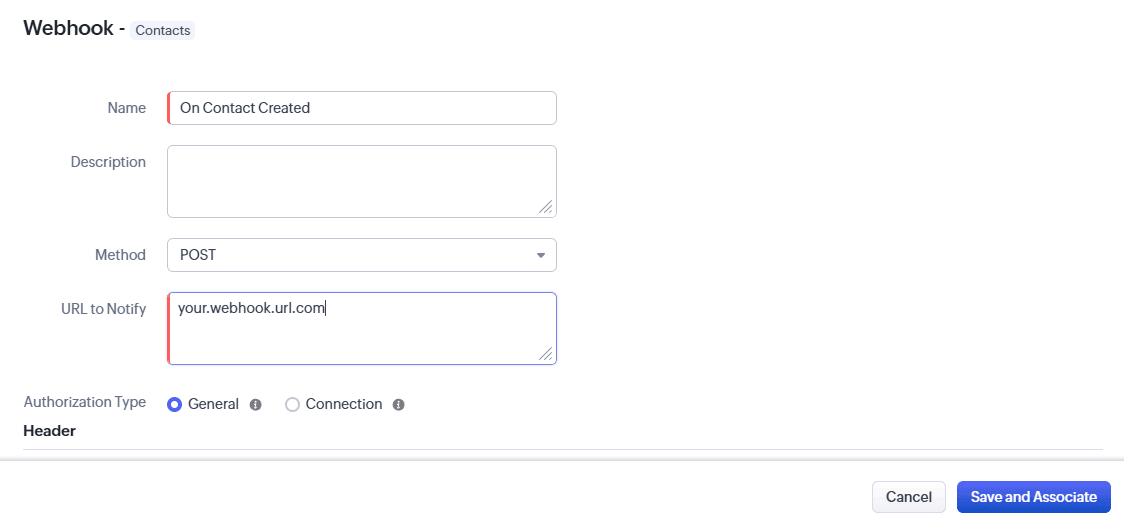
Select as
Instant Action→ Webhook -
Paste the n8n Webhook URL as the notification endpoint
-
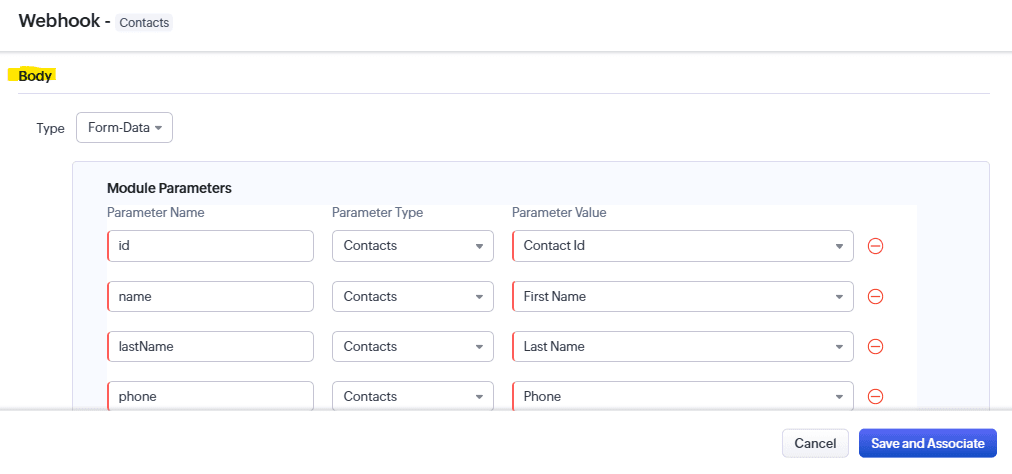
In the webhook response, select the fields to send. This template uses:
idnamelastNamephoneemail
-
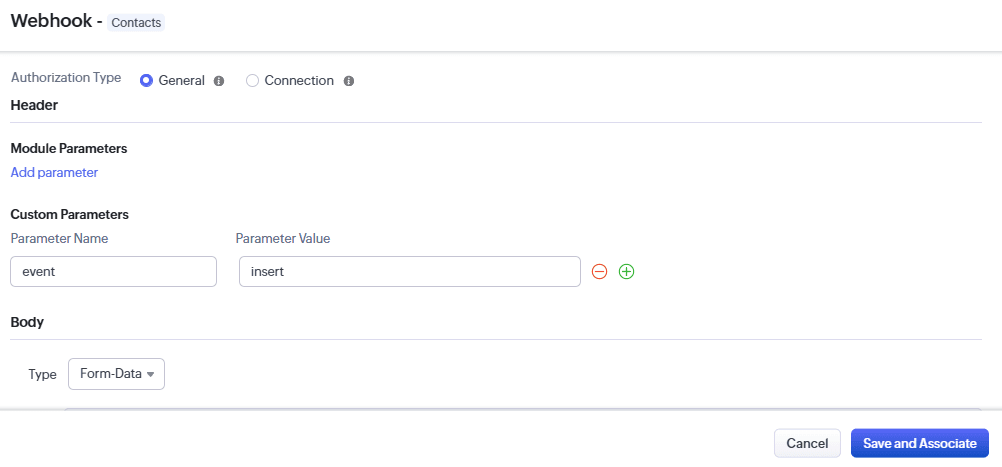
Add a custom header parameter to differentiate the event type. For contact creation, set
eventtoinsert
-
Repeat the same steps for Contact Updated, setting
eventtoupdatein other Workflow Rules.
-
-
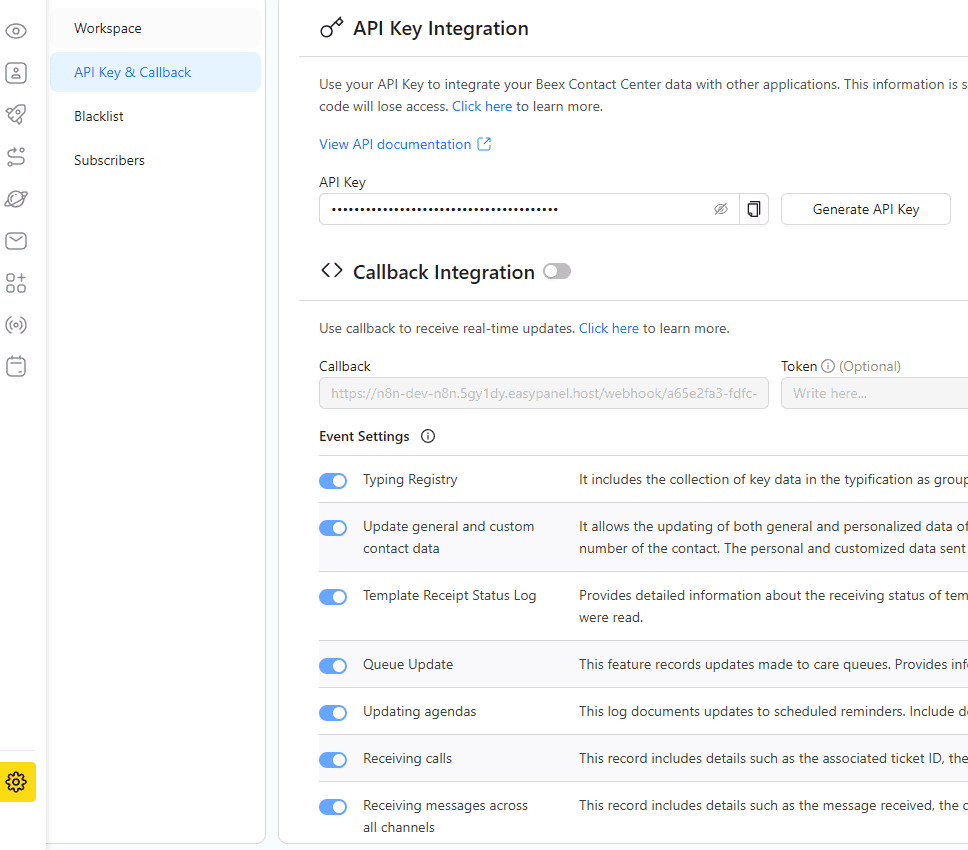
Configure Beex credentials: For Beex users with platform access (for trial requests, contact [email protected]):
- Go to Platform Settings → API Key & Callback
- Copy your API key and paste it into the corresponding Beex nodes
Requirements
- Zoho: A Zoho account on the Standard plan or higher this plan includes access to workflow rules and automation.
- Beex: An account with lead management permissions and a valid API token.
Customization Options
- Contact filtering: Add filters to control which Zoho contacts are created or updated in Beex.
- Identifier configuration: By default, only Zoho contacts with a valid phone number can be successfully created in Beex.
- Set Fields node: This node extracts all data from Zoho and sets two additional fields
portfolio_idandsequence_idwhich must be supplied by Beex to assign the client to a specific portfolio and trigger an initial contact sequence.