See llms.txt for all machine-readable content.

Quick overview
Archive permitted IMAP email attachments in Folderit, verify each new file by downloading and hashing it, and save processing receipts. Designed for operations teams that need a document intake archive with repeat checks and clear recovery steps.
How it works
- Triggers when new emails arrive in an IMAP mailbox and downloads any attachments.
- Filters attachments by allowed file extensions, requires a stable email Message-ID, and calculates a SHA-256 hash for each attachment.
- Processes attachments one at a time, acquiring a shared mutex lock from an n8n Data Table to avoid concurrent writes.
- Checks the Data Table for an existing “done” receipt for the same mailbox/message/attachment/filename/hash and skips uploading if it already completed.
- Records a “pending” receipt, uploads the attachment to Folderit, then reads back and downloads the stored file from Folderit.
- Hashes the downloaded Folderit file, verifies it matches the original attachment hash, and updates the receipt to “done” with the Folderit file UID.
- Releases the mutex lock and outputs whether the attachment was completed now or was previously completed.
Setup
- Install the
n8n-nodes-folderitcommunity node and create a Folderit OAuth2 API credential (Folderit Tailor plan with API access is required). - Add an IMAP credential for the intake mailbox and configure the IMAP node to access the correct mailbox.
- Run the one-time manual setup branch to create/reuse the n8n Data Table ledger, then copy the generated
ledgerTableIdinto the main Settings. - In Settings, set
accountUid,folderUid,mailboxScope,allowedExtensions, and paste theledgerTableIdvalue. - Ensure the target Folderit folder exists and keep the workflow inactive while you test with a dedicated mailbox and sample attachments before activating.
Requirements
- Folderit Tailor with API access; n8n-nodes-folderit (tested on verified 0.4.0 in n8n Cloud 2.46.0); n8n Data Table v1.1; a TLS IMAP mailbox and writable Folderit destination. Standard-cloud Folderit OAuth2 API credentials are selected in the service nodes.
Customization
- Choose permitted attachment extensions and a dedicated mailbox/folder. Keep mailboxScope stable and share the receipt table only across workflow copies that should suppress the same input. Optional SMTP failure alerts require their own sender, recipient and credential.
Additional info
Installation and API connection: https://www.folderit.com/knowledge-base/connect-folderit-to-n8n/
Workflow image: 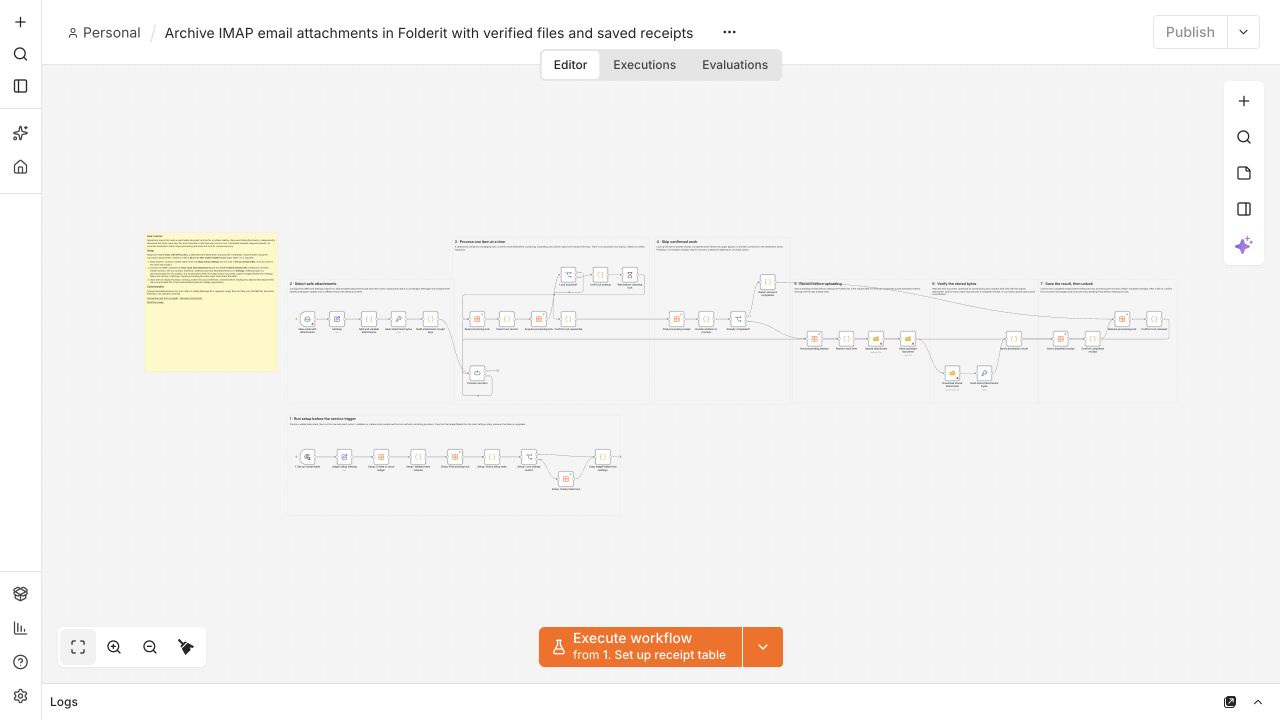
The exported JSON includes overview, setup, provider behavior, acceptance and recovery notes plus a manual receipt-table setup branch. Start with an empty dedicated test inbox: existing unseen messages may be fetched initially. A stable Message-ID is required; read/unread status is unchanged. Files are stored in Folderit, not automatically in a computer folder.
Failed or uncertain actions keep their pending receipt and shared lock held without automatic expiry. Inspect the saved execution, receipt table and actual destination before manual recovery. Receipts reduce repeated processing; there is no exactly-once guarantee across services.
Live Cloud tests verified two permitted attachments, independent downloads and matching SHA-256 hashes, skipped disallowed extension, and repeat suppression. Optional external SMTP delivery was not tested. Test in your own account before activation.
Starter pack and recovery guide: https://github.com/folderit-dms/n8n-nodes-folderit/tree/main/templates