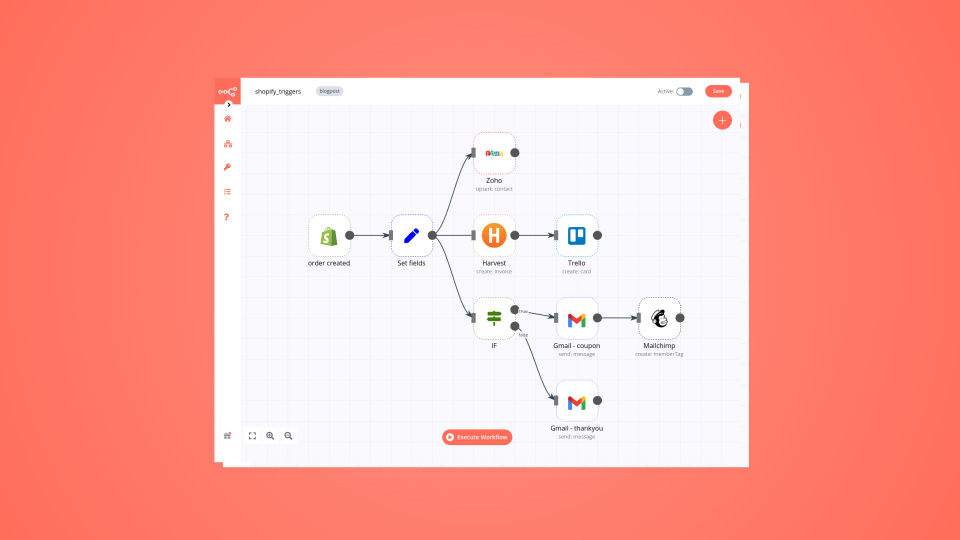
Save yourself the work of writing custom integrations for Harvest and Missive and use n8n instead. Build adaptable and scalable Productivity, workflows that work with your technology stack. All within a building experience you will love.

In n8n, click the "Add workflow" button in the Workflows tab to create a new workflow. Add the starting point – a trigger on when your workflow should run: an app event, a schedule, a webhook call, another workflow, an AI chat, or a manual trigger. Sometimes, the HTTP Request node might already serve as your starting point.
Build your own Harvest and Missive integration
Create custom Harvest and Missive workflows by choosing triggers and actions. Nodes come with global operations and settings, as well as app-specific parameters that can be configured. You can also use the HTTP Request node to query data from any app or service with a REST API.
Harvest supported actions
Create
Create a client
Delete
Delete a client
Get
Get data of a client
Get Many
Get data of many clients
Update
Update a client
Get
Retrieves the company for the currently authenticated user
Create
Create a contact
Delete
Delete a contact
Get
Get data of a contact
Get Many
Get data of many contacts
Update
Update a contact
Create
Create an estimate
Delete
Delete an estimate
Get
Get data of an estimate
Get Many
Get data of many estimates
Update
Update an estimate
Create
Create an expense
Delete
Delete an expense
Get
Get data of an expense
Get Many
Get data of many expenses
Update
Update an expense
Create
Create an invoice
Delete
Delete an invoice
Get
Get data of an invoice
Get Many
Get data of many invoices
Update
Update an invoice
Create
Create a project
Delete
Delete a project
Get
Get data of a project
Get Many
Get data of many projects
Update
Update a project
Create
Create a task
Delete
Delete a task
Get
Get data of a task
Get Many
Get data of many tasks
Update
Update a task
Create via Duration
Create a time entry via duration
Create via Start and End Time
Create a time entry via start and end time
Delete
Delete a time entry
Delete External Reference
Delete a time entry’s external reference
Get
Get data of a time entry
Get Many
Get data of many time entries
Restart
Restart a time entry
Stop
Stop a time entry
Update
Update a time entry
Create
Create a user
Delete
Delete a user
Get
Get data of a user
Get Many
Get data of many users
Me
Get data of authenticated user
Update
Update a user
Supported API Endpoints for Missive
POST
Reopen conversation
Reopens the current conversation.
reopen()
POST
Assign users
Assigns users to the current conversation.
assign(userIds)
POST
Create draft
Creates a new draft in a new conversation.
/v1/api/conversations/compose
GET
List conversations
List conversations visible to the user who owns the API token.
/v1/conversations
GET
Get conversation
Fetch a specific conversation using the conversation id.
/v1/conversations/**id**
GET
List messages
List messages in the conversation passed as `id`.
/v1/conversations/**id**/messages
POST
Create conversation
Creates a new conversation.
#method-createConversation
POST
Archive conversation
Archives a specified conversation.
#method-archive
POST
Trash conversation
Moves the specified conversation to trash.
#method-trash
POST
Move to inbox
Moves the specified conversation back to inbox.
#method-moveToInbox
POST
Comment on conversation
Adds a comment to a specified conversation.
#method-comment
POST
Create task
Creates a new task related to a conversation.
#method-createTask
POST
Add labels
Adds labels to the specified conversation.
#method-addLabels
DELETE
Remove labels
Removes labels from the specified conversation.
#method-removeLabels
POST
Close conversation
Closes a specified conversation.
#method-close
POST
Reopen conversation
Reopens a specified closed conversation.
#method-reopen
POST
Assign conversation
Assigns a specified conversation to a user.
#method-assign
POST
Add assignees
Adds assignees to a specified conversation.
#method-addAssignees
DELETE
Remove assignees
Removes assignees from a specified conversation.
#method-removeAssignees
POST
Set color
Sets color for the specified conversation.
#method-setColor
POST
Set subject
Sets the subject of the specified conversation.
#method-setSubject
GET
Fetch conversations
Fetches attributes for the given conversation IDs.
fetchConversations(ids)
POST
Create conversation
Creates a new conversation.
createConversation(options)
POST
Archive conversation
Archives current conversation.
archive()
POST
Trash conversation
Trashes current conversation.
trash()
POST
Move to Inbox
Moves current conversation to Inbox.
moveToInbox()
POST
Create comment
Creates a comment in the current conversation.
comment(body)
POST
Add labels
Adds labels to the current conversation.
addLabels(labelIds)
POST
Remove labels
Removes labels from the current conversation.
removeLabels(labelIds)
POST
Close conversation
Closes the current conversation.
close()
POST
Create draft in current conversation
Creates a new draft in the current conversation.
/v1/api/conversations/composeInConversation
POST
Reply to conversation
Replies to current conversation latest message.
/v1/api/conversations/reply
POST
Forward message
Forwards current conversation latest message.
/v1/api/conversations/forward
POST
Insert text
Inserts content as text in the currently selected composer.
/v1/api/conversations/insertText
POST
Insert HTML
Inserts content as HTML in the currently selected composer.
/v1/api/conversations/insertHtml
POST
Create draft
Creates a new draft in Missive.
/v1/drafts
POST
Create report
Create analytics report
/v1/analytics/reports
GET
Get report
Get analytics report
/v1/analytics/reports/**id**
POST
Create contact
Creates new contacts in the contact book.
/v1/contacts
PATCH
Update contact(s)
Update existing contacts with new information based on their IDs.
/v1/contacts/**id1**,**id2**,**id3**,...
GET
List contacts
Retrieve a list of contacts stored in Missive.
/v1/contacts
GET
Get a contact
Fetch a specific contact using the contact ID.
/v1/contacts/**id**
GET
List contact books
List the contact books that the authenticated user has access to.
/v1/contact_books
GET
List contact groups
List contact groups or organizations linked to a contact book.
/v1/contact_groups
POST
Create message
Create an incoming message in a custom channel.
/v1/messages
GET
Get message
Fetch a specific message headers, body and attachments using the message id.
/v1/messages/**id**
GET
List messages
Fetch messages matching an email Message-ID.
/v1/messages?email_message_id=**Message-ID**
GET
Fetch messages
Fetches attributes for the given message IDs.
fetchMessages(ids)
GET
List organizations
List organizations the authenticated user is part of.
/v1/organizations
POST
Create post
Create a post in a conversation or append it to an existing one.
/v1/posts
GET
List responses
List responses for the authenticated user.
/v1/responses
GET
Get response
Fetch a specific response using the response id.
/v1/responses/**id**
GET
List shared labels
List shared labels in organizations the authenticated user is part of.
/v1/shared_labels
GET
List teams
List teams in organizations the authenticated user is part of.
/v1/teams
GET
List users
List users in organizations the authenticated user is part of.
/v1/users
GET
Fetch users
Fetches attributes for all users.
fetchUsers()
GET
Get stored data
Retrieve data that has been previously stored using storeSet.
/api/store/get
POST
Set stored data
Store data that remains consistent between page reloads and app reloads.
/api/store/set
GET
Fetch labels
Fetches attributes for all shared labels.
fetchLabels()
POST
Create task
Creates a task in the current conversation.
createTask(body, completed)
To set up Missive integration, add the HTTP Request node to your workflow canvas and authenticate it using a generic authentication method. The HTTP Request node makes custom API calls to Missive to query the data you need using the API endpoint URLs you provide.
n8n AI workflow transforms web scraping into an intelligent, AI-powered knowledge extraction system that uses vector embeddings to semantically analyze, chunk, store, and retrieve the most relevant API documentation from web pages. Remember to check the Missive official documentation to get a full list of all API endpoints and verify the scraped ones!
Harvest is a time-tracking system that helps you track time across your projects, invoicing, reports, etc. It is easy to use, an empowers you with relevant, intelligent insights and analytics.
Missive unifies team inboxes and chat in one app, prioritizing collaboration by centralizing team communication. Key features include team inboxes, internal team chat, workflow automation through rules, and seamless integrations, enhancing overall team coordination and efficiency.

Yes, Harvest can connect with Missive using n8n.io. With n8n, you can create workflows that automate tasks and transfer data between Harvest and Missive. Configure nodes for Harvest and Missive in the n8n interface, specifying actions and triggers to set up their connection.
Yes, with n8n, you can programmatically interact with Harvest’s API via pre-defined supported actions or raw HTTP requests. With the HTTP Request node, you create a REST API call. You need to understand basic API terminology and concepts.
Yes, with n8n, you can programmatically interact with Missive’s API via pre-defined supported actions or raw HTTP requests. With the HTTP Request node, you create a REST API call. You need to understand basic API terminology and concepts.
Yes, it is safe to use n8n to integrate Harvest and Missive. n8n offers various features to ensure the safe handling of your data. These include encrypted data transfers, secure credential storage, RBAC functionality, and compliance with industry-standard security practices (SOC2 compliant). For hosted plans, data is stored within the EU on servers located in Frankfurt, Germany. You can also host it on your own infrastructure for added control.
To start integrating Harvest and Missive in n8n, you have different options depending on how you intend to use it:
n8n Cloud: hosted solution, no need to install anything.
Self-host: recommended method for full-control or customized use cases.
Unlike other platforms that charge per operation, step, or task, n8n charges only for full workflow executions. This approach guarantees predictable costs and scalability, no matter the complexity or volume of your workflows.
Looking to integrate Slack and VirusTotal in your company?