See llms.txt for all machine-readable content.
Unlock the full potential of Resend and n8n’s automation platform by connecting Resend’s capabilities with over 2,000 apps, data sources, services, and n8n’s built-in AI features.
Need something that’s not covered yet?
Use n8n’s pre-authenticated HTTP Request node to create new connections, giving you the flexibility to build powerful automations on any stack.
is built and maintained by our partners at Resend and verified by n8n. That means it’s solid, safe, and ready to help you tap into some great capabilities.
Connect n8n to Resend's email API. Send individual, batch, or scheduled emails and pause workflows for human approval. Track delivery and engagement with metrics and logs, and manage contacts with custom properties, segments, topics, and imports. Build templates, send broadcasts, run automations, and manage suppressions. Give AI agents their own inboxes to read, reply to, and draft email threads, and trigger workflows from email, contact, domain, and inbox events.
| Disconnect | Revoke the connected Resend OAuth2 grant, ending the connection to your Resend account |
|---|---|
| Get Usage | Retrieve the account's current email, contact, and segment usage along with its plan limits |
| List Grants | Retrieve the OAuth grants issued by your team, including revoked ones |
| Revoke Grant | Revoke an OAuth grant by ID, immediately disconnecting that OAuth client |
| Create | Create a new automation to automate email sequences |
|---|---|
| Delete | Remove an existing automation |
| Duplicate | Create a copy of an existing automation |
| Get | Retrieve a single automation with its steps and connections |
| Get Run | Retrieve a single automation run |
| List | Retrieve a list of automations |
| List Runs | Retrieve a list of automation runs |
| Stop | Stop a running automation and disable it |
| Update | Update an existing automation (enable or disable) |
| Cancel | Cancel a broadcast campaign that is queued or scheduled before it is delivered to its audience |
|---|---|
| Create | Create a new email broadcast campaign with subject, content, and target audience for bulk email sending |
| Delete | Permanently delete a broadcast campaign by its broadcast ID |
| Duplicate | Create a new draft broadcast that copies the segment, topic, sender, subject, reply-to, preview text, and content of an existing broadcast |
| Get | Retrieve details of a specific broadcast including status, subject, audience, and send statistics |
| List | Get a list of all broadcast campaigns with their status, subject lines, and creation dates |
| List Clicked Links | Get the links clicked in a broadcast along with total and unique click counts for each URL |
| List Recipients | Get the recipients of a broadcast filtered by event type, such as delivered, opened, clicked, or bounced |
| Send | Trigger the sending of a broadcast campaign to its target audience immediately or at a scheduled time |
| Update | Update a draft broadcast's sender, subject, content, preview text, or target segment before it is sent |
| Add to Segment | Add an existing contact to a segment by providing the contact ID and segment ID |
|---|---|
| Create | Create a new contact with email address, optional name, custom properties, and segment/topic assignments |
| Create Import | Import contacts in bulk from a CSV file, optionally mapping columns and assigning segments and topics |
| Delete | Permanently delete a contact by their contact ID |
| Get | Retrieve a contact's details including email, name, properties, and subscription status by contact ID |
| Get Import | Retrieve a single contact import with its status and the counts of created, updated, skipped, and failed rows |
| Get Topics | Get all topic subscriptions (opt-in/opt-out status) for a specific contact |
| List | Get a list of all contacts in the account with their email addresses and basic information |
| List Imports | Retrieve a list of contact imports, optionally filtered by status |
| List Segments | Get all segments that a specific contact belongs to |
| Remove From Segment | Remove a contact from a segment by providing the contact ID and segment ID |
| Update | Update a contact's information including name, email, properties, or unsubscribe status |
| Update Topics | Update a contact's topic subscription preferences (opt-in or opt-out of specific topics) |
| Create | Create a new custom contact property (metadata field) for storing additional information about contacts |
|---|---|
| Delete | Permanently delete a contact property. This removes the property from all contacts. |
| Get | Retrieve details of a specific contact property including its name, type, and configuration |
| List | Get all custom contact properties defined for storing contact metadata |
| Update | Update a contact property's name or configuration |
| Claim | Claim a domain already verified by another team. Returns a TXT record to add to your DNS for ownership verification. |
|---|---|
| Create | Add a new sending domain for email authentication. Returns DNS records that must be configured for verification. |
| Delete | Remove a sending domain from your account. Emails can no longer be sent from this domain after deletion. |
| Get | Retrieve details of a domain including DNS records, verification status, and configuration |
| Get Claim | Retrieve the latest claim status for a domain. Poll this endpoint to follow a claim status after starting a claim. |
| List | Get all sending domains with their verification status and DNS record requirements |
| Update | Update domain settings such as the tracking subdomain, click and open tracking, TLS mode, or capabilities |
| Verify | Trigger verification of DNS records for a domain. Use after configuring DNS to check if domain is ready for sending. |
| Verify Claim | Trigger DNS verification for a domain claim. Add the TXT record from the Claim operation before calling this. |
| Cancel | Cancel a previously scheduled email by its email ID before it gets sent |
|---|---|
| Get Attachment | Download a specific attachment from a sent email using the email ID and attachment ID |
| Get Metrics | Get aggregated email metrics such as sends, deliveries, opens, and clicks over a date range, optionally broken down by period, domain, email, or broadcast |
| List | Get a list of all previously sent emails with their status, subject, and recipients |
| List Attachments | Get all attachments from a sent email by providing the email ID |
| Retrieve | Get details of a specific sent email including subject, recipients, status, and timestamps |
| Send | Send a new email to one or more recipients with HTML or plain text content, attachments, and optional scheduling |
| Send and Wait for Response | Send an email with response buttons and pause workflow execution until the recipient clicks a response |
| Send Batch | Send up to 100 emails in a single API call for bulk email delivery with individual customization |
| Share | Create a temporary public link to view a sent email in the browser |
| Update | Reschedule a scheduled email by updating its scheduled_at time before it is sent |
| Create | Create a new event that can be used to trigger workflows |
|---|---|
| Delete | Remove an existing event by ID or name |
| Get | Retrieve a single event by ID or name |
| List | Retrieve a list of events |
| Send | Send a named event to trigger matching workflows |
| Update | Update an existing event schema |
| Create | Create an inbox to send, receive, and organize email at an address on one of your domains |
|---|---|
| Create Label | Create a named, colored label on an inbox |
| Delete | Permanently delete an inbox |
| Delete Label | Permanently delete a label from an inbox |
| Get | Retrieve an inbox by its ID or email address |
| Get Agent Settings | Retrieve the AI agent's instructions, tone, and enabled actions for an inbox |
| List | List all inboxes, newest first |
| List Labels | List every label on an inbox, oldest first |
| Update | Update an inbox's internal name or from name |
| Update Agent Settings | Update the AI agent's instructions, tone, or enabled actions for an inbox |
| Update Label | Update a label's name or color |
| Create | Create an unsent draft, either for a new conversation or as a reply in a thread |
|---|---|
| Delete | Delete an unsent draft |
| Get | Retrieve a draft |
| List | List unsent drafts, most recently updated first |
| Send | Send a draft from the inbox address. The draft must have at least one To recipient, a subject, and an HTML or text body. A reply draft created without a subject has an empty subject, so set one first. |
| Update | Update the recipients, subject, or body of a draft |
| Add Labels | Apply one or more labels to a thread. Labels already on the thread stay on it. |
|---|---|
| Delete | Move a thread to the trash folder. It is permanently deleted after 30 days. |
| Forward | Forward an email in a thread to new recipients |
| Get | Retrieve a thread summary |
| Get Email | Retrieve a single email from a thread |
| List | List the threads in an inbox, most recently active first |
| List Emails | List the emails in a thread, oldest first |
| Remove Label | Take one label off a thread. The label itself is kept. |
| Reply | Send a reply to an email in a thread |
| Search | Find threads by the text of their emails, who sent or received them, whether they have attachments, and their dates |
| Set Labels | Replace every label on a thread with the given labels, in one atomic change |
| Update | Mark a thread read or unread, or move it to a folder |
| List | Get all API request logs for the account including request and response details |
|---|---|
| Retrieve | Retrieve details of a specific log entry including the request body, response body, and response status |
| Get | Retrieve a specific received email including sender, subject, body, and headers by email ID |
|---|---|
| Get Attachment | Download a specific attachment from a received email by email ID and attachment ID |
| List | Get all emails received through inbound email processing with sender, subject, and timestamps |
| List Attachments | Get all attachments from a received email including filenames, sizes, and content types |
| Create | Create a new contact segment for grouping contacts based on criteria or manual assignment |
|---|---|
| Delete | Permanently delete a segment by its segment ID. Contacts in the segment are not deleted. |
| Get | Retrieve details of a specific segment including its name, contact count, and creation date |
| Get Metrics | Retrieve contact count metrics for the account, optionally broken down by segment |
| List | Get all segments in the account with their names, IDs, and contact counts |
| List Contacts | Get all contacts belonging to a specific segment |
| Update | Rename an existing segment |
| Batch Add | Add up to 100 email addresses to the suppression list in a single request |
|---|---|
| Batch Remove | Remove up to 100 suppressions at once by email address or by suppression ID |
| Create | Add a single email address to the suppression list so Resend skips it at send time |
| Delete | Remove a single suppression by ID or email so Resend can send to the address again |
| Get | Retrieve a single suppression by ID or email, including its origin and creation time |
| List | List suppressed addresses, optionally filtered by origin (bounce, complaint, or manual) |
| Create | Create a new reusable email template with HTML content and dynamic variables for personalization |
|---|---|
| Delete | Permanently delete an email template by its template ID |
| Duplicate | Create a copy of an existing template with a new name for easy customization |
| Get | Retrieve a template's details including HTML content, variables, and publish status by template ID |
| List | Get all email templates with their names, IDs, and publish status |
| Publish | Publish a template to make it available for sending emails. Required before a template can be used in email operations. |
| Update | Update a template's name, subject, HTML content, or variables |
| Create | Create a new subscription topic for organizing email preferences and managing unsubscribe options |
|---|---|
| Delete | Permanently delete a subscription topic by its topic ID |
| Get | Retrieve details of a specific topic including its name, description, and subscriber count |
| List | Get all subscription topics with their names, IDs, and subscriber counts |
| Update | Update a topic's name or description |
| Create | Create a new webhook endpoint to receive real-time notifications for email events like delivered, opened, clicked, bounced |
|---|---|
| Delete | Delete a webhook endpoint. Events will no longer be sent to this URL. |
| Get | Retrieve details of a webhook including its URL, subscribed events, and status |
| Get Event | Retrieve a single event delivered to a webhook, including its payload and delivery status |
| List | Get all configured webhooks with their URLs, event subscriptions, and status |
| List Event Attempts | Retrieve the delivery attempts of a webhook event, most recent first |
| List Events | Retrieve the events delivered to a webhook, most recent first |
| Replay Event | Queue one more delivery of a webhook event. The webhook must be enabled. |
| Rotate Signing Secret | Generate a new signing secret for a webhook. The previous secret stays valid for 24 hours. |
| Update | Update a webhook's URL or the events it is subscribed to |
Verified nodes need a quick setup by an instance owner first, but after that, everyone on the instance can start using them in their workflows. Learn more here.
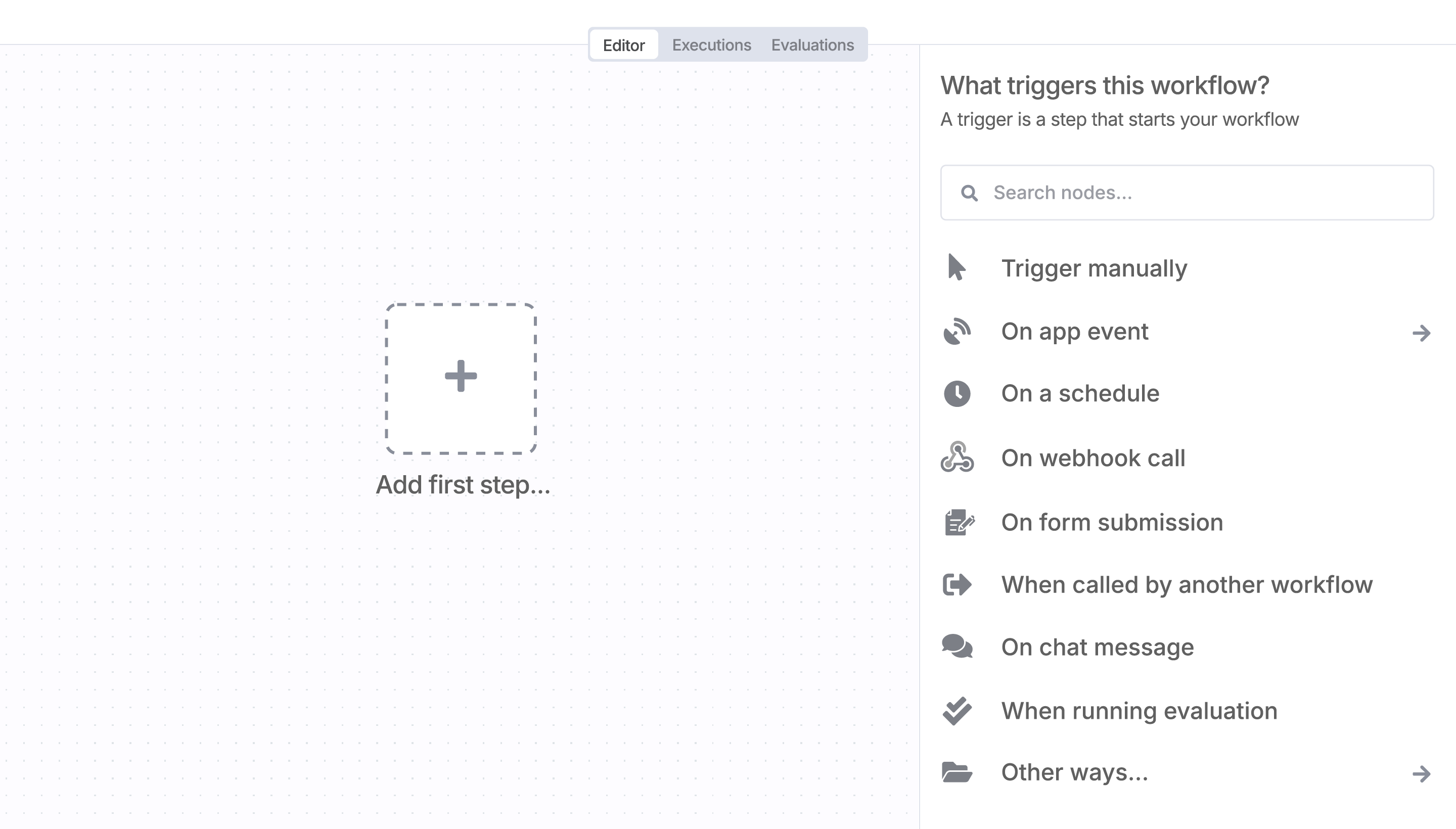
Sign in to n8n, open the editor, and click + in the top right to open the Nodes panel
Search for Resend using the search bar. Look for the version marked by a badge . Then, select install.
Once Resend is installed, just drag, drop, and connect it like any other node in a workflow.
Automate lead management
Using too many marketing tools? n8n lets you orchestrate all your apps into one cohesive, automated workflow.

n8n makes complex workflows easy to build, and versatile enough for me to add my own 'secret sauce.'

I have found the holy grail of automation.

n8n’s integration with third-party services is absolutely mind-blowing. It’s like a Swiss army knife for automation.
n8n is the tool that turns 'I have an idea' into 'it's running in production' faster than anything else.

Anything is possible with n8n. I think the cloud version is great, they are doing amazing stuff.
n8n’s integration with third-party services is absolutely mind-blowing. It’s like a Swiss army knife for automation.

Thank you to the n8n community. I did the beginners course and promptly took an automation WAY beyond my skill level.
I love the flexibility of n8n and how it lets different applications work together in a single workflow.
n8n is the glue that holds many of our systems together.
I can move fast, go deep when things get complex, and never feel boxed in.





