See llms.txt for all machine-readable content.


Who is this for?
Teams that receive documents via email and want structured data automatically extracted and saved to an Airtable base for tracking, review, or further automation. Works with any IMAP email provider - Outlook, Yahoo, or custom domains.
What it does
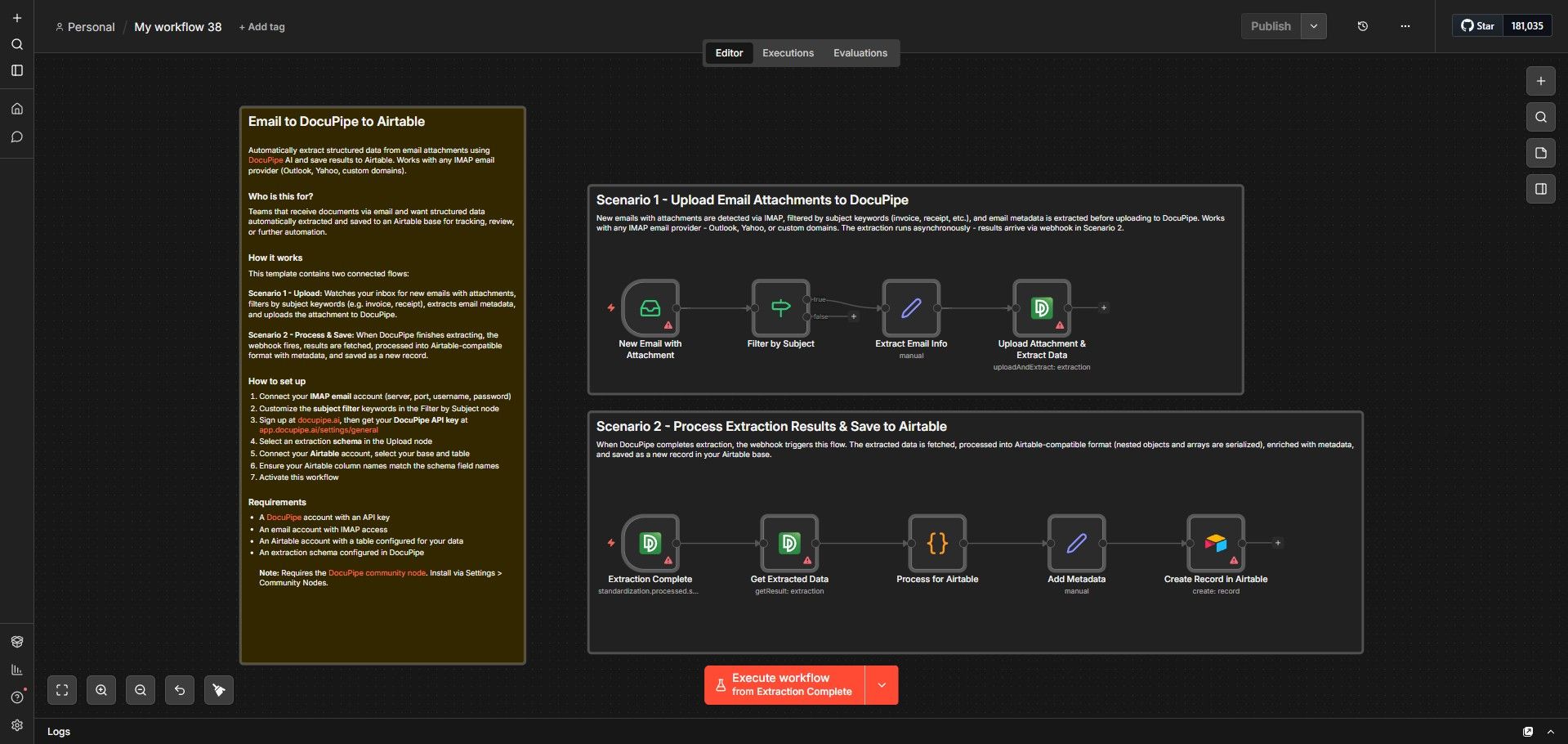
This template contains two connected flows:
- Scenario 1 - Upload: Watches your inbox for new emails with attachments, filters by subject keywords (invoice, receipt, contract), extracts email metadata, and uploads the attachment to DocuPipe for AI-powered extraction.
- Scenario 2 - Process & Save: When DocuPipe finishes extracting, the webhook fires, results are fetched, processed into Airtable-compatible format (nested objects and arrays are serialized), enriched with metadata (document name, timestamp), and saved as a new record.
How to set up
- Install the DocuPipe community node via Settings > Community Nodes
- Connect your IMAP email account (server, port, username, password)
- Customize the subject filter keywords in the Filter by Subject node
- Sign up at docupipe.ai, then get your DocuPipe API key at app.docupipe.ai/settings/general
- Select an extraction schema in the Upload node
- Connect your Airtable account, select your base and table
- Ensure your Airtable column names match the schema field names
- Activate the workflow
Requirements
- A DocuPipe account with an API key
- An email account with IMAP access
- An Airtable account with a table configured for your data
- Self-hosted n8n (required for community nodes)
Note: Requires the DocuPipe community node. Install via Settings > Community Nodes.
Categories: Productivity, Data & Storage