See llms.txt for all machine-readable content.

Airtable and Microsoft Azure Monitor integration

Save yourself the work of writing custom integrations for Airtable and Microsoft Azure Monitor and use n8n instead. Build adaptable and scalable Data & Storage, workflows that work with your technology stack. All within a building experience you will love.


How to connect Airtable and Microsoft Azure Monitor

Create a new workflow and add the first step

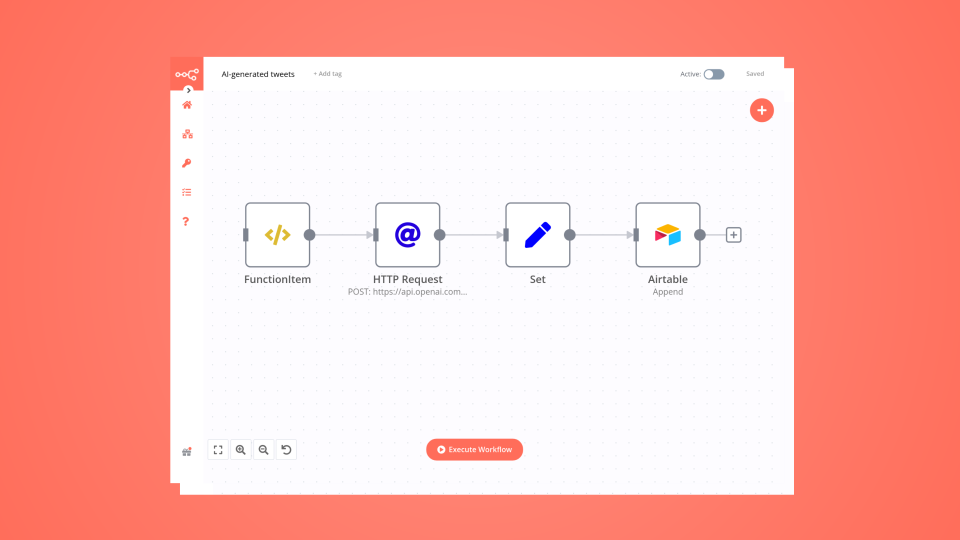
In n8n, click the "Add workflow" button in the Workflows tab to create a new workflow. Add the starting point – a trigger on when your workflow should run: an app event, a schedule, a webhook call, another workflow, an AI chat, or a manual trigger. Sometimes, the HTTP Request node might already serve as your starting point.

Airtable and Microsoft Azure Monitor integration: Create a new workflow and add the first step

Analyze mobile app build-time hotspots with Gradle, CocoaPods, Airtable, GitHub, Gmail and GPT-4.1-mini

Mobile App Build Time Hotspot Tracker - Gradle/CocoaPods Analyzer Alerting This workflow automates the monitoring and analysis of CI/CD build performance for mobile projects using Gradle and CocoaPods. It triggers upon build completion, compares metrics against historical performance stored in Airtable, and leverages AI to identify regressions. The system provides automated feedback via GitHub PR comments and email alerts for critical performance drops. ⚡ Quick Implementation Steps Configure CI Pipeline: Set your CI job to send a POST request with build metrics to the workflow's Webhook URL. Set Configuration: Adjust the regressionThreshold (default: 20%) and excludeModules in the Set Configuration node. Connect Airtable: Link your credentials to the Fetch Historical Builds and Store Build Data nodes. Connect GitHub & Gmail: Authenticate your GitHub and Gmail OAuth2 credentials for reporting. Verify AI Model: Ensure the OpenAI Chat Model is connected to power the performance analysis. What It Does The workflow acts as an intelligent performance gatekeeper for development pipelines: Metric Collection: Captures detailed task durations, build IDs, and PR context directly from CI/CD webhooks. Historical Comparison: Automatically retrieves the last 10 builds for a specific repository to calculate average baselines. AI-Powered Diagnostics: Uses a specialized AI agent to analyze slowdowns, identify root causes, and provide optimization recommendations. Automated Reporting: Categorizes findings by severity (Critical, Warning, Info) and updates stakeholders through PR comments and high-priority emails. Who’s It For Mobile Engineering Teams looking to prevent "death by a thousand cuts" in build time slowdowns. DevOps/Platform Engineers who need automated auditing of build infrastructure health. Release Managers requiring an audit trail of performance regressions across different pull requests. Technical Workflow Breakdown Entry Points (Triggers) Webhook: Listens for POST requests at /webhook/build-hotspot-tracker containing build metrics and repository metadata. Processing & Logic Set Configuration: Defines static variables like regression sensitivity and modules to ignore (e.g., test modules). Historical Analysis: Aggregate nodes calculate min, max, and average build times from historical records. AI Build Analyzer: An AI Agent utilizing GPT-4.1-mini to synthesize current build data with historical trends and PR context. Route by Severity: A switch node that directs the workflow based on whether the AI classifies the regression as Critical, Warning, or Info. Output & Integrations GitHub (Comment on PR): Posts a formatted markdown report including a severity badge, regressions list, and root causes. Airtable (Store Build Data): Logs the build ID, total duration, and AI recommendations for long-term tracking. Gmail (Notify Email): Sends immediate alerts to the team for critical regressions, including a direct link to the affected PR. Customization Adjust Sensitivity Modify the regressionThreshold in the Set Configuration node to change how aggressive the system is in flagging slowdowns (e.g., set to 10 for stricter monitoring). Module Filtering Update the excludeModules parameter to ignore specific tasks like linting or unit tests that may have volatile durations but do not represent core build performance. Analysis Detail The AI Build Analyzer prompt can be customized to focus on specific platform needs, such as focusing heavily on CocoaPods link times or Gradle configuration phases. Troubleshooting Guide | Issue | Possible Cause | Solution | | :-------------------------- | :----------------------------------------- | :----------------------------------------------------------------------------------------- | | No PR Comments | GitHub permissions or incorrect PR number. | Verify your GitHub token has write access and the CI payload includes a valid prNumber. | | Historical Data Missing | Airtable Filter failure. | Ensure the repository and prNumber fields in Airtable match the incoming Webhook data. | | AI Analysis Errors | OpenAI credits or model timeout. | Check your OpenAI API quota and verify the gpt-4.1-mini model is available in your region. | | Emails Not Sending | Gmail OAuth2 expired. | Re-authenticate the Gmail node in your n8n credentials settings. | Need Help? If you need assistance customizing this workflow, adding new features or integrating more systems (like JIRA, Slack or Google Sheets), feel free to reach out. Our n8n automation experts at WeblineIndia are here to support you in scaling your automation journey.

Popular ways to use the Airtable and Microsoft Azure Monitor integration

Build your own Airtable and Microsoft Azure Monitor integration

Create custom Airtable and Microsoft Azure Monitor workflows by choosing triggers and actions. Nodes come with global operations and settings, as well as app-specific parameters that can be configured. You can also use the HTTP Request node to query data from any app or service with a REST API.

Airtable supported actions

Supported methods for Microsoft Azure Monitor

Delete
Get
Head
Options
Patch
Post
Put

To set up Microsoft Azure Monitor integration, add the HTTP Request node to your workflow canvas and authenticate it using a predefined credential type. This allows you to perform custom operations, without additional authentication setup. The HTTP Request node makes custom API calls to Microsoft Azure Monitor to query the data you need using the URLs you provide.

Requires additional credentials set up

Use n8n's HTTP Request node with a predefined or generic credential type to make custom API calls.

Airtable and Microsoft Azure Monitor integration details

Airtable

Airtable

Airtable is the best tool to develop your business. It helps you connect, reunite and synchronize your data and team activities, and allows you to interface with new templates and intuitive designs. It is trusted by more than 300,000 companies. With Airtable, manage everything, achieve anything, grow your business & reach the top.

Microsoft Azure Monitor

Microsoft Azure Monitor

Microsoft Azure Monitor tracks and analyzes telemetry data from Azure resources, on-premises systems, and applications. It enhances performance, security, and troubleshooting with metrics, logs, and AI insights. Integrated with Log Analytics and Application Insights, it enables proactive monitoring and automation.

Other integrations with Airtable and Microsoft Azure Monitor

The SOAR platform you want

Mountains of monotonous tasks make building and monitoring your workflows a chore. Not anymore.

Learn more

FAQ about Airtable integrations

Need help setting up your Airtable and Microsoft Azure Monitor integration?

Discover our latest community's recommendations and join the discussions about Airtable and Microsoft Azure Monitor integration.

  • Erick Rdz

    Help Airtable Update Record Error with n8n

    Erick Rdz

    g the :magnifying_glass_tilted_right: search function at the upper right. If your question hasn’t been asked before, please follow the template below. Skip the questions that are not relevant to you. → Des…

    Open topic
  • Ilian

    Getting Null response with my "When executed by another workflow", any help?

    Ilian

    Describe the problem/error/question I’ve been struggling with my workflow lately. I have 2 workflow indeed (I used this template) and it appears that my 2nd workflow, which have a “When executed by another workflow” trig…

    Open topic
  • Feramuz

    Store chat messages to specific columns of Airtable Table

    Feramuz

    I want to build a conversational data collection system that automatically extracts and classifies information from chat messages into structured JSON format. When a customer provides information in natural language - fo…

    Open topic
  • Spencer Fonbuena

    Erroneous Authorization data is wrong!

    Spencer Fonbuena

    Describe the problem/error/question I’ve been using airtable to trigger some automations with the n8n webhook node. I usually send the airtable info I need from airtable automations, and attach a secret, as a small bit …

    Open topic
  • Michael Wells

    Date formatting and Airtable

    Michael Wells

    Describe the problem/error/question Hi all, I’m having a weird new issue with my Airtable step, regarding the date. As you can see [1] it’s arriving from the webhook as an ISO8601 date, but is resulting in an Airtable e…

    Open topic

Looking to integrate Slack and VirusTotal in your company?

Trusted by teams building smarter workflows

Why

Why use n8n to integrate Airtable with Microsoft Azure Monitor

Handle branching, merging and iteration easily. Pause your workflow to wait for external events.

Re-run single steps to test changes in no time. And pin your data to avoid generating trigger events every time you execute.

Your data is displayed alongside your settings, making edge cases easy to track down.

Use 1000+ workflow templates available from our core team and our community.

Copy and paste, easily import and export workflows.

Simple enough to 
understand + sophisticated 
enough to ship