See llms.txt for all machine-readable content.

Airtable and QuickBooks Online integration

Save yourself the work of writing custom integrations for Airtable and QuickBooks Online and use n8n instead. Build adaptable and scalable Data & Storage, workflows that work with your technology stack. All within a building experience you will love.


How to connect Airtable and QuickBooks Online

Create a new workflow and add the first step

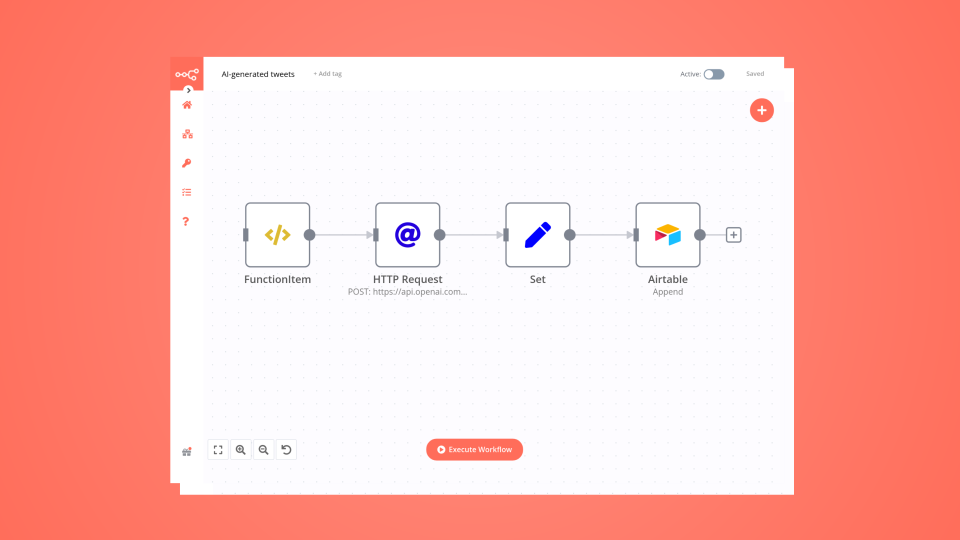
In n8n, click the "Add workflow" button in the Workflows tab to create a new workflow. Add the starting point – a trigger on when your workflow should run: an app event, a schedule, a webhook call, another workflow, an AI chat, or a manual trigger. Sometimes, the HTTP Request node might already serve as your starting point.

Airtable and QuickBooks Online integration: Create a new workflow and add the first step

Full-cycle invoice automation: Airtable, QuickBooks & Stripe

This n8n template from Intuz provides a complete and automated solution for full-cycle invoicing, orchestrating a seamless flow between Airtable, QuickBooks, and Stripe. This is the ultimate sales-to-cash automation. When a deal in Airtable is marked "Approved for Invoicing," this workflow intelligently syncs customer data across QuickBooks and Stripe (creating them if they don't exist), generates an official QuickBooks invoice, creates a Stripe payment link, and then updates the original Airtable record with all the new IDs and links. Eliminate manual data entry and keep your systems perfectly in sync. Who's this workflow for? Finance, Accounting, and Operations Teams SalesOps and RevOps Teams Small Business Owners and Founders Agencies and Freelancers How It Works: 1. Airtable Trigger & Approval Gate: The workflow starts when a record in your Airtable base is updated. An If node immediately checks if the Status field is set to "Approved for Invoicing." If not, the workflow for that item stops. 2. Customer Sync (QuickBooks & Stripe): The workflow searches for the customer in both QuickBooks and Stripe using the details from Airtable. Using If nodes, it intelligently checks if the customer exists. If a customer is not found in either platform, it creates a new one. This "find-or-create" logic prevents duplicate records. 3. Update Airtable with IDs: Once the customer IDs from both QuickBooks and Stripe are secured (either found or newly created), the workflow updates the original Airtable record with these new IDs for future reference. 4. Generate Financials: Stripe Payment Link: It sends an HTTP request to Stripe to create a unique, ready-to-use payment link for the specified amount. QuickBooks Invoice: It fetches your product list from QuickBooks, finds the matching item from the Airtable record, and generates a formal, detailed invoice. 5. Close the Loop: In the final step, the workflow updates the Airtable record one last time to: Add the QuickBooks Invoice #. Add the Stripe Payment Link. Change the Status to "Invoiced." Step-by-Step Setup Instructions This is an advanced workflow. Follow these setup steps carefully. 1. Connect Your Credentials Airtable: Create and connect a Personal Access Token with data.records:read and data.records:write scopes. QuickBooks: Connect your QuickBooks Online account using OAuth2 credentials. Stripe: Connect your Stripe account using your Secret Key. 2. Airtable Base Setup (Crucial) Your Airtable base must have a table with the following columns. The names must match exactly: Deal Name (Text) Client Name (Text) Client Email (Email) Status (Single-select with options: Draft, Approved for Invoicing, Invoiced) QuickBooks Customer ID (Text) Stripe Customer ID (Text) Stripe Payment Link (URL) QuickBooks Invoice # (Text) Stripe Price Id (Text - The API ID of your price in Stripe, e.g., price_123...) Quantity (Number) Quickbooks Product Name (Text) Created (Created Time) - This is used by the trigger. 3. Configure the n8n Nodes All Airtable Nodes: In each Airtable node, select your Base and Table from the dropdown lists. Get all Quickbook products (HTTP Request Node): You must replace {YOUR_QUICKBOOKS_COMPANY_ID} in the URL with your actual QuickBooks Company ID (also known as a Realm ID). 4. Activate the Workflow Save the workflow and toggle the Active switch to "on". The workflow will now trigger whenever the Created field is updated for a record in your Airtable base. Customization Guidance Changing the Trigger Status: If you use a different status than "Approved for Invoicing," simply update the value in the "IF - Status Check" node. Modifying Invoice Details: You can customize the Description or other line item details in the "Create an invoice" (QuickBooks) node by pulling more fields from your Airtable record. Adding Email Notifications: To notify a customer when their invoice is ready, add a Gmail or SendGrid node after the last Airtable Update node. You can include the Stripe Payment Link and a PDF of the QuickBooks invoice directly in the email. Advanced Error Handling: For a production environment, consider connecting the false output of the various IF nodes or using the .onError() workflow setting to send a Slack or email alert if a customer can't be found or an API call fails. Support For further support, or to develop a custom workflow, reach out to: Website: https://www.intuz.com/n8n-workflow-automation-templates Email: [email protected] LinkedIn: https://www.linkedin.com/company/intuz Get Started: https://n8n.partnerlinks.io/intuz For Custom Worflow Automation Click here- Get Started

Build your own Airtable and QuickBooks Online integration

Create custom Airtable and QuickBooks Online workflows by choosing triggers and actions. Nodes come with global operations and settings, as well as app-specific parameters that can be configured. You can also use the HTTP Request node to query data from any app or service with a REST API.

Airtable supported actions

QuickBooks Online supported actions

Airtable and QuickBooks Online integration details

Airtable

Airtable

Airtable is the best tool to develop your business. It helps you connect, reunite and synchronize your data and team activities, and allows you to interface with new templates and intuitive designs. It is trusted by more than 300,000 companies. With Airtable, manage everything, achieve anything, grow your business & reach the top.

QuickBooks Online

QuickBooks Online

QuickBase is a powerful cloud-based application platform that can offer a full range of features that businesses require today. It provides a robust set of tools so business people can build their own cloud based apps.

FAQ about Airtable integrations

Need help setting up your Airtable and QuickBooks Online integration?

Discover our latest community's recommendations and join the discussions about Airtable and QuickBooks Online integration.

  • Erick Rdz

    Help Airtable Update Record Error with n8n

    Erick Rdz

    g the :magnifying_glass_tilted_right: search function at the upper right. If your question hasn’t been asked before, please follow the template below. Skip the questions that are not relevant to you. → Des…

    Open topic
  • Ilian

    Getting Null response with my "When executed by another workflow", any help?

    Ilian

    Describe the problem/error/question I’ve been struggling with my workflow lately. I have 2 workflow indeed (I used this template) and it appears that my 2nd workflow, which have a “When executed by another workflow” trig…

    Open topic
  • Feramuz

    Store chat messages to specific columns of Airtable Table

    Feramuz

    I want to build a conversational data collection system that automatically extracts and classifies information from chat messages into structured JSON format. When a customer provides information in natural language - fo…

    Open topic
  • Spencer Fonbuena

    Erroneous Authorization data is wrong!

    Spencer Fonbuena

    Describe the problem/error/question I’ve been using airtable to trigger some automations with the n8n webhook node. I usually send the airtable info I need from airtable automations, and attach a secret, as a small bit …

    Open topic
  • Michael Wells

    Date formatting and Airtable

    Michael Wells

    Describe the problem/error/question Hi all, I’m having a weird new issue with my Airtable step, regarding the date. As you can see [1] it’s arriving from the webhook as an ISO8601 date, but is resulting in an Airtable e…

    Open topic

Looking to integrate Slack and VirusTotal in your company?

Trusted by teams building smarter workflows.

Why

Why use n8n to integrate Airtable with QuickBooks Online

Handle branching, merging and iteration easily. Pause your workflow to wait for external events.

Re-run single steps to test changes in no time. And pin your data to avoid generating trigger events every time you execute.

Your data is displayed alongside your settings, making edge cases easy to track down.

Use 1000+ workflow templates available from our core team and our community.

Copy and paste, easily import and export workflows.

Simple enough to 
understand + sophisticated 
enough to ship