See llms.txt for all machine-readable content.

OpenAI and Strava integration

Save yourself the work of writing custom integrations for OpenAI and Strava and use n8n instead. Build adaptable and scalable AI, workflows that work with your technology stack. All within a building experience you will love.


How to connect OpenAI and Strava

Create a new workflow and add the first step

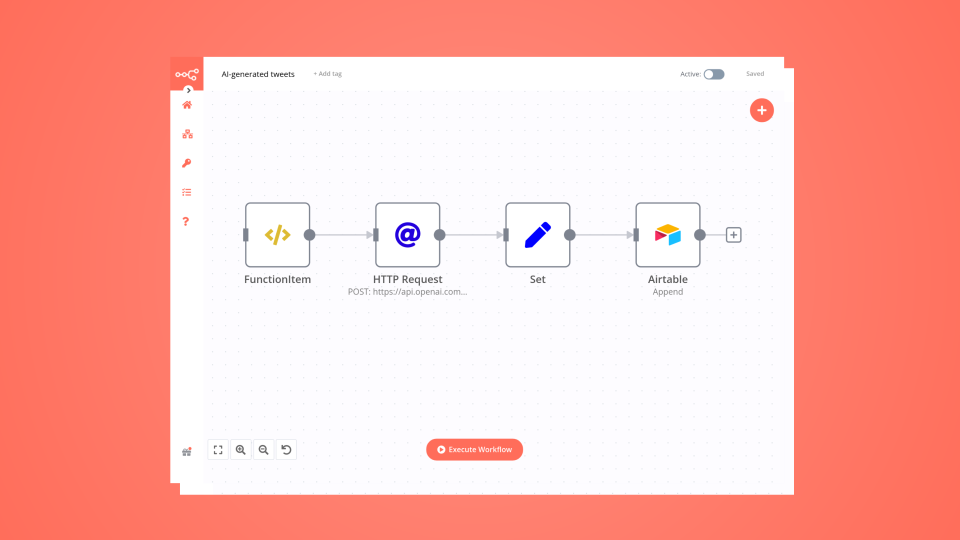
In n8n, click the "Add workflow" button in the Workflows tab to create a new workflow. Add the starting point – a trigger on when your workflow should run: an app event, a schedule, a webhook call, another workflow, an AI chat, or a manual trigger. Sometimes, the HTTP Request node might already serve as your starting point.

OpenAI and Strava integration: Create a new workflow and add the first step

Generate AI-powered Strava performance evolution reports with Google Sheets & GPT-5-nano

Automatically analyze your full sports performance evolution using your Strava activities, enriched with AI insights and delivered directly to your email — all powered by your own n8n instance. ✨ Why this workflow? Stop manually reviewing your training history. This workflow automates the entire analysis: collecting activities, filtering by date range, comparing progress, generating a structured AI report, storing it, and emailing it to you. Battle-tested: refined across multiple Strava accounts to ensure strong error handling and stable performance. Fully documented: each block is cleanly structured; logic is easy to follow. Safe & robust: handles missing fields, invalid dates, empty ranges, and malformed inputs. Flexible: change the analysis period (week/month/year/total), language, and recipient in one single node (OPTIONS). Zero manual work: reports arrive automatically. 🧠 What does the workflow do? Reads your entire Strava activity dataset from Google Sheets. Filters activities by your chosen range (last week, last month, last year, or all time). Formats each activity as “Activity 1, Activity 2, …” (from newest to oldest). Sends the full historical dataset + the previous AI report (if available) to GPT-5-nano. Generates a complete performance report with six sections: Evolution Best improvements Setbacks Performance patterns Current state Recommendations Saves the new report in a separate Google Sheet for long-term tracking. Converts the AI output into clean, professional Markdown → HTML. Sends you a styled email with the final report. 🛠️ Technologies & APIs Used n8n (cloud or self-hosted) OpenAI (GPT-5-nano for analysis) Google Sheets API (activity log + report archive) Gmail/SMTP (email delivery) Strava data imported into Sheets (activity database) ⚡ Who is this for? Athletes who want automated tracking of their evolution. Coaches who need structured, periodic reports. Data-driven users who love learning from their training history. Anyone who wants AI-powered insights without subscriptions or external dashboards. n8n fans exploring advanced automations. 🎯 Problems Solved No more manual comparison of activities. Automatic detection of improvements and regressions. A complete evolution report is always stored and searchable. Every analysis is emailed in clean, easy-to-read formatting. Eliminates the need for external reporting tools. 📝 Quick Setup Import the .json workflow into your n8n. Add your credentials: OpenAI API key Google Sheets Email (SMTP or Gmail) Make sure your Strava activities are synced into the main Sheet. Adjust name, email, language, and range in OPTIONS. Run manually or let the scheduler handle it automatically. Also keep in mind that each generated report has an approximate cost of $0.01 in OpenAI API usage. 📦 What’s included? n8n workflow file (.json) Internal documentation inside the flow Automatic report archiving Basic support by email Professional AI-generated performance reports sent directly to you Please note that the price of this workflow may increase in future updates, although all updates will remain free for existing users.

Build your own OpenAI and Strava integration

Create custom OpenAI and Strava workflows by choosing triggers and actions. Nodes come with global operations and settings, as well as app-specific parameters that can be configured. You can also use the HTTP Request node to query data from any app or service with a REST API.

OpenAI supported actions

Strava supported actions

OpenAI and Strava integration details

OpenAI

OpenAI

OpenAI, the creator of ChatGPT, offers a range of powerful models including GPT-3, DALL·E, and Whisper. Leverage these models to build AI-powered workflows.

Strava

Strava

Strava is a free online and mobile platform that helps you track your training, upload your runs, follow other athletes and covers your entire active journey in one spot.

FAQ about OpenAI integrations

Need help setting up your OpenAI and Strava integration?

Discover our latest community's recommendations and join the discussions about OpenAI and Strava integration.

  • Artem

    How to define AI-powered Extra Workflow Inputs in AI tools?

    Artem

    Describe the question I need to pass to the tool some data from the AI Agent. Like, “task name” and “task tags” to create a task via Custom Workflow Tool. So I don’t know what to refer to in the Extra Inputs. Because th…

    Open topic
  • sérgio eduardo floresta filho

    The prompt is not being executed

    sérgio eduardo floresta filho

    Hello! My goal is to use Google Forms to collect information from my clients and then use n8n to automate the processing of this information. My workflow involves: Collecting data through Google Forms. Using n8n to re…

    Open topic
  • Heisenbug

    How to handle multi-message prompts in OpenAI Chat node?

    Heisenbug

    Describe the problem/error/question I want to send multiple messages to the OpenAI Chat node (LangChain → LLM Prompt Template) in a single execution, simulating a conversation. The first message is fixed, and the followi…

    Open topic
  • Julien

    OpenAI node - How to use the new Endpoint?

    Julien

    Is it possible to choose the Responses API or OpenAI ? It has been updated a few months ago by OpenAI, but the node still seems to be using the old Completions API. [https://platform.openai.com/docs/guides/migrate-to-re…

    Open topic
  • Andrew adawdad

    OpenAI not receicving JSON data from previous node

    Andrew adawdad

    Describe the problem/error/question Im currently using the openAI node to send a text message to the system. I am sending the previous nodes JSON data, but the openai response says that im only sending {{ $json }} instea…

    Open topic

Looking to integrate Slack and VirusTotal in your company?

Trusted by teams building smarter workflows.

Why

Why use n8n to integrate OpenAI with Strava

Handle branching, merging and iteration easily. Pause your workflow to wait for external events.

Re-run single steps to test changes in no time. And pin your data to avoid generating trigger events every time you execute.

Your data is displayed alongside your settings, making edge cases easy to track down.

Use 1000+ workflow templates available from our core team and our community.

Copy and paste, easily import and export workflows.

Simple enough to 
understand + sophisticated 
enough to ship