See llms.txt for all machine-readable content.



Find which AI search topics each domain owns with SE Ranking and GPT
Who is this for
- SEO teams wanting to understand topic-level AI search dominance across competitors
- Content strategists building editorial plans around AI visibility gaps
- Marketing managers benchmarking brand presence across AI search topics
What this workflow does
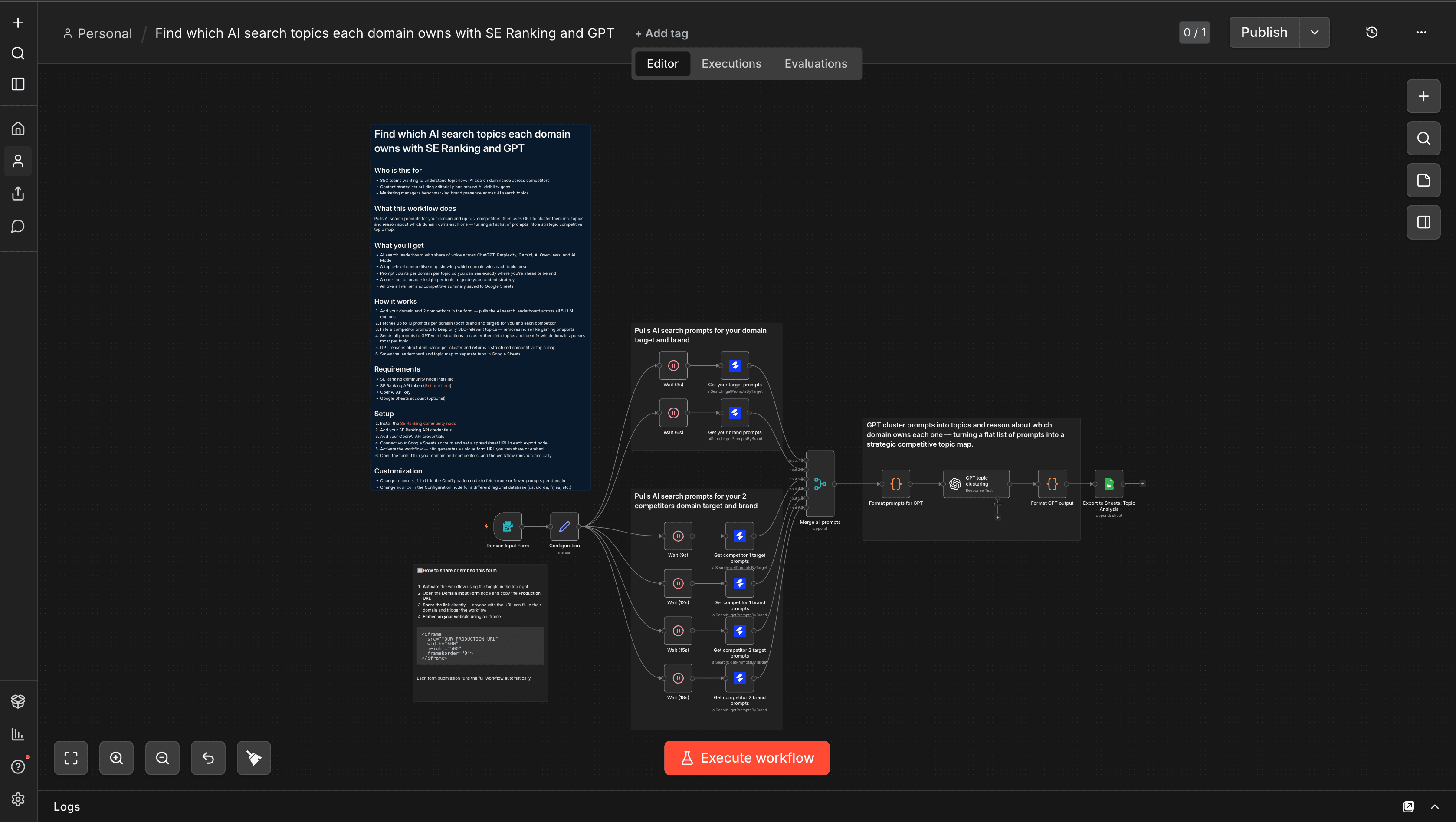
Pulls AI search prompts for your domain and up to 2 competitors, then uses GPT to cluster them into topics and reason about which domain owns each one — turning a flat list of prompts into a strategic competitive topic map.
What you'll get
- AI search leaderboard with share of voice across ChatGPT, Perplexity, Gemini, AI Overviews, and AI Mode
- A topic-level competitive map showing which domain wins each topic area
- Prompt counts per domain per topic so you can see exactly where you're ahead or behind
- A one-line actionable insight per topic to guide your content strategy
- An overall winner and competitive summary saved to Google Sheets
How it works
- Add your domain and 2 competitors in the form — pulls the AI search leaderboard across all 5 LLM engines
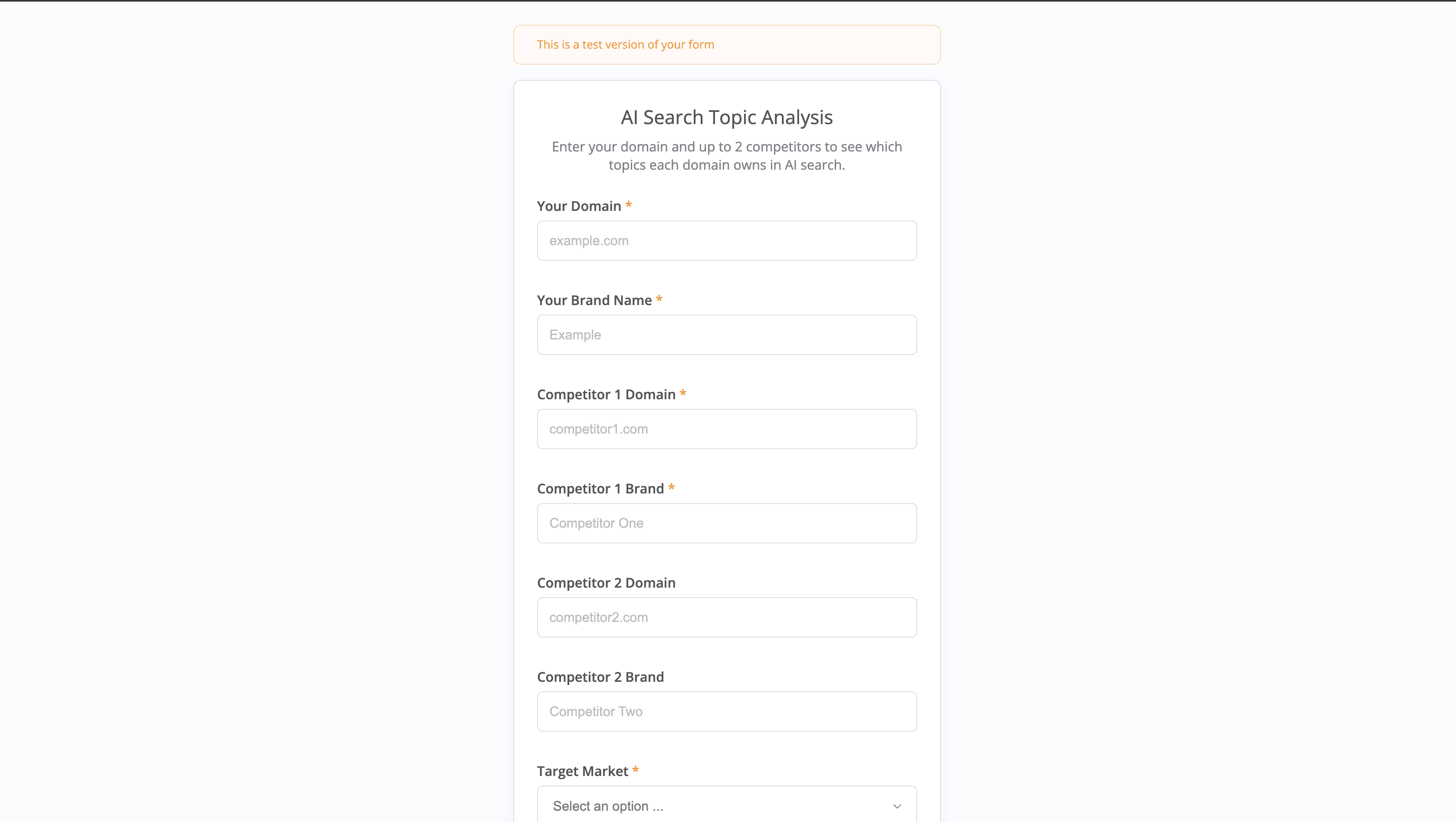
- Fetches up to 10 prompts per domain (both brand and target) for you and each competitor
- Filters competitor prompts to keep only SEO-relevant topics — removes noise like gaming or sports
- Sends all prompts to GPT with instructions to cluster them into topics and identify which domain appears most per topic
- GPT reasons about dominance per cluster and returns a structured competitive topic map
- Saves the leaderboard and topic map to separate tabs in Google Sheets
Requirements
- SE Ranking community node installed
- SE Ranking API token (Get one here)
- OpenAI API key
- Google Sheets account (optional)
Setup
- Install the SE Ranking community node
- Add your SE Ranking API credentials
- Add your OpenAI API credentials
- Connect your Google Sheets account and set a spreadsheet URL in each export node
- Activate the workflow — n8n generates a unique form URL you can share or embed
- Open the form, fill in your domain and competitors, and the workflow runs automatically
Customization
- Change
prompts_limitin the Configuration node to fetch more or fewer prompts per domain - Change
sourcein the Configuration node for a different regional database (us, uk, de, fr, es, etc.) - Edit the system prompt in the GPT node to adjust how topics are clustered or how insights are written