See llms.txt for all machine-readable content.



This workflow enables the automatic and regular tracking of competitors' Instagram Reels, providing rich insights for each video (summary, topic, hook, angles, tags, etc) through ChatGPT, and storing all information in a structured Google Sheets data table. This can optimize your workflow, allowing you to gain a deeper understanding of potential customers and partners, and enabling more timely personalized hot topic tracking and decision-making.
How it works
- Trigger workflow on a schedule (e.g. every hour).
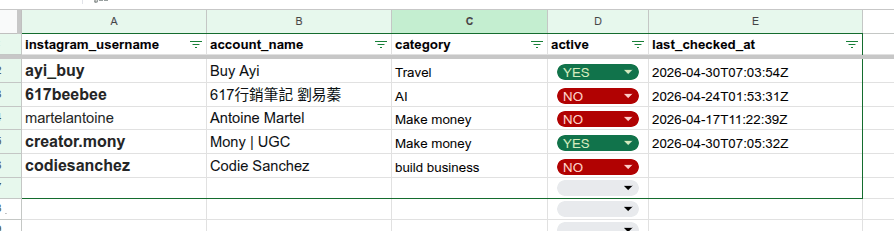
- Read active Instagram accounts from Google Sheets (Accounts tab).
- Filter accounts based on last check time to avoid redundant scraping.
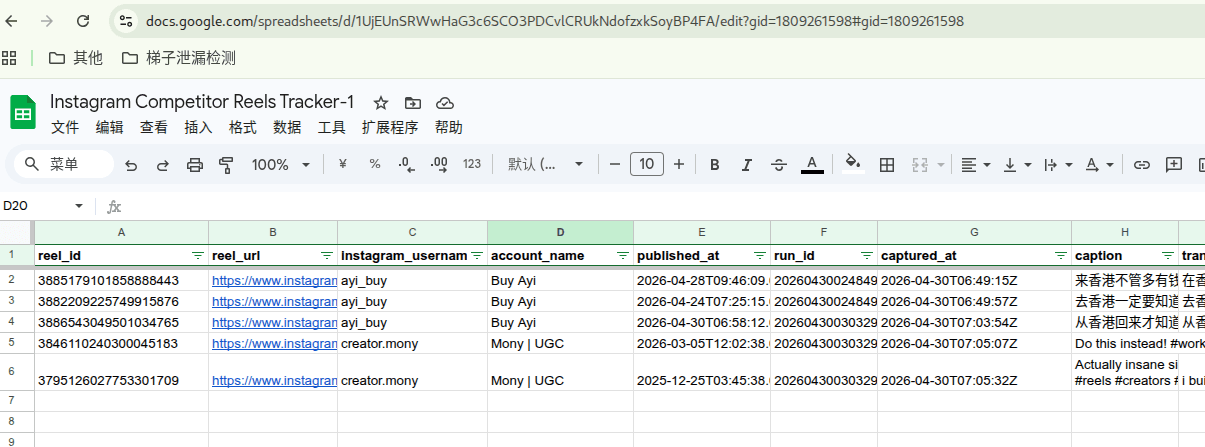
- Loop through each account and fetch latest Reels via Apify (with limit per run).
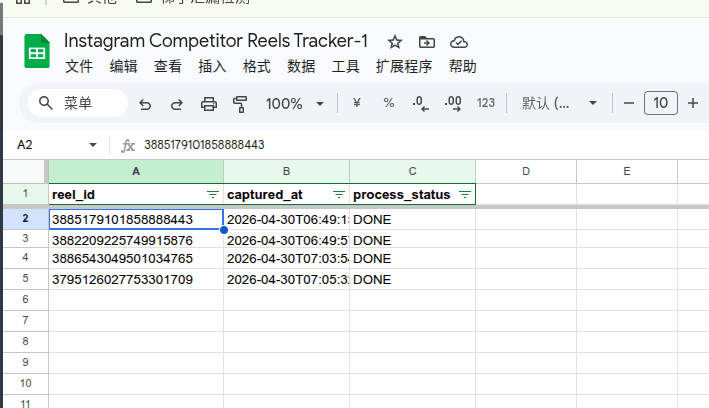
- Skip already processed Reels by checking existing records in Google Sheets.
- Store new Reels into a centralized “Reels Library” sheet with the video information crawled.
- Generate transcript (if available) and send content to AI for analysis.
- Extract structured insights: summary, hook, topic, CTA, content angle, tags, etc.
- Update each Reel’s processing status (DONE / SKIPPED / FAILED).
- Update account last_checked_at timestamp after processing.
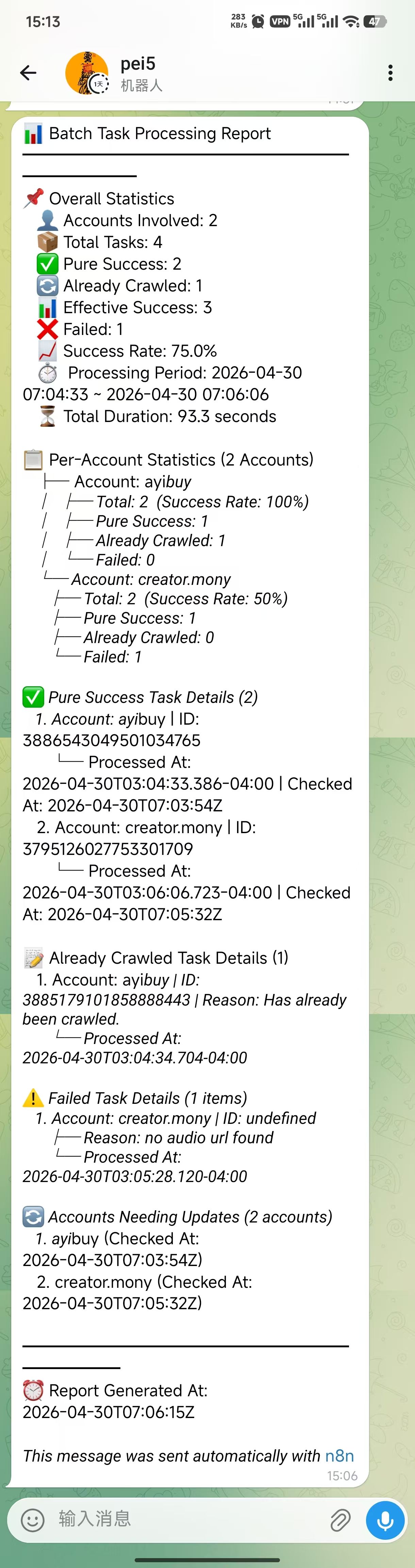
- Aggregate all results into a single batch report (success rate, per-account stats, failures).
- Send final report to Telegram.
💡 Running screenshot:
- Google sheet:
- Report message:
Set up steps
-
Set your relevant credentials
- Google Sheets (service account recommended)
- Apify (for Instagram Reel scraping)
- OpenAI (for content analysis)
- Telegram Bot (for notifications)
-
Prepare your Google Sheet
You can either copy a copy from the following address or create it yourself according to the example:
https://docs.google.com/spreadsheets/d/1UjEUnSRWwHaG3c6SCO3PDCvlCRUkNdofzxkSoyBP4FA/copy -
Configure key parameters
- Max reels per account per run (default: 2)
- Account check interval (default: 24h)
- Output language for ChatGPT (default: English)
- Update google_sheet_share_link's value (default: https://docs.google.com/spreadsheets/d/1UjEUnSRWwHaG3c6SCO3PDCvlCRUkNdofzxkSoyBP4FA/edit?gid=0#gid=0)
- Modify the timing execution interval in the Schedule Trigger node (default: 1hour)
-
Activate the workflow
- It will run automatically on schedule and handle everything end-to-end