See llms.txt for all machine-readable content.


How it works
- Checks Google Flights prices for different departure dates for given departure and destination place using the Apify scraper
- Runs every 10 minutes at night and once per hour during the day via a smart schedule gate
- Aggregates all date results, finds the cheapest flight, builds a price calendar, and tracks price trends across runs
- Sends a urgent price-drop alert to Slack when the price falls below the given price
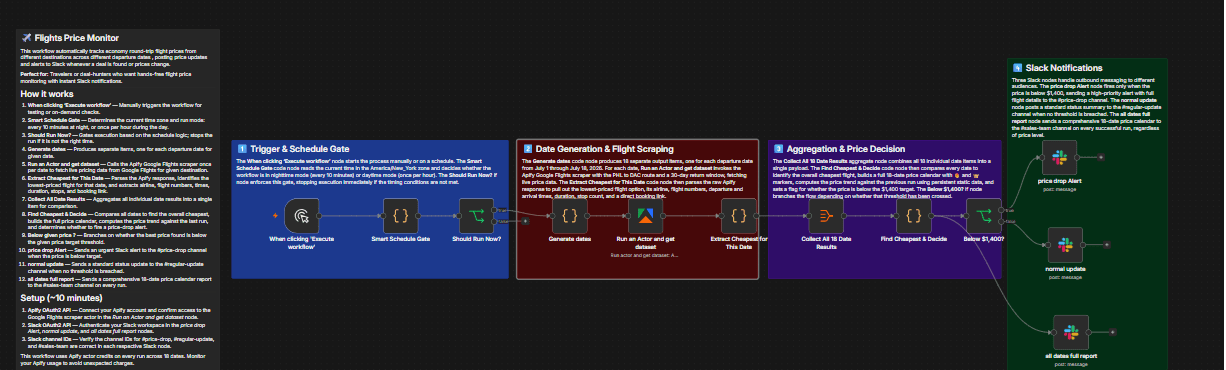 , or a regular status update when it does not
Set up steps
- Takes about 10 minutes to configure
- Connect your Apify account and confirm access to the Google Flights scraper actor
- Authenticate your Slack workspace and verify the channel IDs for #price-drop, #regular-update, and #sales-team
- Keep detailed node descriptions and field references in the sticky notes inside the workflow