See llms.txt for all machine-readable content.


Quick overview
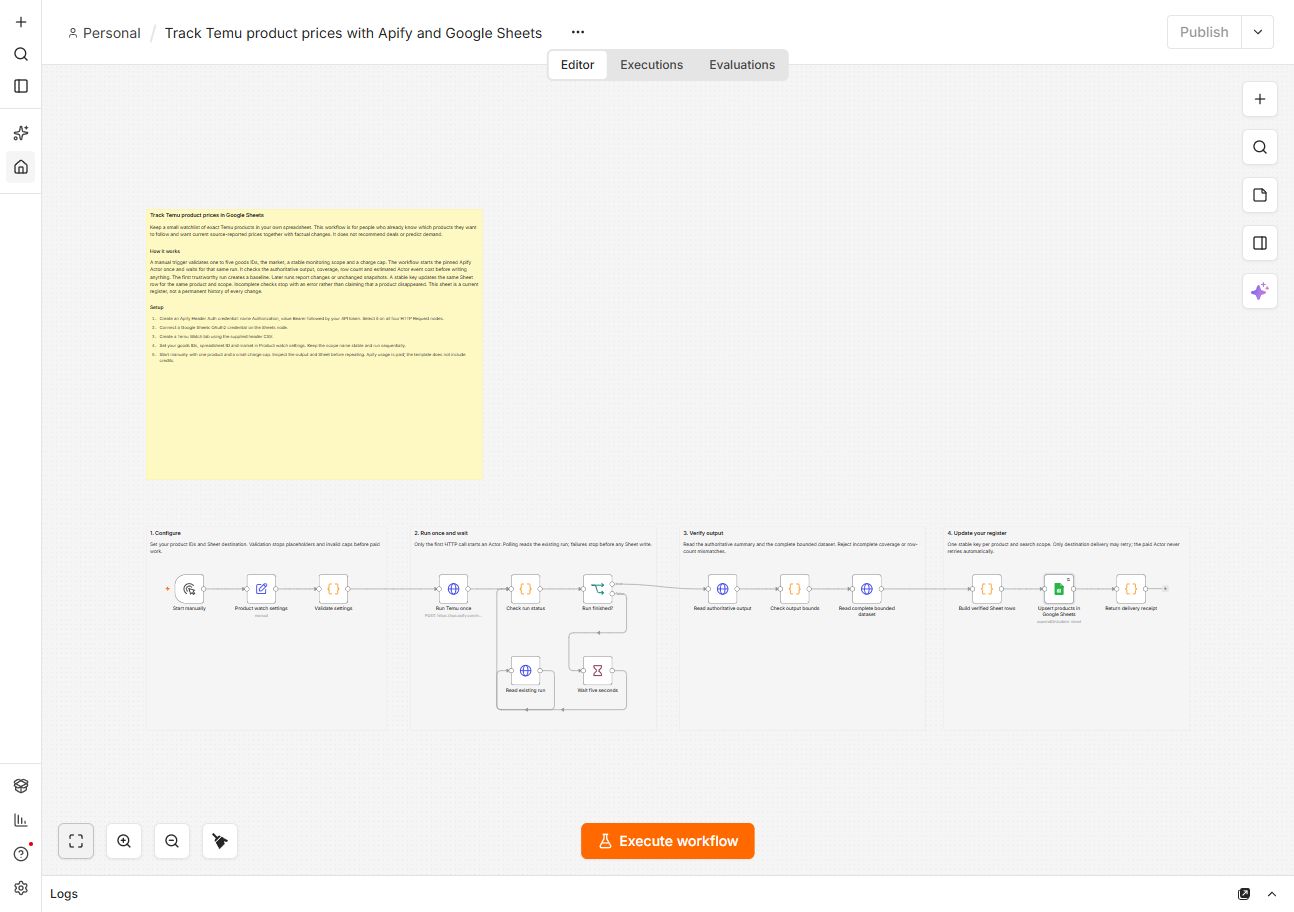
Track a short watchlist of exact Temu products in Google Sheets. Repeat checks update existing rows with current prices and factual changes.
How it works
- Start manually with one to five exact Temu goods IDs.
- Validate the market, stable monitoring scope, Sheet destination and charge cap before paid work.
- Start the pinned Luminar Temu Actor once on Apify.
- Poll that same run; stop if it fails or exceeds wait limits.
- Check coverage, complete delivered rows and estimated Actor event cost before writing.
- Upsert each product by deterministic upsertKey. Missing prices remain blank; incomplete results stop delivery.
- Return a delivery receipt. The Sheet is a current register, not permanent price history.
Setup
- Create an Apify Header Auth credential: Authorization with value Bearer followed by your token. Select it on all four HTTP Request nodes.
- Connect Google Sheets OAuth2 on the Sheets node using an account that can edit your destination.
- Create a Temu Watch tab and import the exact companion sheet-header.csv as its first row.
- Enter goods IDs, supported market, spreadsheet ID and stable scope in Product watch settings. Replace every placeholder.
- Start with one product and the default $0.10 Actor cap. Inspect your Sheet, then repeat sequentially.
Requirements
- n8n, an editable Google spreadsheet and an Apify account with usage balance. Built-in nodes are sufficient. Apify usage is charged separately; no credits are included.
Customization
- Customize the supported market, destination or watchlist. Keep scope stable for repeated checks and match Sheet updates only by upsertKey.