See llms.txt for all machine-readable content.


Quick overview
Keep a sourcing shortlist of Vinted UK listings in Google Sheets. Buyers and resellers can compare observed prices, review condition changes and retain listing links in one place. The workflow never purchases items or predicts resale profit.
How it works
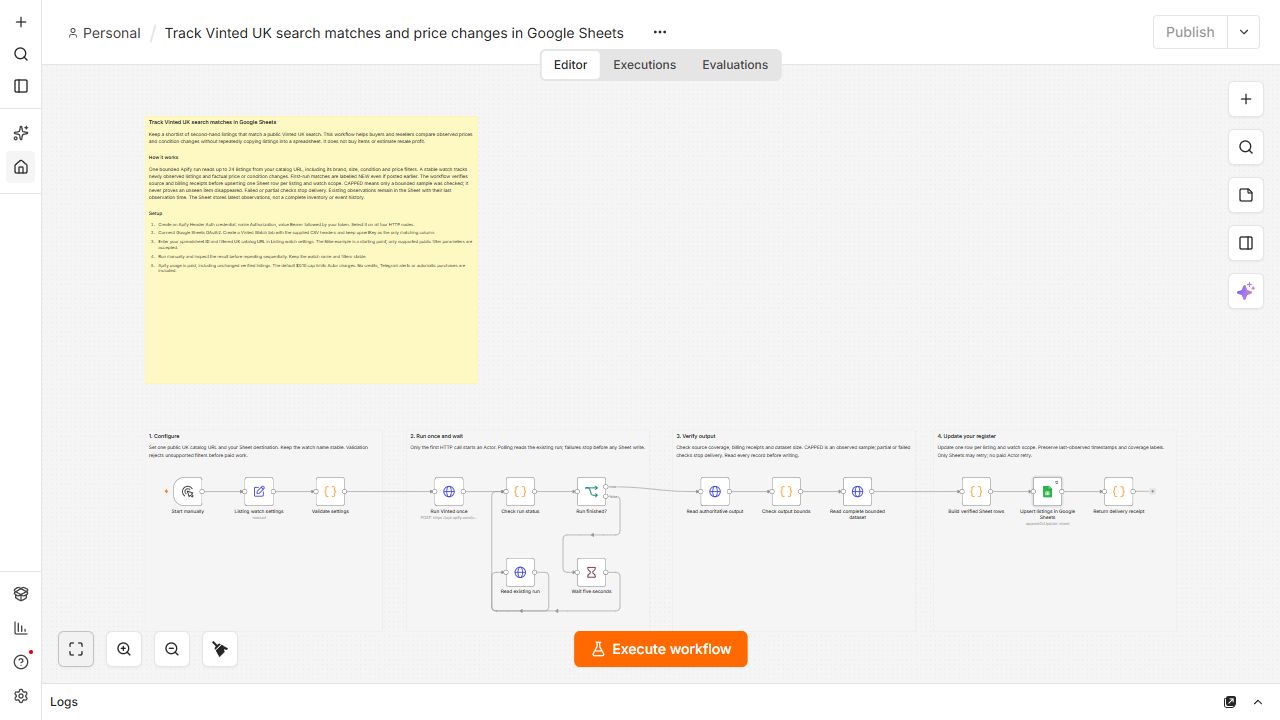
- Validate a public UK catalog URL, stable watch name, destination and charge cap before paid work.
- Start one Apify run and poll that same run. Failed starts are never automatically retried.
- Read up to 24 listings using the catalog filters. Verify source coverage, record identities and accepted billing receipts.
- Label newly observed matches and factual changes. First-run matches are NEW even if they were posted earlier.
- Upsert one stable row per listing and watch scope. Repeats update observations and add genuinely new matching listings.
- Keep coverage and timestamps visible. CAPPED is a bounded sample, not complete inventory. Unseen items are not assumed gone from capped checks.
Setup
- Create an Apify Header Auth credential with header Authorization and value Bearer followed by your token. Select it on all four HTTP nodes.
- Connect Google Sheets OAuth2. Create a Vinted Watch tab and import the companion header CSV, preserving all 15 column names and upsertKey as the only matching column.
- Enter your spreadsheet ID and catalog URL in Listing watch settings.
- Run manually, inspect the Sheet, and repeat sequentially with stable settings.
Requirements
- Apify usage credits and Sheets access are required. Unchanged verified listings are billable. The default $0.10 Actor charge cap is a limit, not a price quote.
Customization
- Change search, brand, size, condition or price filters in the URL. A different watch name or filter set creates separate rows.
Additional info