See llms.txt for all machine-readable content.


Quick overview
Review public Google Play feedback, app versions and developer replies in Google Sheets. This manual workflow validates Apify coverage and charges, then updates a review register using stable keys. Rating-based flags help app and support teams choose reviews for human follow-up.
How it works
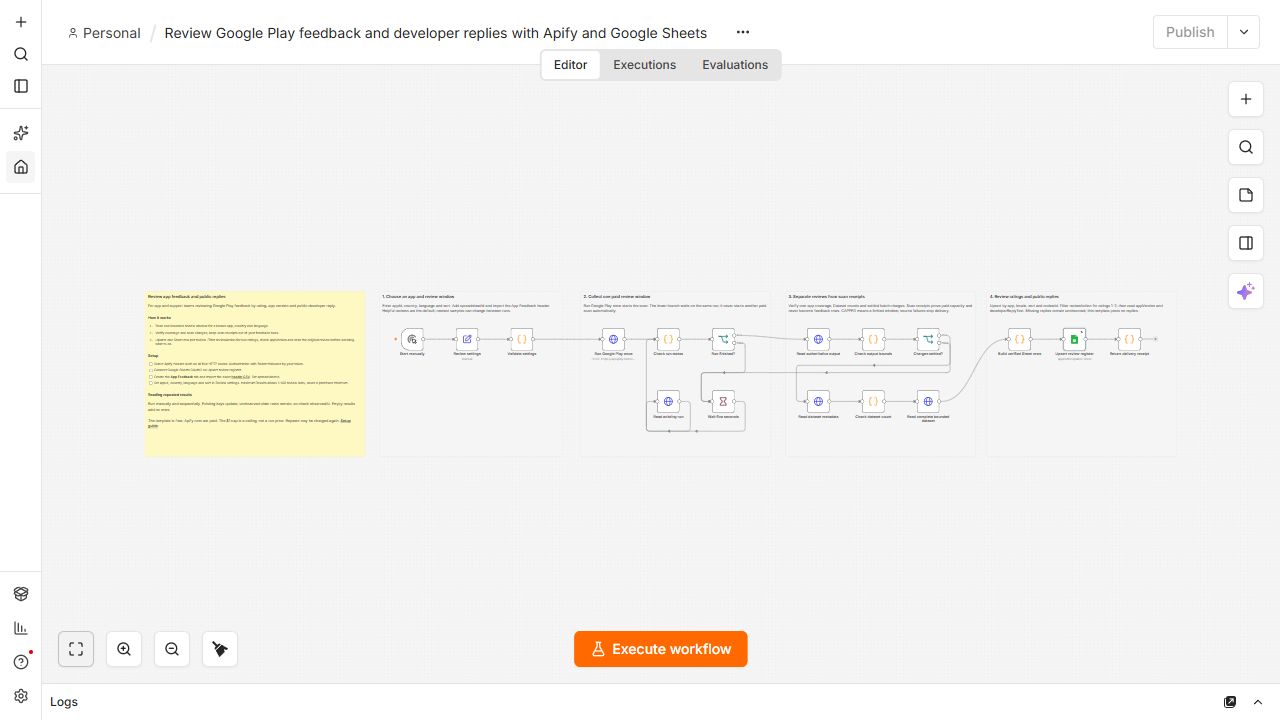
- Start manually and select one app, country, language and helpful or newest sorting. Collect at most 100 review slots; this limit is a ceiling, not a guaranteed minimum.
- Validate the configuration, start one Apify run and poll that same run. Automatic polling never launches a second paid scan.
- Check the OUTPUT summary, coverage, dataset counts and settled event charges before delivery. Partial or failed source results stop the workflow. CAPPED describes a bounded review window, not every review for the app.
- Convert only review records into rows. Scan receipts are verification evidence. Missing app versions or developer replies remain unknown; the workflow does not invent values.
- Flag ratings 1–2 for manual review and distinguish whether a public developer reply exists. This is a transparent rating rule, not sentiment analysis; no replies are posted and a reply does not prove resolution.
- Append or update Google Sheets using only the deterministic upsertKey. Existing reviews update without duplicates; previously unobserved reviews can add new rows. Older rows remain, so check observedAt. Verified empty results add no rows.
Setup
- Import the JSON into an empty n8n canvas. Create an Apify HTTP Header Auth credential with Authorization as its name and Bearer followed by your token as its value. Select that credential on all five Apify HTTP Request nodes.
- Connect Google Sheets OAuth2 on Upsert review register. Create a spreadsheet tab named App Feedback, or use your chosen sheetName consistently.
- Paste the exact CSV header into row 1: https://raw.githubusercontent.com/bulatovicluka1989-rgb/luminar-apify-examples/main/actors/google-play-reviews-change-monitor/n8n-feedback-review/sheet-header.csv . Replace spreadsheetId in Review settings with your spreadsheet ID and set the target appId.
- Review country, language, sort and maximumResults (1–100), then run manually and sequentially. Keep the cost ceiling appropriate for your use. The default maxCostPerRunUsd is $1; this is a safety ceiling, not the price of a run.
Requirements
- An Apify account with access to the paid Luminar Google Play Reviews Change Monitor Actor and a Google account with spreadsheet write access. The template is free; scans are paid, including repeated reviews. Verified with local n8n 2.37.10.
Customization
- Choose another app, locale or helpful/newest sorting. Filter reviewAction, rating, replyStatus and appVersion in Sheets. Run sequentially and retain upsertKey as the sole matching column. The per-run charge is repeated on review rows; do not sum it as a per-review charge.
Additional info
Setup guide and downloadable files: https://github.com/bulatovicluka1989-rgb/luminar-apify-examples/tree/main/actors/google-play-reviews-change-monitor/n8n-feedback-review
The exact artifact passed two credentialed runs: Sheets 0 → 100 → 100, with all 22 columns checked and zero duplicate keys. Both runs reported CAPPED coverage. Future source changes can legitimately add new reviews. Only Sheets delivery retries automatically.