See llms.txt for all machine-readable content.

Discord and Trevor.io integration

Save yourself the work of writing custom integrations for Discord and Trevor.io and use n8n instead. Build adaptable and scalable Communication, HITL, workflows that work with your technology stack. All within a building experience you will love.


How to connect Discord and Trevor.io

Create a new workflow and add the first step

In n8n, click the "Add workflow" button in the Workflows tab to create a new workflow. Add the starting point – a trigger on when your workflow should run: an app event, a schedule, a webhook call, another workflow, an AI chat, or a manual trigger. Sometimes, the HTTP Request node might already serve as your starting point.

Discord and Trevor.io integration: Create a new workflow and add the first step

Automatically promote your YouTube video on X

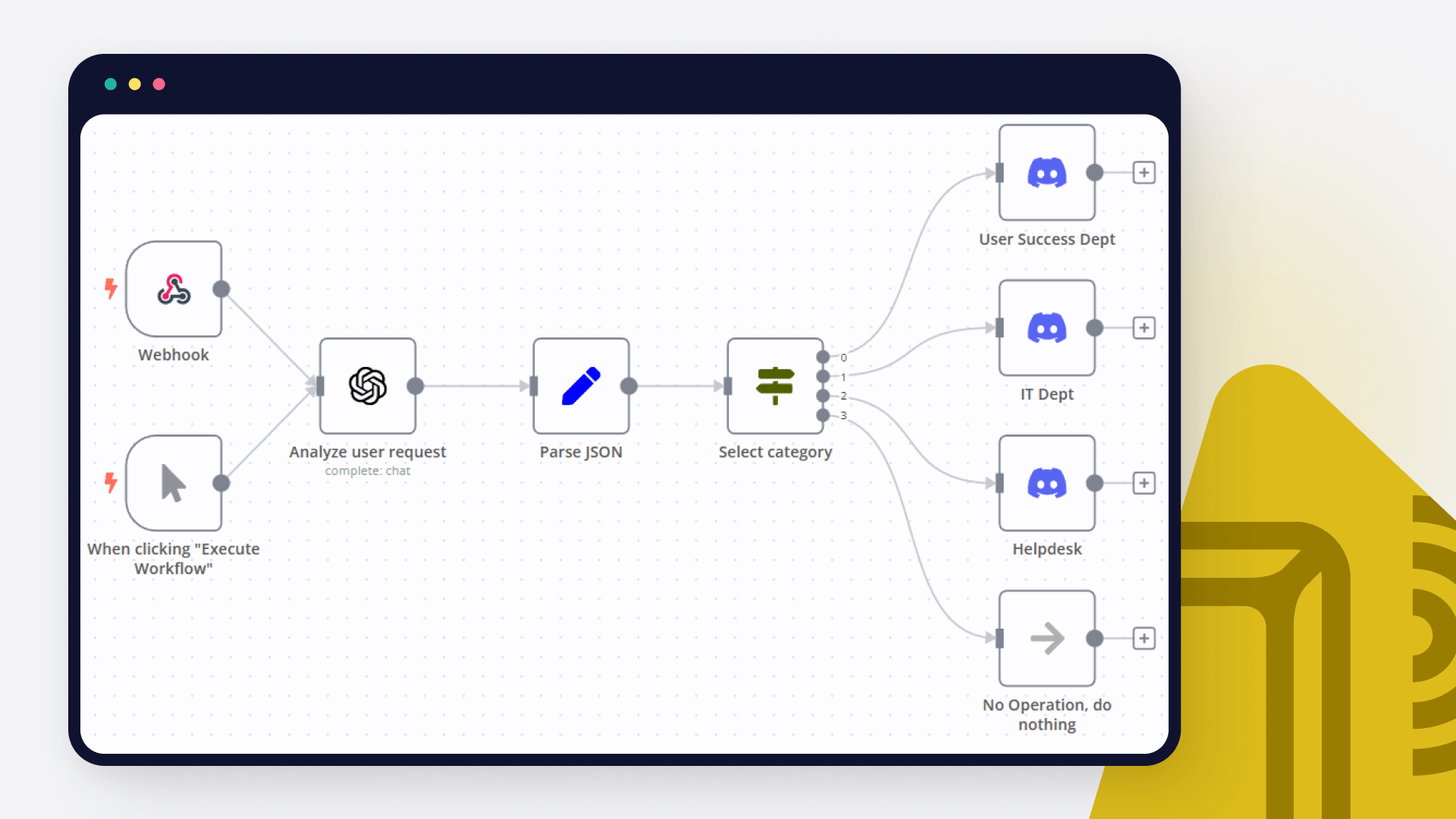
YouTube to X Post Overview This n8n workflow automates the process of promoting your latest YouTube videos on X (formerly Twitter). It ensures that posts are engaging, concise, and follow platform-specific requirements. Additionally, the workflow logs social posts into a Google Sheet for record-keeping. Features Fetch Latest YouTube Videos: Pulls recently uploaded videos from a specified channel. Generate Engaging X Posts: Uses OpenAI's GPT-4 to create tailored, witty posts about your videos. Character Limit Validation: Ensures posts comply with X's character limit by rewriting if necessary. Post Scheduling: Automates post publishing to X. Google Sheets Integration: Logs posts and their status for tracking and management. Optional Notifications: Sends updates via Discord, Slack, or Gmail (disabled by default). How It Works Trigger: Manually trigger the workflow or set a scheduled check for new videos (disabled by default). Fetch YouTube Videos: Retrieves the latest videos from your YouTube channel, filtering duplicates. Content Creation: OpenAI generates a witty and humanized post under 220 characters, using video title and description. If the post exceeds the character limit, it is rewritten automatically. Google Sheets Logging: Logs the generated post to a Google Sheet with details like time, date, and post status. Post to X: Publishes the generated post on X. Updates the Google Sheet with the post URL. Optional Notifications: Sends notifications about the published post via Discord, Slack, or Gmail. Setup Instructions Credentials: Add credentials for: YouTube API OpenAI API Google Sheets API X (formerly Twitter) API Use the accounts associated with "AlexK1919." YouTube Node: Specify your YouTube Channel ID in the Fetch Latest Videos node. Find your Channel ID here. Google Sheets Node: Configure the node with your Google Sheet for logging posts. Use the linked sheet: AlexK1919 Social Posts. OpenAI Node: Set up your OpenAI API key for generating posts. X Post Node: Connect your X account to the Post to X node. Optional Notifications: Configure Discord, Slack, or Gmail nodes for custom notifications. Customization Schedule: Enable and modify the Check Every 2 Hours node to automatically check for new videos. Post Format: Edit the OpenAI prompt in the Generate X Post node to tweak the tone or style of the generated posts. Additional Platforms: Expand this workflow to post on other social platforms by adding respective nodes (e.g., Facebook, LinkedIn). Notes Posts are validated for character limits but are restricted to 220 characters to ensure compliance with X's guidelines and leave space for links. Posts are logged in the Google Sheet with details, including post status and timestamps. Current integrations are focused on promoting YouTube content; additional types can be supported with minor adjustments. Contact For support or inquiries: Alex Kim About Me

Build your own Discord and Trevor.io integration

Create custom Discord and Trevor.io workflows by choosing triggers and actions. Nodes come with global operations and settings, as well as app-specific parameters that can be configured. You can also use the HTTP Request node to query data from any app or service with a REST API.

Discord supported actions

Supported methods for Trevor.io

Delete
Get
Head
Options
Patch
Post
Put

To set up Trevor.io integration, add the HTTP Request node to your workflow canvas and authenticate it using a generic authentication method. The HTTP Request node makes custom API calls to Trevor.io to query the data you need using the API endpoint URLs you provide.

See the example here

Requires additional credentials set up

Use n8n's HTTP Request node with a predefined or generic credential type to make custom API calls.

Discord and Trevor.io integration details

Discord

Discord

Discord helps a group of people communicate online and share activities together. It is used by study groups, gamers, and even professional teams. It allows you to organize calls, have conversations, stream live events, spark fresh ideas, and advertise your projects.

Trevor.io

Trevor.io

Trevor.io is an app that grants your team direct access to your database, enabling them to query real-time data, create reports, and build dashboards effortlessly, whether or not they have coding skills. It is a versatile data management tool.

Other integrations with Discord and Trevor.io

FAQ about Discord integrations

Need help setting up your Discord and Trevor.io integration?

Discover our latest community's recommendations and join the discussions about Discord and Trevor.io integration.

  • Muhammad Qasim

    How to get Discord messages in n8n

    Muhammad Qasim

    Hey Everyone! I have a problem, which is I want to listen to the Discord messages but in n8n i sreach a lot, but i won’t find something that I want. I have used the Discord trigger but it came with a webhook, which …

    Open topic
  • Mauricio Bachega

    Need help with Raw JSON in discord embeds

    Mauricio Bachega

    I’m trying to do product monitoring, where it may return 1 or more products, and for that I need to return the list in the embed, but I’ve tried every way and I can’t configure the Raw JSON of the embeds. Error: Cannot…

    Open topic
  • Rajat Jaiswal

    Course level 2 discord error || can not read properties of undefined (reading 'error')

    Rajat Jaiswal

    Hello Everyone, I was trying the Course level 2 work flow exercise. I did setup correctly the discord parameter and give correct message format. but unfortunately, I am getting following error “ Cannot read properties …

    Open topic
  • Nika

    Course 2 Workflow 2 Discord Error - Cannot read properties of undefined (reading 'error')

    Nika

    Please, help :folded_hands: Following instructions in the Course 2 Workflow 2: Use the Discord node to send a message in the n8n Discord channel #course-level-two. In the node, configure the following parameters: …

    Open topic
  • cease70

    Unable to Send to #course-level-1 on Discord & Can't Pass Quiz

    cease70

    Describe the problem/error/question I am taking the level 1 course and joined the Discord server as directed and started going through the steps on the server checklist to be able to send to the #course-level-1 section, …

    Open topic

Looking to integrate Slack and VirusTotal in your company?

Trusted by teams building smarter workflows.

Why

Why use n8n to integrate Discord with Trevor.io

Handle branching, merging and iteration easily. Pause your workflow to wait for external events.

Re-run single steps to test changes in no time. And pin your data to avoid generating trigger events every time you execute.

Your data is displayed alongside your settings, making edge cases easy to track down.

Use 1000+ workflow templates available from our core team and our community.

Copy and paste, easily import and export workflows.

Simple enough to 
understand + sophisticated 
enough to ship