See llms.txt for all machine-readable content.

GitLab and OpenAI integration

Save yourself the work of writing custom integrations for GitLab and OpenAI and use n8n instead. Build adaptable and scalable Development, workflows that work with your technology stack. All within a building experience you will love.


How to connect GitLab and OpenAI

Create a new workflow and add the first step

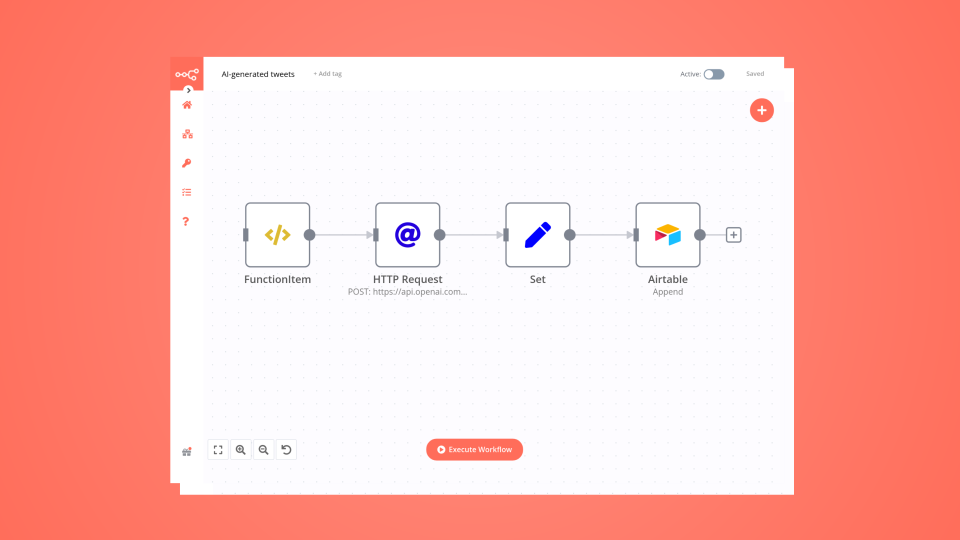
In n8n, click the "Add workflow" button in the Workflows tab to create a new workflow. Add the starting point – a trigger on when your workflow should run: an app event, a schedule, a webhook call, another workflow, an AI chat, or a manual trigger. Sometimes, the HTTP Request node might already serve as your starting point.

GitLab and OpenAI integration: Create a new workflow and add the first step

Automatic workflow backups to GitLab with GPT-4.1 documentation generation

Auto backup n8n workflows to GitLab with AI-generated documentation This n8n template automatically backs up your workflows to a GitLab repository whenever they're updated or activated, and generates README documentation using AI. This workflow can be aslo added as a sub-workflow to any existing workflow to enable backup functionality. Who's it for This template is perfect for n8n users who want to: Maintain version control of their workflows Create automatic backups in Git repositories Generate documentation for their workflows using AI Keep their workflow library organized and documented How it works The workflow monitors n8n for workflow updates and activations, then automatically saves the workflow JSON to GitLab and generates a README file using OpenAI: Trigger Detection: Uses n8n Trigger to detect when workflows are updated or activated Workflow Retrieval: Fetches the complete workflow data using the n8n API Repository Check: Lists existing files in GitLab to determine if the workflow already exists Smart File Management: Either creates a new file or updates an existing one based on the repository state AI Documentation: Generates a README.md file using OpenAI's GPT model to document the workflow GitLab Storage: Saves both the workflow JSON and README to organized folders in your GitLab repository Requirements GitLab account with API access and a repository named "all_projects" n8n API credentials for accessing workflow data OpenAI API key for generating documentation GitLab personal access token with repository write permissions How to set up Configure GitLab credentials: Add your GitLab API credentials in the GitLab nodes Set up n8n API: Configure your n8n API credentials for the workflow retrieval node Add OpenAI credentials: Set up your OpenAI API key in the "Message a model" node Update repository details: Modify the owner and repository name in GitLab nodes to match your setup Test the workflow: Save and activate the workflow to test the backup functionality How to customize the workflow Change repository structure: Modify the file path expressions to organize workflows differently Customize commit messages: Update the commit message templates in GitLab nodes Enhance AI documentation: Modify the OpenAI prompt to generate different styles of documentation Add file filtering: Include conditions to backup only specific workflows Extend triggers: Add webhook or schedule triggers for different backup scenarios Multiple repositories: Duplicate GitLab nodes to backup to multiple repositories simultaneously

Popular ways to use the GitLab and OpenAI integration

Build your own GitLab and OpenAI integration

Create custom GitLab and OpenAI workflows by choosing triggers and actions. Nodes come with global operations and settings, as well as app-specific parameters that can be configured. You can also use the HTTP Request node to query data from any app or service with a REST API.

GitLab supported actions

OpenAI supported actions

GitLab and OpenAI integration details

GitLab

GitLab

GitLab is the best tool for teams of developers. It brings them together from planning to production to decrease cycle times, save costs, boost security, and enhance their output. It serves as an open-source code repository and collaborative software development platform for major DevOps and DevSecOps projects.

OpenAI

OpenAI

OpenAI, the creator of ChatGPT, offers a range of powerful models including GPT-3, DALL·E, and Whisper. Leverage these models to build AI-powered workflows.

Save engineering resources

Reduce time spent on customer integrations, engineer faster POCs, keep your customer-specific functionality separate from product all without having to code.

Learn more

FAQ about GitLab integrations

Need help setting up your GitLab and OpenAI integration?

Discover our latest community's recommendations and join the discussions about GitLab and OpenAI integration.

  • Karim El Soufi

    GitLab Trigger: 404 Project Not Found

    Karim El Soufi

    Hello, I have a self hosted n8n (1.53.2) on AWS ECS with a domain. Trying to add a gitlab, company hosted, step (trigger or any). The connexion through credentials works. I have filled the job based on this question …

    Open topic
  • Artem

    How to define AI-powered Extra Workflow Inputs in AI tools?

    Artem

    Describe the question I need to pass to the tool some data from the AI Agent. Like, “task name” and “task tags” to create a task via Custom Workflow Tool. So I don’t know what to refer to in the Extra Inputs. Because th…

    Open topic
  • sérgio eduardo floresta filho

    The prompt is not being executed

    sérgio eduardo floresta filho

    Hello! My goal is to use Google Forms to collect information from my clients and then use n8n to automate the processing of this information. My workflow involves: Collecting data through Google Forms. Using n8n to re…

    Open topic
  • Heisenbug

    How to handle multi-message prompts in OpenAI Chat node?

    Heisenbug

    Describe the problem/error/question I want to send multiple messages to the OpenAI Chat node (LangChain → LLM Prompt Template) in a single execution, simulating a conversation. The first message is fixed, and the followi…

    Open topic
  • Julien

    OpenAI node - How to use the new Endpoint?

    Julien

    Is it possible to choose the Responses API or OpenAI ? It has been updated a few months ago by OpenAI, but the node still seems to be using the old Completions API. [https://platform.openai.com/docs/guides/migrate-to-re…

    Open topic

Looking to integrate Slack and VirusTotal in your company?

Trusted by teams building smarter workflows

Why

Why use n8n to integrate GitLab with OpenAI

Handle branching, merging and iteration easily. Pause your workflow to wait for external events.

Re-run single steps to test changes in no time. And pin your data to avoid generating trigger events every time you execute.

Your data is displayed alongside your settings, making edge cases easy to track down.

Use 1000+ workflow templates available from our core team and our community.

Copy and paste, easily import and export workflows.

Simple enough to 
understand + sophisticated 
enough to ship