See llms.txt for all machine-readable content.
Back to integrations
Google Sheets and Telegram integration
Save yourself the work of writing custom integrations for Google Sheets and Telegram and use n8n instead. Build adaptable and scalable Data & Storage, Productivity, workflows that work with your technology stack. All within a building experience you will love.




How to connect Google Sheets and Telegram
Create a new workflow and add the first step
In n8n, click the "Add workflow" button in the Workflows tab to create a new workflow. Add the starting point – a trigger on when your workflow should run: an app event, a schedule, a webhook call, another workflow, an AI chat, or a manual trigger. Sometimes, the HTTP Request node might already serve as your starting point.

Popular ways to use the Google Sheets and Telegram integration
Generate AI viral videos with NanoBanana & VEO3, shared on socials via Blotato
Create & upload AI-generated ASMR YouTube Shorts with Seedance, Fal AI, and GPT-4
Clone viral TikToks with AI avatars & auto-post to 9 platforms using Perplexity & Blotato
Auto-create TikTok videos with VEED.io AI avatars, ElevenLabs & GPT-4
Generate AI videos from scripts with DeepSeek, TTS, and Together.ai
LinkedIn job search: auto-match resume with AI + cover letter & Telegram alerts
Nutrition tracker & meal logger with Telegram, Gemini AI and Google Sheets
Telegram bot starter template setup & AI agent chatbot
Automated invoice processing with Telegram, GPT-4o, OCR and SAP integration
AI email analyzer: Process PDFs, images & save to Google Drive + Telegram
Auto-create and publish AI social videos with Telegram, GPT-4 and Blotato
Scrape Google Maps business leads with Apify & GPT-4 email extraction
Multiple websites monitoring with notifications including phone calls
PDF invoice data extraction & tracking with Google Drive, Claude AI & Telegram
Convert YouTube videos to shorts with Klap & auto-post to multiple social platforms
Automate & publish video ad campaigns with NanoBanana, Seedream, GPT-4o, Veo 3
Generate & auto-post social videos to multiple platforms with GPT-4 and Kling AI
✨🔪 Advanced AI powered document parsing & text extraction with Llama Parse
AI personal assistant for Google Tasks
Create viral ads with AI: NanoBanana & publish on socials via upload-post
Create a session-based Telegram chatbot with GPT-4o-mini and Google Sheets
One-way sync between Telegram, Notion, Google Drive, and Google Sheets
Send bulk messages to chats in Telegram
Real-time stock monitor with smart alerts for Indian & US markets
TradingView signal extractor with Gmail, Google Sheets & Telegram notifications
Automate daily AI news with Perplexity Sonar Pro (via Telegram)
University FAQ & calendar assistant with Telegram, MongoDB and Gemini AI
Personalize resumes & cover letters with AI, GitHub Pages and Google Drive
🧑🎓 AI powered language teacher with Telegram, Google Sheet and GPT-4o
Automated research report generation with AI, Wiki, Search & Gmail/Telegram
Generate videos from images with Telegram, GPT-4.1 & Seedance/Veo3 integration
Automated product review monitoring with sentiment analysis via Decodo, Gemini & Telegram
Create product satisfaction surveys with Telegram, Google Sheets and AI
Automated viral content engine for LinkedIn & X with AI generation & publishing
Instagram content & DM automation with Gemini, Telegram, and Apify
Competitor price monitoring with web scraping,Google Sheets & Telegram
Add data from a photo to Google Sheets
Generating AI videos with VEO3 and distributing with Blotato across multiple platforms
Automate multi-channel customer support with Gmail, Telegram, and GPT AI
AI-driven WooCommerce product importer from Google Sheet with Yoast SEO meta
Telegram appointment scheduler bot with Google Calendar & Sheets
Manage construction projects with tasks, photo reports, Telegram & Google Sheets
Manage tasks & send scheduled reminders with Telegram Bot, Google Sheets & GPT-4o mini
Voice-powered marketing assistant with ElevenLabs, OpenAI & content generation
Chat with your event schedule from Google Sheets in Telegram
Schedule & auto-post videos to Instagram, LinkedIn & TikTok with Google Sheets
Personal finance tracker with Telegram Bot, Google Gemini Vision, and Sheets
Create & share AI videos with Telegram, Gemini & post to TikTok, Instagram, FB
Auto-generate social media videos with GPT-5 and publish via Blotato
Process receipts with Google Vision OCR, AI & Telegram to Google Sheets
Automate email discovery for companies with Anymail Finder, Google Sheets & Telegram alerts
Health check websites with Google Sheets & Telegram alerts
Build a multi-modal Telegram AI assistant with Gemini, voice & image generation
Generate AI avatar videos with GPT-5 & publish to social media platforms
Daily swing trade ideas with GPT-4, Yahoo Finance, Google Sheets & Telegram
Generate enhanced AI images via Telegram with DALL-E and GPT
Generate AI images in Telegram with GPT-4o enhancement and Flux Pro
Automated local business lead generator with AI, social media & WhatsApp links
Personal knowledgebase AI agent
💾 Generate Blog Posts on Autopilot with GPT‑5, Tavily and WordPress
Track expenses from Telegram to Google Sheets with GPT-4.1 Mini
Log meal nutrients from Telegram to Google Sheets using an AI agent
Generate images with OpenAI DALL-E via Telegram & log to Google Sheets
Automate YouTube thumbnail creation & social publishing with Templated.io & Blotato
🚚 Automate delivery confirmation with Telegram Bot, Google Drive and Gmail
Generate AI songs + music videos using Suno API, Flux, Runway and Creatomate
🤖 AI-powered prompt enhancement assistant using Google Sheets
Automate video creation from voice input with HeyGen, GPT-5 & social publishing
Generate a YouTube bedtime story using OpenAI
Automate LinkedIn job search, AI scoring, and resume creation with OpenRouter, OpenAI, Google Sheets & Docs
Generate VEED AI talking head videos from sheet rows with OpenAI or ElevenLabs
Automate restaurant orders with AI dish recommendations using Gemini and Telegram
n8n Workflow Error Alerts with Google Sheets, Telegram, and Gmail
Automated stock news alerts with Google RSS, Gemini & Telegram notifications
Automated B2B lead generation: Google Maps to Sheets with BrowserAct & Telegram
Extract & structure invoice data with Google Vision OCR, Gemini LLM & Google Sheets
Generate frozen ASMR product videos with Gemini, Veo3, GPT-4o and post to YouTube, TikTok, Instagram and Pinterest
Employee attendance tracker with Telegram Bot and Google Sheets
Track food calories via Telegram with GPT-4 Vision and Google Sheets
Multi platform content generator from YouTube using AI & RSS
Generate AI photos with Gemini & auto-post to FB, Instagram & X with approval
Telegram payment, invoicing and refund workflow for Stars
Chat with GPT-5 on Telegram: AI-powered conversational bot
AI candidate screening pipeline: LinkedIn to Telegram with Gemini & Apify
Monitor SSL certificate expiry with Google Sheets and multi-channel alert
Create daily YouTube playlist, using Google Sheets, and get notified in Telegram
Triage Telegram voice and text support with Groq LLMs and Google Sheets
Auto-generate social media posts from URLs with AI, Telegram & multi-platform posting
Find jobs via Telegram bot: AI-powered LinkedIn, Indeed & Monster scraper
Automate RSS content to blog posts with GPT-4o, WordPress & LinkedIn publishing
Create and approve AI social posts with OpenAI, Telegram and Blotato
Ai-powered email triage & auto-response system with OpenAI agents & Gmail
Auto-repost TikTok videos to YouTube Shorts with Google Sheets & Telegram alerts
Automate RSS News to Telegram with GPT AI & Image Watermarking
⚛️🐋🤖 Extract data from YAPE receipts via Telegram OCR and store in Google Sheets
Generate SEO-optimized WordPress blogs with Gemini, Tavily & human review
Extract & store receipt data with GPT-4, OCR, Google Sheets & Notion via Telegram Bot
Telegram user registration workflow
🍅 Custom pomodoro tracker using Telegram and Google Sheet
Automatically transcribe Telegram voice messages with OpenAI Whisper & Google Workspace
Transform Instagram reels into viral content with Mistral AI, AssemblyAI & Sheets
Generate images with Pollinations & blog articles with Gemini 2.5 from Telegram
Extract market cap data from Yahoo Finance with Bright Data & visualize in Telegram
Automate Cal.com meeting attendee management with Google Sheets, Beehiiv & Telegram
🔄️ AI warehouse inventory cycle count bot using GPT, Telegram and Google Sheets
Transform videos with FAL AI avatar swaps & voice and publish to TikTok with Blotato
TechCrunch AI article scraper & classifier with GPT-4.1-nano to sheets & Telegram
Automate Instagram reel downloads with Google Drive storage & Telegram alerts
Repurpose YouTube videos and publish via Blotato with Telegram, Sheets and GPT-4.1-mini
YouTube video summarizer with Gemini AI to WhatsApp, Telegram & Google Sheets
Automated B2B lead generation & cold emails with OpenAI, Apify, Gmail & Telegram
Automate RSS-to-social media with AI summaries and image generation
Multi-platform price finder: Scraping prices with Bright Data, Claude AI & Telegram
AI-powered Telegram & WhatsApp business agent workflow
Track Forex Factory news releases with MyFxBook, Telegram & Google Sheets
Create sales orders with Web POS interface, AI reports, Telegram alerts & sheets
AI expense tracker: Telegram voice/photo/text to sheets
Automate pet grooming posts & bookings with AI, Facebook & Telegram bot
Create a virtual outfit try-on Telegram bot with async polling and Google Sheets
Personalized cold email system with Google Gemini, Telegram approval & Google Sheets
Live flight fare tracker with Aviation Stack API – alerts via Gmail & Telegram
Automated expense tracking from emails & Telegram with Gemini AI & Google Sheets
Client onboarding with form
Get domain expiry reminders with Google Sheets, WHOIS, Telegram, and Ollama AI
Gumroad Clientbell: Auto-log sales, ping Telegram, & thank via email
Generate language learning flashcards with GPT-4, Telegram and Google Sheets for Anki
Track multi-broker investment portfolio with Google Sheets and Telegram alerts
Create a multi-model AI chatbot with Telegram, AIMLAPI, and Google Sheets
Create a one-minute video from Telegram prompts with Veo 3 and Fal.ai
Send crypto price alerts, daily digests and /price replies with CoinGecko, Telegram and Sheets
Snap & track nutrition: Telegram food photos → Gemini Vision AI → Google Sheets
Convert Telegram messages to professional LinkedIn posts with Gemini AI & approval workflow
Automate LinkedIn content from Twitter AI posts with GPT-4 and Google Sheets
Enriching Brazilian company data with CNPJ API and Google Sheets
Create LinkedIn content with Perplexity research, GPT-4 & Google Sheets
Generate personalized sales outreach with GPT across LinkedIn, Email & WhatsApp
Telegram chatbot with voice recognition and message batching using OpenAI
Automate email triage & meeting scheduling with Gmail, GPT-4 & Google Calendar
Monitor core web vitals with Lighthouse, Gemini AI, Telegram alerts & Google Sheets
Auto-generate sales insights from Sheets using Gemini and notify teams instantly
Automate HR recruitment with OpenAI resume screening & interview QnA generator
Create AI-generated music playlists for YouTube using Suno, Runway & Creatomate
AI-powered receipt and expense tracker with Telegram, Google Sheets & OpenAI
Check suspicious links via Telegram with GPT-4 analysis of VirusTotal & urlscan.io results
Generate academic assignments with Google Gemini & deliver via Telegram/PDF
Expense logging with Telegram and Google Sheets
Autonomous meeting scheduler with GPT-4o-mini, Telegram, and Google Calendar
AAVE portfolio professional AI agent | Telegram + Email + GPT-4o + Moralis
Bulk AI Image Generator, Rename Engine & 4× Upscaler
Automatically store Shopify orders in Google Sheets with Telegram notifications
Real-time cryptocurrency price monitor with CoinGecko & multi-channel alerts
Automated quiz delivery from Google Sheets to Telegram with status tracking
Automate CV screening & analysis with Telegram, Gemini AI & Google Workspace
Monitor stock market with AI: news analysis & multi-channel alerts via Slack & Telegram
Monitor commercial real estate opportunities from LoopNet with ScrapeGraphAI & Telegram
Monitor competitor Meta Ads creatives and send alerts with Google Sheets & Telegram
Handle WhatsApp customer chats with Evolution API, Claude, Notion, and Sheets
Multi-modal expense tracking with Telegram, Gemini AI & Google Sheets
Article to LinkedIn post generator with Telegram, GPT-4 & Google Sheets
📊 AI token tracker for WhatsApp & Telegram – Save AI usage to Google Sheets
Generate institutional-style stock price targets and BUY/HOLD/SELL alerts with ChatGPT and Gemini
Subscription tracker & reminders with GPT-4 nano, Telegram & Google Sheets
Expense Logging with Telegram to Google Sheets using AI Voice & Text Parsing
Telegram to Google Drive: auto upload & track videos with Gemini AI assistant
Categorize emails & get Telegram alerts with Azure OpenAI & Google Sheets
Track HDFC credit card transactions with Google Sheets and Telegram notifications
Automate website tool analysis with Telegram, Apify, AI & Google Sheets
Generate personalized cold email openers with website scraping using Claude & GPT-4
Automate post to multiple Facebook groups with Airtop, Google Sheets & Telegram
AI-powered credit card recommendation system with OpenAI GPT, Telegram & Google Sheets
Multi-language Telegram RAG chatbot with supervisor AI & automated Google Drive pipeline
Create LinkedIn content from workflows using Gemini & Cloudflare AI
📈 Hourly monitoring of crypto rates with Alpha Vantage API and Google Sheets
Analyze YouTube comments sentiment & keywords with Gemini AI and Telegram reporting
Create & publish affiliate product videos with Sora-2, GPT & YouTube
Create and publish AI carousel posts from Telegram to Instagram, Facebook and TikTok with OpenAI, APITemplate.io and Blotato
Generate AI LinkedIn Posts with Human Approval via Telegram and GPT
Task escalation system with Google Sheets, Gmail, Telegram & Jira automation
Daily govt exam quiz by Gopal Debnath (mrtechyguru)
Auto scrape X image posts & publish to Telegram with Google Sheets storage
Generate crypto trading signals from Binance data with GPT-4o and Telegram
Text-to-video generator & social media publisher with Fal.ai and Telegram approval
Track & query expenses via Telegram with GPT-4.1 mini & Google Sheets
Track Partnerstack affiliate events with Google Sheets & Telegram notifications
Run AI-scored cold email outreach and follow-ups with Ollama and Gmail
Create SEO-optimized WordPress blogs automatically with Perplexity & Google Trends
Create an AI image remix and design bot for Telegram with BrowserAct and Gemini
Support call analysis & routing with Gemini AI, ElevenLabs & Telegram alerts
Create complete 20-song YouTube playlists with Suno API, Claude & Telegram bot
Scrape & enrich Google Maps leads with Decodo API and Gemini 2.5 Flash
Outlook inbox tamer: GPT-4.1 powered categorization, auto replies & team alerts
Track Amazon product prices with ScrapeGraphAI, Google Sheets & Telegram alerts
Google Play review intelligence with Bright Data & Telegram alerts
E-commerce price monitor with Firecrawl, Claude-Sonnet AI & Telegram alerts
Automated expense tracking with AI receipt analysis & Google Sheets
Convert Gumroad sales to Beehiiv subscribers with Sheets & Telegram alerts
Daily Import Yesterday's Forex Factory Calendar to Google Sheets with Telegram Alerts
Get a daily cybersecurity news digest on Telegram and Slack with GPT-4
Track TikTok Ads Library with Apify, Google Sheets & Slack/Telegram Notifications
Automate water bill calculations with Telegram, Gemini AI, and Google Sheets
Smart lead outreach with Explorium MCP using Google Sheets and Telegram
Automated customer feedback triage with Gemini, Jotform, Google Sheets & Gmail replies
Daily MLB pitcher vs. batter matchup analysis with Google Sheets and Telegram
Create & publish inspirational videos with FFmpeg, Google Drive & YouTube
Automate job applications with Telegram, SerpAPI, and OpenAI
Filter for positive Google reviews using Telegram, web form & Google Sheets
Create AI dream videos with analysis using Veo3 and Telegram
GPT 4.1 - Freelancer.com job alert system with auto proposal generator
Telegram chat access control with user permission database
LinkedIn lead personalization with Google Drive, Apify & AI
Scrape RSS job posts, deduplicate with Google Sheets, and send Telegram alerts
LinkedIn job monitor: smart filtering + Google Sheets + Telegram/WhatsApp alerts
Plant care reminder with OpenWeather, Sheets and Telegram
Build an OpenAI HR assistant for Telegram attendance and salary reports
Screen and score investment deals with AI using OpenAI, Gmail, and Telegram
Web content to Telegram publisher with AI enhancement & image watermarking
Track Excel 365 changes and approvals with Telegram and Google Sheets logging
Trading journal: log trades into Google Sheets via Telegram & Gemini AI
Automated stock technical analysis with xAI Grok & multi-channel notifications
Automate Singapore COE price analysis & purchase timing with GLM-4.5 AI predictions
Screen rental applicants with Telegram, OpenAI, Gmail and Google Sheets
Reply to Telegram text and voice messages with an OpenAI GPT-4o-mini chatbot and memory
Post images and text from Google Drive and Sheets to LinkedIn
Fetch daily job postings from JSearch to Google Sheets and Telegram
Generate Meta Ads campaign reports in Google Sheets and send Telegram alerts
Generate 360° product videos from photos with Veo 3 and Telegram
Telegram AI assistant with rate limiting and auto-reset using Google Sheets
Score Upwork jobs and generate proposals with Apify, GPT-4o, Google Sheets and Telegram
Enrich B2B Google Maps leads with Apify, Jina AI, GPT-5.2 and Google Sheets
Automate income and expense tracking in Google Sheets via Telegram
Voice-to-Ideas: Transcribe Telegram Voice Notes with OpenAI Whisper to Google Sheets
Sync and enrich HubSpot leads from Google Sheets and Telegram with Gemini and Lusha
Customer financial report delivery system with Telegram and Google Sheets
Send AI-parsed restaurant orders and status updates via Telegram and Google Sheets
Send daily inspirational quotes with Gemini translation to Telegram subscribers
Zip code-based business lead generation with Google Maps and Sheets
Jotform automated commerce sync: Telegram confirmation & Zoho invoice
Monitor competitors & generate content ideas with GPT4 & Gemini to Google Sheets
Score website leads with GPT-4o, respond via Gmail, and notify via Telegram
Automated Amazon price monitoring & alerts with Decodo, Google Sheets & Telegram
Generate daily stock BUY/HOLD/SELL signals with GPT-4o, Gemini, FMP, Sheets and Telegram
Run a restaurant concierge chatbot on Telegram with OpenAI and Google Sheets
Detect Binance USDT volume spikes with GPT-4o, Telegram, and Google Sheets
Automated SEO watchlist: continuous audits with Decodo, Gemini & Google Sheets
Monitor Reddit job posts with GPT-4o analysis & Telegram alerts using Google Sheets
Extract text from Google Drive files to Google Sheets using NVIDIA NIM
Publish LinkedIn posts from tech trends with Ollama AI quality checks
Analyze YouTube comments and generate video ideas with Gemini and Telegram
Monitor website changes and send diff alerts via Telegram and email
Monitor X/Twitter for hiring posts with Apify, AI filtering & Telegram alerts
Generate YouTube thumbnails via Telegram using BrowserAct and Gemini (Nano Banana Pro)
Generate institutional-grade stock price targets and BUY/HOLD/SELL signals with GPT-5, Gemini, Alpha Vantage and Google Sheets
Generate and qualify B2B leads from Telegram with Google Maps, Serper, GPT‑4o, and Gmail
Find hiring posts on Threads with Apify, AI filtering, and Telegram alerts
Sell products in Telegram with Paystack and Google Sheets
Manage tasks, email & calendar with GPT-4o personal assistant on Telegram
Monitor lead response time SLA breaches with Google Sheets & Telegram alerts
Plan voice-based travel and calendar bookings with Claude AI
Generate structured article summaries with Telegram, Claude AI & Jina Reader
Generate personalized cold email icebreakers with GPT-4 from Google Sheets to instantly
Get multimodal AI dating advice on Telegram with Google Gemini and Sheets
Automate job matching with Gemini AI, Decodo scraping & resume analysis to Telegram
Instagram AI Tracker — Automate Reels Analysis & Growth
Generate podcast topic ideas from RSS feeds with Gemini, SerpAPI and Notion
Run email outreach campaigns from Telegram with Gmail and Google Sheets
Generate newsletter images with Nano Banana & Post Human-Approved Tweets to X
Real-time ISS overhead alert with weather check and multi-channel notifications
Publish blog posts from YouTube transcripts to WordPress and Telegram with Gemini
Multi-channel feedback to Jira pipeline with AI analysis & Notion reporting
Generate portfolio screenshots and Upwork copy with Firecrawl, ScreenshotOne, OpenAI and Google Workspace
Analyze your resume against LinkedIn jobs with OpenAI and Google Sheets
Match LinkedIn jobs and generate cover letters with OpenAI, Apify and Sheets
Extract invoice data with Google Gemini, Google Sheets, and Telegram
Send daily TikTok trend digests to Telegram using WayinVideo and GPT-4o-mini
Automate menstrual cycle tracking with GPT-4, Google Sheets and Telegram notifications
Grade assignments and email feedback with OpenAI, Google Drive, Sheets, Gmail and Telegram
Query expenses on Telegram with GPT-4.1 and Google Sheets
Reply to Instagram comments with Groq, Telegram approval, and Google Sheets logging
Automate NGO aid request management with Telegram, GPT-4, and Google Sheets
Analyze, classify, and summarize Gmail with OpenAI RAG and Google Sheets
Track Udemy course discounts with Airtop, Google Sheets and Telegram alerts
Email newsletter system with SendGrid, Google Sheets & freemium rate limiting
Decodo-powered AI research paper extraction & summarization with ChatGPT
Reddit freelance job monitor with Google Sheets tracking and Telegram alerts
Moderate Telegram content and post approved items to Facebook and LinkedIn
Track flight prices with Apify Google Flights, Google Sheets, and Telegram
Automate social fan-out, marketplace outreach, and CRM alerts with Salesforce
Automate bug reports with Gemini AI: Jotform to GitHub with Telegram alerts
Generate comparative CV screening reports with OpenAI, Google Sheets
Automated appointment approval system with GPT-4 Mini, JotForm, and Telegram
Classify & process IT requests with Jotform, Gemini AI and Google Workspace
Analyze brand competitors using Decodo, Gemini, Telegram and Google Sheets
Triage Gmail messages with Jev via OpenRouter, Google Sheets, and Telegram
Automate rental agreements with BoldSign, Google Sheets & Gemini AI
Scan business cards to Google Sheets and iPhone contacts with Telegram and easybits
Automate LinkedIn engagement with GPT-4o sentiment analysis & smart comments
Automate Restaurant Reviews and Marketing System 🏪🍝 with Telegram
Monitor Cloudflare incidents and alert via Slack, Telegram, and Jira
Sell products in Telegram with Flutterwave and Google Sheets
Automated customer support system with Gmail, GPT-4 & vector knowledge base
Track crypto prices, new listings & transactions with CoinGecko & Google Sheets
Lead enrichment pipeline: Leadfeeder to Apollo to Google Sheets
Enrich Google Maps business leads using Apify, OpenAI, Jina AI, Telegram and Sheets
Analyze YouTube channel performance with Telegram, Google Sheets, and Gemini
Process Telegram invoice OCR with OCR.space, OpenAI, Sheets and Drive
Track Singapore COE prices with AI forecasting & smart buy recommendations via Telegram
Collect viral Instagram AI art with GPT-4 analysis and Telegram delivery
Send women’s safety emergency alerts with GPT-4o-mini, Telegram and Google Sheets
Generate multilingual social content with GPT-4o, Telegram and Google Sheets
Generate visual resumes from Telegram using Google Gemini and BrowserAct
Export Dialogflow intents with priority levels to Google Sheets via Telegram
Evaluate job fit and generate application assets from Telegram links with OpenAI, Pinecone, Apify and Google Sheets
Monitor futures trades and send risk alerts using Binance, Sheets, Slack and email
Apollo data enrichment using Company Id, Google Sheets & Telegram
Send GPT-4 Telegram polls to multiple groups with Google Sheets analytics
Manage recipes with AI-powered Telegram bot and Google Sheets database
Post-surgery patient triage & follow-up system with Gemini AI, Telegram & Google Suite
Track Telegram expenses with GPT-4 and Google Sheets (self-learning categories)
Pick a Topic & Auto-Publish Translated Content on Multiple Social Media Platform
Send daily executive financial briefings with Google Sheets, GPT-4o-mini, Notion and Telegram
Validate compliance records with OpenAI, Google Sheets, Telegram, and Slack
Track Zoom attendance and create AI summaries with Google Sheets, ClickUp and Telegram
Send bulk MercadoPago payment links from Google Sheets via Gmail, WhatsApp, or Telegram
Validate startup ideas and generate business plans from Telegram with Perplexity and GPT-4o
Monitor Google Maps reviews with sentiment analysis & RAG agent using Pinecone
Triage Gmail and draft replies with Ollama, Telegram and Google Sheets
Generate sales reports from Google Sheets with Azure OpenAI and Telegram
Manage restaurant orders, upsells, and payments with Telegram, OpenAI, Razorpay, and Google Sheets
Daily competitor WordPress analysis with charts, Gemini & Telegram reporting
Provide academic OCR and RAG answers on Telegram with Gemini, GPT-4 mini and Supabase
Create and publish LinkedIn posts from URLs with Telegram, Gemini, and Google Sheets
Run a Telegram RAG support chatbot with OpenAI, Pinecone, and Google Sheets
Manage dental patient chat, bookings, and reminders with Telegram, OpenAI and Sheets
Monitor at-risk students with Google Sheets, GPT-4o, Gmail, Slack and Telegram
Send AI-written invoice emails and payment reminders with Google Sheets, Gmail, Telegram and Groq
Qualify real estate leads and answer EMI queries via Telegram with OpenAI GPT-4o-mini
Summarize meeting transcripts with Google Drive, OpenAI, Gmail, and Sheets
Post top Reddit content to Telegram with GPT-4.1-mini and human approval
Deliver digital products via WhatsApp and Telegram after Stripe payment
Generate monthly SEO analytics reports with GA4, Search Console, GPT-4.1 and Slack/Teams
Log and analyze job postings with Telegram, Claude, and Google Sheets
Promote calendar events with OpenAI graphics to LinkedIn, X, and Facebook
Manage safety inspections and corrective actions with DeepSeek, Sheets, Gmail and Telegram
Turn Reddit posts into content ideas with Telegram, Apify, GPT and Sheets
Log receipts from Telegram to Google Sheets and query spending with Gemini
Check prescription safety and drug interactions with GPT-4o, Sheets, and Telegram
Generate and review patient SOAP notes with GPT-4o Mini, Gmail, and Google Sheets
Run a WooCommerce store assistant with Telegram, OpenRouter and order digests
Book and remind appointments via Telegram with Google Gemini and Google Calendar
Automated tech news report by ApiFlash, Gemini Vision & Sheets to Telegram
Create WordPress articles in author style with Gemini, Telegram and Pinecone
Track post-therapy wellness with GPT-4o-mini, Telegram, Slack and Sheets
Auto-post Amazon India affiliate videos to 6 platforms with FLUX, Shotstack and Buffer
Create SEO blog posts from YouTube videos with Gemini and Google Docs
Score GeM tender compliance and draft bid responses with OpenAI, Sheets, Telegram, Slack and Gmail
Manage hotel guest requests and post-stay outreach with Telegram, OpenAI, and Google Sheets
Place real estate AI outbound calls with Vapi and log results to Google Sheets
Manage legal client intake and consultations with Telegram, OpenAI and Google
Forecast inventory and route purchase orders with Google Sheets, OpenAI, Telegram, Slack, and Gmail
Track grant deadlines and spend down with OpenAI, Google Sheets, Gmail and Telegram
Classify cold email replies and notify via Telegram with OpenAI and Instantly
Protect Telegram groups with math CAPTCHA verification and Google Sheets
Manage clinic appointments and prescriptions with Telegram, Gmail and Google
Qualify inbound leads with GPT-4.1 mini, Telegram and Google Sheets
Generate and approve Twitter news tweets with Groq, Google Sheets and Telegram
Send birthday and anniversary reminders with Groq AI gift ideas to Telegram
Assist hospital doctors via Telegram with OpenAI, Google Sheets, Gmail and Slack
Route and log ops requests with Jev, Google Sheets, Gmail, Telegram and OpenAI
Process prescription orders and refills with Telegram, Google Gemini and Sheets
Monitor new template releases with OpenAI and log insights to Telegram and Google Sheets
Route Telegram customer complaints with OpenAI and Google Sheets
Compare products and generate visual scorecards in Telegram with BrowserAct and Gemini
Track new box office releases with BrowserAct, Google Sheets, OpenRouter and Telegram
Block daily salah windows in Google Calendar with Telegram and IslamicAPI
Extract employee emails from company domains with BrowserAct and Google Sheets
Summarize RSS, email, and YouTube content with OpenAI and Google Sheets
Send Amazon wishlist price drop alerts with Apify, Google Sheets, and Telegram
Extract Google Maps business leads with Apify, GPT-4o-mini and Google Sheets
Triage chronic care vitals with Google Sheets, Gmail, Telegram and Slack
Manage rent, maintenance and tenant messages with OpenAI, Telegram and Sheets
Monitor website domain, SSL, and uptime with Google Sheets and Telegram
Send severity-based error alerts using Telegram, email and Google Sheets
Route vendor invoices for AP review with Jev Classification, Google Sheets, Gmail, Telegram, and OpenAI
Generate and publish SEO blog posts from Google Sheets to Webflow with OpenAI
Manage dental patients via Telegram with OpenAI, Google Sheets, and Slack
Predict employee attrition risk with Google Sheets, OpenAI, Gmail, and Telegram
Send daily business change digest with OpenAI, Google Sheets and Telegram
Qualify student leads from Google Sheets with OpenAI, Twilio, Telegram and Gmail
Answer Telegram support questions using Google Docs and Claude Sonnet
Design UI screens from chat with Google Stitch, Gemini, Telegram and Sheets
Screen and rank CVs with GPT-4o, Google Sheets, Gmail and Telegram
Confirm COD orders and recover carts with Telegram, Google Sheets, OpenAI and Slack
Verify onboarding compliance documents with OpenAI, Google Sheets, Telegram, and Slack
Inspect product quality from Telegram photos with Google Sheets and Gemini
Create AI Instagram Reels with GPT-4.1, Veo3, Google Sheets and Bloatato
Book paid legal appointments with Stripe, Google Calendar, Gmail and Telegram
Screen and auto-apply to remote jobs with MrScraper, Gemini, and Telegram
Manage school fee receipts and GPT-4o reminders with Razorpay and Google Sheets
Handle order tracking and FAQ requests with Telegram, Gemini, and Google Sheets
Classify and auto-reply to Gmail with OpenAI, Google Sheets RAG and Telegram
Handle Telegram support, payments, and logo orders with Mistral and Gemini
Scrape SEEK.com.au jobs daily with Apify to Sheets, Airtable, Slack, Telegram and Discord
Send weekly parent progress reports with Google Sheets, GPT-4o mini and Gmail
Build a Reels swipe file from Instagram with Apify, Groq, Sheets and Telegram
Send dental clinic audit outreach with DeepSeek, SerpAPI, Hunter and Gmail
Turn conference contacts into Gmail follow-ups with Telegram, OpenAI and Google Sheets
Log Shopee ads balance requests using Tesseract, Google Drive, Sheets, and Telegram
Monitor brand mentions and draft crisis responses with OpenAI and Telegram
Find and rank job listings from Adzuna and Remotive via Telegram with Gemini and Sheets
Track bank SMS expenses with Google Sheets, Telegram and Claude
Save, search, and summarize Telegram links with Google Sheets and Supabase
Send new production orders from Google Sheets to a Telegram shop floor chat
Monitor Telegram channel intelligence with Apify, OpenAI, Google Sheets, and Telegram
Analyze customer feedback and alert negative sentiment with gpt-5.6-terra and Telegram
Track receipt expenses from Telegram using Google Gemini and Google Sheets
Plan daily restaurant prep lists with DeepSeek, Google Sheets, Telegram and Gmail
Monitor Swiggy and Zomato reviews with GPT-4o-mini, Telegram, and Google Sheets
Triage brand crises with OpenAI, Telegram, Slack, and Google Sheets
Send daily India eProcure tender alerts with OpenAI, Google Sheets, Telegram, Slack and Gmail
Generate YouTube video clips with Reka Vision, Google Sheets, Gmail, and Telegram alerts
Deploy Gainium DCA bot pairs with Telegram approval and Google Sheets logging
Audit landing page conversions with DeepSeek, Google Sheets, Gmail and Telegram
Gate personal data before external sends with Jev, Google Sheets, Gmail, Telegram and gpt-6-luna
Approve short-form AI videos for TikTok, Reels and Shorts with Gemini, Veo and Telegram
Generate LinkedIn and Twitter posts from Telegram voice replies with GPT-5 and Google Sheets
Monitor TikTok creator growth with Apify, Google Sheets, and Telegram
Summarize daily news into a Telegram Telegram digest with Gemini and Sheets
Dispatch snow and ice crews from forecasts with Open-Meteo, GPT-4o and Gmail
Track dental lab cases and notify clinics with gpt-6-luna and Google Sheets
Send daily AI crypto morning brief with CoinGecko, Google Gemini and Telegram
Send daily stock and crypto market briefs with Twelve Data, Google Sheets, OpenAI, Gmail and Telegram
Discover daily business opportunities with Google Gemini, Sheets and Telegram
Reroute delayed shipments with OpenAI, Google Sheets, Telegram, Slack, and Gmail
Run weekly standups with Groq AI summaries via Telegram and Google Sheets
Monitor website uptime and send alerts via Uptime Robot, Claude, and email/chat
Reconcile bank payments with GPT-4o-mini, Google Sheets, Gmail and Telegram
Triage job applications from Gmail with gpt-5.6-terra, Google Sheets, and Telegram
Log Telegram client updates to Notion and Google Sheets with Gemini
Japanese-to-English review sentiment analysis with GPT and Telegram alerts
Capture Telegram voice notes as tasks and events with OpenAI and Google
Confirm COD Shopify orders and manage RTO with GPT-4o-mini, WATI, and Shiprocket
Score and route BANT-qualified leads using Gemini, Gmail, Google Sheets and Telegram
Offer and confirm technician visit slots with Google Calendar, Gmail, Sheets, and Telegram
Track vendor insurance COIs and renewals with Gmail, DeepSeek, Sheets, Discord, and Telegram
Create and publish social posts via Telegram, OpenAI, Google Docs and PostWire
Analyze Google Ads competitors with Bright Data, OpenRouter and OpenAI
File supplier invoices from Gmail to Google Sheets with Gemini and Telegram alerts
Manage weekly coaching check-ins with Google Sheets, Gmail and DeepSeek
Publish one daily Pinterest pin from Google Sheets with OpenAI and PinBridge
Generate and approve Google Business Profile posts with Gemini and Telegram
Create and publish UGC social videos from Telegram with OpenAI, VEO3, and Blotato
Send daily Bible devotional images to Telegram with Gemini and Fal.ai
Route WhatsApp support requests with Groq, Google Sheets, Gmail, Telegram and AiSensy
Create realistic exam study plans via Telegram with Gemini and Google Sheets
Plan and publish LinkedIn posts from Google Sheets with OpenRouter and Telegram
Send LemonSqueezy subscription alerts to Slack, Discord, Telegram and log them in Google Sheets
Manage WhatsApp and Telegram business ops with OpenAI, Postgres and Sheets
Discover Instagram creators with ScrapingBee, Google Sheets, and Telegram
Edit Google Sheets by chat using GPT-4o-mini with approval and audit log
Route commodity sample quality approvals with Telegram, Claude and spreadsheets
Qualify and reply to WhatsApp and Telegram leads with Claude and Google Sheets
Log and report construction punch list items with OpenAI, Google Sheets, Gmail and Telegram
Draft Google review replies with Bright Data, GPT-5.6, Google Sheets and Slack
Generate a full startup plan from one sentence with OpenAI, Postgres, Notion and Sheets
Prep meeting agendas from Google Calendar with Gmail, OpenAI, and Telegram
Follow up real estate site visits from Telegram with OpenAI, GoHighLevel and Gmail
Sync check due dates from Google Sheets to Google Calendar with Telegram alerts
Run AI employee onboarding with Groq, Google Workspace, and Gemini
Manage short-term rental guest messages and cleaning tasks with Deepseek and Google Sheets
Diagnose website friction with Microsoft Clarity, Bright Data, GPT-5.6 and Slack
Score and route incidents with Jev Classification, Google Sheets, Gmail, Telegram, and GPT-6-Luna
Match teacher substitutes and send notifications with GPT-4o-mini, Google Sheets, Gmail and Telegram
Vet community membership applications with Google Gemini, Telegram, and Sheets
Score, route, and reply to inbound leads with GPT-4o-mini, Gmail and Sheets
Automate tenant rent collection with AI reminders and landlord escalation via Sheets, Gmail and Telegram
Manage volunteer shift signups and reminders with DeepSeek and Google Sheets
Route vendor invoice approvals with gpt-5.6-terra, Gmail, Google Sheets and Telegram
Log receipt expenses in Notion with Gmail, Telegram, and OpenAI
Qualify inbound leads with OpenAI, Google Sheets, and Telegram alerts
Send e-way bill expiry alerts via Google Sheets, Telegram, WhatsApp and Gmail
Prep court hearing briefs and clash alerts with Google Sheets, OpenAI, WhatsApp and Telegram
Send Russian joke comics to Telegram with OpenRouter and Google Sheets
Log food safety temperatures with DeepSeek and GPT email reports to Sheets, Telegram and Discord
Draft and track incident postmortems with OpenAI, Google Sheets, Discord and Gmail
Qualify and score web form leads with Groq, Google Sheets, Telegram and Slack
Track employee expense receipts from Telegram with GPT-4o-mini and Google Sheets
Check invoice contract price compliance with Google Sheets and Telegram alerts
Score property deals, alert investors, and log CRM KPIs with Google Sheets, email, and Telegram
Send portfolio price move alerts with Google Sheets, OpenAI and Telegram
Create Arabic daily news audio briefings with Gemini, ElevenLabs and Telegram
Triage Telegram voice and text support with Groq and Google Sheets
Answer Telegram data questions with DeepSeek, Open-Meteo, Frankfurter, CoinGecko, and StudioAPI
Approve employee expenses with OpenAI, Google Sheets, Telegram, and Gmail
Send rent reminders and weekly AI summaries with OpenAI, Sheets, Gmail and Telegram
Send donor thank-you receipts and weekly digests with Google Sheets, DeepSeek, Gmail and Telegram
Monitor website changes with Google Sheets, Gemini, and Telegram alerts
Migrate Salesforce product catalog from Google Sheets to GoHighLevel custom objects
Approve and log rack power overage charges with Google Sheets, Gmail and OpenAI
Generate pool service visit reports with Google Sheets, Gemini, Gmail, Slack, and Telegram
Capture website form leads with deduped logging in Google Sheets and Telegram
Manage rental guest messaging and cleaning ops with Deepseek and Google Sheets
Track Amazon price drops from Google Sheets with Apify and Telegram
Qualify sponsorship leads and send proposals with GPT-4o, Google Sheets and Gmail
Route fire sprinkler deficiencies with Gmail, OpenAI, Telegram and Sheets
Create studio product videos from 3 photos with OpenAI, fal.ai and YouTube
Verify photo proof of delivery with gpt-5.6-terra, Google Sheets, Gmail and Telegram
Get hourly Wallapop deal alerts in Telegram and Google Sheets with Apify
Deliver entropy-based yes/no oracle answers via Telegram with OpenAI and Sheets
Send new Spitogatos.gr listings with agent details to Google Sheets and Telegram via Apify
Triage Gmail with Gemini, label emails, log invoices to Sheets, and send Telegram alerts
Triage trust and safety reports with Jev Classification, Google Sheets, Gmail and Telegram
Find free calendar slots from Telegram using Google Calendar, OpenAI and Sheets
Track remote n8n AI jobs and tailor resumes with Groq, RapidAPI and Telegram
Screen CVs for hidden prompt injections with Gemini, Google Drive, Sheets, and Telegram
Summarize portfolio review notes and flag compliance risk with GPT-4o, Gmail and Google Sheets
Score UK property deals and notify investors via Google Sheets and Telegram
Validate wholesale order emails against a Google Sheets price list with Gmail and GPT-4o
Repurpose blog articles into review-ready social packs with Telegram, gpt-6-luna and Google Sheets
Audit websites from Telegram with GPT-4o-mini and log results to Google Sheets
Score inquiry emails into Google Sheets leads with OpenAI and Telegram alerts
Route cold-chain lot release decisions with OpenAI, Gmail and Telegram
Triage and stow Gmail messages with Google Gemini, Telegram, and Sheets
Track prior authorization requests and chase payer responses with OpenAI and Google Sheets
Qualify target accounts from job postings with Apify, OpenAI, Google Sheets and Telegram
Audit site AI search readiness and open fix tickets with Apify, OpenAI, Sheets and Telegram
Monitor Instagram location posts and build creator leads in Google Sheets with Telegram alerts
Screen US stocks by SEC revenue growth with GPT-5, Yahoo Finance and Telegram
Route SMS conflict case commands via webhook using Google Sheets and Telegram
Send childcare daily reports and director digests with Telegram, Gmail, Sheets and DeepSeek
Qualify and score Telegram leads with OpenAI, Google Sheets and Gmail
Generate move-out deposit statements with gpt-5.6-terra, Gmail, and Google Sheets
Approve supplier invoices from Gmail with GPT-4o-mini, Google Sheets and Telegram
Send new token listing alerts from 10+ crypto exchanges to Telegram, Discord and Sheets
Log recent YouTube videos to Google Sheets with RecentReborn and Telegram alerts
Deliver lead magnets and nurture leads with GPT-6-luna, Gmail, Sheets, and Telegram
Send daily AutoTrader.ca used car alerts to Telegram and Google Sheets via Apify
Log German VAT-ready expense receipts via Telegram with OpenAI and Google Sheets
Send and triage cold emails with Groq, Google Sheets, Gmail and Telegram
Log signed coinsentry crypto listing webhooks to Google Sheets and Telegram
Score journalist requests and draft press pitches with Apify, OpenAI, Google Sheets and Telegram
Create Veo 3.1 short-form videos from Telegram with Gemini and PostWire
Answer Telegram customer FAQs with Gemini and Google Sheets
Sweep unread Gmail junk to spam with GPT-5, Telegram, and Google Sheets
Broadcast rate-limited Telegram messages from Google Sheets via Jitterflow
Reply to new leads in seconds with OpenAI, Gmail and Google Sheets
Sync webhook and emailed records with Airtable, HubSpot, Gmail, OpenAI and Telegram
Run a WhatsApp AI support bot with Google Drive, OpenAI, and Telegram
Create and approve Facebook and Instagram image posts via Telegram and Gemini
Manage fleet compliance and driver renewals with Sheets, OpenAI and Telegram
Create LinkedIn carousels from YouTube videos with Gemini and Telegram
Analyze competitor Instagram Reels with Apify, DeepSeek, and Google Sheets
Find eyewitness YouTube footage of breaking events with OpenAI, Google Sheets and Telegram
Edit, clip and dub Telegram videos with Renderster, OpenAI and Google Sheets
Build your own Google Sheets and Telegram integration
Create custom Google Sheets and Telegram workflows by choosing triggers and actions. Nodes come with global operations and settings, as well as app-specific parameters that can be configured. You can also use the HTTP Request node to query data from any app or service with a REST API.
Google Sheets supported actions
Create
Create a spreadsheet
Delete
Delete a spreadsheet
Append or Update Row
Append a new row or update an existing one (upsert)
Append Row
Create a new row in a sheet
Clear
Delete all the contents or a part of a sheet
Create
Create a new sheet
Delete
Permanently delete a sheet
Delete Rows or Columns
Delete columns or rows from a sheet
Get Row(s)
Retrieve one or more rows from a sheet
Update Row
Update an existing row in a sheet
Telegram supported actions
Get
Get up to date information about a chat
Get Administrators
Get the Administrators of a chat
Get Member
Get the member of a chat
Leave
Leave a group, supergroup or channel
Set Description
Set the description of a chat
Set Title
Set the title of a chat
Answer Query
Send answer to callback query sent from inline keyboard
Answer Inline Query
Send answer to callback query sent from inline bot
Get
Get a file
Delete Chat Message
Delete a chat message
Edit Message Text
Edit a text message
Pin Chat Message
Pin a chat message
Send Animation
Send an animated file
Send Audio
Send a audio file
Send Chat Action
Send a chat action
Send Document
Send a document
Send Location
Send a location
Send Media Group
Send group of photos or videos to album
Send Message
Send a text message
Send and Wait for Response
Send a message and wait for response
Send Photo
Send a photo
Send Sticker
Send a sticker
Send Video
Send a video
Unpin Chat Message
Unpin a chat message
Google Sheets and Telegram integration details
Other integrations with Google Sheets



Other integrations with Telegram

Google Sheets and Telegram integration tutorials
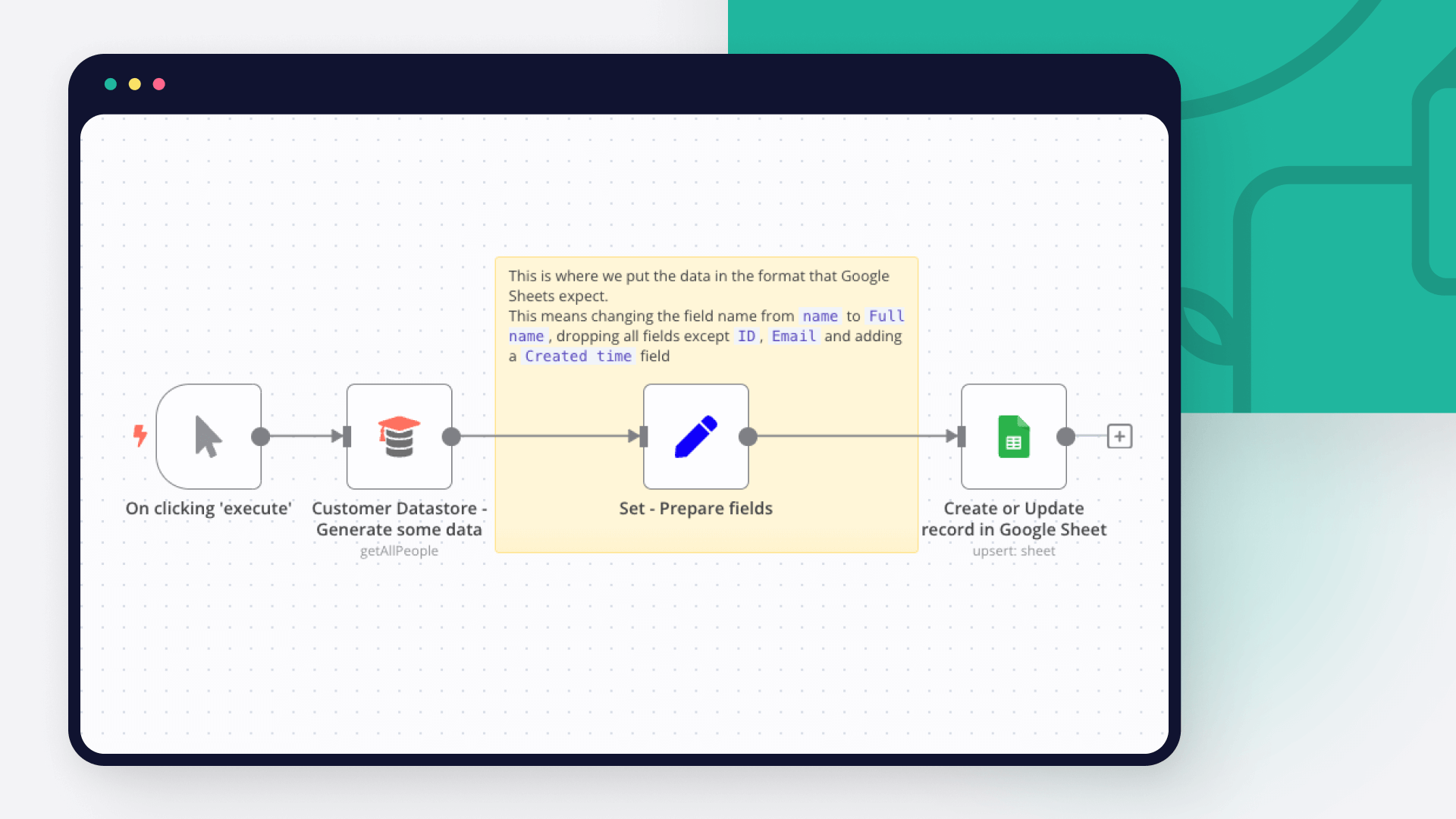
How to use Google Sheets as a database
Dive into the versatility of Google Sheets as a database with our in-depth comparison of Python scripting and n8n automation. Get 7 free workflows to set up your Google Sheets database in n8n!
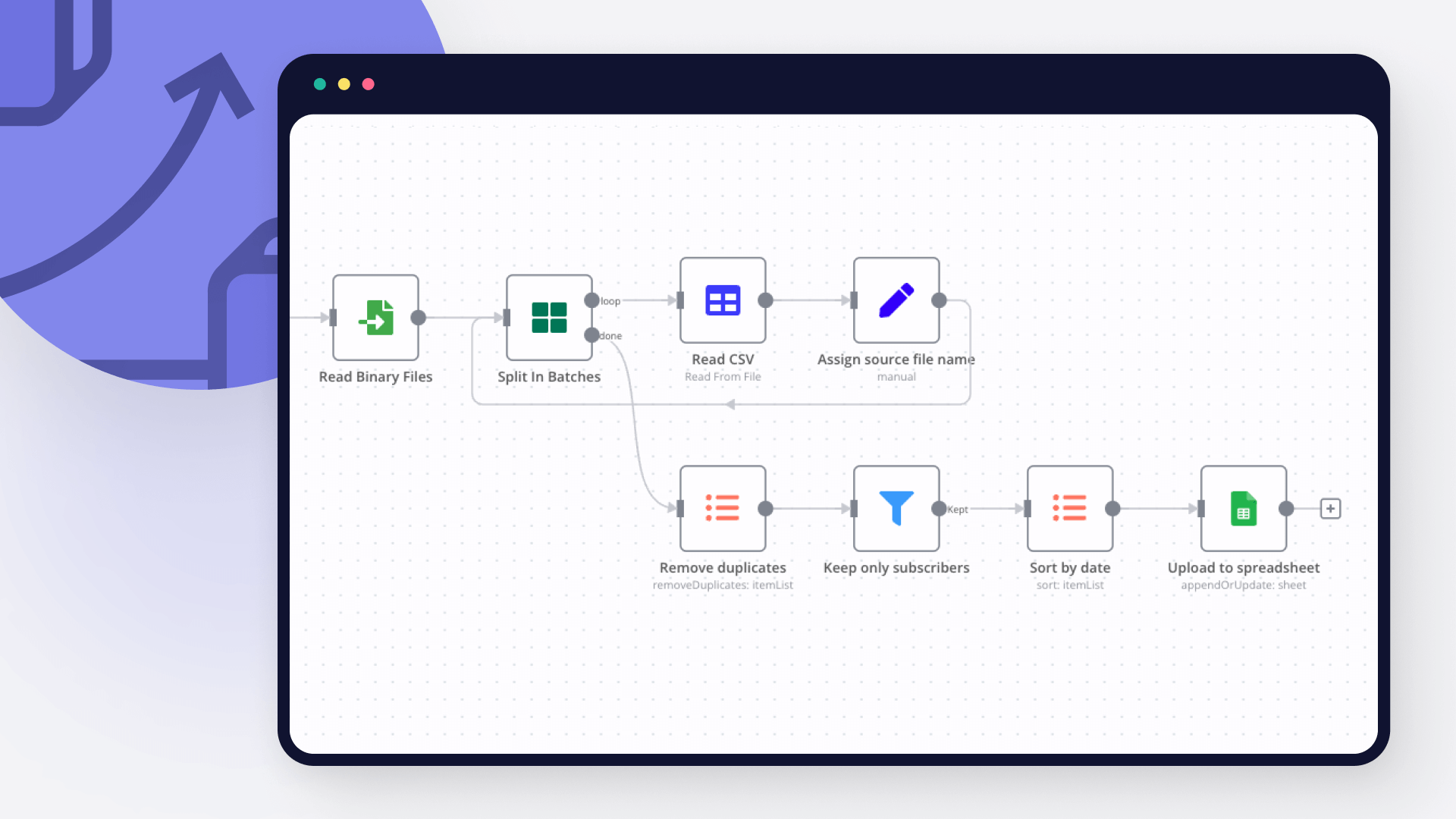
How to import CSV into Google Sheets: 3 best methods
Explore 3 efficient methods for importing CSV files into Google Sheets, comparing n8n's automated workflow with the manual import via native Google Sheets interface and the programmatic import via Python.

How to create an AI bot in Telegram
Learn how to create an AI chatbot for Telegram with our easy-to-follow guide. Ideal for users who are interested in exploring the realm of bot development without coding.
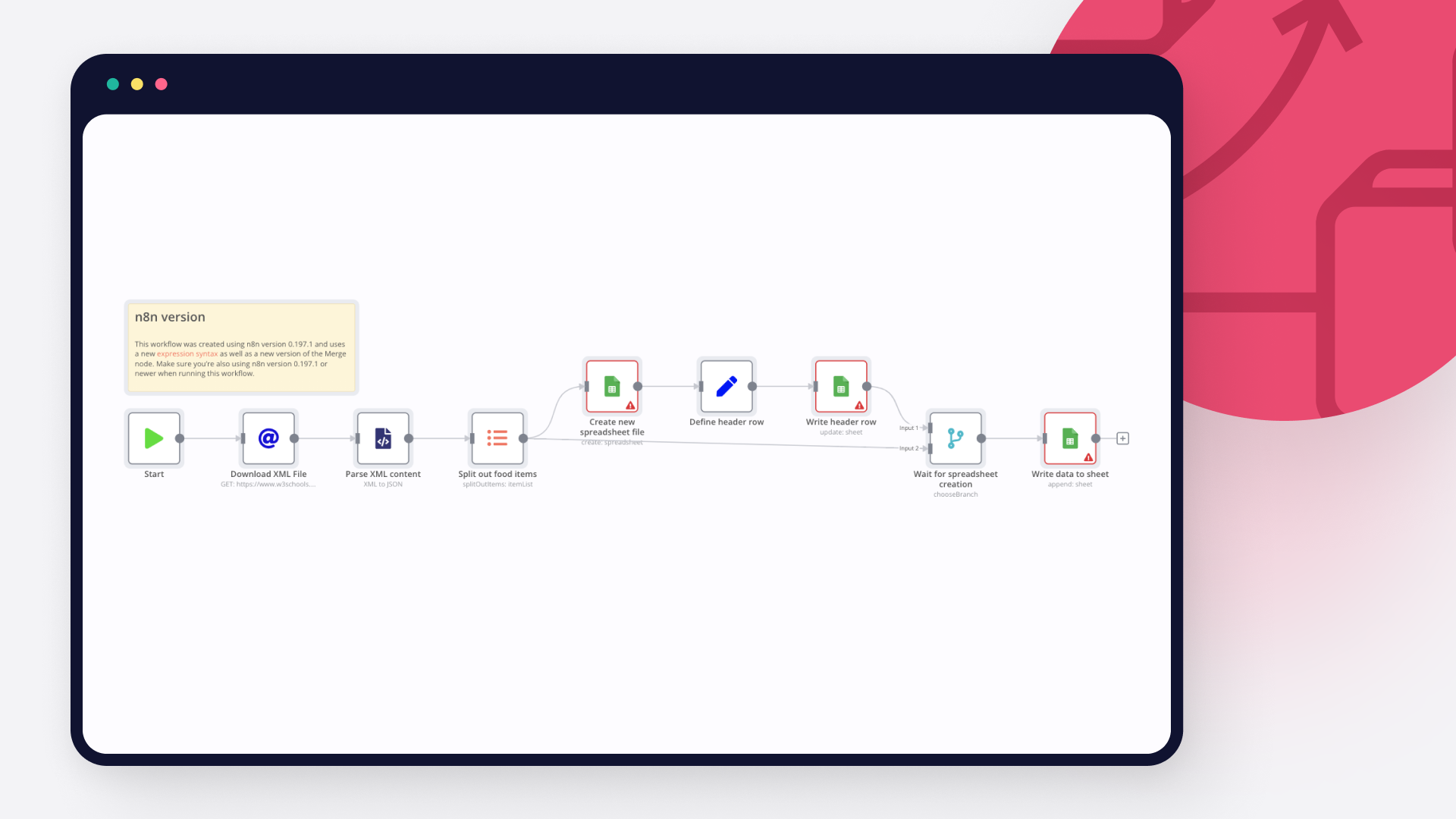
How to import XML to Google Sheets: 3 step-by-step techniques
Learn three different ways to import XML to Google sheets: with Google sheet’s IMPORTXML function, with Google AppScript and automation with n8n.
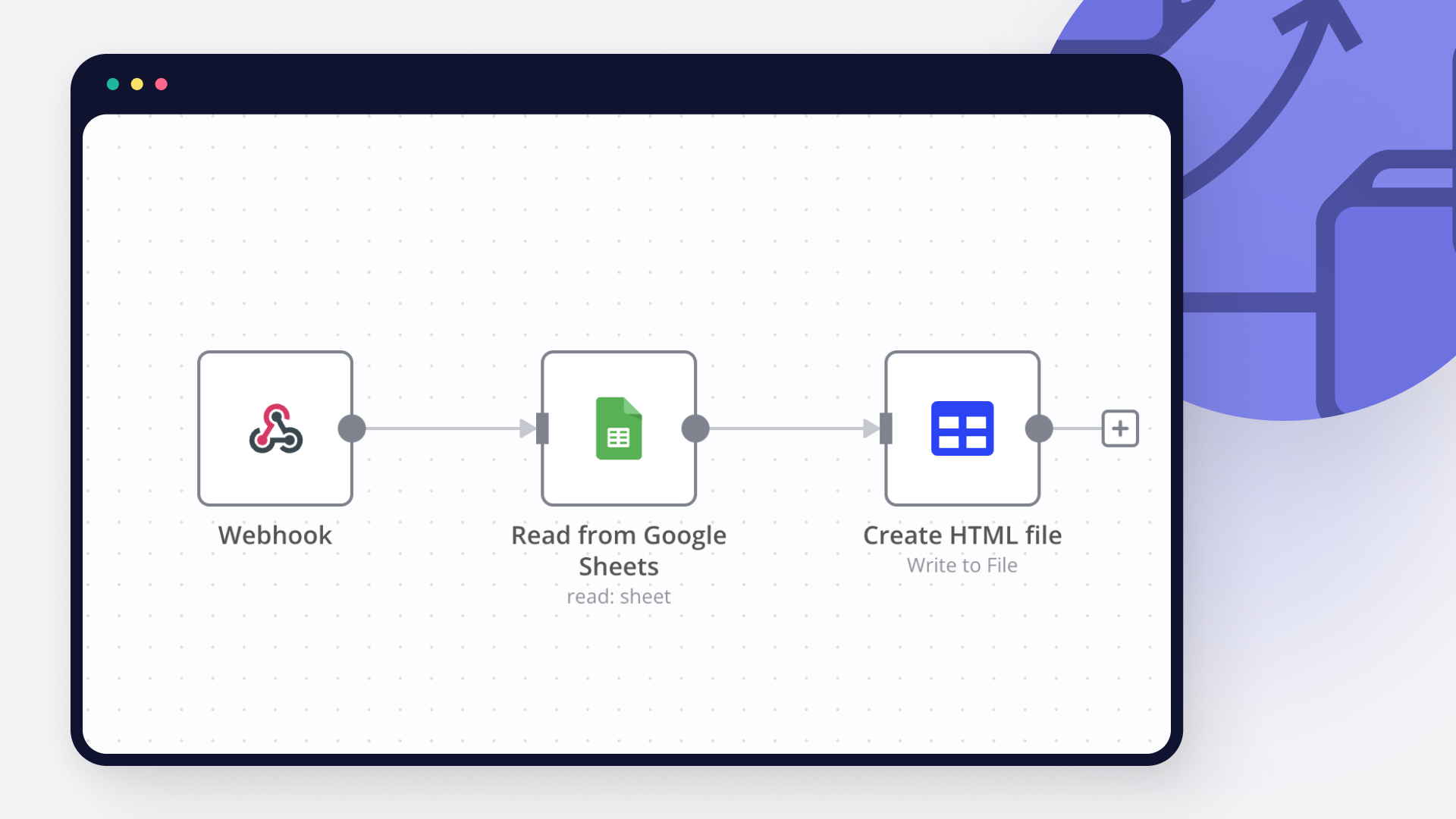
How to pull data from Google Spreadsheet to HTML: Code and no code approaches
Learn how to pull data from Google Spreadsheet to a website using Google Apps Script or n8n: two approaches, with and without writing code, explained.
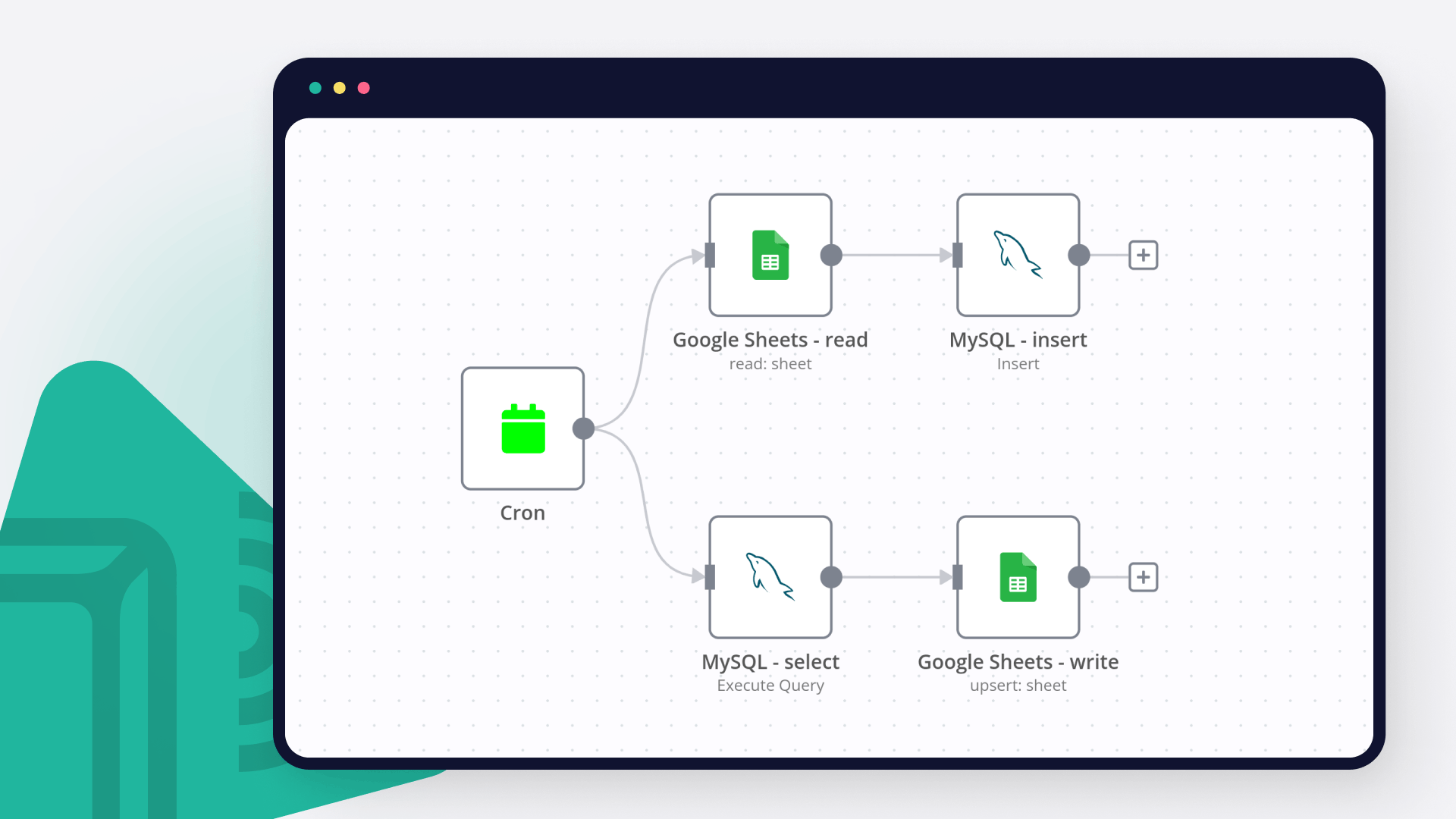
How to connect Google Sheets to MySQL: Code and no-code methods
Discover two ways to connect MySQL with Google Sheets, and learn to build no-code workflows for automating it.
FAQs
FAQ
Yes, Google Sheets can connect with Telegram using n8n.io. With n8n, you can create workflows that automate tasks and transfer data between Google Sheets and Telegram. Configure nodes for Google Sheets and Telegram in the n8n interface, specifying actions and triggers to set up their connection.
Yes, with n8n, you can programmatically interact with Google Sheets’s API via pre-defined supported actions or raw HTTP requests. With the HTTP Request node, you create a REST API call. You need to understand basic API terminology and concepts.
Yes, with n8n, you can programmatically interact with Telegram’s API via pre-defined supported actions or raw HTTP requests. With the HTTP Request node, you create a REST API call. You need to understand basic API terminology and concepts.
Yes, it is safe to use n8n to integrate Google Sheets and Telegram. n8n offers various features to ensure the safe handling of your data. These include encrypted data transfers, secure credential storage, RBAC functionality, and compliance with industry-standard security practices (SOC2 compliant). For hosted plans, data is stored within the EU on servers located in Frankfurt, Germany. You can also host it on your own infrastructure for added control.
Learn more about n8n’s security practices here.
To start integrating Google Sheets and Telegram in n8n, you have different options depending on how you intend to use it:
- n8n Cloud: hosted solution, no need to install anything.
- Self-host: recommended method for full-control or customized use cases.
Unlike other platforms that charge per operation, step, or task, n8n charges only for full workflow executions. This approach guarantees predictable costs and scalability, no matter the complexity or volume of your workflows.
Need help setting up your Google Sheets and Telegram integration?
Discover our latest community's recommendations and join the discussions about Google Sheets and Telegram integration.

Is the Google Sheets Node not working for anyone else (not a newbie)?
sw2025
Not a newbie to n8n - Have successfully used the G-sheets nodes many times in the past with the same credentials, never an issue. Today I’m trying to create a new automation that requires using the G-Sheets nodes - cann…

How to Update Multiple Rows in Google Sheets at Once in n8n?
Tenzin Nyima 10B15
Hi everyone I’m currently learning n8n and experimenting with Google Sheets automation. I’ve set up a workflow (screenshot attached) that includes: Trigger: “When chat message received” AI Agent connected to: Goog…

Google Sheets Action is not picking up a list of available Sheets despite seeing the document itself
Sergey Komardenkov
Describe the problem/error/question I am testing a workflow where the final action is addition of a row into a Google sheet. I have created a new sheet, I gave it Edit permissions by link just in case, and of course I ad…

Seeking help to look for Pivot table or any formula operation in Google Sheet
Filbert Henrico
Hi there, I am using free service in n8n and I am looking for a support to provide information whether there is an option for pivot table or vlookup formula in the operation section for google sheet? Is it something th…

Switch Node with Google Doc File Problem
Boba228ai
Hello everyone! I set up workflow file transfer in supabase. Google Drive trigger receives file data, transfers it to switch, it determines what kind of file it is (google sheet, google doc, pdf) and then transfers it to…
AI agents and workflows for technical teams at


Why use n8n to integrate Google Sheets with Telegram
Build complex workflows, really fast
