See llms.txt for all machine-readable content.
Integrate pdfRest API Toolkit with 2,000+ apps and services
Unlock the full potential of pdfRest API Toolkit and n8n’s automation platform by connecting pdfRest API Toolkit’s capabilities with over 2,000 apps, data sources, services, and n8n’s built-in AI features.
Need something that’s not covered yet?
Use n8n’s pre-authenticated HTTP Request node to create new connections, giving you the flexibility to build powerful automations on any stack.

- Created by
- pdfRest API Toolkit
- Last update
- 23 days ago
pdfRest API Toolkit integration
is built and maintained by our partners at pdfRest API Toolkit and verified by n8n. That means it’s solid, safe, and ready to help you tap into some great capabilities.
About pdfRest API Toolkit
The pdfRest API Toolkit node brings a commercial PDF engine to your n8n workflows. Every operation runs on the Adobe PDF Library, so your documents are processed by the same engine every time, without your team assembling and maintaining PDF libraries of its own.
You choose where documents are processed. Connect to pdfRest Cloud in the US or EU, or point the credential at your own pdfRest Container or AWS deployment. Pair a self-hosted deployment with self-hosted n8n and the PDF step stays inside your network.
One node and one credential cover more than 50 operations. Convert Office files, images, and web pages to PDF, or convert PDF to Word, Excel, PowerPoint, Markdown, images, PDF/A, and PDF/X. Make scanned PDFs searchable with OCR, extract text and images, and summarize or translate documents. Merge, split, and compress files, work with form data, and redact, watermark, encrypt, restrict, and digitally sign PDFs.
Operations chain together, so a single workflow can OCR a scanned file, redact it, compress the result, and pass it to the next step.
The node works with n8n Cloud and self-hosted n8n and is open source under the MIT license. Available operations and output depend on your pdfRest deployment and plan.
Related categories
Popular ways to use the pdfRest API Toolkit integration
What can you do with pdfRest API Toolkit?
| Summarize PDF, Markdown, or Plain Text | Generate a structured AI summary from PDF, Markdown, or plain-text content |
|---|---|
| Translate PDF, Markdown, or Plain Text | Translate PDF, Markdown, or plain-text content into a requested language using AI |
| Convert Supported Files to PDF | Convert supported office, image, PostScript, email, HTML, or structured-text content to PDF |
| Convert PDF to BMP Images | Convert each page of a PDF into a separate BMP image file |
| Convert PDF to Microsoft Excel | Convert a PDF into an editable Microsoft Excel document |
| Convert PDF to GIF Images | Convert each page of a PDF into a separate GIF image file |
| Convert PDF to JPEG Images | Convert each page of a PDF into a separate JPEG image file |
| Convert PDF to Markdown | Convert a PDF into clean, structured Markdown for reuse and text processing |
| Convert PDF to PDF/A | Convert a PDF to a selected PDF/A conformance level for long-term archiving |
| Convert PDF to PDF/X | Convert a PDF to a selected PDF/X standard for professional print workflows |
| Convert PDF to PNG Images | Convert each page of a PDF into a separate PNG image file |
| Convert PDF to PostScript | Convert a PDF to a PostScript file for print workflows |
| Convert PDF to Microsoft PowerPoint | Convert a PDF into a Microsoft PowerPoint presentation |
| Convert PDF to TIFF Images | Convert each page of a PDF into a separate TIFF image file |
| Convert PDF to Microsoft Word | Convert a PDF into an editable Microsoft Word document |
| Create ZUGFeRD / Factur-X PDF Invoice | Create a ZUGFeRD or Factur-X invoice PDF from invoice XML |
| Validate ZUGFeRD / Factur-X PDF Invoice | Check a ZUGFeRD or Factur-X invoice PDF and return validation findings |
| Extract Embedded Images from PDF | Extract embedded images from selected PDF pages in their original image formats |
| OCR PDF to Add Searchable Text | Recognize text in PDF images and add searchable, extractable text behind them |
| Query PDF Metadata and Document Properties | Inspect a PDF for detailed metadata, security, forms, fonts, images, and other document properties |
| Extract Text from PDF | Extract PDF text with optional style and position information |
| Delete Resource by ID | Delete one previously uploaded or generated pdfRest resource by its ID |
| Delete One or More Resource Files by ID | Delete multiple previously uploaded or generated pdfRest resources in one request |
| Poll for an Async Request Result | Check the status and result of an asynchronous pdfRest request using its request ID |
| Retrieve Resource or Its URL by ID | Retrieve a pdfRest resource file, its download URL, or metadata using its ID |
| Extract Files from ZIP Archive | Extract files from a ZIP archive, including password-protected archives |
| Upload Files or URLs | Upload files to pdfRest from n8n file data or publicly accessible URLs |
| Compress Files Into ZIP Archive | Combine input files or existing pdfRest resources into a downloadable ZIP archive |
| Export PDF Form Data | Export AcroForm or XFA field data from a PDF to a supported external data format |
| Flatten PDF Forms | Make XFA and AcroForm fields non-editable while preserving their data and appearance |
| Import Form Data into PDF | Import external form data into matching editable AcroForm or XFA fields in a PDF |
| Convert XFA Forms to AcroForms | Convert XFA forms to widely supported and editable AcroForms |
| Add Attachment to PDF | Attach an existing pdfRest resource file to a PDF document |
| Add Image to PDF | Insert one or more images into a PDF with custom placement, sizing, reuse, and accessibility tagging |
| Add Shapes to PDF | Draw lines and rectangles in a PDF for separators, boxes, fills, and borders |
| Add Tables to PDF | Insert styled tables into a PDF with support for spans, images, and continuation pages |
| Add Text Blocks to PDF | Insert positioned text blocks into a PDF with custom fonts, styles, and tagging |
| Create Blank PDF | Create a blank PDF with a defined page size, page count, and orientation |
| Merge Multiple PDFs | Combine multiple PDF resources and selected page ranges in a specified order |
| Set PDF Page Boxes | Set PDF page boundaries for media, cropping, bleed, trimming, or artwork |
| Split PDF into Multiple Files | Split a PDF into separate files using page numbers, ranges, or page selectors |
| Compress PDF | Reduce a PDF file size using a preset compression level or custom profile |
| Convert PDF Colors | Convert PDF colors using a built-in preset or custom ICC color profile |
| Flatten PDF Annotations | Merge annotation appearances into PDF page content so they are no longer editable |
| Flatten PDF Layers | Collapse content from all PDF layers onto a single layer |
| Flatten PDF Transparencies | Flatten transparent PDF objects for prepress and workflows that do not support transparency |
| Linearize PDF | Restructure a PDF for fast web viewing so pages can load progressively |
| Rasterize PDF | Convert each PDF page to a flattened image for consistent rendering and printing |
| Add Watermark to PDF | Add a customizable text or PDF watermark to selected pages of a PDF |
| Remove Encryption from PDF | Remove PDF encryption using the current open password and permissions password if required |
| Encrypt PDF with Open Password | Protect a PDF with 256-bit AES encryption and a password required to open it |
| Apply Finalized Text Redactions to PDF | Permanently remove sensitive text identified in a reviewed redaction preview PDF |
| Generate Redaction Preview PDF | Create a PDF that highlights proposed text redactions for review before applying them |
| Remove PDF Permissions Restrictions | Remove document security restrictions from a PDF using its permissions password |
| Apply PDF Permissions Restrictions | Protect PDF operations with a permissions password and selected document restrictions |
| Digitally Sign PDF | Apply a configurable digital signature to verify a PDF's authenticity and integrity |
| Apply TDM Reservation Policy to PDF | Embed a machine-readable policy in a PDF to reserve its text and data mining rights |
How to install pdfRest API Toolkit and use it in your n8n workflows
Verified nodes need a quick setup by an instance owner first, but after that, everyone on the instance can start using them in their workflows. Learn more here.
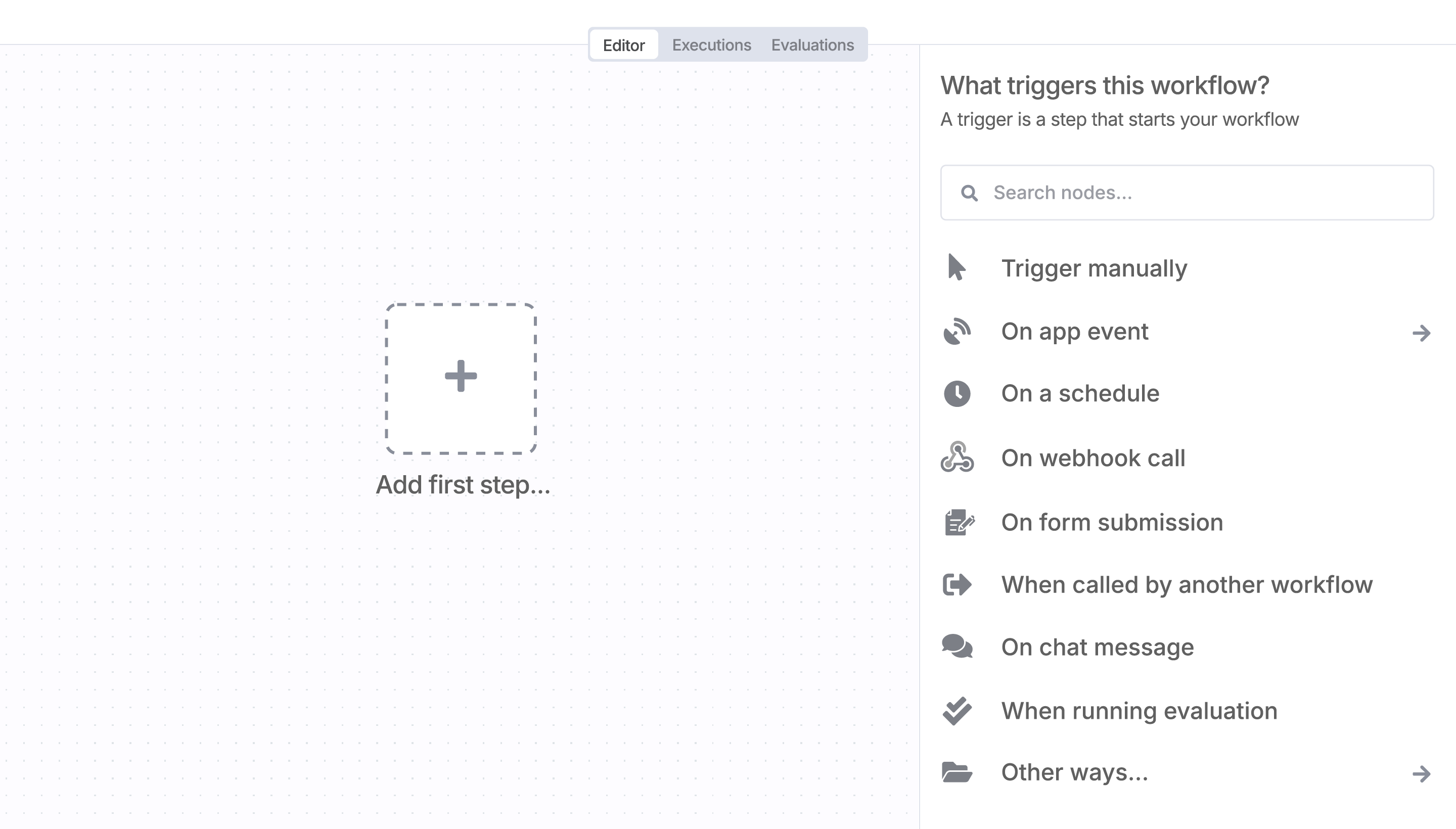
Sign in to n8n, open the editor, and click + in the top right to open the Nodes panel
Search for pdfRest API Toolkit using the search bar. Look for the version marked by a badge  . Then, select install.
Once pdfRest API Toolkit is installed, just drag, drop, and connect it like any other node in a workflow.
Resources for pdfRest API Toolkit
Trusted by teams building smarter workflows.


Connect pdfRest API Toolkit with your company’s tech stack and create automation workflows


I have found the holy grail of automation.
Luisa Vidal 
n8n’s integration with third-party services is absolutely mind-blowing. It’s like a Swiss army knife for automation.
Felix Leber 
Anything is possible with n8n. I think the cloud version is great, they are doing amazing stuff.
Robyn Tindall 
Thank you to the n8n community. I did the beginners course and promptly took an automation WAY beyond my skill level.
Charley Mann
Simple enough to
understand + sophisticated
enough to ship
