See llms.txt for all machine-readable content.

Discord and Google Ads integration

Save yourself the work of writing custom integrations for Discord and Google Ads and use n8n instead. Build adaptable and scalable Communication, HITL, workflows that work with your technology stack. All within a building experience you will love.

How to connect Discord and Google Ads

Create a new workflow and add the first step

In n8n, click the "Add workflow" button in the Workflows tab to create a new workflow. Add the starting point – a trigger on when your workflow should run: an app event, a schedule, a webhook call, another workflow, an AI chat, or a manual trigger. Sometimes, the HTTP Request node might already serve as your starting point.

Discord and Google Ads integration: Create a new workflow and add the first step

Analyze Google Ads search terms with AI and send wastage alerts

Who Is This For? This workflow is designed for Google Ads advertisers, PPC managers, and marketing teams who want to automatically monitor and optimize their search term performance. It's particularly valuable for those running brand campaigns who need to identify and eliminate wasteful ad spend on non-brand keywords. What This Workflow Does This workflow functions as an automated Google Ads performance monitoring and optimization system that: Fetches search term data from active Google Ads campaigns daily Filters out brand terms and excluded search terms automatically Analyzes performance metrics using AI to identify wasteful keywords Generates optimization recommendations for negative keyword lists Sends detailed reports through multiple communication platforms Calculates ad wastage in USD for better budget management Key Features Automated Daily Monitoring – Runs every day at 8 AM to check campaign performance AI-Powered Analysis – Uses multiple AI models (DeepSeek, OpenAI, xAI, Anthropic) for intelligent keyword categorization Performance Metrics Calculation – Automatically calculates CTR, CPC, conversions, and ad wastage Multi-Channel Reporting – Sends reports to Slack, Microsoft Teams, WhatsApp, and Discord Smart Filtering – Automatically excludes brand terms and excluded search terms Cost Analysis – Calculates total ad wastage in USD for budget optimization 14-Day Data Window – Analyzes search terms from the past 14 days for comprehensive insights Requirements & Setup Google Ads API: Required for fetching campaign and search term data AI Model APIs: DeepSeek, OpenAI, xAI, or Anthropic for keyword analysis Communication APIs: Slack, Microsoft Teams, WhatsApp (Rapiwa), Discord for report distribution Scheduled Trigger: Configured to run daily at 8 AM Google Ads Manager and Client IDs: For accessing specific campaign data How It Works Data Collection: Fetches active campaigns and extracts search term data from the past 14 days Data Processing: Cleans and aggregates metrics by search term, campaign, and ad group AI Analysis: Uses AI to categorize keywords into wasteful (zero conversions) and review-worthy (has conversions) Report Generation: Creates structured reports with recommendations and cost analysis Multi-Platform Distribution: Sends formatted reports to all configured communication channels Support & Help WhatsApp: Chat on WhatsApp Discord: SpaGreen Community Facebook Group: SpaGreen Support Website: https://spagreen.net Developer Portfolio: Codecanyon SpaGreen

Popular ways to use the Discord and Google Ads integration

Build your own Discord and Google Ads integration

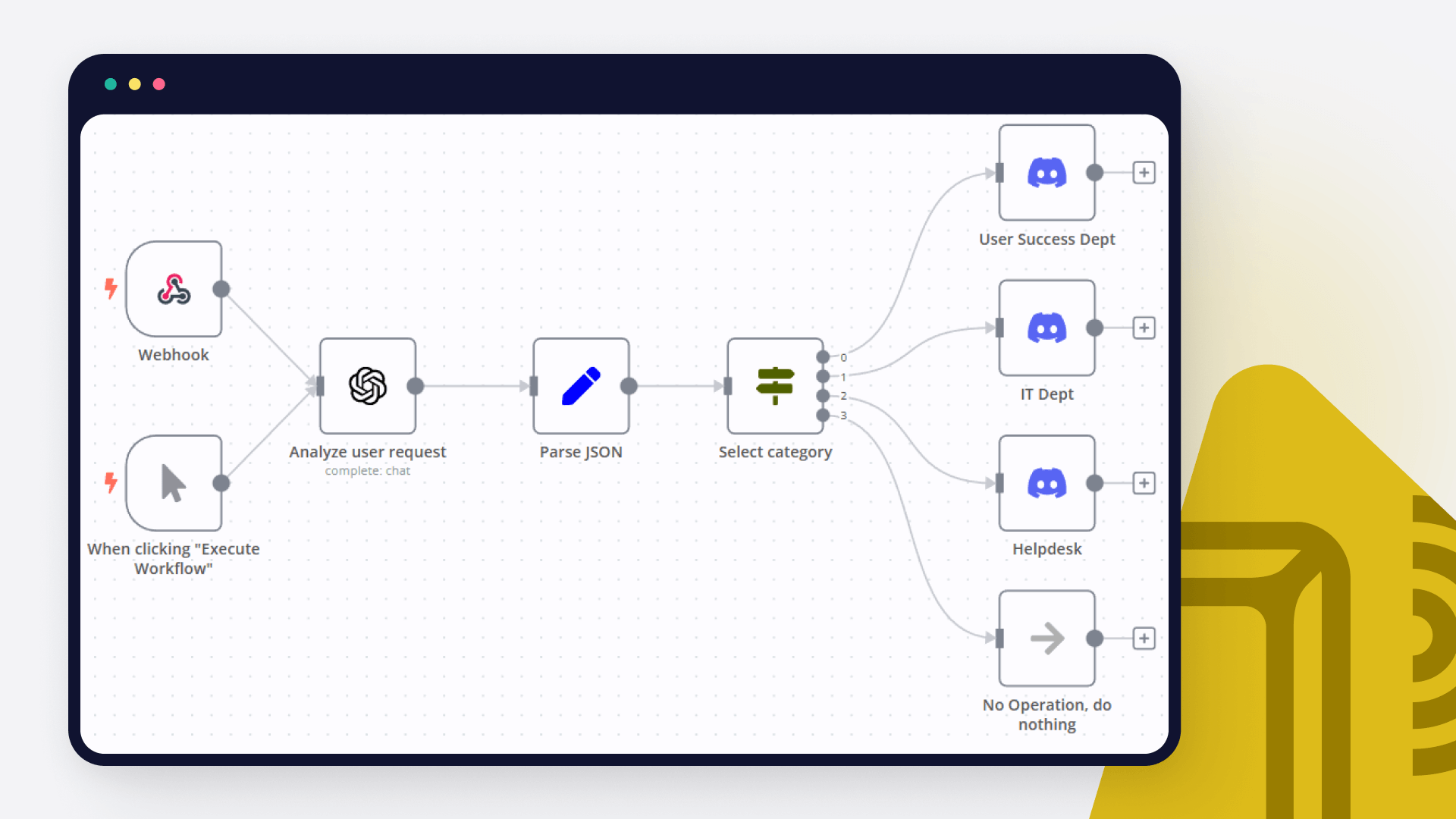
Create custom Discord and Google Ads workflows by choosing triggers and actions. Nodes come with global operations and settings, as well as app-specific parameters that can be configured. You can also use the HTTP Request node to query data from any app or service with a REST API.

Discord supported actions

Google Ads supported actions

Discord and Google Ads integration details

Discord

Discord helps a group of people communicate online and share activities together. It is used by study groups, gamers, and even professional teams. It allows you to organize calls, have conversations, stream live events, spark fresh ideas, and advertise your projects.

Google Ads

Google Ads is an online advertising marketplace where businesses can bid to have their videos, service offers, or brief commercials displayed to website visitors. It can add advertisements to videos, non-search websites, mobile apps, and search engine results, such as Google Search.

FAQ about Discord integrations

Need help setting up your Discord and Google Ads integration?

Discover our latest community's recommendations and join the discussions about Discord and Google Ads integration.

  • Du Ponce

    Missing balance in Google Ads

    Du Ponce

    I would like to capture the balance in my Google Ads account, could anyone help me please? Thanks Information on your n8n setup n8n version: 1.55.3

    Open topic
  • Muhammad Qasim

    How to get Discord messages in n8n

    Muhammad Qasim

    Hey Everyone! I have a problem, which is I want to listen to the Discord messages but in n8n i sreach a lot, but i won’t find something that I want. I have used the Discord trigger but it came with a webhook, which …

    Open topic
  • Mauricio Bachega

    Need help with Raw JSON in discord embeds

    Mauricio Bachega

    I’m trying to do product monitoring, where it may return 1 or more products, and for that I need to return the list in the embed, but I’ve tried every way and I can’t configure the Raw JSON of the embeds. Error: Cannot…

    Open topic
  • Rajat Jaiswal

    Course level 2 discord error || can not read properties of undefined (reading 'error')

    Rajat Jaiswal

    Hello Everyone, I was trying the Course level 2 work flow exercise. I did setup correctly the discord parameter and give correct message format. but unfortunately, I am getting following error “ Cannot read properties …

    Open topic
  • Nika

    Course 2 Workflow 2 Discord Error - Cannot read properties of undefined (reading 'error')

    Nika

    Please, help :folded_hands: Following instructions in the Course 2 Workflow 2: Use the Discord node to send a message in the n8n Discord channel #course-level-two. In the node, configure the following parameters: …

    Open topic

Looking to integrate Slack and VirusTotal in your company?

Three colleagues talking around laptops at a shared desk

Trusted by teams building smarter workflows.

Why

Why use n8n to integrate Discord with Google Ads

Handle branching, merging and iteration easily. Pause your workflow to wait for external events.

Re-run single steps to test changes in no time. And pin your data to avoid generating trigger events every time you execute.

Your data is displayed alongside your settings, making edge cases easy to track down.

Use 1000+ workflow templates available from our core team and our community.

Copy and paste, easily import and export workflows.

Simple enough to 
understand + sophisticated 
enough to ship

Man in a brown jacket working at his desk by a window