See llms.txt for all machine-readable content.

OpenAI and Wordpress integration

Save yourself the work of writing custom integrations for OpenAI and Wordpress and use n8n instead. Build adaptable and scalable AI, workflows that work with your technology stack. All within a building experience you will love.


How to connect OpenAI and Wordpress

Create a new workflow and add the first step

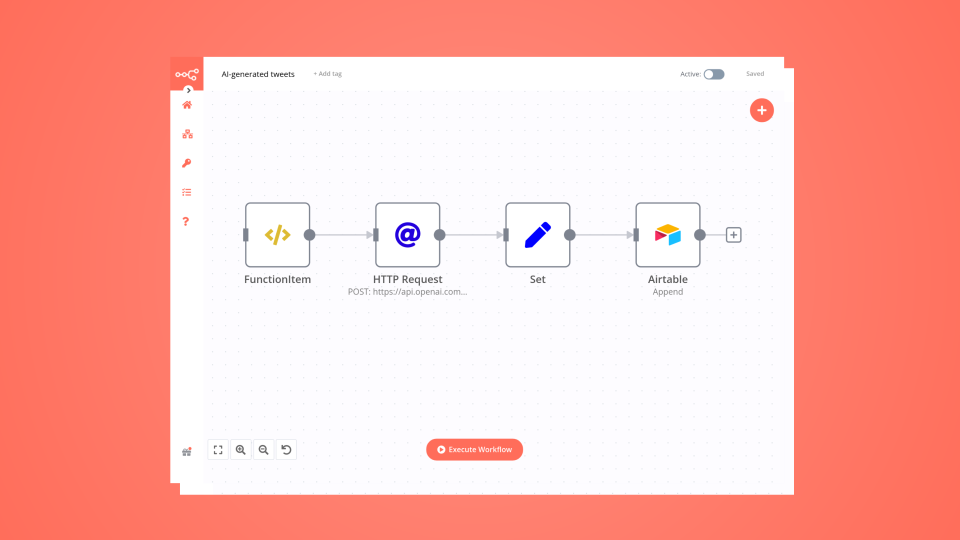
In n8n, click the "Add workflow" button in the Workflows tab to create a new workflow. Add the starting point – a trigger on when your workflow should run: an app event, a schedule, a webhook call, another workflow, an AI chat, or a manual trigger. Sometimes, the HTTP Request node might already serve as your starting point.

OpenAI and Wordpress integration: Create a new workflow and add the first step

Write a WordPress post with AI (starting from a few keywords)

This n8n workflow template allows you to write WordPress posts by just providing a few keywords. It uses AI technology to write the text and to create the post's featured image. The text includes an introduction, chapters, and conclusions. Each chapter is written independently and this allows you to create also very long articles. The workflow uses technologies provided by Open AI: Chat GPT for the text and Dall-E for the image. I suggest reviewing the created posts before publishing them on your WordPress website. The article generation might take some minutes as each chapter is created independently. Features Easy to use: Easy web interface to start the generation of the WordPress post AI-powered: Text and image generation is done by artificial intelligence Long-text ready: Possibility to create very long articles Configurable: Possibility to provide as many keywords as you want, to choose the number of chapters and the length of the article Plugs into your WordPress: Easily integrates with your WordPress website Tweak it as you want: Fine-tune the Open AI prompts and the workflow as you want Workflow Steps User form: An n8n form is used to trigger the post creation Settings: This node is used to set your WordPress URL (which is used later in the workflow) Article structure: First AI action that writes the introduction, the conclusions, and the chapter structure. Data check: Check that the data provided by the AI is valid Chapters split/Chapters text: Splits the data for each chapter in a separate item and generates each chapter's text with AI Content preparation: Prepares the text for posting merging the introduction, the chapters, and the conclusions. Adds some basic HTML formatting Draft on WordPress: Creates the draft post on WordPress Featured image: Creates a featured image and adds it to the post on WordPress User feedback: Sends a feedback to the user on the n8n form Getting Started To deploy and use this template: Import the workflow into your n8n workspace Set your WordPress URL in the wordpress_url field in the "Settings" node. Include the slash (/) at the end of the URL Set up your Open AI n8n credentials by following this guide. The Open AI credentials are used by the Open AI nodes ("Create post title and structure", "Create chapters text", and "Generate featured image") Set up your WordPress n8n credentials by following this guide. The WordPress credentials are used by the WordPress and HTTP Request nodes ("Post on Wordpress", "Upload media", and "Set image ID for the post"). Pay attention that the "Password" in the WordPress credentials is not the user's password by the Application Password How use the workflow to create a WordPress post Activate the workflow Open the "Form" node and copy the "Production URL". This is the public URL of the form to AI-write the post Open the URL in a browser and fill in the form Wait a few minutes till you get the feedback in the form that the post was created Go to WordPress and check the newly created draft post. Review and publish your post!

Build your own OpenAI and Wordpress integration

Create custom OpenAI and Wordpress workflows by choosing triggers and actions. Nodes come with global operations and settings, as well as app-specific parameters that can be configured. You can also use the HTTP Request node to query data from any app or service with a REST API.

OpenAI supported actions

Wordpress supported actions

OpenAI and Wordpress integration details

OpenAI

OpenAI

OpenAI, the creator of ChatGPT, offers a range of powerful models including GPT-3, DALL·E, and Whisper. Leverage these models to build AI-powered workflows.

Wordpress

Wordpress

WordPress is a Content Management System (CMS) that allows you to host and build websites. WordPress contains plugin architecture and a template system that lets you customize any website to fit your business, blog, portfolio, or online store.

Automate lead management

Using too many marketing tools? n8n lets you orchestrate all your apps into one cohesive, automated workflow.

Learn more

FAQ about OpenAI integrations

Need help setting up your OpenAI and Wordpress integration?

Discover our latest community's recommendations and join the discussions about OpenAI and Wordpress integration.

  • Artem

    How to define AI-powered Extra Workflow Inputs in AI tools?

    Artem

    Describe the question I need to pass to the tool some data from the AI Agent. Like, “task name” and “task tags” to create a task via Custom Workflow Tool. So I don’t know what to refer to in the Extra Inputs. Because th…

    Open topic
  • sérgio eduardo floresta filho

    The prompt is not being executed

    sérgio eduardo floresta filho

    Hello! My goal is to use Google Forms to collect information from my clients and then use n8n to automate the processing of this information. My workflow involves: Collecting data through Google Forms. Using n8n to re…

    Open topic
  • Heisenbug

    How to handle multi-message prompts in OpenAI Chat node?

    Heisenbug

    Describe the problem/error/question I want to send multiple messages to the OpenAI Chat node (LangChain → LLM Prompt Template) in a single execution, simulating a conversation. The first message is fixed, and the followi…

    Open topic
  • Julien

    OpenAI node - How to use the new Endpoint?

    Julien

    Is it possible to choose the Responses API or OpenAI ? It has been updated a few months ago by OpenAI, but the node still seems to be using the old Completions API. [https://platform.openai.com/docs/guides/migrate-to-re…

    Open topic
  • Andrew adawdad

    OpenAI not receicving JSON data from previous node

    Andrew adawdad

    Describe the problem/error/question Im currently using the openAI node to send a text message to the system. I am sending the previous nodes JSON data, but the openai response says that im only sending {{ $json }} instea…

    Open topic

Looking to integrate Slack and VirusTotal in your company?

Trusted by teams building smarter workflows.

Why

Why use n8n to integrate OpenAI with Wordpress

Handle branching, merging and iteration easily. Pause your workflow to wait for external events.

Re-run single steps to test changes in no time. And pin your data to avoid generating trigger events every time you execute.

Your data is displayed alongside your settings, making edge cases easy to track down.

Use 1000+ workflow templates available from our core team and our community.

Copy and paste, easily import and export workflows.

Simple enough to 
understand + sophisticated 
enough to ship