See llms.txt for all machine-readable content.

Webhook and Google Sheets integration

Save yourself the work of writing custom integrations for Webhook and Google Sheets and use n8n instead. Build adaptable and scalable Development, Core Nodes, workflows that work with your technology stack. All within a building experience you will love.


How to connect Webhook and Google Sheets

Create a new workflow and add the first step

In n8n, click the "Add workflow" button in the Workflows tab to create a new workflow. Add the starting point – a trigger on when your workflow should run: an app event, a schedule, a webhook call, another workflow, an AI chat, or a manual trigger. Sometimes, the HTTP Request node might already serve as your starting point.

Webhook and Google Sheets integration: Create a new workflow and add the first step

Automate sales cold calling pipeline with Apify, gpt-5.6-terra, and WhatsApp

This workflow contains community nodes that are only compatible with the self-hosted version of n8n. Cold Calling Automation - End-to-End Automated Cold Calling with Apify, RAG, and WhatsApp Screenshot 20250629 at 15.43.00.png Cold calling without the grind. This workflow finds your prospects with Apify, researches each one with RAG, writes a personalized message for every prospect, and sends it through WhatsApp. You set the target criteria once, and the system handles the rest: scraping, research, writing, sending, and follow-ups. Last updated: September 2026. Why Use Cold Calling Automation? Reach hundreds of prospects without hiring more staff or doing manual outreach. Every message feels personal because it is written from real research on each prospect. WhatsApp delivery puts your message where people actually read it. It keeps getting better by learning from response rates and campaign results. Lower cost per outreach compared to running a manual calling team. Who Is This For? Sales Teams: that want more pipeline without adding headcount. Lead Generation Agencies: delivering outreach for clients at scale. Business Development Professionals: who want efficiency without sounding like a robot. Small Business Owners: who need a sales team in a box. Marketing Agencies: adding lead generation to their services. What Problem Does It Solve? Manual cold calling eats your time: researching prospects one by one, writing scripts, and sending messages by hand. Generic blasts get ignored and hurt your brand. This workflow automates the full pipeline, from finding prospects to sending tailored messages, so outreach stays personal even at high volume. What This Workflow Does Prospect Scraping: Finds prospects matching your criteria using Apify. Intelligent Research: Looks up each prospect with RAG and pulls the facts that matter. Personalized Content: Writes custom messages, scripts, and talking points per prospect. WhatsApp Integration: Sends everything through WhatsApp automatically. Performance Tracking: Watches response rates, engagement, and conversions. AI-Powered Follow-up: Replies to initial responses and schedules follow-ups. Campaign Analytics: Shows what works with clear performance and ROI insights. Continuous Learning: Sharpens targeting and messaging based on results. This workflow also uses this community node: @devlikeapro/n8n-nodes-waha Setup Instructions Import the provided workflow JSON into your n8n instance (Cloud or self-hosted). Set up credentials: Apify API credentials for prospect scraping OpenAI API key for RAG and content generation (platform docs) WhatsApp Business API credentials or WAHA integration Database credentials for prospect and campaign tracking Email credentials for notifications and reporting Customize parameters: Target prospect criteria and scraping parameters Message templates and personalization rules Campaign timing and frequency settings Response handling and follow-up logic Performance tracking and reporting preferences Test the complete workflow with a small prospect list to verify scraping, personalization, and delivery. Pre-Requirements Active n8n instance (Cloud or Self-hosted) Apify account with appropriate scraping credits (docs) OpenAI API key with sufficient usage limits WhatsApp Business account or WAHA setup Database system for prospect and campaign management Basic understanding of your target audience and value proposition Customize It Further Sync prospects with your CRM to track conversion through the sales pipeline. Add voice calling with a VoIP service for full omnichannel outreach. A/B test message templates and send times to find what converts. Pull in social channels for multi-channel prospecting. Add sentiment analysis to tune the tone per prospect type. Connect your calendar so qualified replies turn into booked meetings. Nodes Used Apify nodes for prospect scraping and data collection OpenAI Chat Model and Embeddings for RAG implementation WhatsApp/WAHA nodes for message delivery and response handling Database nodes for prospect storage and campaign tracking HTTP Request nodes for API integrations and webhooks Code nodes for data processing and personalization logic Schedule Trigger for automated campaign execution Conditional nodes for response handling and follow-up logic Set nodes for parameter configuration and data transformation Split In Batches for efficient bulk processing Expected Results 50-80% increase in cold calling efficiency and prospect reach 25-40% higher response rates compared to generic cold calling 60-75% reduction in manual research and message preparation time Real-time insights into campaign performance and prospect engagement Scalable system that grows with your business needs Quick Answers Do I need the WhatsApp Business API? You need either WhatsApp Business API credentials or a WAHA setup. WAHA is the easier self-hosted option. Does this run on n8n Cloud? No. It uses community nodes, so you need self-hosted n8n. How many prospects can it handle? As many as your Apify credits allow. Start with a small list to test, then scale up. Support Made by: khmuhtadin Tag: automation, cold calling, lead generation, apify, RAG, whatsapp, AI, sales automation, outreach Category: Sales Automation & Lead Generation Need a custom? contact me for more tailored templates Additional info Built with n8n. Need an assessment on your business? Feel free to reach out at https://khmuhtadin.com/consultation/

Build your own Webhook and Google Sheets integration

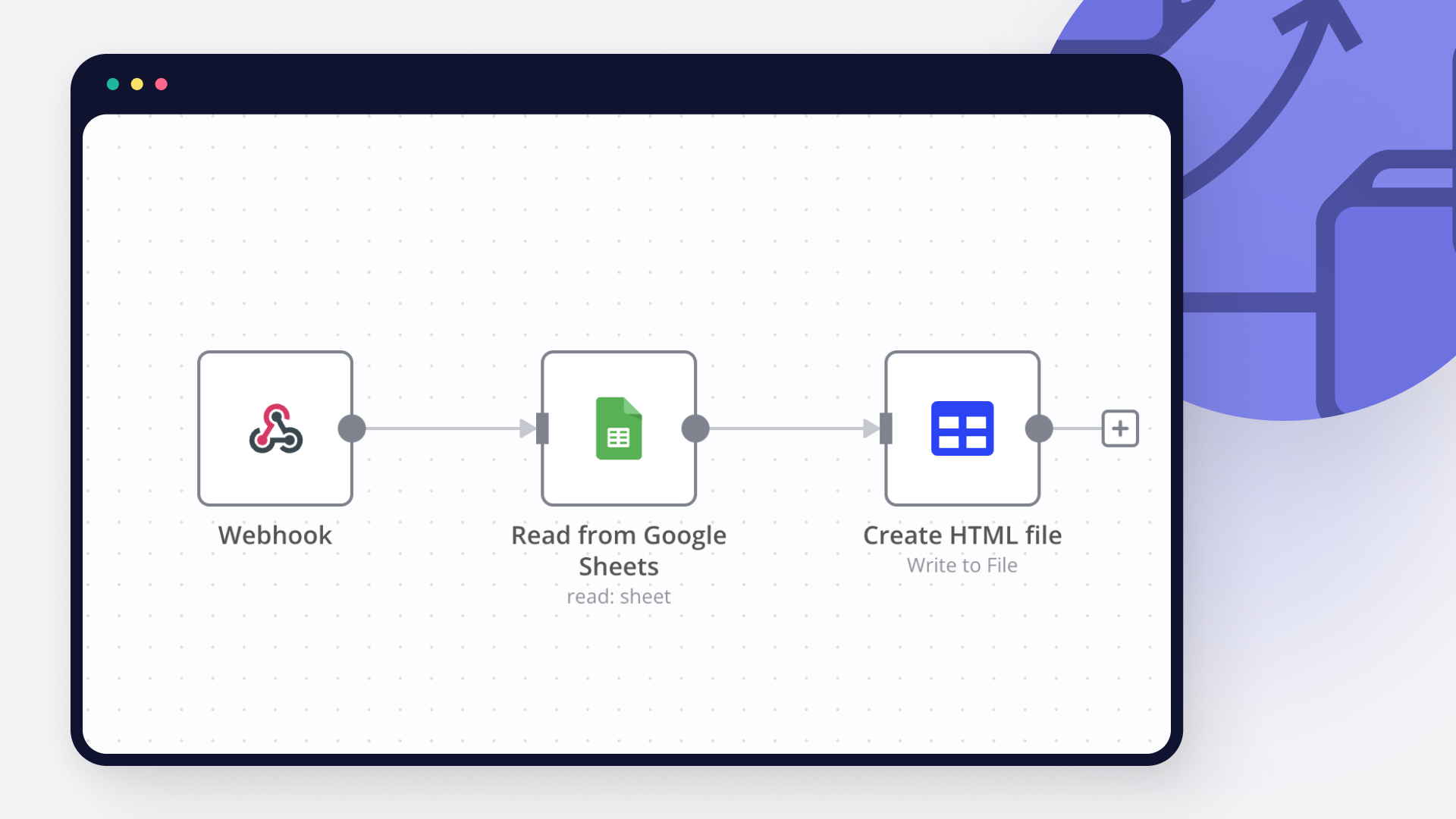
Create custom Webhook and Google Sheets workflows by choosing triggers and actions. Nodes come with global operations and settings, as well as app-specific parameters that can be configured. You can also use the HTTP Request node to query data from any app or service with a REST API.

Google Sheets supported actions

Webhook and Google Sheets integration details

Webhook

Webhook

Webhooks are automatic notifications that apps send when something occurs. They are sent to a certain URL, which is effectively the app's phone number or address, and contain a message or payload. Polling is nearly never quicker than webhooks, and it takes less effort from you.

Google Sheets

Google Sheets

Google Sheets is a web-based spreadsheet program offered by Google for free. It similar to Microsoft Excel, and can be accessed anywhere on any device, you only need a Google account.
Other integrations with Webhook and Google Sheets

Save engineering resources

Reduce time spent on customer integrations, engineer faster POCs, keep your customer-specific functionality separate from product all without having to code.

Learn more

FAQ about Webhook integrations

Need help setting up your Webhook and Google Sheets integration?

Discover our latest community's recommendations and join the discussions about Webhook and Google Sheets integration.

  • sw2025

    Is the Google Sheets Node not working for anyone else (not a newbie)?

    sw2025

    Not a newbie to n8n - Have successfully used the G-sheets nodes many times in the past with the same credentials, never an issue. Today I’m trying to create a new automation that requires using the G-Sheets nodes - cann…

    Open topic
  • Tenzin Nyima 10B15

    How to Update Multiple Rows in Google Sheets at Once in n8n?

    Tenzin Nyima 10B15

    Hi everyone I’m currently learning n8n and experimenting with Google Sheets automation. I’ve set up a workflow (screenshot attached) that includes: Trigger: “When chat message received” AI Agent connected to: Goog…

    Open topic
  • Sergey Komardenkov

    Google Sheets Action is not picking up a list of available Sheets despite seeing the document itself

    Sergey Komardenkov

    Describe the problem/error/question I am testing a workflow where the final action is addition of a row into a Google sheet. I have created a new sheet, I gave it Edit permissions by link just in case, and of course I ad…

    Open topic
  • Filbert Henrico

    Seeking help to look for Pivot table or any formula operation in Google Sheet

    Filbert Henrico

    Hi there, I am using free service in n8n and I am looking for a support to provide information whether there is an option for pivot table or vlookup formula in the operation section for google sheet? Is it something th…

    Open topic
  • Boba228ai

    Switch Node with Google Doc File Problem

    Boba228ai

    Hello everyone! I set up workflow file transfer in supabase. Google Drive trigger receives file data, transfers it to switch, it determines what kind of file it is (google sheet, google doc, pdf) and then transfers it to…

    Open topic

Looking to integrate Slack and VirusTotal in your company?

Trusted by teams building smarter workflows

Why

Why use n8n to integrate Webhook with Google Sheets

Handle branching, merging and iteration easily. Pause your workflow to wait for external events.

Re-run single steps to test changes in no time. And pin your data to avoid generating trigger events every time you execute.

Your data is displayed alongside your settings, making edge cases easy to track down.

Use 1000+ workflow templates available from our core team and our community.

Copy and paste, easily import and export workflows.

Simple enough to 
understand + sophisticated 
enough to ship