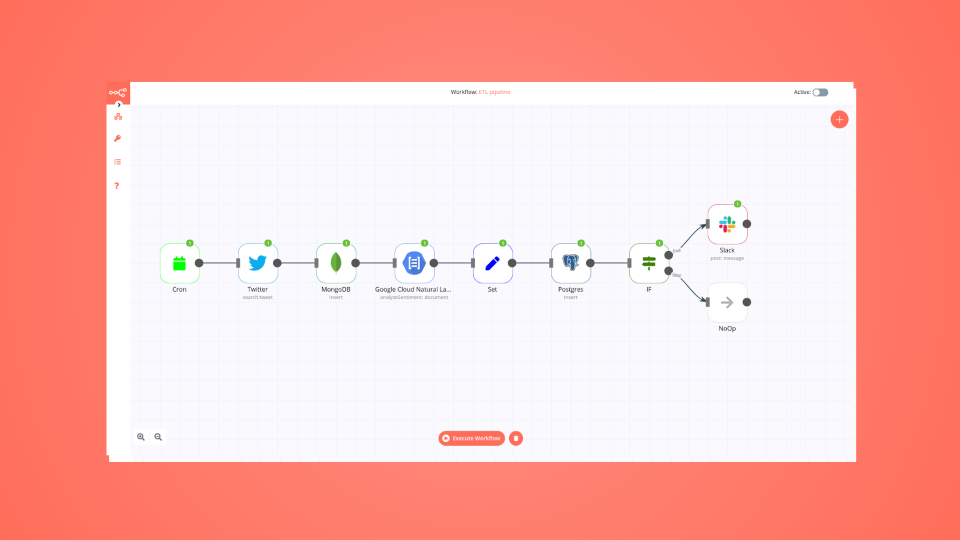
See llms.txt for all machine-readable content.

MongoDB and Qualys integration

Save yourself the work of writing custom integrations for MongoDB and Qualys and use n8n instead. Build adaptable and scalable Development, Data & Storage, workflows that work with your technology stack. All within a building experience you will love.

How to connect MongoDB and Qualys

Create a new workflow and add the first step

In n8n, click the "Add workflow" button in the Workflows tab to create a new workflow. Add the starting point – a trigger on when your workflow should run: an app event, a schedule, a webhook call, another workflow, an AI chat, or a manual trigger. Sometimes, the HTTP Request node might already serve as your starting point.

MongoDB and Qualys integration: Create a new workflow and add the first step

Consolidate data from 5 sources for automated reporting with SQL, MongoDB & Google tools

How it works This workflow consolidates data from five different systems — Google Sheets, PostgreSQL, MongoDB, Microsoft SQL Server, and Google Analytics — into a single master Google Sheet. It runs on a scheduled trigger three times a week. Each dataset is tagged with a unique source identifier before merging, ensuring data traceability. Finally, the merged dataset is cleaned, standardized, and written into the output Google Sheet for reporting and analysis. Step-by-step 1. Trigger the workflow Schedule Trigger – Runs the workflow at set weekly intervals. 2. Collect data from sources Google Sheets Source – Retrieves records from a specific sheet. PostgreSQL Source – Extracts customer data from the database. MongoDB Source – Pulls documents from the defined collection. Microsoft SQL Server – Executes a SQL query and returns results. Google Analytics – Captures user activity and engagement metrics. 3. Tag each dataset Add Sheets Source ID – Marks data from Google Sheets. Add PostgreSQL Source ID – Marks data from PostgreSQL. Add MongoDB Source ID – Marks data from MongoDB. Add SQL Server Source ID – Marks data from SQL Server. Add Analytics Source ID – Marks data from Google Analytics. 4. Merge and process Merge – Combines all tagged datasets into a single structure. Process Merged Data – Cleans, aligns schemas, and standardizes key fields. 5. Store consolidated output Final Google Sheet – Appends or updates the master sheet with the processed data. Why use this? Centralizes multiple data sources into a single, consistent dataset. Ensures data traceability by tagging each source. Reduces manual effort in data cleaning and consolidation. Provides a reliable reporting hub for business analysis. Enables scheduled, automated updates for up-to-date visibility.

Build your own MongoDB and Qualys integration

Create custom MongoDB and Qualys workflows by choosing triggers and actions. Nodes come with global operations and settings, as well as app-specific parameters that can be configured. You can also use the HTTP Request node to query data from any app or service with a REST API.

MongoDB supported actions

Supported API Endpoints for Qualys

To set up Qualys integration, add the HTTP Request node to your workflow canvas and authenticate it using a predefined credential type. This allows you to perform custom operations, without additional authentication setup. The HTTP Request node makes custom API calls to Qualys to query the data you need using the URLs you provide.

Take a look at the Qualys official documentation to get a full list of all API endpoints

MongoDB and Qualys integration details

MongoDB

MongoDB

MongoDB is a data platform for developers that serves as a document-oriented database. It is a document data model that maps they way you code and think. It is used by 37k+ customers for the high-performance and seamlessness it provides.

Qualys

Qualys

Qualys is a cybersecurity company offering cloud-based solutions for vulnerability management, security and compliance. Its software scans and assesses an organization's IT infrastructure to identify vulnerabilities and ensure compliance with security standards, helping businesses protect their systems and data.

Other integrations with MongoDB and Qualys

The SOAR platform you want

Mountains of monotonous tasks make building and monitoring your workflows a chore. Not anymore.

Learn more

Save engineering resources

Reduce time spent on customer integrations, engineer faster POCs, keep your customer-specific functionality separate from product all without having to code.

Learn more

FAQ about MongoDB integrations

Need help setting up your MongoDB and Qualys integration?

Discover our latest community's recommendations and join the discussions about MongoDB and Qualys integration.

  • João Textor

    MongoDB update / find and update running but not working for me

    João Textor

    Describe the problem/error/question I have a workflow in which I use MongoDB Find to get all entries in my collection. I Edit one of the fields using “Edit Fields”, and then I iterate a loop to Update that field on Mongo…

    Open topic
  • Manas Gupta

    Ai Agent parsing issue with mongodb tool

    Manas Gupta

    Describe the problem/error/question Hi Folks, I am learning n8n flows. I stuck to store the object in the mongodb through ai agent tool. What is the error message (if any)? There is no error message but the output is no…

    Open topic

Looking to integrate Slack and VirusTotal in your company?

Three colleagues talking around laptops at a shared desk

Trusted by teams building smarter workflows.

Why

Why use n8n to integrate MongoDB with Qualys

Handle branching, merging and iteration easily. Pause your workflow to wait for external events.

Re-run single steps to test changes in no time. And pin your data to avoid generating trigger events every time you execute.

Your data is displayed alongside your settings, making edge cases easy to track down.

Use 1000+ workflow templates available from our core team and our community.

Copy and paste, easily import and export workflows.

Simple enough to 
understand + sophisticated 
enough to ship

Man in a brown jacket working at his desk by a window