See llms.txt for all machine-readable content.

Gmail and Twilio integration

Save yourself the work of writing custom integrations for Gmail and Twilio and use n8n instead. Build adaptable and scalable Communication, HITL, workflows that work with your technology stack. All within a building experience you will love.


How to connect Gmail and Twilio

Create a new workflow and add the first step

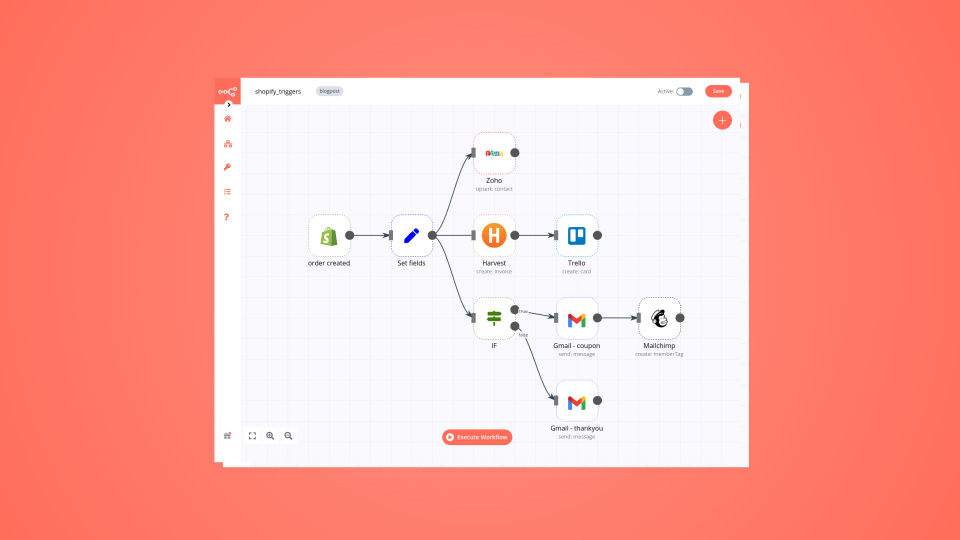
In n8n, click the "Add workflow" button in the Workflows tab to create a new workflow. Add the starting point – a trigger on when your workflow should run: an app event, a schedule, a webhook call, another workflow, an AI chat, or a manual trigger. Sometimes, the HTTP Request node might already serve as your starting point.

Gmail and Twilio integration: Create a new workflow and add the first step

Automate lead qualification with RetellAI Phone Agent, OpenAI GPT & Google Sheet

Workflow Screenshot 👉 Build a Phone Agent to qualify outbound leads and schedule inbound calls Who is this for? This workflow is designed for sales teams, call centers, and businesses handling both outbound and inbound lead calls who want to automate their qualification, follow-up, and call documentation process without manual intervention. It’s ideal for teams using Google Sheets, RetellAI, OpenAI, and Gmail as part of their tech stack. Real-World Use Cases 🛍 E-commerce – Instantly handle product FAQs and order status checks, 24/7. 🏬 Retail Stores – Share store hours, directions, and return policies without lifting a finger. 🍽 Restaurants – Take reservations or answer menu questions automatically. 💼 Service Providers – Book appointments or consultations while you focus on your craft. 📞 Any Local Business – Deliver friendly, consistent phone support — no live agent required. What problem is this workflow solving? Managing lead calls at scale can be chaotic—between scheduling outbound qualification calls, handling inbound appointment requests, and making sure every call is documented and followed up. This workflow automates the entire process, reducing human error and saving time by: ✅ Sending reminders to reps for outbound calls ✅ Automatically placing calls with RetellAI ✅ Handling inbound calls and checking caller details ✅ Generating and emailing call summaries automatically What this workflow does This n8n template connects Google Sheets, RetellAI, OpenAI, and Gmail into a seamless workflow: Outbound Lead Qualification Workflow Triggers when a new lead is added to Google Sheets Sends an SMS notification to remind the rep to call in 5 minutes (Optional) Waits 5 minutes Initiates an automated call to the lead via RetellAI Inbound Call Appointment Scheduler Receives inbound calls from RetellAI (via webhook) Checks if the caller’s number exists in Google Sheets Responds to RetellAI with a success or error message Post-Call Workflow Receives post-call data from RetellAI Filters only analyzed calls Updates the lead’s record in Google Sheets Uses OpenAI to generate a call summary Emails the summary to a team inbox or rep Setup ✅ You need an active RetellAI API key Sign up for RetellAI, create an agent, and set the webhook URLs (n8n_call for call events). Purchase a Twilio phone number and link it to the agent. ✅ Your Google Sheet must have a column for phone numbers (e.g., "Phone") ✅ Gmail account connected and authorized in n8n ✅ OpenAI API key added to your environment variables or credentials Configure your Google Sheets node with the correct spreadsheet ID and range Add your RetellAI API key to the HTTP request nodes Connect your Gmail account in the Gmail node Add your OpenAI key in the OpenAI node 👉 See full setup guide here: Notion Documentation How to customize this workflow to your needs Change SMS content: Edit the text in the “Send SMS reminder” node to match your team’s tone Modify call wait time: Enable and adjust the “Wait 5 minutes” node to any delay you prefer Add CRM integration: Replace or extend the Google Sheets node to update your CRM instead of a spreadsheet Customize call summary prompts: Edit the prompt sent to OpenAI to change the summary style or add extra insights Send email to different recipients: Change the recipient address in the Gmail node or make it dynamic from the lead record Need help customizing? Contact me for consulting and support : Linkedin

Build your own Gmail and Twilio integration

Create custom Gmail and Twilio workflows by choosing triggers and actions. Nodes come with global operations and settings, as well as app-specific parameters that can be configured. You can also use the HTTP Request node to query data from any app or service with a REST API.

Gmail supported actions

Twilio supported actions

Gmail and Twilio integration details

Gmail

Gmail

Gmail is a free of charge email service offered as part of Google Workspace. It is used by individuals and organizations to send and receive emails and communicate internally and externally. It remains the world’s most widely used email service.

Twilio

Twilio

Twilio is a Customer Engagement Platform that helps you engage customers, personalize your relationship with them, and make them feel privileged. Customers prefer Twilio because it empowers them with personalized campaigns, ease of use, and make their customers happy.
Save engineering resources

Reduce time spent on customer integrations, engineer faster POCs, keep your customer-specific functionality separate from product all without having to code.

Learn more

FAQ about Gmail integrations

Need help setting up your Gmail and Twilio integration?

Discover our latest community's recommendations and join the discussions about Gmail and Twilio integration.

  • jake chard

    How do I remove n8n Email footer in Gmail node send message?

    jake chard

    Each email sent has “This email was sent automatically with n8n” in the footer or after the email. How do I remove this please?

    Open topic
  • Jan Koch

    Sending attachment via Gmail

    Jan Koch

    Describe the problem/error/question I am trying to send an email with an attachment using the Gmail node and get an error that I don’t understand. I am able to download that file from the original email and upload it to …

    Open topic
  • FawenYo

    Failed to send Gmail attachment

    FawenYo

    Describe the problem/error/question I’m trying to send an HTML file in the Gmail attachment, but it just raise an error. This question is similar to Sending attachment via Gmail , but I just couldn’t get it work …

    Open topic
  • Jean-Pierre GARNIER

    Gmail node subject text encoding issue

    Jean-Pierre GARNIER

    Describe the problem/error/question Hi, I’m facing an encoding problem while sending email with gmail node for every char with and accent (é,à,ô,î…). I noticed that this problem doesn’t occurs when i’m directly writing …

    Open topic
  • Anirudh Tugawe

    Update Google Sheets After sending Email

    Anirudh Tugawe

    Hi everyone, I’m working on a workflow where I’m using Google Sheets to get input data. I have a loop set up that correctly reads the data and processes it: it takes a Word document template, app…

    Open topic

Looking to integrate Slack and VirusTotal in your company?

Trusted by teams building smarter workflows.

Why

Why use n8n to integrate Gmail with Twilio

Handle branching, merging and iteration easily. Pause your workflow to wait for external events.

Re-run single steps to test changes in no time. And pin your data to avoid generating trigger events every time you execute.

Your data is displayed alongside your settings, making edge cases easy to track down.

Use 1000+ workflow templates available from our core team and our community.

Copy and paste, easily import and export workflows.

Simple enough to 
understand + sophisticated 
enough to ship