See llms.txt for all machine-readable content.

Shopify and TestMonitor integration

Save yourself the work of writing custom integrations for Shopify and TestMonitor and use n8n instead. Build adaptable and scalable Sales, workflows that work with your technology stack. All within a building experience you will love.


How to connect Shopify and TestMonitor

Create a new workflow and add the first step

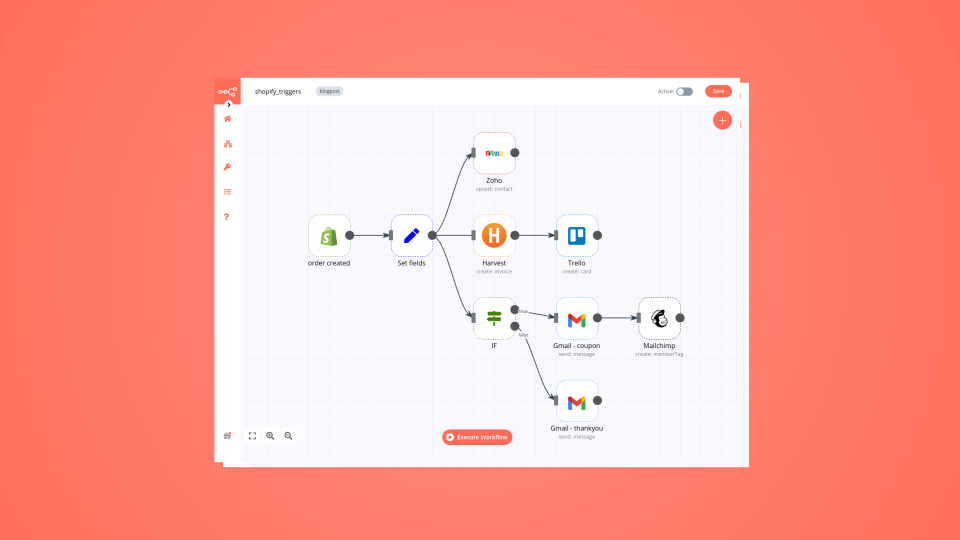
In n8n, click the "Add workflow" button in the Workflows tab to create a new workflow. Add the starting point – a trigger on when your workflow should run: an app event, a schedule, a webhook call, another workflow, an AI chat, or a manual trigger. Sometimes, the HTTP Request node might already serve as your starting point.

Shopify and TestMonitor integration: Create a new workflow and add the first step

Convert Shopify products into Blog content with DeepSeek and Sheets

Watch the video Overview Stop struggling with content creation for your e-commerce store. This workflow acts as your automated AI Content Marketer, instantly transforming your Shopify product details into high-quality, SEO-optimized blog posts. It handles everything from reading product data to writing the article and uploading it directly to your store as a draft. What this workflow does Fetches Product Data: Automatically pulls product titles and descriptions directly from your Shopify store (configurable limit). Data Logging: Backs up the raw product data into Google Sheets for record-keeping before processing. AI SEO Writing: Uses a powerful LLM (via OpenRouter/DeepSeek) to write a complete, engaging blog post based on the product's features. It generates an SEO-friendly title and formats the body content in clean HTML (headings, bullet points, etc.). Smart Parsing: A custom Code node ensures the AI's output is strictly formatted as JSON, separating the Blog Title from the Blog Content to prevent errors. Auto-Drafting in Shopify: Uploads the generated article directly to your specific Shopify Blog ID as a "Draft" (so you can review it before publishing). Email Notification: Sends a confirmation email via Gmail to let you know your new blog posts are ready for review. Setup Requirements To run this workflow, you will need to set up credentials in n8n for the following services: Shopify Admin API: To fetch products and create articles. (You will need your Shop Name and an Access Token). OpenRouter (or OpenAI): To power the AI Agent. The template is configured for DeepSeek via OpenRouter, but can be swapped for OpenAI. Google Sheets: To log product data and generated blog content. Gmail: To send the completion notification. How to use Configure Variables: Double-click the "Variables" node (Set node) at the start of the workflow. Enter your shop name (e.g., my-store from my-store.myshopify.com) and your blogId (found in the URL when viewing your blog in Shopify Admin). Connect Google Sheets: Open the Google Sheets nodes and map them to a sheet in your Drive. Ensure your sheet has columns for ID, Title, and Description. Select AI Model: In the Chat Model node, ensure your API key is connected (OpenRouter is used by default for cost-efficiency). Run: Execute the workflow. It will process your products and populate your Shopify Blog with new drafts automatically. Video Tutorial Watch the full setup guide here: Guide

Build your own Shopify and TestMonitor integration

Create custom Shopify and TestMonitor workflows by choosing triggers and actions. Nodes come with global operations and settings, as well as app-specific parameters that can be configured. You can also use the HTTP Request node to query data from any app or service with a REST API.

Shopify supported actions

Supported methods for TestMonitor

Delete
Get
Head
Options
Patch
Post
Put

To set up TestMonitor integration, add the HTTP Request node to your workflow canvas and authenticate it using a generic authentication method. The HTTP Request node makes custom API calls to TestMonitor to query the data you need using the API endpoint URLs you provide.

See the example here

Requires additional credentials set up

Use n8n's HTTP Request node with a predefined or generic credential type to make custom API calls.

Shopify and TestMonitor integration details

Shopify

Shopify

Shopify is the best all-in-one eCommerce solution that is used to run several online stores & consult with clients. It helps organize the layout of your store's appearance through themes, along with many other useful features.

TestMonitor

TestMonitor

TestMonitor simplifies test management by helping users create, organize, and execute user acceptance tests. This application streamlines the process of designing and running tests to ensure efficient and thorough testing of software systems.

Other integrations with Shopify and TestMonitor

Supercharge your CRM

Need a more powerful integration with your CRM? n8n lets you go beyond standard integrations offered by popular CRMs!

Learn more

Save engineering resources

Reduce time spent on customer integrations, engineer faster POCs, keep your customer-specific functionality separate from product all without having to code.

Learn more

FAQ about Shopify integrations

Need help setting up your Shopify and TestMonitor integration?

Discover our latest community's recommendations and join the discussions about Shopify and TestMonitor integration.

  • CleoQc

    New Shopify Dev Dashboard

    CleoQc

    With the new approach to dev apps that Shopify is taking, starting Jan 1st 2026, with the Dev Dashboard, the documentation on how to link Shopify to n8n is no longer up to date. ”Starting January 1, 2026, you won’t be a…

    Open topic
  • ginthozan

    Shopify Order Creation Event not triggering

    ginthozan

    Hi there, I have a n8n setup which should trigger on Shopify order creation. In Shopify I have tested with https://beeceptor.com/ and Shopify is firing the event as expected. But when I change to n8n webhook url. Both T…

    Open topic
  • Driss Talainte

    Shopify Oauth2.0 Host Error?

    Driss Talainte

    Hi Team i’m trying to create Shopify Credentials using Oauth2.o i did create an app with all the scopes also i installed this to get Client_ID & Client_Secret when i click Connect my Account i get this error Informa…

    Open topic
  • Adriano Cantele

    Shopify - REST Admin API is a legacy - migration to GraphQL

    Adriano Cantele

    Hey, I am using a bunch of Shopify nodes and I see that Shopify is moving from REST to GraphQL and is requesting to migrate apps. Can we expect that some node will stop working? Is there a plan to update the relevan…

    Open topic

Looking to integrate Slack and VirusTotal in your company?

Three colleagues talking around laptops at a shared desk

Trusted by teams building smarter workflows.

Why

Why use n8n to integrate Shopify with TestMonitor

Handle branching, merging and iteration easily. Pause your workflow to wait for external events.

Re-run single steps to test changes in no time. And pin your data to avoid generating trigger events every time you execute.

Your data is displayed alongside your settings, making edge cases easy to track down.

Use 1000+ workflow templates available from our core team and our community.

Copy and paste, easily import and export workflows.

Simple enough to 
understand + sophisticated 
enough to ship

Man in a brown jacket working at his desk by a window