Back to Templates



Turn your website chat into a lead-generating machine. Visitors chat with an AI that answers questions from your knowledge base, captures their contact info, syncs everything to Google Sheets, and automatically scores leads based on buying signals - all without manual intervention.
What it does
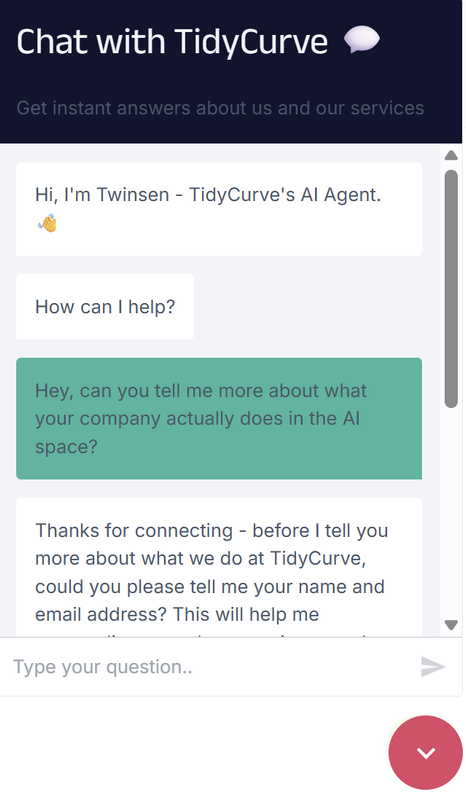
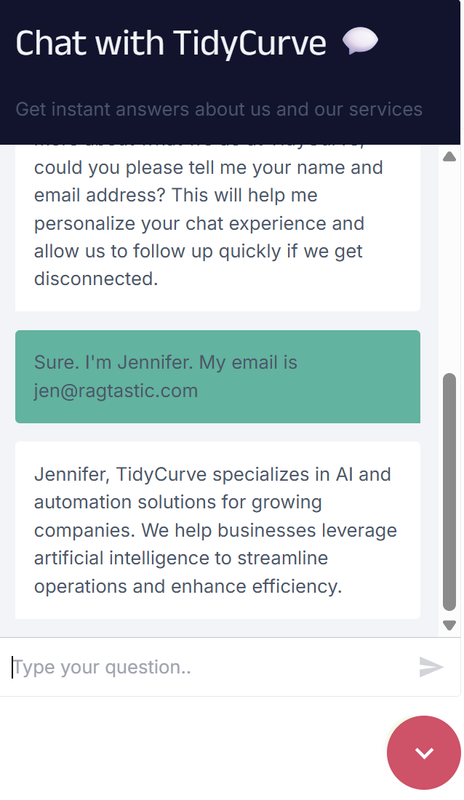
- Gates conversations behind identity capture (requires name + email before answering questions)
- Saves user identity to Supabase per session (name, email, session_id)—supports updates if user changes their email
- Answers visitor questions using RAG from your Supabase vector store with Cohere reranking
- Detects new vs returning leads by email (prevents duplicate CRM entries)
- Creates/updates lead records in Google Sheets with:
- Contact info (name, email, created date)
- Conversation insights (interests, summary, notes)
- Scoring metadata (last message time, score timer)
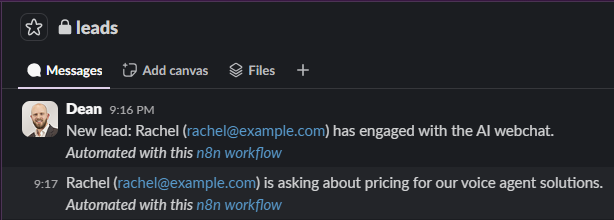
- Sends Slack alerts when high-intent signals detected (pricing questions, demo requests, urgency)
- Runs automated lead scoring every 10 minutes:
- Finds leads inactive for 30+ minutes
- AI analyzes conversation and assigns score (1-10) + status (Hot/Warm/Cold)
- Writes results back to Google Sheets
Requirements
- Google Sheets OAuth2 credentials
- Supabase account (for vector store + identity storage)
- Google Gemini API key
- Cohere API key (for reranking)
- Slack OAuth2 credentials
- Postgres database (for chat memory)
- A Google Sheet with columns: email, name, lead_score, lead_status, interests, conversation_summary, notes, last_message_at, score_after, scored, created_at
Setup
- Create your Google Sheet with the required columns (or duplicate the template structure)
- Set up Supabase tables:
chat_users(session_id, name, email),documents(vector store),chat_memory(conversation history) - Connect all credentials to their respective nodes (Google Sheets, Supabase, Gemini, Cohere, Slack, Postgres)
- Update the AI agent prompts: replace
[AI AGENT NAME],[COMPANY], and[YOUR SERVICES/PRODUCTS/SOLUTIONS]with your details - Populate your Supabase vector store with company knowledge base documents
- Update the Google Sheet document ID if using your own sheet
- Activate the workflow: chat flow runs on every message, scoring runs every 10 minutes
Next steps
Embed the n8n chat widget on your website to start capturing leads. Monitor your Google Sheet to see leads populate with conversation summaries and scores. Use the lead_status column (Hot/Warm/Cold) to prioritize sales follow-up, or connect to your existing CRM via additional nodes.
Tip: Test the full flow with a few conversations first: provide name/email → ask questions → wait 30 minutes → verify the lead gets scored. The scoring timer resets with each new message, so leads are only scored after conversation inactivity.
Sample Outputs
AI support agent refusing to answer questions until identity received and confirmed
via embedded n8n chat module.
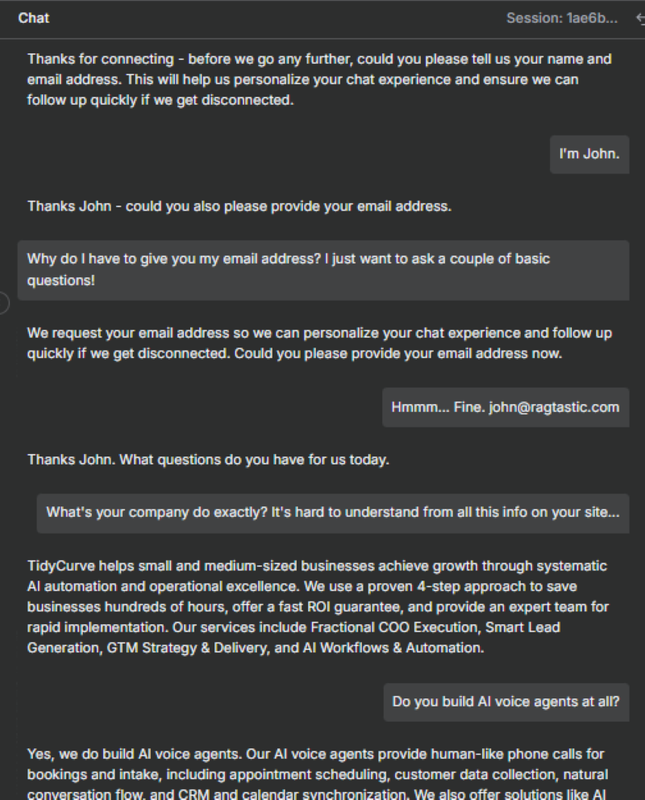
n8n RAG chatbot running with hosted chat interface on external website
via hosted n8n chat trigger.
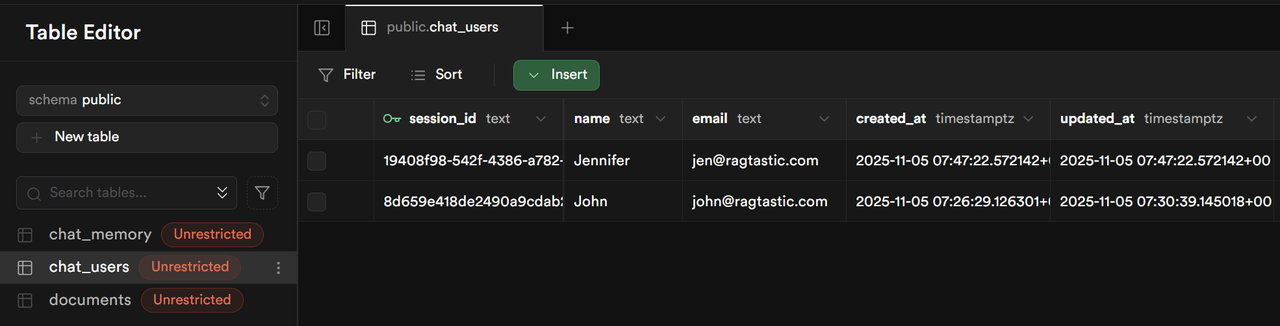
Supabase DB table updated with users' name and email address once provided
Creates a new row, or updates the row if the user requests to change their email address in the same chat session.
Google Sheets CRM updated
Creates a new row for a new lead, or updates an existing row for an existing lead. Enters details about the chat, and scores the lead.
Link to Google Sheets CRM sample file

Slack alerts triggered in leads channel
Alerts the relevant channel with automated Slack messages any time a lead shares their name and email, plus any time they show possible buying intent.