Back to Templates



🚀 Overview
This n8n workflow automatically generates professional API documentation from C header (.h) files using AI.
It scans a Google Drive folder for header files, extracts the source code, sends it to GPT-4o for structured analysis, and generates a beautiful HTML documentation page. The final documentation is uploaded back to Google Drive and a completion email is sent.
This workflow is ideal for embedded systems teams, firmware engineers, and SDK developers who want an automated documentation pipeline.
✨ Key Features
⚡ Fully automated documentation generation
📁 Reads .h files directly from Google Drive
🤖 Uses AI to analyze C APIs and extract documentation
📑 Generates clean HTML documentation
📊 Documents functions, types, enums, and constants
🔁 Processes files one-by-one for reliability
☁️ Saves generated documentation back to Google Drive
📧 Sends a completion email notification
🧠 What the AI Extracts
The workflow automatically identifies and documents:
- 📘 Overview of the header file
- 🔧 Functions
- Signatures
- Parameters
- Return values
- Usage examples
- 🧩 Enumerations
- 🧱 Data Types & Structures
- 🔢 Constants / Macros
- 📝 Developer Notes
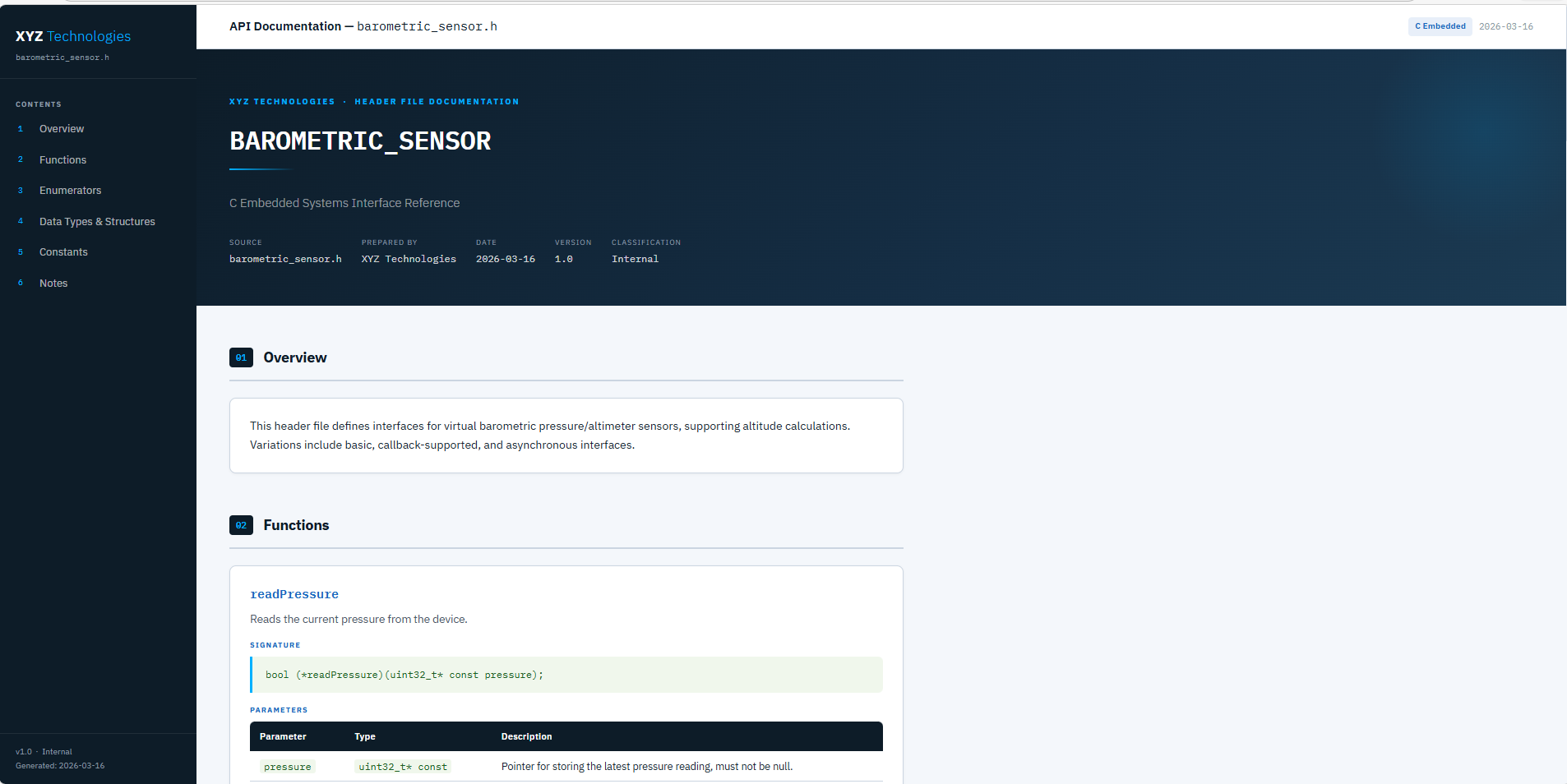
🖥 Generated Documentation
The output is a clean developer-friendly HTML documentation page including:
- 🧭 Sidebar navigation
- 📌 Function cards
- 📊 Parameter tables
- 💻 Code examples
- 🎨 Professional developer layout
Perfect for:
- Developer portals
- SDK documentation
- Internal engineering documentation
- Embedded system libraries
⚙️ Workflow Architecture
| Step | Node | Purpose |
|---|---|---|
| 1 | ▶️ Manual Trigger | Starts the workflow |
| 2 | 📂 Get all files | Reads files from Google Drive |
| 3 | 🔎 Filter .h files |
Keeps only header files |
| 4 | 🔁 Split in Batches | Processes files sequentially |
| 5 | ⬇️ Download file | Downloads the header file |
| 6 | 📖 Extract text | Extracts code content |
| 7 | 🤖 AI Extraction | AI extracts API structure |
| 8 | 🧹 Parse JSON | Cleans AI output |
| 9 | 🎨 Generate HTML | Builds documentation page |
| 10 | ☁️ Upload to Drive | Saves documentation |
| 11 | 📧 Email notification | Sends completion email |
🔧 Requirements
To run this workflow you need:
🔹 Google Drive OAuth2 credentials
🔹 OpenAI API credentials
🔹 Gmail credentials
🛠 Setup Guide
1️⃣ Configure Google Drive
Create two folders.
Source folder
Output folder
Update the folder IDs in the nodes:
Get all files from folderSave documentation to Google Drive
2️⃣ Configure OpenAI
Add an OpenAI credential in n8n.
Model used:
The model analyzes C header files and returns structured API documentation.
3️⃣ Configure Gmail
Add a Gmail OAuth credential.
Update the recipient address inside:
▶️ Run the Workflow
Click Execute Workflow.
The workflow will:
1️⃣ Scan the Google Drive folder
2️⃣ Process each .h file
3️⃣ Generate HTML documentation
4️⃣ Upload documentation to Drive
5️⃣ Send a completion email
🖼 Documentation Preview
💡 Use Cases
🔧 Embedded firmware documentation
📦 SDK documentation generation
🧑💻 Developer portal automation
📚 C library documentation
⚙️ Continuous documentation pipelines
🔮 Future Improvements
This workflow can be extended with several enhancements:
📄 PDF Documentation Export
Add a step to convert the generated HTML documentation into PDF files using tools such as:
- Puppeteer
- HTML-to-PDF services
- n8n community PDF nodes
This allows teams to distribute documentation as downloadable reports.
🔐 Local AI for Security (Ollama / Open-Source Models)
Instead of using the OpenAI node, the workflow can be modified to run fully locally using AI models such as:
- Ollama
- Open-source LLMs (Llama, Mistral, CodeLlama)
These models can run on your own server, which provides:
🔒 Better data privacy
🏢 No external API calls
⚡ Faster responses on local infrastructure
🛡 Increased security for proprietary source code
This can be implemented in n8n using:
- HTTP Request node → Ollama API
- Local AI inference servers
- Private LLM deployments
📚 Multi-Language Documentation
The workflow could also support additional languages such as:
.c
.cpp
.hpp
.rs
.go