Back to Templates


Launch ERC-20 Tokens with Telegram Bot and 1Shot API Custodial Wallets
Find the full walk-through tutorial video for this workflow on YouTube.
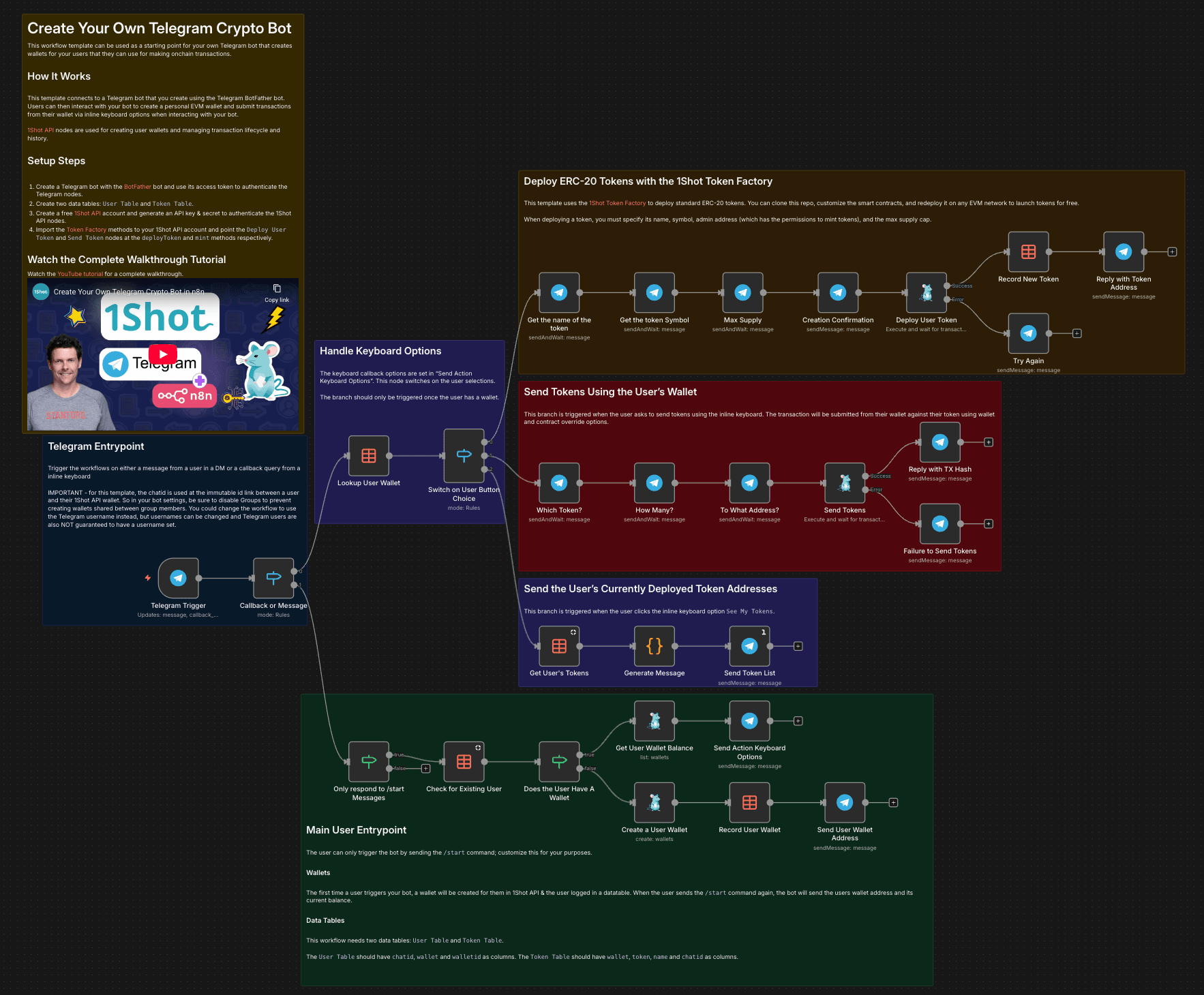
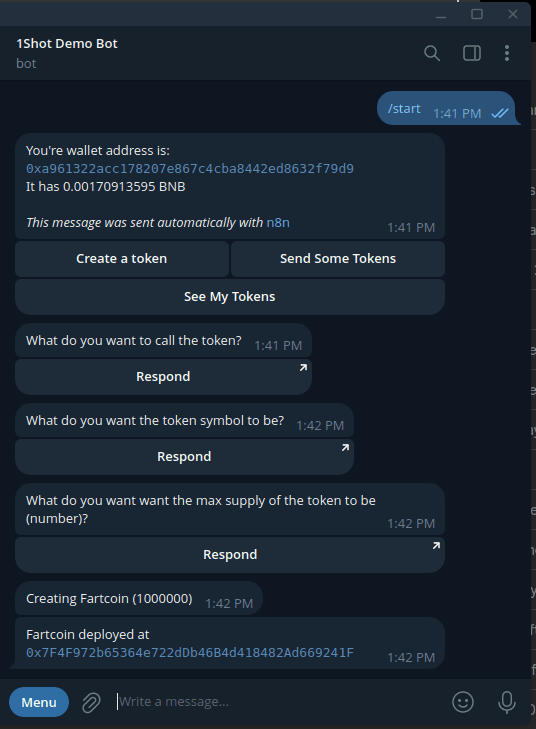
This Telegram bot template demonstrates some useful patterns for creating crypto-powered multi-user bot applications like:
- How to create custodial wallets tied to specific telegram users.
- How submit onchain transactions from a specific user's wallet when they interact with your bot.
- Storing transaction logs in n8n data tables
- Settings up inline keyboards for use triggering specific onchain actions.
Starting with this workflow, you can extend it for many different crypto/onchain applications as well as introduce fees to generate revenue in return for performing onchain actions for your users.
NOTE: This is somewhat advanced setup as it requires the use of datatables, you will need to self-host this workflow.
Setup
You'll need to perform the following steps to get this Telegram bot workflow up and running:
- Create a free 1Shot API account & generate an API Key & Secret. Use the API credentials to authenticate the 1Shot API nodes.
- Create a new Telegram bot using the @BotFather bot to get an api key. Use the bot API key to authenticate the Telegram nodes.
- Create a two Data Tables in your n8n account:
User Table&Token Table. TheUser Tableshould havechatid,walletandwalletidas columns. TheToken Tableshould havewallet,token,nameandchatidas columns. These tables are used to the mappings between your bot users and their wallets and tokens. - Import the 1Shot API Token Factory contract into your 1Shot API account. This smart contract is needed to deploy ERC-20 tokens on behalf of your bot users.
You can also watch the associated YouTube tutorial for a step-by-step walkthrough of these points.