Back to Templates



Who is this for
- Content creators looking for topic ideas
- SEO specialists doing keyword research
- Marketing teams planning content calendars
What this workflow does
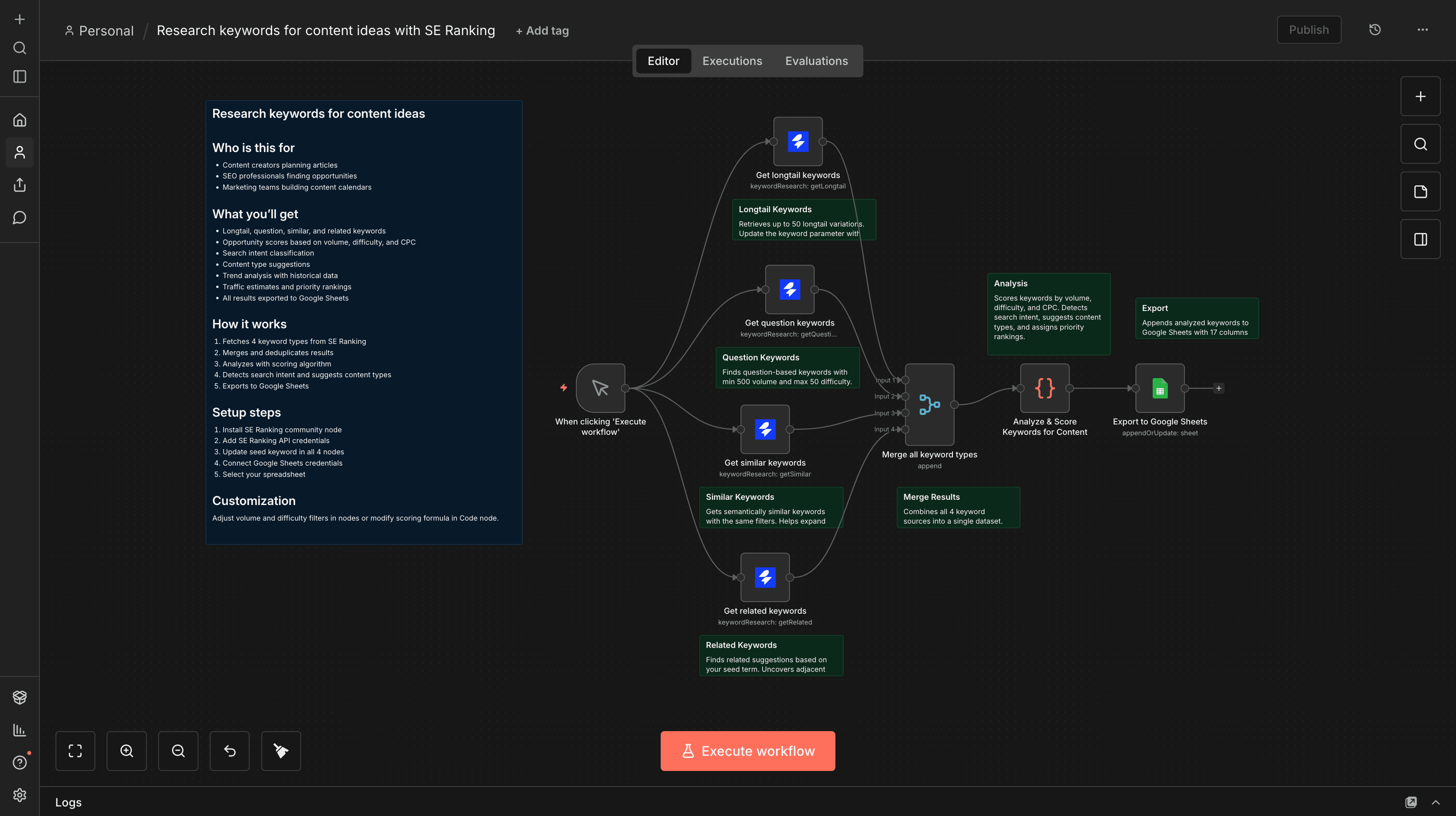
Discover keyword opportunities from 4 different sources (longtail, questions, similar, related) and export analyzed results to Google Sheets.
What you'll get
- Longtail, question, similar, and related keyword variations
- Opportunity scores based on volume, difficulty, and CPC
- Search intent classification (informational, commercial, transactional, navigational)
- Content type suggestions (how-to guide, listicle, comparison, etc.)
- Trend analysis with historical search volume data
- Estimated monthly traffic potential
- Priority ranking (HIGH/MEDIUM/LOW)
- SERP features analysis
- All results automatically exported to Google Sheets
How it works
- Fetches 4 types of keywords from SE Ranking (longtail, questions, similar, related)
- Merges and deduplicates all results
- Analyzes each keyword with custom scoring algorithm
- Calculates opportunity scores (volume 40%, difficulty 40%, CPC 20%)
- Detects search intent and suggests content types
- Exports enriched data to Google Sheets with 17 columns
Requirements
- SE Ranking account with API access (Get one here)
- SE Ranking community node installed (Install from npm)
- Google Sheets account
Setup steps
- Install the SE Ranking community node
- Add your SE Ranking API credentials
- Connect your Google Sheets account
- Update the seed keyword in all 4 SE Ranking nodes (default: "digital marketing")
- Select or create a Google Sheet for export
Customization
- Adjust
volumeFromanddifficultyTofilters in SE Ranking nodes for different opportunity ranges - Change
limitparameter to fetch more/fewer keywords per source (max 1000) - Modify opportunity score formula in the Code node (currently: volume 40%, difficulty 40%, CPC 20%)
- Update content type detection patterns to match your industry
- Change
sourceparameter for different countries (us, uk, de, fr, etc.)