Back to Templates



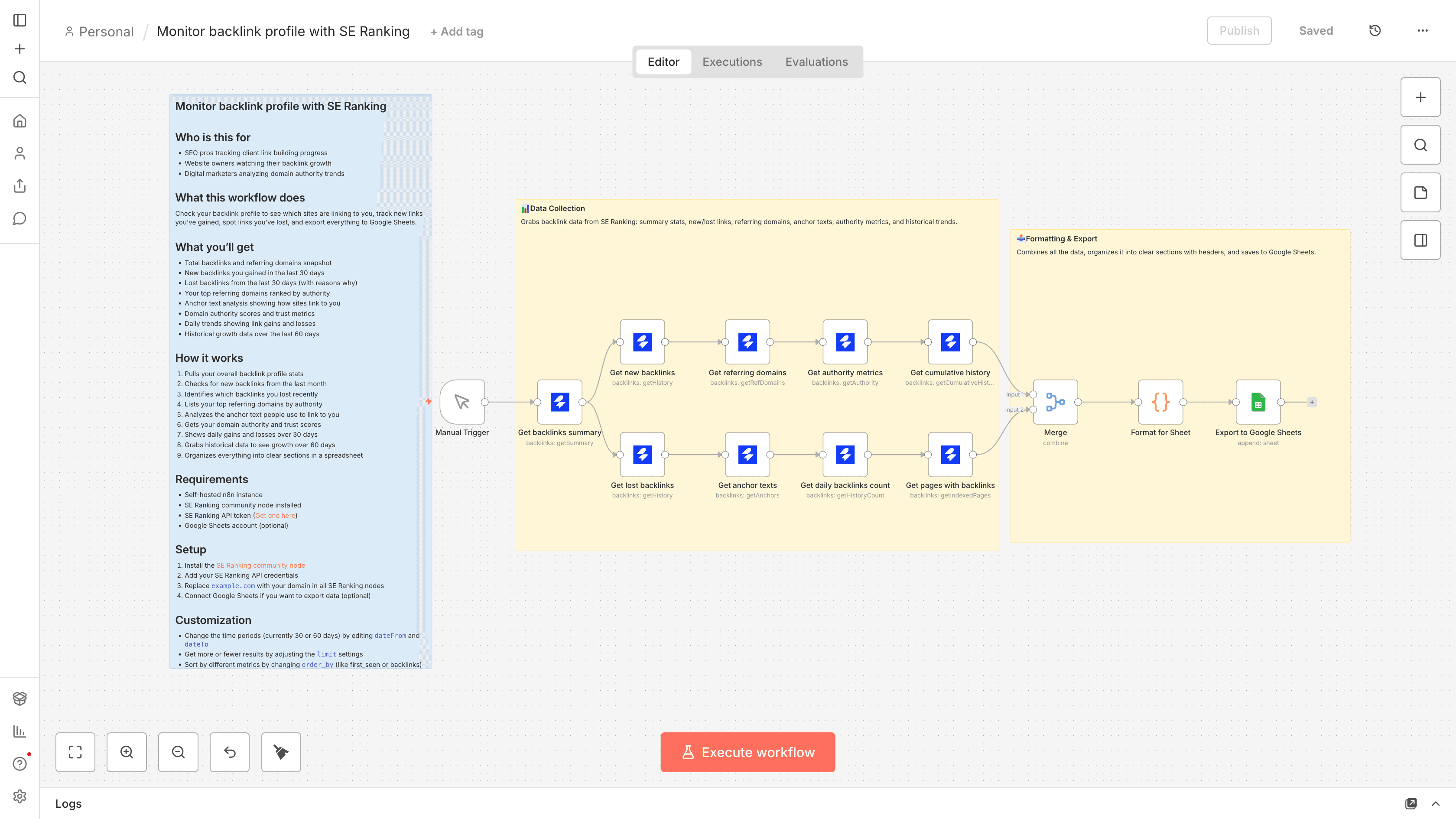
Who is this for
- SEO pros tracking client link building progress
- Website owners watching their backlink growth
- Digital marketers analyzing domain authority trends
What this workflow does
Check your backlink profile to see which sites are linking to you, track new links you've gained, spot links you've lost, and export everything to Google Sheets.
What you'll get
- Total backlinks and referring domains snapshot
- New backlinks you gained in the last 30 days
- Lost backlinks from the last 30 days (with reasons why)
- Your top referring domains ranked by authority
- Anchor text analysis showing how sites link to you
- Domain authority scores and trust metrics
- Daily trends showing link gains and losses
- Historical growth data over the last 60 days
How it works
- Pulls your overall backlink profile stats
- Checks for new backlinks from the last month
- Identifies which backlinks you lost recently
- Lists your top referring domains by authority
- Analyzes the anchor text people use to link to you
- Gets your domain authority and trust scores
- Shows daily gains and losses over 30 days
- Grabs historical data to see growth over 60 days
- Organizes everything into clear sections in a spreadsheet
Requirements
- Self-hosted n8n instance
- SE Ranking community node installed
- SE Ranking API token (Get one here)
- Google Sheets account (optional)
Setup
- Install the SE Ranking community node
- Add your SE Ranking API credentials
- Replace
example.comwith your domain in all SE Ranking nodes - Connect Google Sheets if you want to export data (optional)
Customization
- Change the time periods (currently 30 or 60 days) by editing
dateFromanddateTo - Get more or fewer results by adjusting the
limitsettings - Sort by different metrics by changing
order_by(like first_seen or backlinks) - Add a Schedule Trigger to run this automatically every week