Back to Templates


This workflow automates AI-powered search insights by combining SE Ranking AI Search data with OpenAI summarization. It starts with a manual trigger and fetches the time-series AI visibility data via the SE Ranking API. The response is summarized using OpenAI to produce both detailed and concise insights.
The workflow enriches the original metrics with these AI-generated summaries and exports the final structured JSON to disk, making it ready for reporting, analytics, or further automation.
Who this is for
This workflow is designed for:
- SEO professionals & growth marketers tracking AI search visibility
- Content strategists analyzing how brands appear in AI-powered search results
- Data & automation engineers building SEO intelligence pipelines
- Agencies producing automated search performance reports for clients
What problem is this workflow solving?
SE Ranking’s AI Search API provides rich but highly technical time-series data. While powerful, this data:
- Is difficult to interpret quickly
- Requires manual analysis to extract insights
- Is not presentation-ready for reports or stakeholders
This workflow solves that by automatically transforming raw AI search metrics into clear, structured summaries, saving time and reducing analysis friction.
What this workflow does
At a high level, the workflow:
-
Accepts input parameters such as target domain, AI engine, and region
-
Fetches AI search visibility time-series data from SE Ranking
-
Uses OpenAI GPT-4.1-mini to generate:
- A comprehensive summary
- A concise abstract summary
-
Enriches the original dataset with AI-generated insights
-
Exports the final structured JSON to disk for:
- Reporting
- Dashboards
- Further automation or analytics
Setup
Prerequisites
- n8n (self-hosted or cloud)
- SE Ranking API access
- OpenAI API key
Setup Steps
If you are new to SE Ranking, please signup on seranking.com
-
Import the workflow JSON into n8n
-
Configure credentials:
-
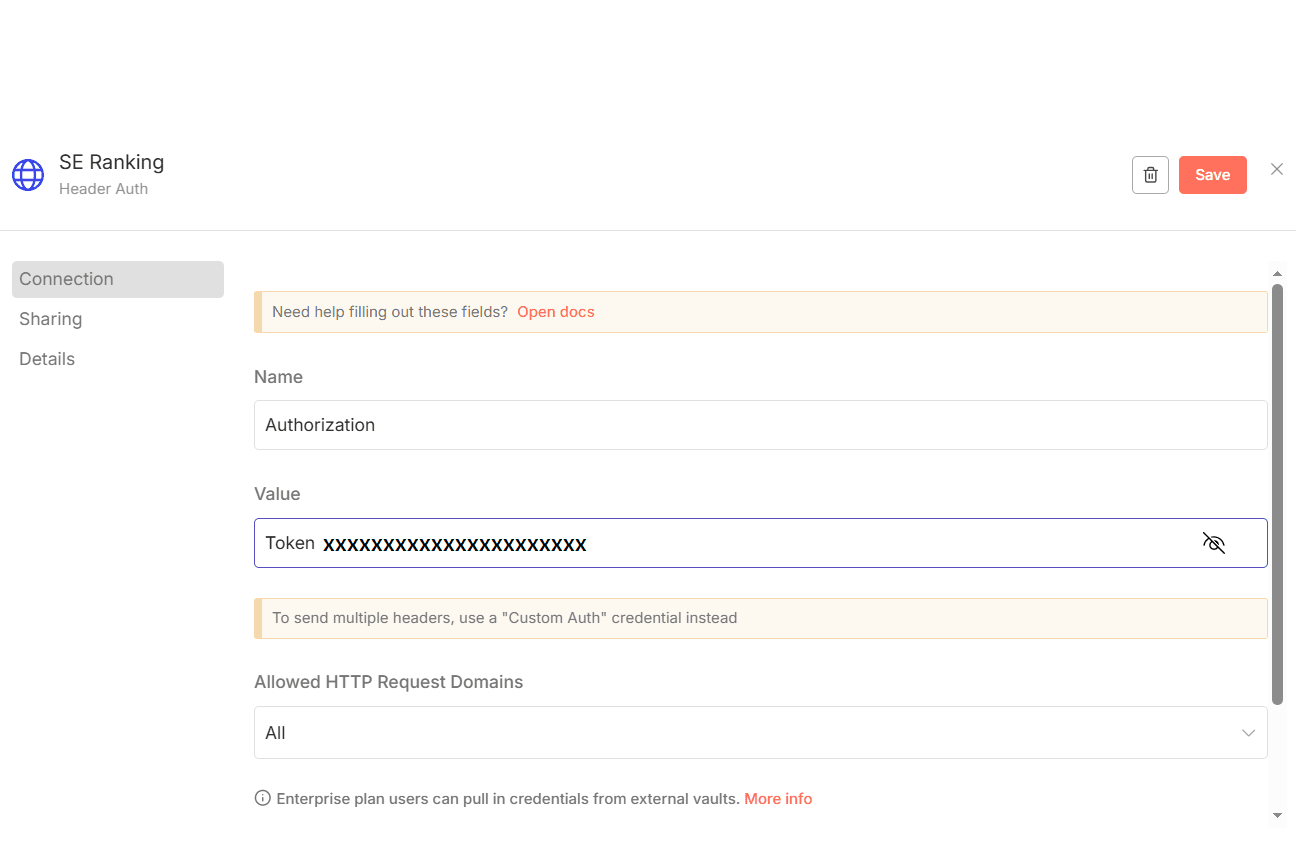
SE Ranking using HTTP Header Authentication. Please make sure to set the header authentication as below. The value should contain a Token followed by a space with the SE Ranking API Key.
-
OpenAI for GPT-4.1-mini
-
-
Open Set the Input Fields and update:
target_site(e.g., your domain)engine(e.g., ai-overview)source(e.g., us, uk, in)
-
Verify the file path in Write File to Disk
-
Click Execute Workflow
How to customize this workflow to your needs
You can easily extend or tailor this workflow:
-
Change analysis scope
- Update domain, region, or AI engine
-
Modify AI outputs
- Adjust prompts or output schema for insights like trends, risks, or recommendations
-
Replace storage
-
Send output to:
- Google Sheets
- Databases
- S3 / cloud storage
- Webhooks or BI tools
-
-
Automate monitoring
- Add a Cron trigger to run daily, weekly, or monthly
Summary
This workflow turns raw SE Ranking AI Search data into clear, executive-ready insights using OpenAI GPT-4.1-mini.
By combining automated data collection with AI summarization, it enables faster decision-making, better reporting, and scalable SEO intelligence without manual analysis.