Back to Templates



Run a multi-agent SEO domain audit with SE Ranking and Claude
Who is this for
- SEO agencies running competitor analysis for clients
- Content teams planning editorial strategies
- Marketing teams tracking competitive performance
What this workflow does
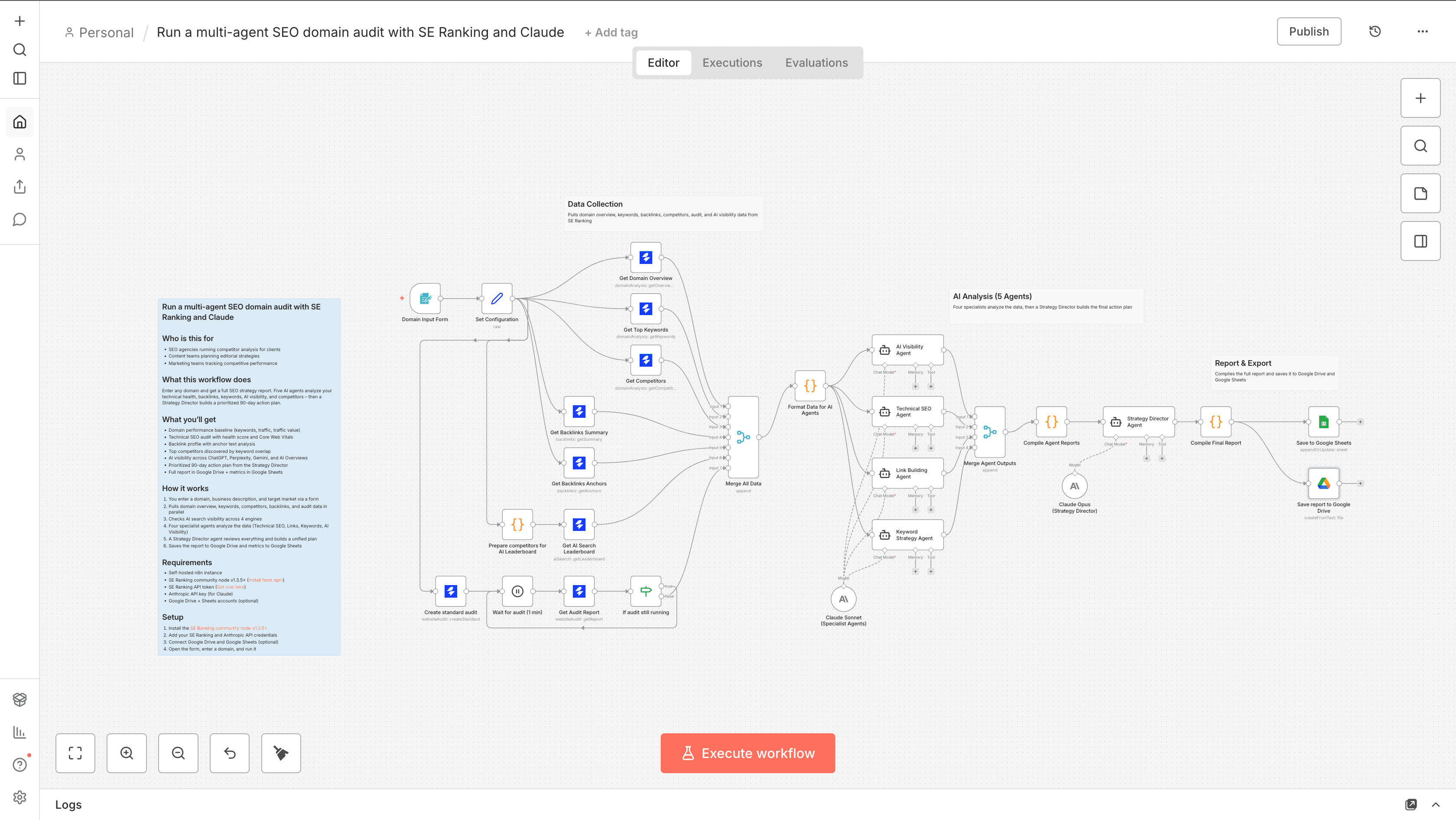
Enter any domain and get a full SEO strategy report. Five AI agents analyze your technical health, backlinks, keywords, AI visibility, and competitors — then a Strategy Director builds a prioritized 90-day action plan.
What you'll get
- Domain performance baseline (keywords, traffic, traffic value)
- Technical SEO audit with health score and Core Web Vitals
- Backlink profile with anchor text analysis
- Top competitors discovered by keyword overlap
- AI visibility across ChatGPT, Perplexity, Gemini, and AI Overviews
- Prioritized 90-day action plan from the Strategy Director
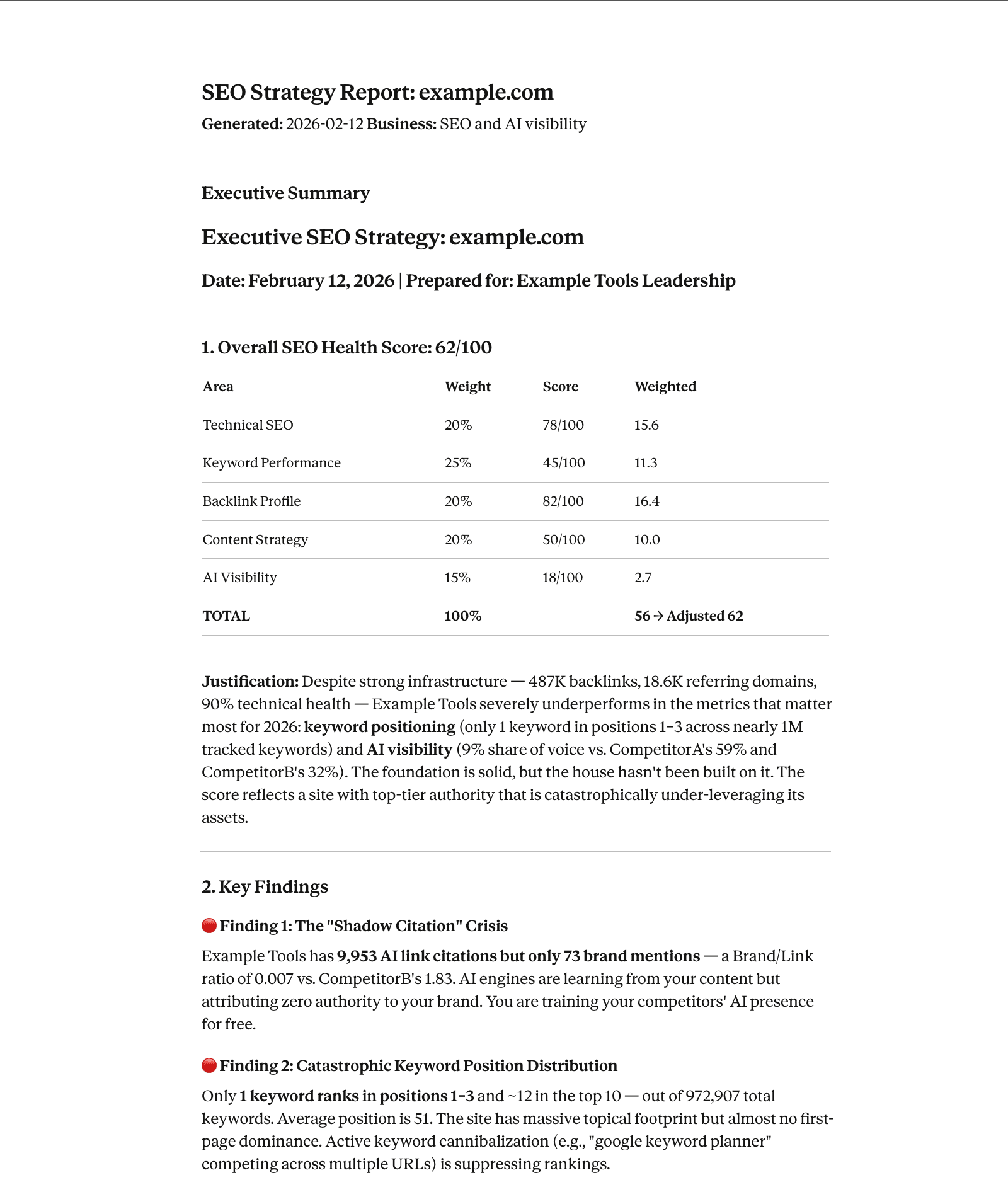
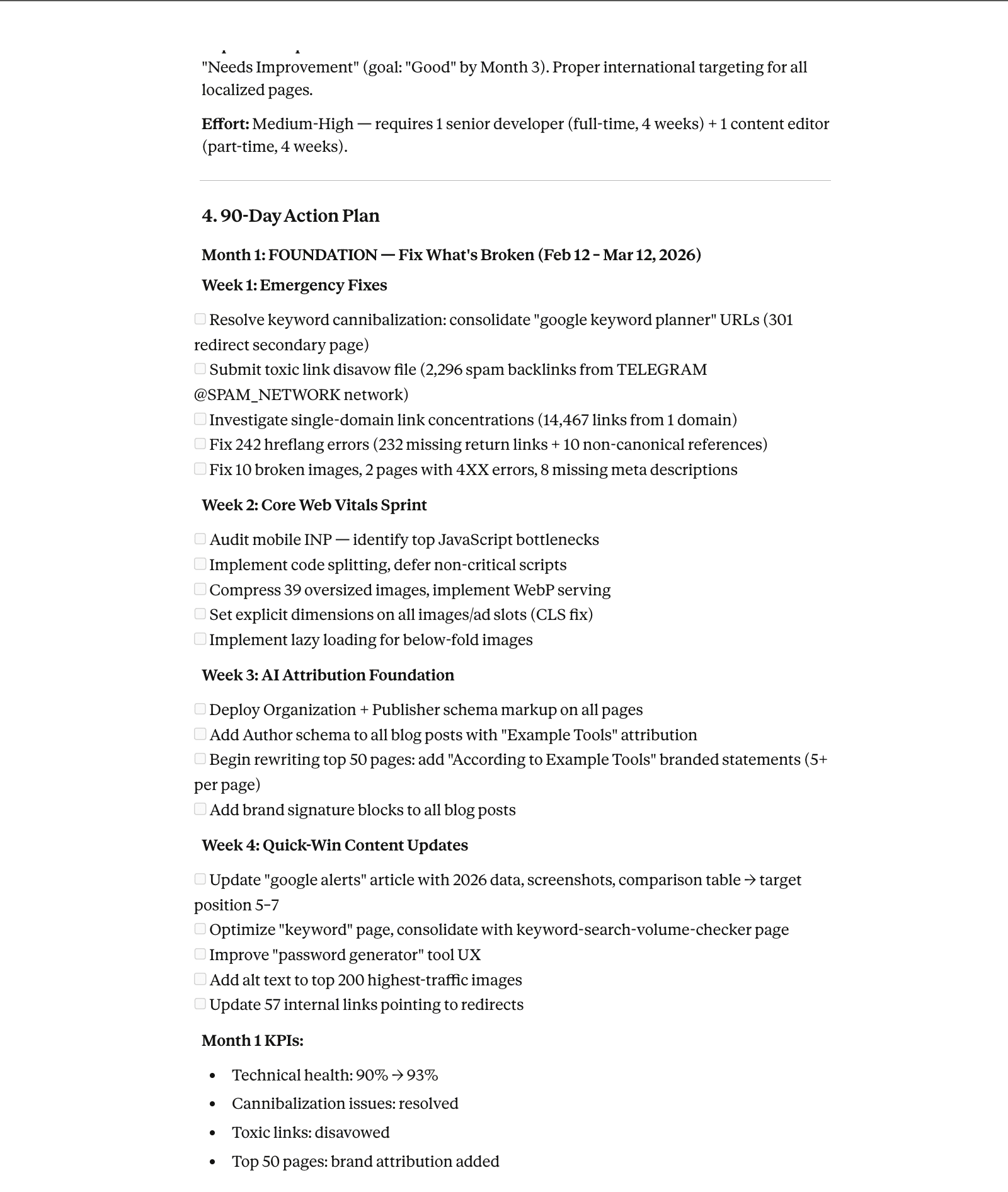
- Full report in Google Drive + metrics in Google Sheets
How it works
-
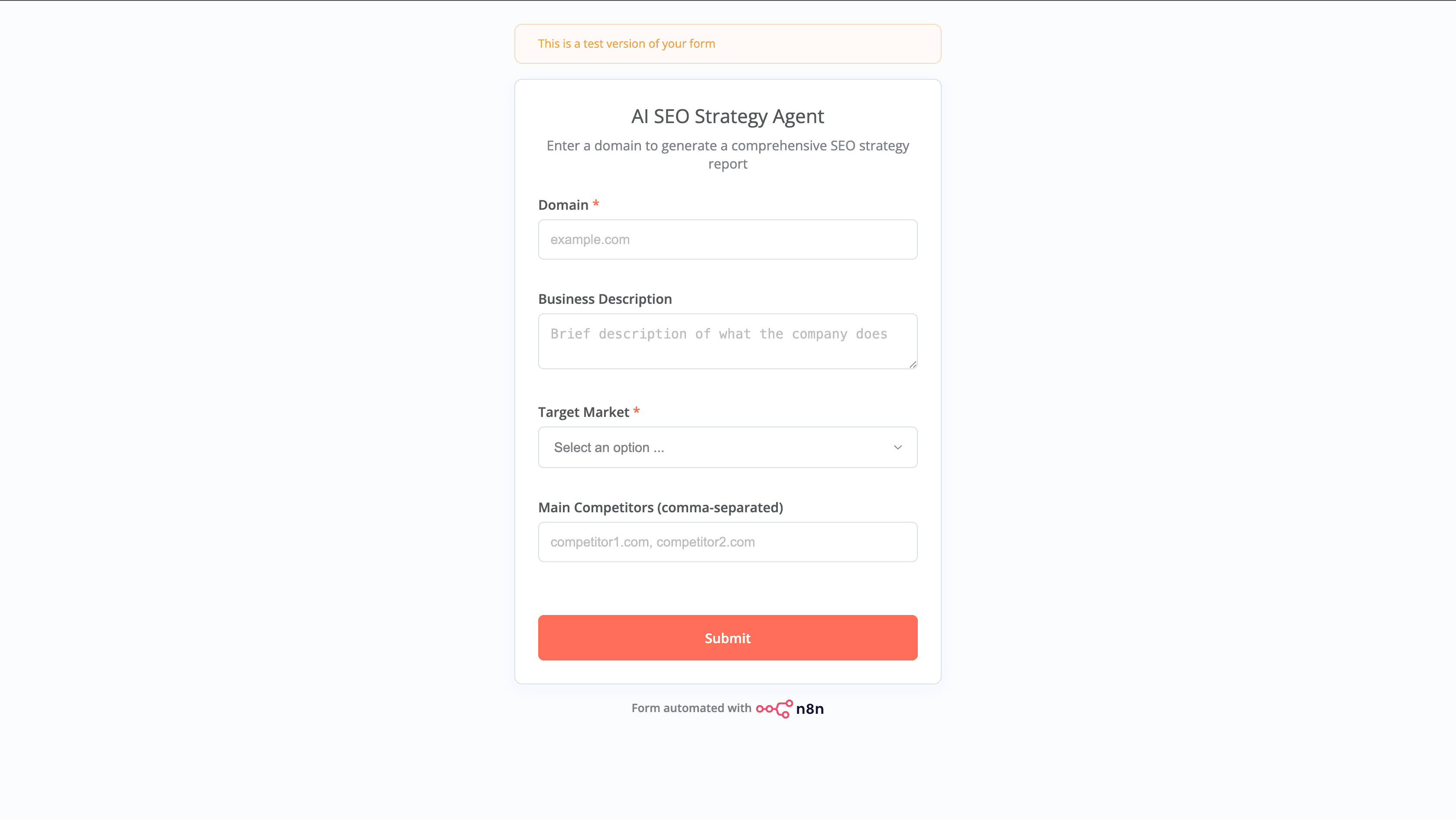
You enter a domain, business description, and target market via a form
-
Pulls domain overview, keywords, competitors, backlinks, and audit data in parallel
-
Checks AI search visibility across 4 engines
-
Four specialist agents analyze the data (Technical SEO, Links, Keywords, AI Visibility)
-
A Strategy Director agent reviews everything and builds a unified plan
-
Saves the report to Google Drive and metrics to Google Sheets
Requirements
- SE Ranking community node v1.3.5+ (Install from npm)
- SE Ranking API token (Get one here)
- Anthropic API key (for Claude)
- Google Drive + Sheets accounts (optional)
Setup
- Install the SE Ranking community node v1.3.5+
- Add your SE Ranking and Anthropic API credentials
- Connect Google Drive and Google Sheets (optional)
- Open the form, enter a domain, and run it
Customization
- Change the target market dropdown to add more countries
- Swap Claude models for different cost/speed tradeoffs
- Add a Slack notification node at the end for team alerts