Back to Templates



Community Node Disclaimer: This workflow uses KlickTipp community nodes.
Introduction
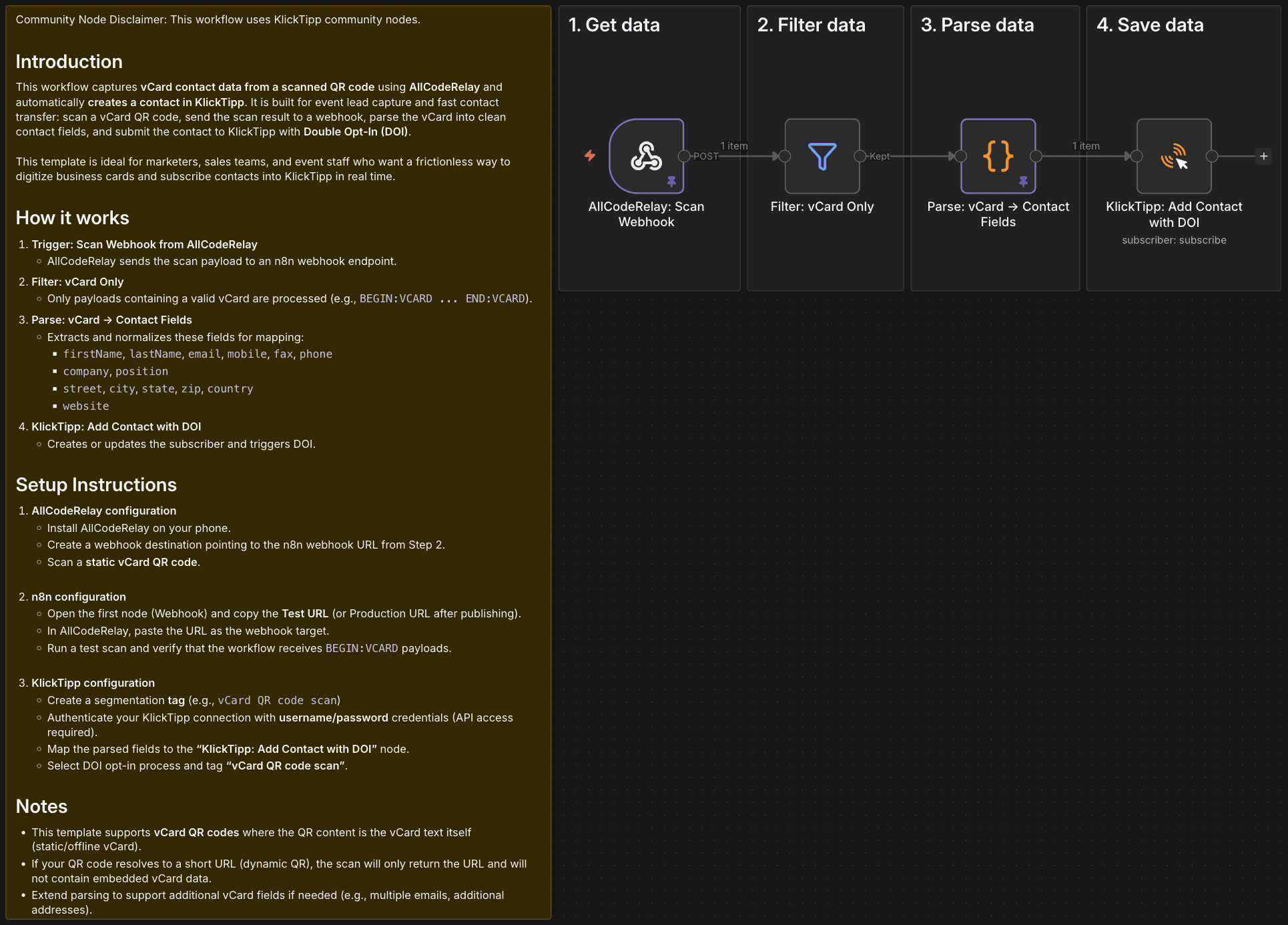
This workflow captures vCard contact data from a scanned QR code using AllCodeRelay and automatically creates a contact in KlickTipp. It is built for event lead capture and fast contact transfer: scan a vCard QR code, send the scan result to a webhook, parse the vCard into clean contact fields, and submit the contact to KlickTipp with Double Opt-In (DOI).
This template is ideal for marketers, sales teams, and event staff who want a frictionless way to digitize business cards and subscribe contacts into KlickTipp in real time.
How it works
- Trigger: Scan Webhook from AllCodeRelay
- AllCodeRelay sends the scan payload to an n8n webhook endpoint.
- Filter: vCard Only
- Only payloads containing a valid vCard are processed (e.g.,
BEGIN:VCARD ... END:VCARD).
- Only payloads containing a valid vCard are processed (e.g.,
- Parse: vCard → Contact Fields
- Extracts and normalizes these fields for mapping:
firstName,lastName,email,mobile,fax,phonecompany,positionstreet,city,state,zip,countrywebsite
- Extracts and normalizes these fields for mapping:
- KlickTipp: Add Contact with DOI
- Creates or updates the subscriber and triggers DOI.
Setup Instructions
-
AllCodeRelay configuration
- Install AllCodeRelay on your phone.
- Create a webhook destination pointing to the n8n webhook URL from Step 2.
- Scan a static vCard QR code.
-
n8n configuration
- Open the first node (Webhook) and copy the Test URL (or Production URL after publishing).
- In AllCodeRelay, paste the URL as the webhook target.
- Run a test scan and verify that the workflow receives
BEGIN:VCARDpayloads.
-
KlickTipp configuration
- Create a segmentation tag (e.g.,
vCard QR code scan) - Authenticate your KlickTipp connection with username/password credentials (API access required).
- Map the parsed fields to the "KlickTipp: Add Contact with DOI" node.
- Select DOI opt-in process and tag "vCard QR code scan".
- Create a segmentation tag (e.g.,
Notes
- This template supports vCard QR codes where the QR content is the vCard text itself (static/offline vCard).
- If your QR code resolves to a short URL (dynamic QR), the scan will only return the URL and will not contain embedded vCard data.
- Extend parsing to support additional vCard fields if needed (e.g., multiple emails, additional addresses).