Back to Templates


Community Node Disclaimer
This workflow uses KlickTipp community nodes, available for self-hosted n8n instances only.
Introduction
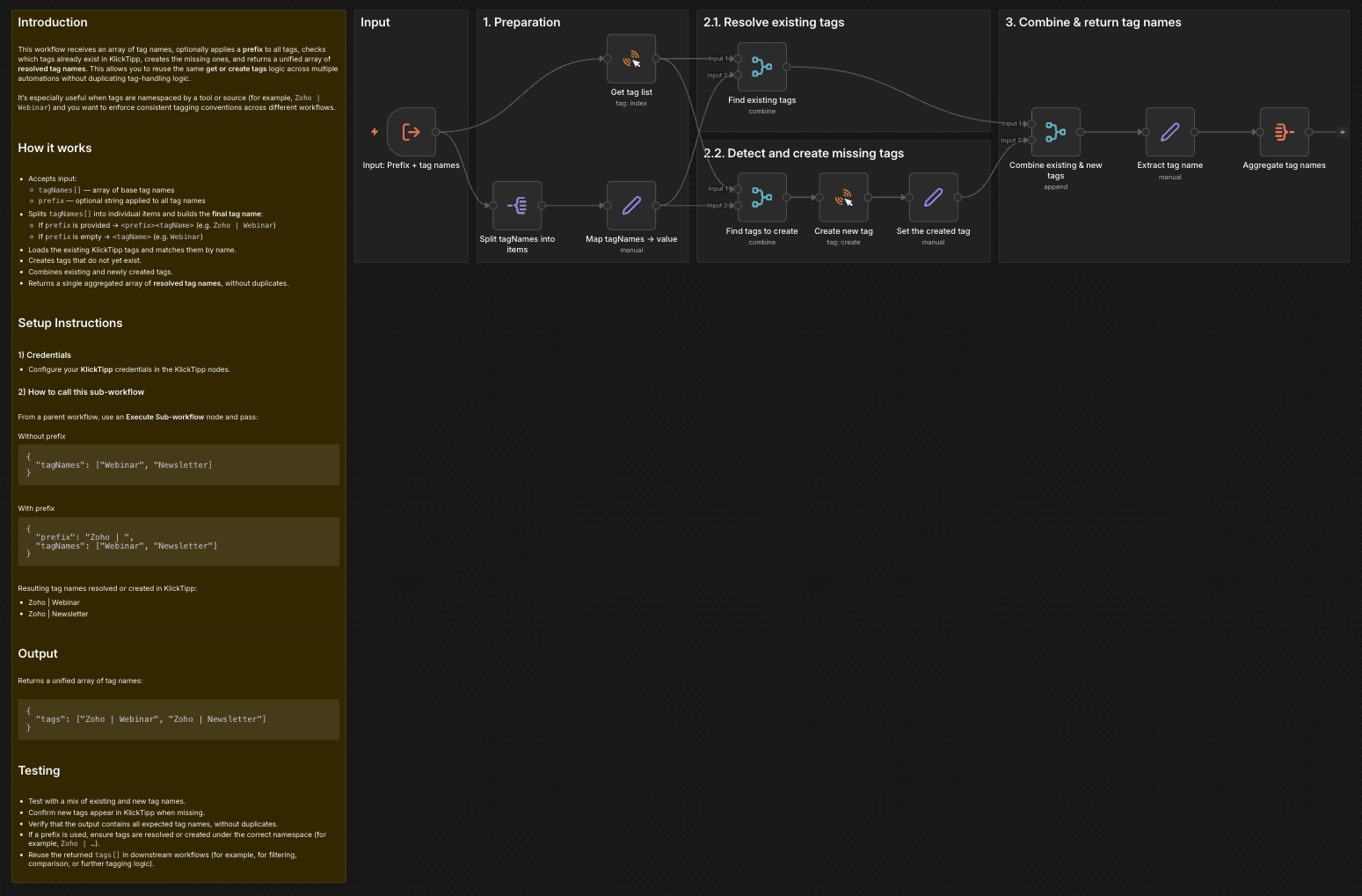
This workflow receives an array of tag names, optionally applies a prefix to all tags, checks which tags already exist in KlickTipp, creates the missing ones, and returns a unified array of resolved tag names. This allows you to reuse the same get or create tags logic across multiple automations without duplicating tag-handling logic.
It’s especially useful when tags are namespaced by a tool or source (for example, Zoho | Webinar) and you want to enforce consistent tagging conventions across different workflows.
How it works
- Accepts input:
tagNames[]— array of base tag namesprefix— optional string applied to all tag names
- Splits
tagNames[]into individual items and builds the final tag name:- If
prefixis provided →prefix tagName(e.g.Zoho | Webinar) - If
prefixis empty →tagName(e.g.Webinar)
- If
- Loads the existing KlickTipp tags and matches them by name.
- Creates tags that do not yet exist.
- Combines existing and newly created tags.
- Returns a single aggregated array of resolved tag names, without duplicates.
Setup Instructions
1) Credentials
- Configure your KlickTipp credentials in the KlickTipp nodes.
2) How to call this sub-workflow
From a parent workflow, use an Execute Sub-workflow node and pass:
Without prefix
{
  "tagNames": ["Webinar", "Newsletter]
}
With prefix
{
  "prefix": "Zoho | ",
  "tagNames": ["Webinar", "Newsletter"]
}
Resulting tag names resolved or created in KlickTipp:
- Zoho | Webinar
- Zoho | Newsletter
Output
Returns a unified array of tag names:
{
  "tags": ["Zoho | Webinar", "Zoho | Newsletter"]
}
Testing
- Test with a mix of existing and new tag names.
- Confirm new tags appear in KlickTipp when missing.
- Verify that the output contains all expected tag names, without duplicates.
- If a prefix is used, ensure tags are resolved or created under the correct namespace (for example,
Zoho | …). - Reuse the returned
tags[]in downstream workflows (for example, for filtering, comparison, or further tagging logic).