Back to Templates



This n8n workflow template uses a community node and is only compatible with the self-hosted version of n8n.
Who's it for
DevOps teams, platform engineers, and ops leads who use Slack bots for infrastructure tasks but need to control who can trigger what. Ideal for teams that have outgrown hardcoded IF-node permission checks.
How it works
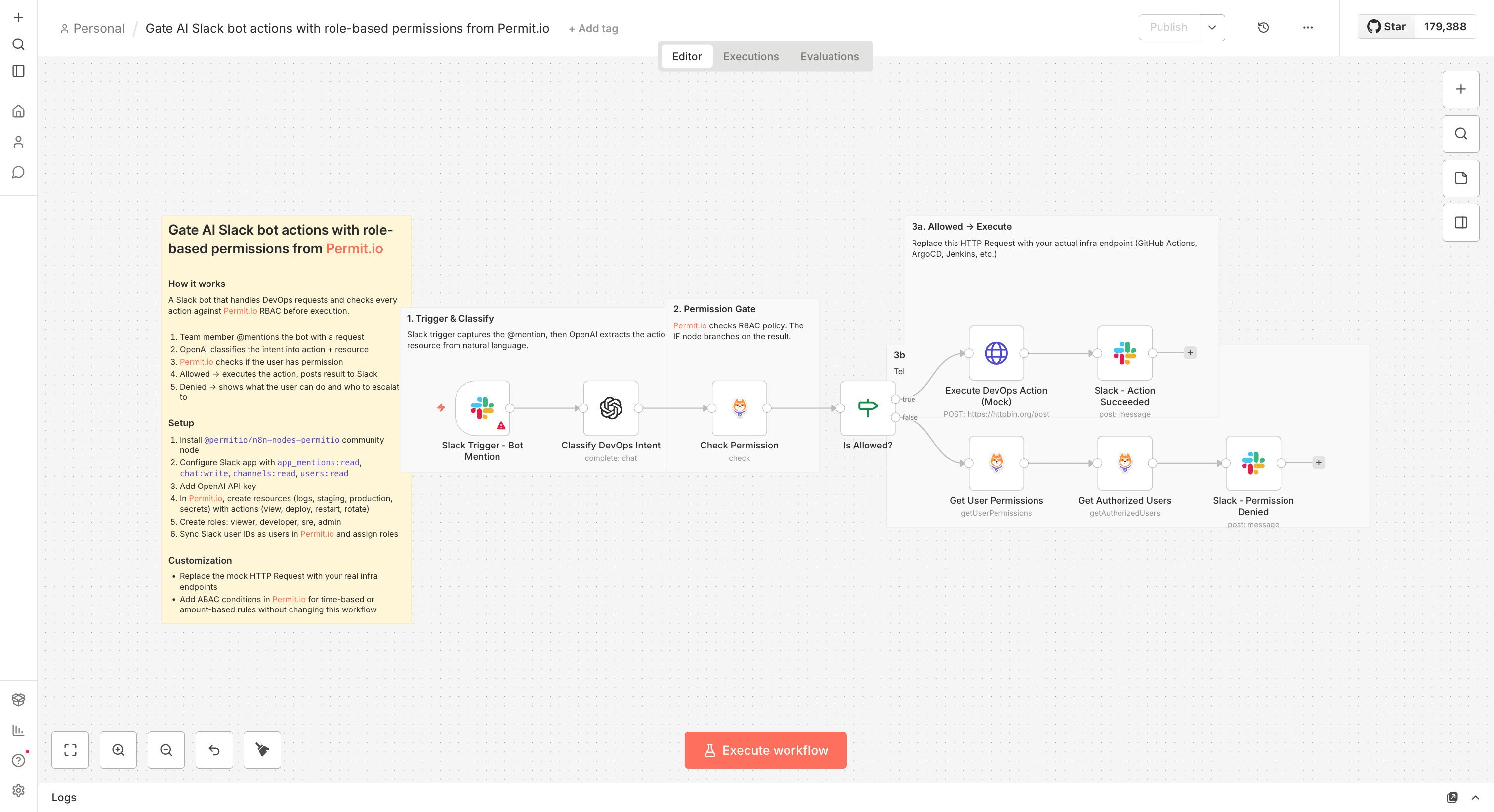
A team member @mentions the bot in Slack with a DevOps request like "restart staging" or "deploy to production." OpenAI classifies the message into a structured action and resource. Permit.io then checks if that Slack user's role allows the action. If permitted, the workflow executes the action and posts the result. If denied, the bot responds with the user's current permissions and suggests who can help.
How to set up
- Install the
@permitio/n8n-nodes-permitiocommunity node - Create a Slack app with
app_mentions:read,chat:write,channels:read,users:readscopes - Add your OpenAI API key
- In Permit.io, create resources (logs, staging, production, secrets) with actions (view, deploy, restart, rotate) and roles (viewer, developer, sre, admin)
- Sync your team's Slack user IDs as users in Permit.io and assign roles
Requirements
- Self-hosted n8n instance
- Slack workspace with a bot app
- OpenAI API key
- Permit.io account (free tier works)
How to customize
- Replace the mock HTTP Request node with your actual infrastructure endpoints (GitHub Actions, ArgoCD, Jenkins, etc.)
- Add ABAC conditions in Permit.io for time-based or context-based rules without changing the workflow
- Extend with additional resources and actions to match your team's operations