Back to Templates


This n8n workflow automates your entire B2B outreach pipeline from lead discovery to personalized cold email delivery. Submit a form, let Apollo find and enrich your leads, review AI-generated emails in your sheet and send them all with one click.
How it works
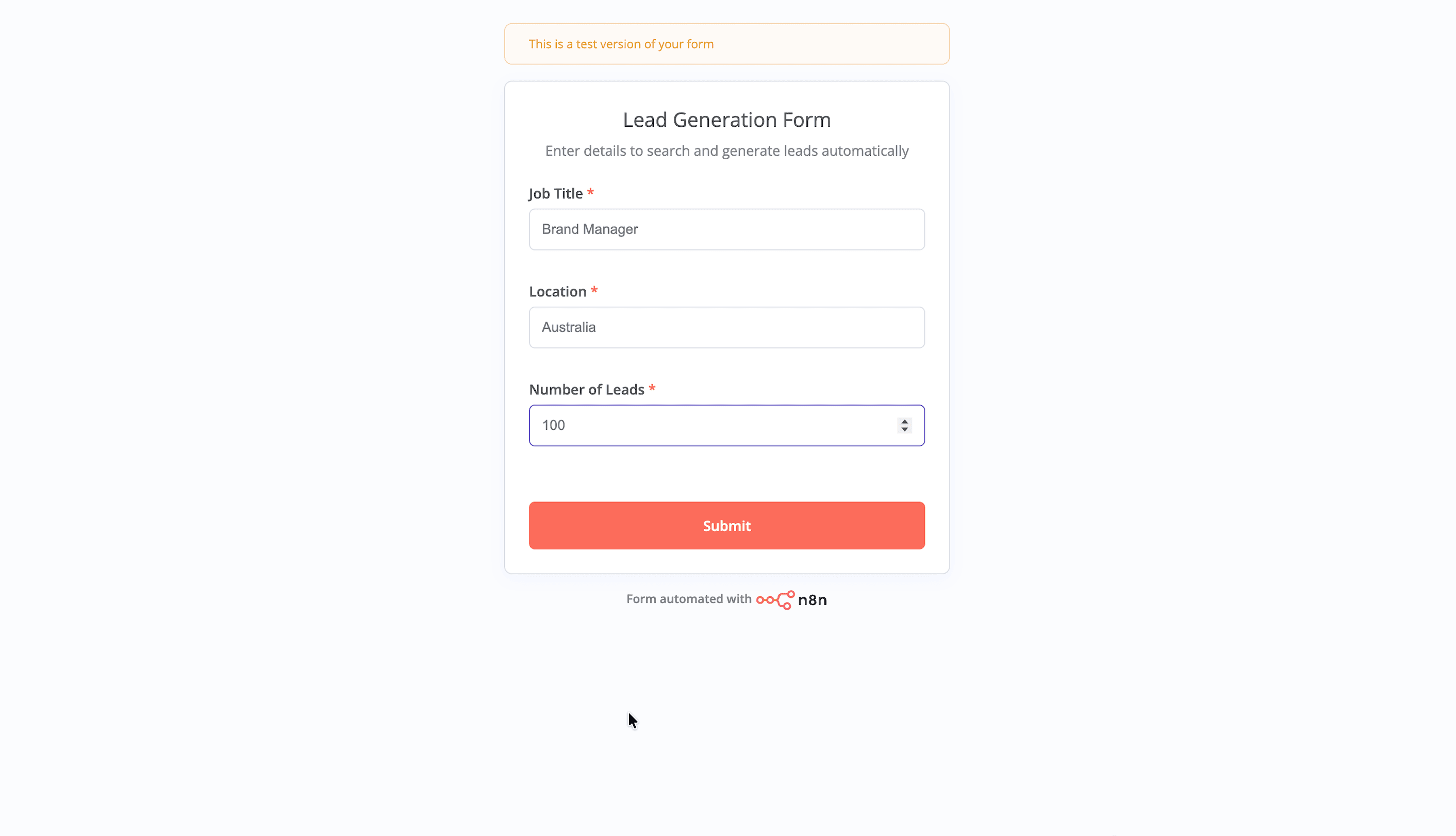
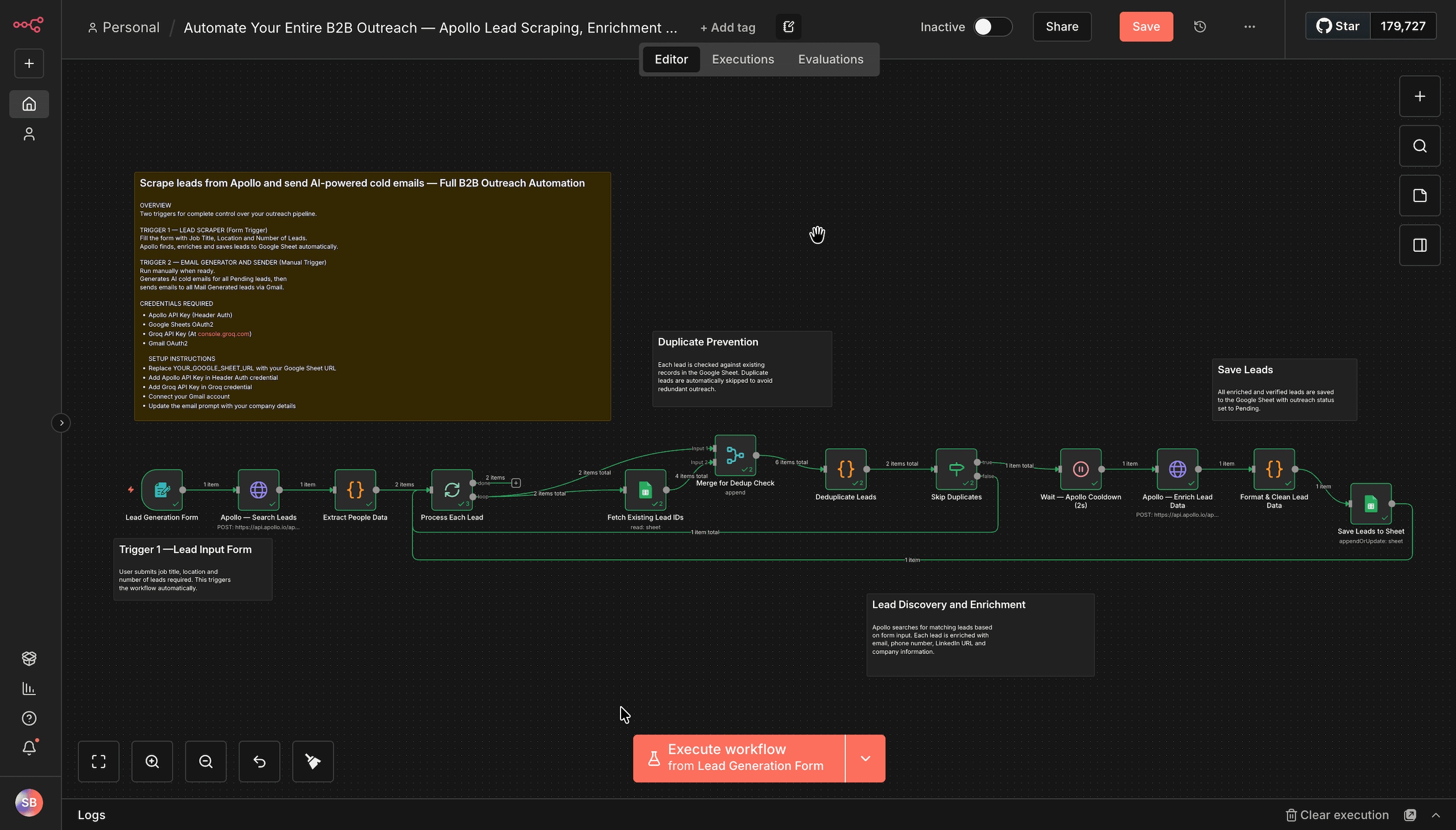
- Form Trigger accepts Job Title, Location and Number of Leads to kick off the workflow
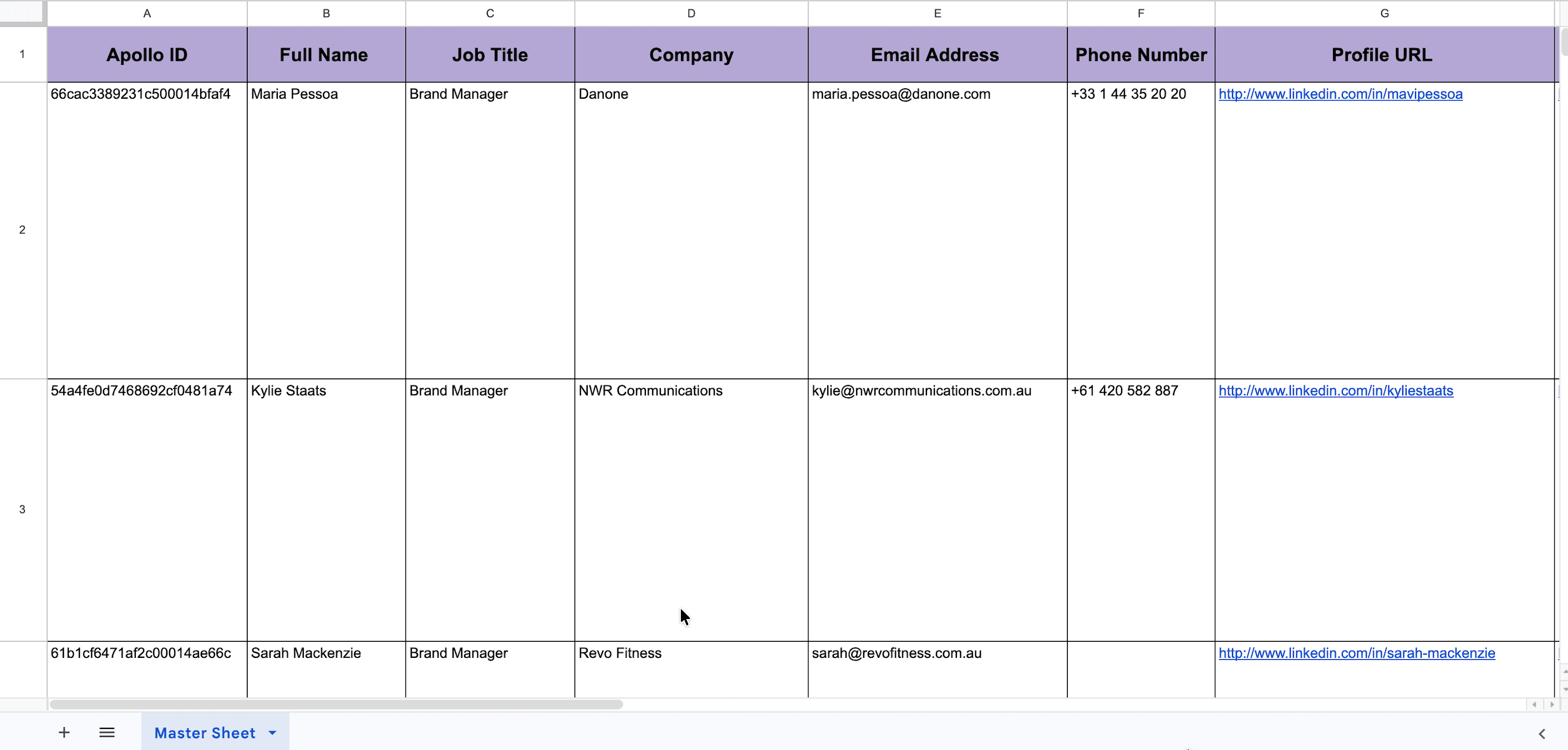
- Apollo searches for matching people and enriches each lead with email, phone, LinkedIn URL and company data
- Duplicate check runs automatically to skip any leads already in your sheet
- Leads are saved to Google Sheet with outreach status set to Pending
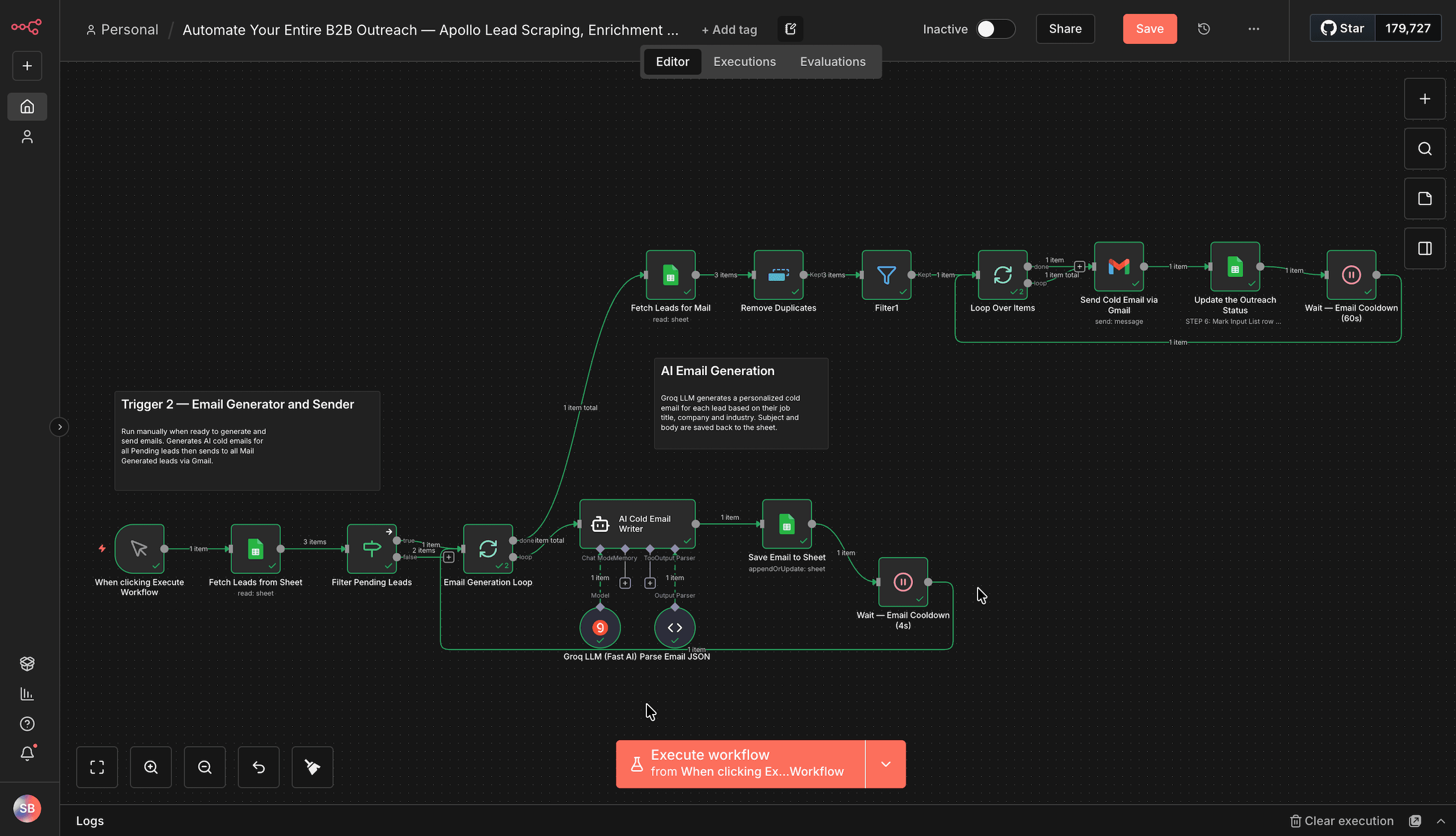
- Manual Trigger runs the email generation section using Groq LLM to write a personalized cold email per lead
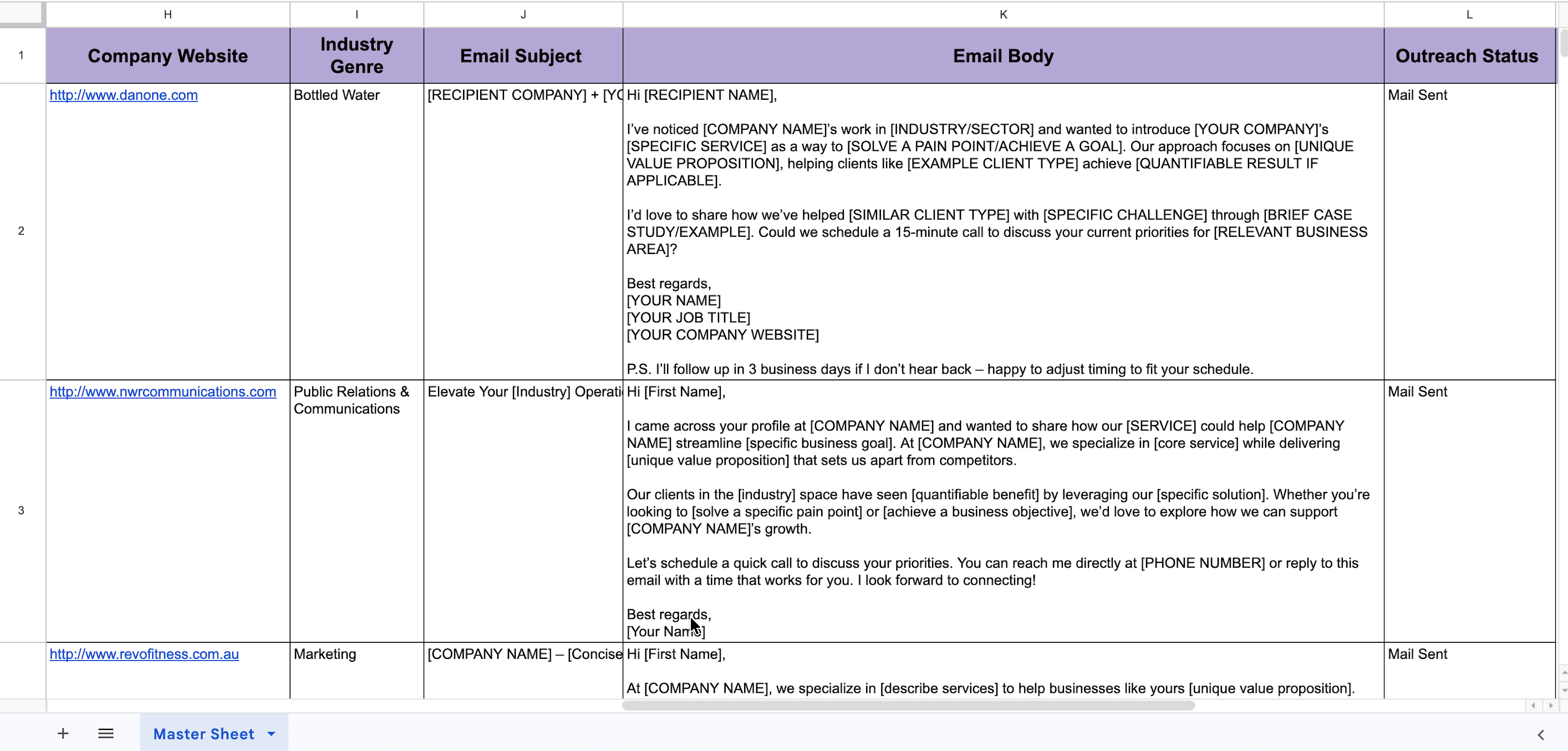
- Generated emails are saved to the sheet for review before sending
- Gmail sends each email and updates the outreach status to Mail Sent
How to use
- Run Trigger 1 — Form to scrape and enrich leads from Apollo
- Review leads in your Google Sheet
- Run Trigger 2 — Manual to generate and send cold emails
- Update the AI Cold Email Writer node with your company details before running
Requirements
- Apollo account with API Key
- Google Sheets account
- Groq account with API Key
- Gmail account
Customising this workflow
- Replace Groq with OpenAI or any other LLM for email generation
- Extend with a follow-up sequence to re-engage leads who did not reply