Back to Templates



Track who wins AI search and find the topics you're missing with SE Ranking
Who is this for
- SEO teams comparing AI search visibility against competitors
- Content strategists planning editorial calendars around AI search gaps
- Marketing managers reporting share of voice across ChatGPT, Perplexity, and Gemini
What this workflow does
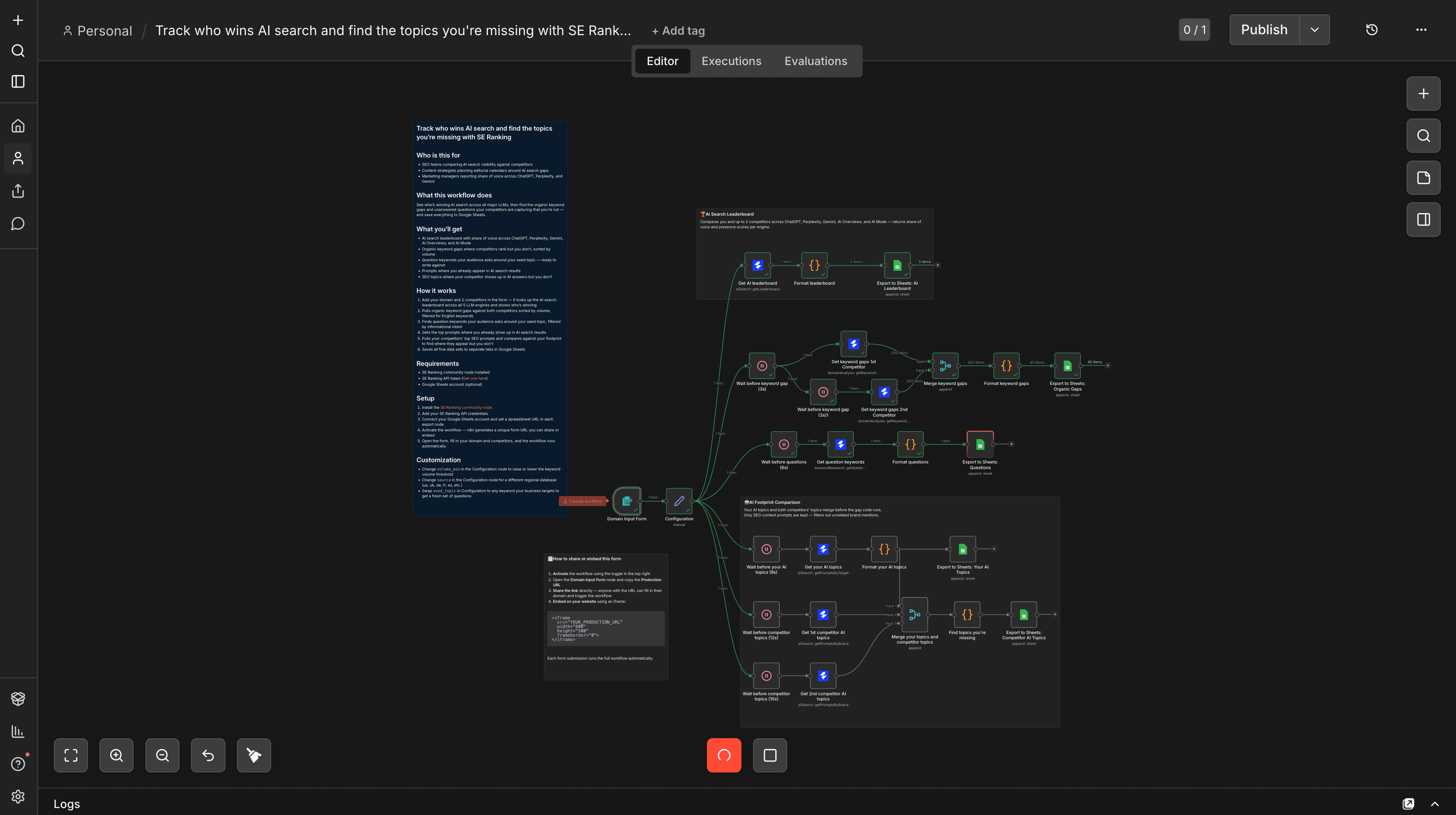
See who's winning AI search across all major LLMs, then find the organic keyword gaps and unanswered questions your competitors are capturing that you're not — and save everything to Google Sheets.
What you'll get
- AI search leaderboard with share of voice across ChatGPT, Perplexity, Gemini, AI Overviews, and AI Mode
- Organic keyword gaps where competitors rank but you don't, sorted by volume
- Question keywords your audience asks around your seed topic — ready to write against
- Prompts where you already appear in AI search results
- SEO topics where your competitor shows up in AI answers but you don't
How it works
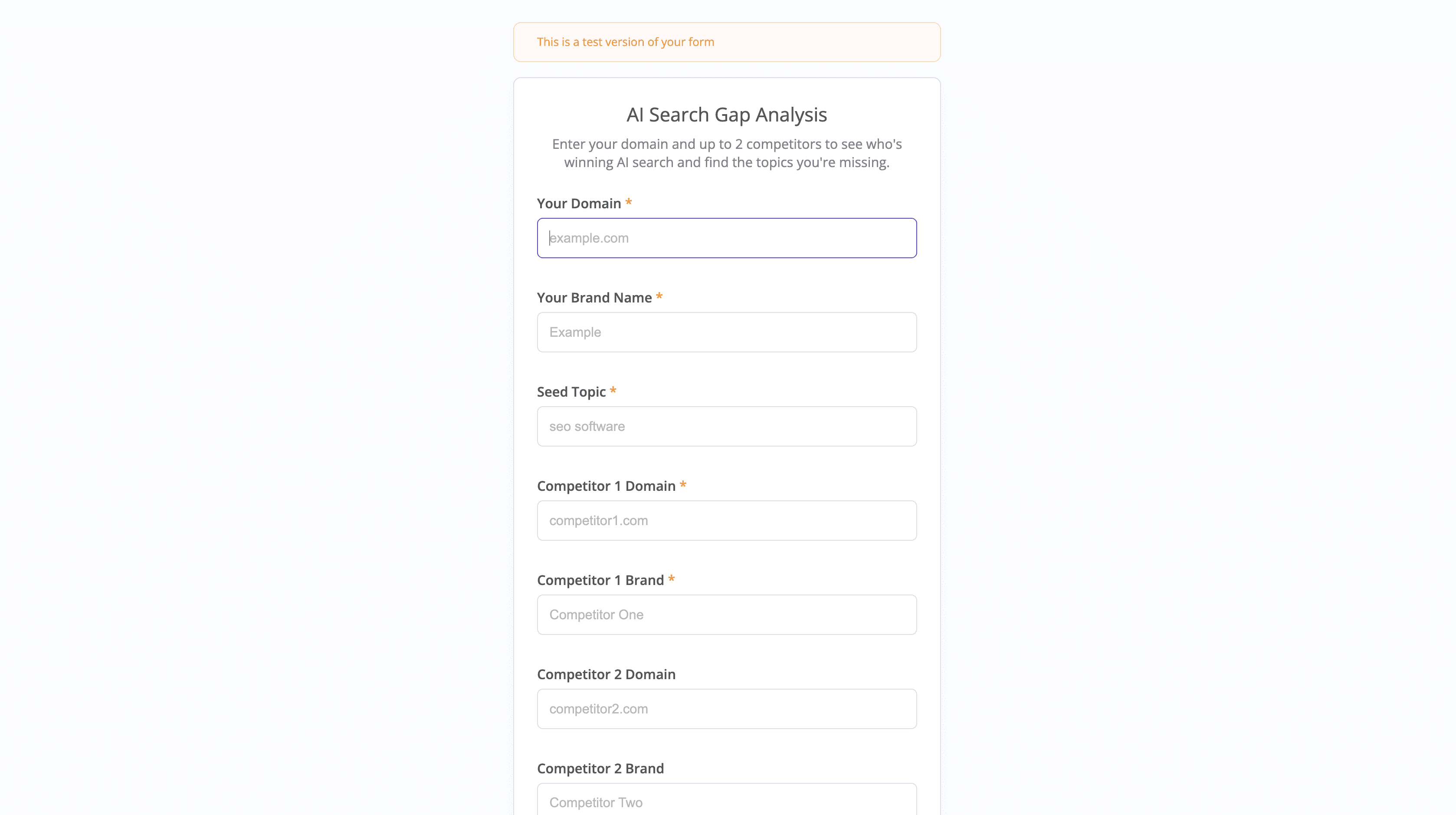
- Add your domain and 2 competitors in the form — it looks up the AI search leaderboard across all 5 LLM engines and shows who's winning
- Pulls organic keyword gaps against both competitors sorted by volume, filtered for English keywords
- Finds question keywords your audience asks around your seed topic, filtered by informational intent
- Gets the top prompts where you already show up in AI search results
- Pulls your competitors' top SEO prompts and compares against your footprint to find where they appear but you don't
- Saves all five data sets to separate tabs in Google Sheets
Requirements
- SE Ranking community node installed
- SE Ranking API token (Get one here)
- Google Sheets account (optional)
Setup
- Install the SE Ranking community node
- Add your SE Ranking API credentials
- Connect your Google Sheets account and set a spreadsheet URL in each export node
- Activate the workflow — n8n generates a unique form URL you can share or embed
- Open the form, fill in your domain and competitors, and the workflow runs automatically
Customization
- Change
volume_minin the Configuration node to raise or lower the keyword volume threshold - Change
sourcein the Configuration node for a different regional database (us, uk, de, fr, es, etc.) - Swap
seed_topicin Configuration to any keyword your business targets to get a fresh set of questions