Back to Templates


This workflow automates company research and intelligence extraction from Glassdoor using Decode API for data retrieval and Google Gemini for AI-powered summarization.
Who this is for
This workflow is ideal for:
- Recruiters, analysts, and market researchers looking for structured insights from company profiles.
- HR tech developers and AI research teams needing a reliable way to extract and summarize Glassdoor data automatically.
- Venture analysts or due diligence teams conducting company research combining structured and unstructured content.
- Anyone who wants instant summaries and insights from Glassdoor company pages without manual scraping.
What problem this workflow solves
- Manual Data Extraction: Glassdoor company details and reviews are often scattered and inconsistent, requiring time-consuming copy-paste efforts.
- Unstructured Insights: Raw reviews contain valuable opinions but are not organized for analytical use.
- Fragmented Company Data: Key metrics like ratings, pros/cons, and FAQs are mixed with irrelevant data.
- Need for AI Summarization: Business users need a concise, executive-level summary that combines employee sentiment, culture, and overall performance metrics.
This workflow automates data mining, summarization, and structuring, transforming Glassdoor data into ready-to-use JSON and Markdown summaries.
What this workflow does
The workflow automates the end-to-end pipeline for Glassdoor company research:
-
Trigger
- Start manually by clicking “Execute Workflow.”
-
Set Input Fields
- Define
company_url(e.g., a Glassdoor company profile link) andgeo(country).
- Define
-
Extract Raw Data from Glassdoor (Decodo Node)
- Uses the Decodo API to fetch company data — including overview, ratings, reviews, and frequently asked questions.
-
Generate Structured Data (Google Gemini + Output Parser)
-
The Structured Data Extractor node (powered by Gemini AI) processes raw data into well-defined fields:
- Company overview (name, size, website, type)
- Ratings breakdown
- Review snippets (pros, cons, roles)
- FAQs
- Key takeaways
-
-
Summarize the Insights (Gemini AI Summarizer)
-
Produces a detailed summary highlighting:
- Company reputation
- Work culture
- Employee sentiment trends
- Strengths and weaknesses
- Hiring recommendations
-
-
Merge and Format
- Combines structured data and summary into a unified object for output.
-
Export and Save
- Converts the final report into JSON and writes it to disk as
C:\{{CompanyName}}.json.
- Converts the final report into JSON and writes it to disk as
-
Binary Encoding for File Handling
- Prepares data in base64 for easy integration with APIs or downloadable reports.
Setup
Prerequisites
If you are new to Decode, please signup on this link visit.decodo.com
- n8n instance (cloud or self-hosted)
- Decodo API credentials (added as
decodoApi) - Google Gemini (PaLM) API credentials
- Access to the Glassdoor company URLs
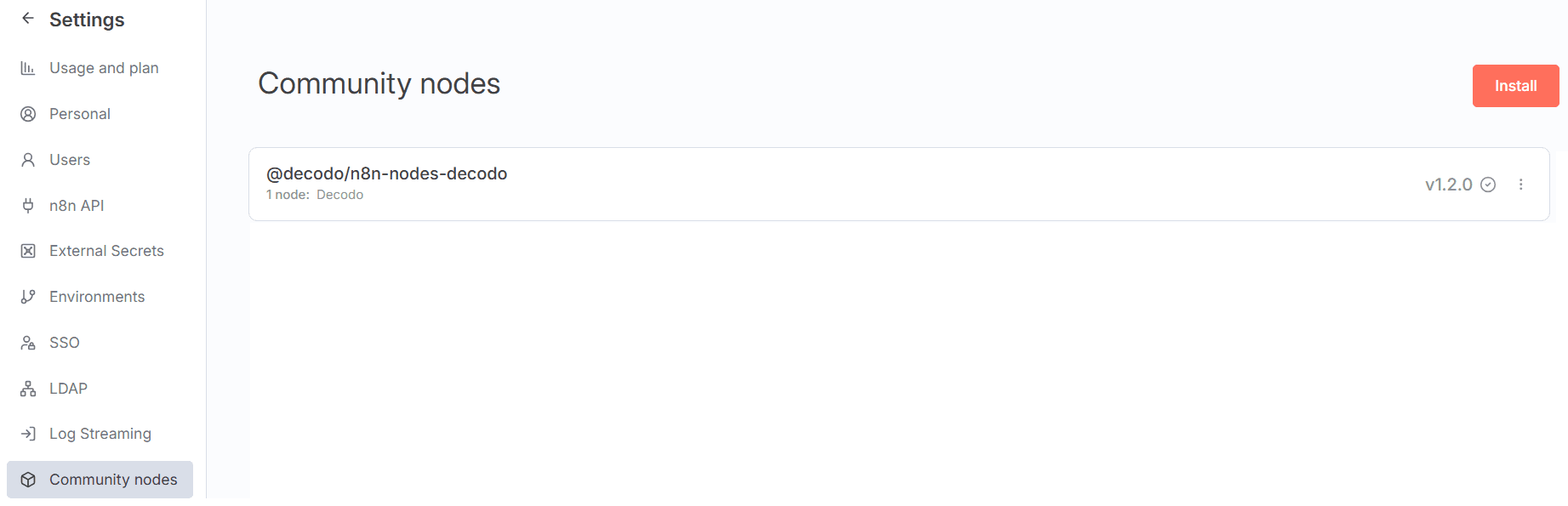
Make sure to install the Decodo Community Node.
Steps
-
Import this workflow JSON file into your n8n instance.
-
Configure your credentials for:
- Decodo API
- Google Gemini (PaLM) API
-
Open the Set the Input Fields node and replace:
company_url→ with the Glassdoor URLgeo→ with the region (e.g., India, US, etc.)
-
Execute the workflow.
-
Check your output folder (
C:\) for the exported JSON report.
How to Customize This Workflow
You can easily adapt this template to your needs:
-
Add Sentiment Analysis
- Include another Gemini or OpenAI node to rate sentiment (positive/negative/neutral) per review.
-
Export to Notion or Google Sheets
- Replace the file node with a Notion or Sheets integration for live dashboarding.
-
Multi-Company Batch Mode
- Convert the manual trigger to a spreadsheet or webhook trigger for bulk research automation.
-
Add Visualization Layer
- Connect the output to Looker Studio or Power BI for analytical dashboards.
-
Change Output Format
- Modify the final write node to generate Markdown or PDF summaries using the
pypandocorreportlabmodule.
- Modify the final write node to generate Markdown or PDF summaries using the
Summary
This n8n workflow combines Decode web scrapping with Google Gemini’s reasoning and summarization power to build a fully automated Glassdoor Research Engine.
With a single execution, it:
- Extracts structured company details
- Summarizes thousands of employee reviews
- Delivers insights in an easy-to-consume format
Ideal for:
- Recruitment intelligence
- Market research
- Employer branding
- Competitive HR analysis