Back to Templates



✨What it does
Useful for scraping only/API data.
This workflow will give you the ability to bypass the IP address limitation control of some publicly available APIs by using a different couple of "user-agent" and "IP address" for each call to the targeted API.
You can therefore place this workflow before any HTTP request node.
1) Generate over 9000 different user-agents that can be used randomly (or not) into each one of you API call.
Example of user-agents it can provide with for Chrome web browser :
"Mozilla/5.0 (Windows NT 11.0; Win64; x64) AppleWebKit/537.36 (KHTML, like Gecko) Chrome/134.0.6998.166 Safari/537.36"

"Mozilla/5.0 (Windows NT 10.0; Win64; x64; rv:146.0) Gecko/20100101 Firefox/146.0"

"Mozilla/5.0 (Windows NT 10.0; Win64; x64) AppleWebKit/537.36 (KHTML like Gecko) Chrome/46.0.2486.0 Safari/537.36 Edge/13.10586"
It will simply send an HTTP GET request to https://www.useragentstring.com/pages/Browserlist/ and get all user-agent values available from over 100 web browsers (Chrome, Edge,Safari,Firefox etc).
2) Generate a dynamic IP address to be used as proxy to be used for each API call.
It uses decodo "residential" "rotating session" type : a different residential IP address is used for each API call.
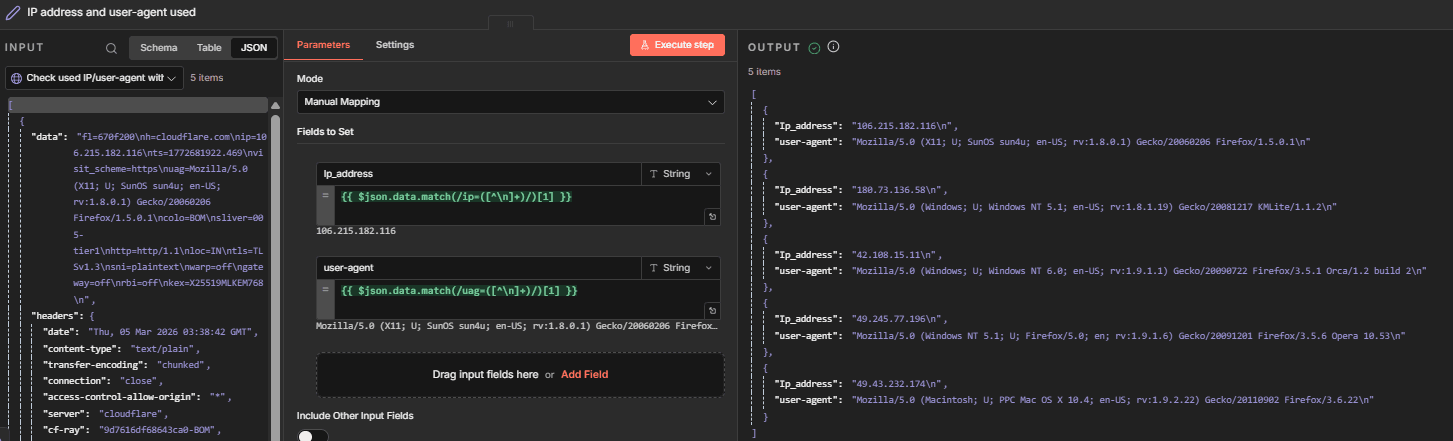
After running the workflow you'll find different IP address/user-agent used in node IP address and user-agent used:
🛠️How to set it up ?
If you're using Decodo proxy server (or any other proxy service provider) you can use the Residential proxy with "session type" as "rotating" is your want to have one IP address per API call
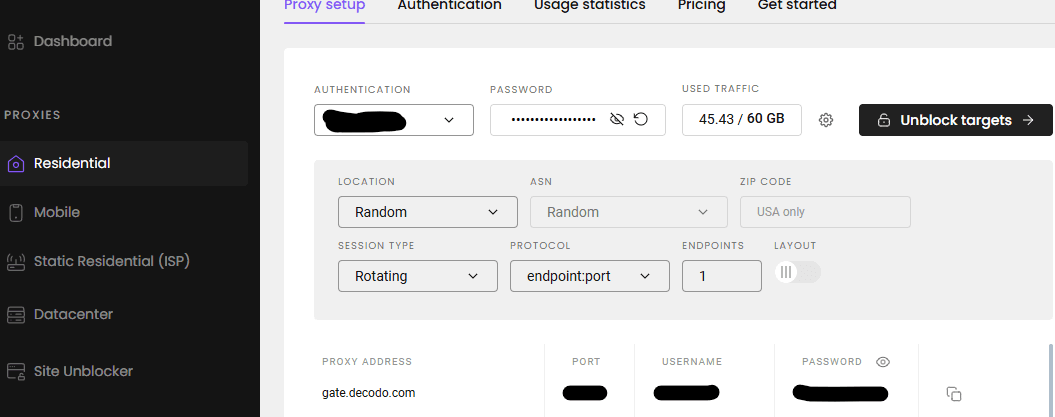
1) The proxy connection details
Credentials usually work like this in any proxy service provider :
http://username:[email protected]:PORT
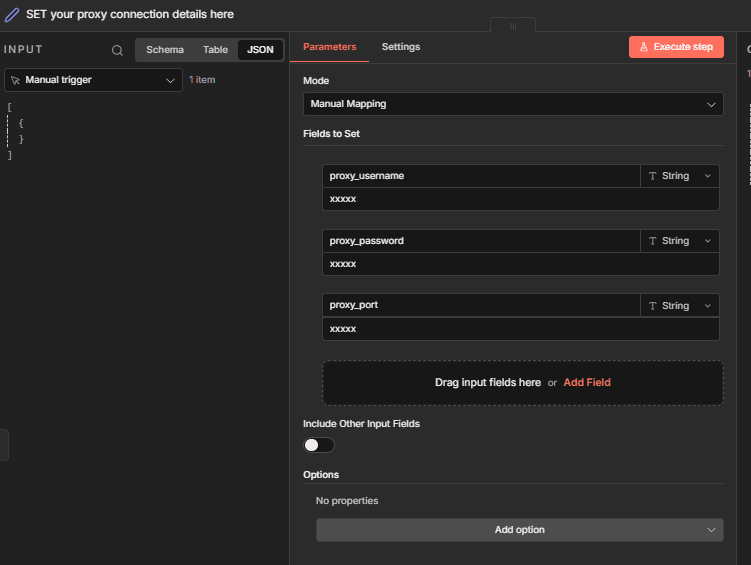
You just need to configure these credentials in your node SET your proxy connection details in the node SET your proxy connection details here`:
proxy_usernameproxy_passwordproxy_port
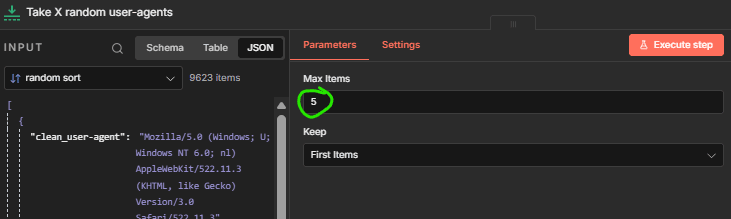
2) Number of user-agents needed
You can configure the number of different user-agents you want to use in the node Take X random user-agents
3) Call your targeted API
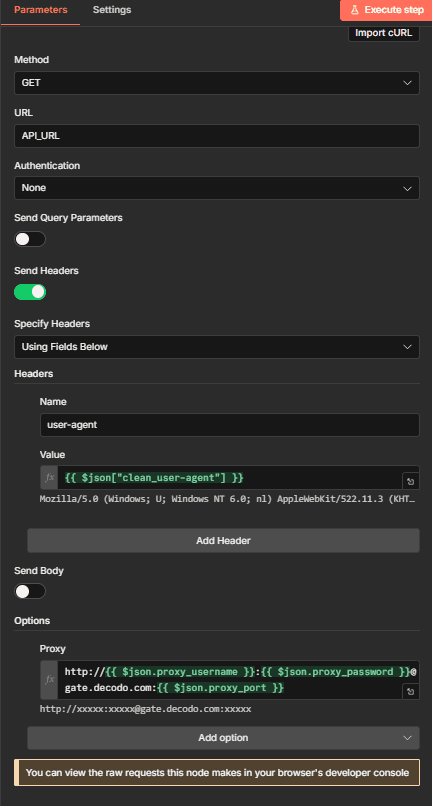
You just configure your HTTP node for the targeted API you want to call with these additional details in the node Targeted API :
- add header name
user-agentwith value{{ $json["clean_user-agent"] }} - add option "proxy" with value
http://{{ $json.proxy_username }}:{{ $json.proxy_password }}@gate.decodo.com:{{ $json.proxy_port }}