Back to Templates




Heygen Viral UGC Generation
Stop manually creating short-form video content. This n8n workflow automatically generates AI talking-head UGC videos using HeyGen and publishes them to Instagram and Facebook every single day — fully on autopilot.
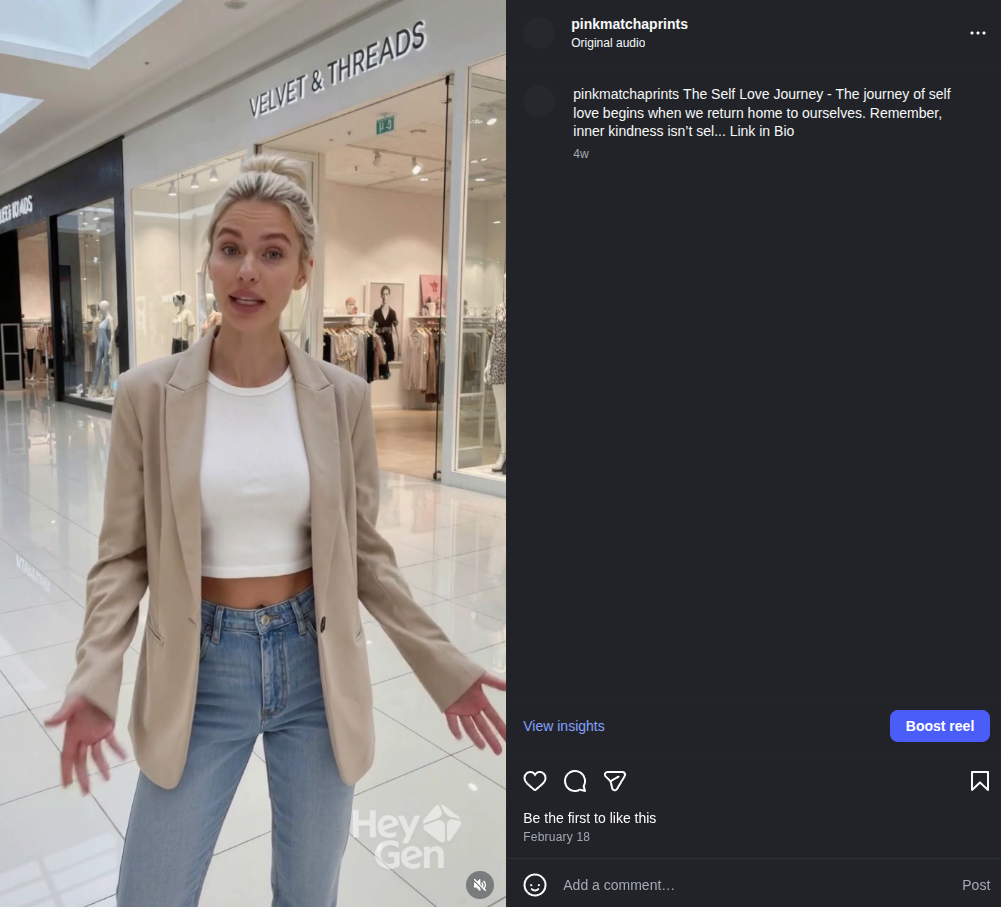
Real reel posted to @pinkmatchaprints — generated and published entirely by this workflow.
See It In Action: Real Results from Pink Matcha
Watch a live reel generated by this workflow
See all published reels on @pinkmatchaprints
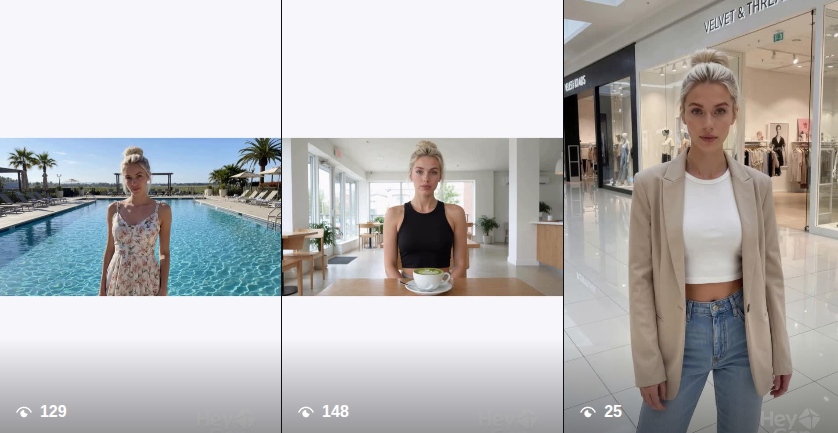
Every single one of these videos was generated and posted automatically — no recording, no editing, no manual uploading.
How It Works
The workflow runs every day on a schedule. Here's the full pipeline:
- Picks today's content from a Google Sheet using a day-of-year rotation across all rows marked
Idea - Randomly selects a HeyGen talking-photo avatar from a pool of 14 for visual variation across posts
- Generates a 30-second script using GPT-4.1-mini with a warm, spiritual persona called "The Shepherd"
- Submits to HeyGen API to render a 720x1280 portrait talking-head video
- Polls HeyGen every 50 seconds (up to 20 times, ~16 min max) until the video is ready
- Publishes to Instagram and Facebook via upload-post.com with an auto-generated caption
- Logs every step to a Production Logs Google Sheet — script, video ID, video URL, and status
What You're Getting
AI-Generated Scripts with a Defined Persona
The workflow uses GPT-4.1-mini with a custom system prompt called "The Shepherd" — a calm, wise, spiritual guide. Every script is:
- 75 to 90 words (~30 seconds when spoken naturally)
- Written in warm, grounded, accessible language
- Tailored to the specific content section from your workbook
- Always ending with: "Visit the link in bio to learn more."
A Content Rotation System That Never Repeats
Your content pool lives in a Google Sheet. The workflow selects today's section using day-of-year modulo total rows — so it automatically cycles through your content library without manual scheduling. Add more rows to expand the rotation.
Full Production Logging
Every execution is tracked row by row in a Production Logs sheet. You can see exactly what ran, what script was used, what the HeyGen video ID is, and what the final status is.
Async Video Generation with Smart Polling
HeyGen renders videos asynchronously. The workflow handles this gracefully — it submits the job, waits, polls the status API, and routes automatically based on the result:
- Still processing → waits and retries
- Completed → extracts video URL and posts
- Failed or timed out → logs the failure reason to the sheet
Dual Platform Publishing
Videos are published to both Instagram and Facebook in one execution using upload-post.com. The caption is auto-built from the section title and first 100 characters of the script.
Google Sheets Structure
The workflow uses a single Google Sheets workbook with two tabs:
Tab 1: Workbook Content
Your content pool. The workflow reads from this every day.

| Column | Description |
|---|---|
section_title |
Title used in the video caption and script prompt |
workbook_content |
Full context for the AI to generate the script from |
key_message |
The core takeaway — passed to the AI as emphasis |
Status |
Set to Idea to include in rotation. Any other value skips the row. |
Tab 2: Production Logs
Auto-populated. Do not edit manually.

| Column | Description |
|---|---|
Date |
Date the video was generated |
Section Title |
Which content section was used |
Script Text |
The generated script |
HeyGen Video ID |
Used to poll render status |
Raw Video URL |
Direct HeyGen video URL |
Final Video URL |
Final URL passed to the publishing step |
Status |
Lifecycle status or failure reason |
Setup Guide
Step 1: Credentials
| Service | Credential Type | Where Used |
|---|---|---|
| HeyGen | HTTP Header Auth (X-Api-Key) |
Generate and poll videos |
| upload-post.com | HTTP Header Auth | Post to Instagram / Facebook |
| Google Sheets | OAuth2 | Read content, write logs |
| OpenAI | API Key | Generate scripts (GPT-4.1-mini) |
Step 2: Google Sheets
- Duplicate the workbook structure described above
- Replace the
documentIdin all Google Sheets nodes with your spreadsheet ID - Populate the
Workbook Contenttab and setStatus=Ideaon each row
Step 3: HeyGen Avatars
The workflow ships with 14 hardcoded talking-photo avatar IDs in the Code: Select Random Avatar & Combine Data node. Replace these with your own HeyGen avatar IDs from your HeyGen account.
Step 4: upload-post.com Account
Update the user field in both the facebook and instagram nodes from pink-matcha to your upload-post.com username.
Step 5: Enable Facebook (When Ready)
The facebook node is disabled by default. Once you confirm Instagram is posting correctly, enable it in n8n.
Step 6: Adjust the Schedule
The trigger is set to fire daily at 12pm noon. The node name says "9am" — rename or adjust the time in the Schedule node to match your target posting time.
Technical Specs
- Script AI: OpenAI GPT-4.1-mini
- Video Generation: HeyGen v2 API (talking-photo avatars)
- Video Format: 720x1280 portrait (Reels / Shorts)
- Polling: 50-second intervals, max 20 attempts (~16 min timeout)
- Publishing: upload-post.com multipart API
- Logging: Google Sheets (OAuth2)
- Error Workflow: Separate n8n error workflow for unexpected crashes
- Platform: n8n (self-hosted or cloud)
Frequently Asked Questions
Q: Do I need a HeyGen subscription?
A: Yes. You need a HeyGen account with API access and at least one talking-photo avatar created in your account.
Q: What is upload-post.com?
A: A third-party service that handles posting video content to Instagram and Facebook on your behalf. You need an account connected to your social profiles.
Q: Can I change the AI persona?
A: Yes. Edit the system prompt in the Generate Script node to use any persona, tone, or style you want.
Q: Can I post to TikTok or YouTube Shorts?
A: upload-post.com supports other platforms. You can add additional HTTP request nodes following the same pattern as the instagram node and change the platform[] parameter.
Q: How do I add more content?
A: Add rows to the Workbook Content tab in Google Sheets and set Status = Idea. The rotation automatically picks them up.
Q: What happens if HeyGen fails?
A: The workflow detects failure or timeout and writes the reason to the Production Logs sheet. A separate n8n error workflow handles unexpected crashes.
Q: How long does one execution take?
A: Typically 5 to 15 minutes end-to-end, depending on HeyGen render time.
Join the Community
- Other free n8n workflows
- GitHub repository
- Join AI + Automation Discord
- Official website
- Live example account
Powered by n8n • OpenAI • HeyGen • Google Sheets • upload-post.com