See llms.txt for all machine-readable content.
Integrate Microsoft SQL with 2,000+ apps and services
Unlock Microsoft SQL’s full potential with n8n, connecting it to similar Development apps and over 2,000 other services. Automate productivity workflows by scheduling tasks, managing project timelines, and tracking progress across platforms. Create adaptable and scalable workflows between Microsoft SQL and your stack. All within a building experience you will love.

Create workflows with Microsoft SQL integrations
772 integrations










Popular ways to use the Microsoft SQL integration
Execute an SQL query in Microsoft SQL
Export SQL table into CSV file
Real estate property search with SQL database and email delivery
Flexible currency rate uploads for SAP B1 with AI validation & multiple sources
Automated business KPI insights with GPT-4, MSSQL, analytics & multi-channel alerts
Consolidate data from 5 sources for automated reporting with SQL, MongoDB & Google tools
Send weekly SQL Server health reports via email
Fetch Telr payment reports to SQL and send daily email summaries
Handle order status webhooks with Microsoft SQL Server and email
Supported actions
| Execute Query | Execute an SQL query |
|---|---|
| Insert | Insert rows in database |
| Update | Update rows in database |
| Delete | Delete rows in database |
About Microsoft SQL
SQL Server is database management system developed by Microsoft. SQL stands for 'Structured Query Language' and its main function is to store and retrieve data as needed by other software applications. It remains one of the most used databases in the world.
Related categories


Trusted by teams building smarter workflows


Microsoft SQL integration tutorials
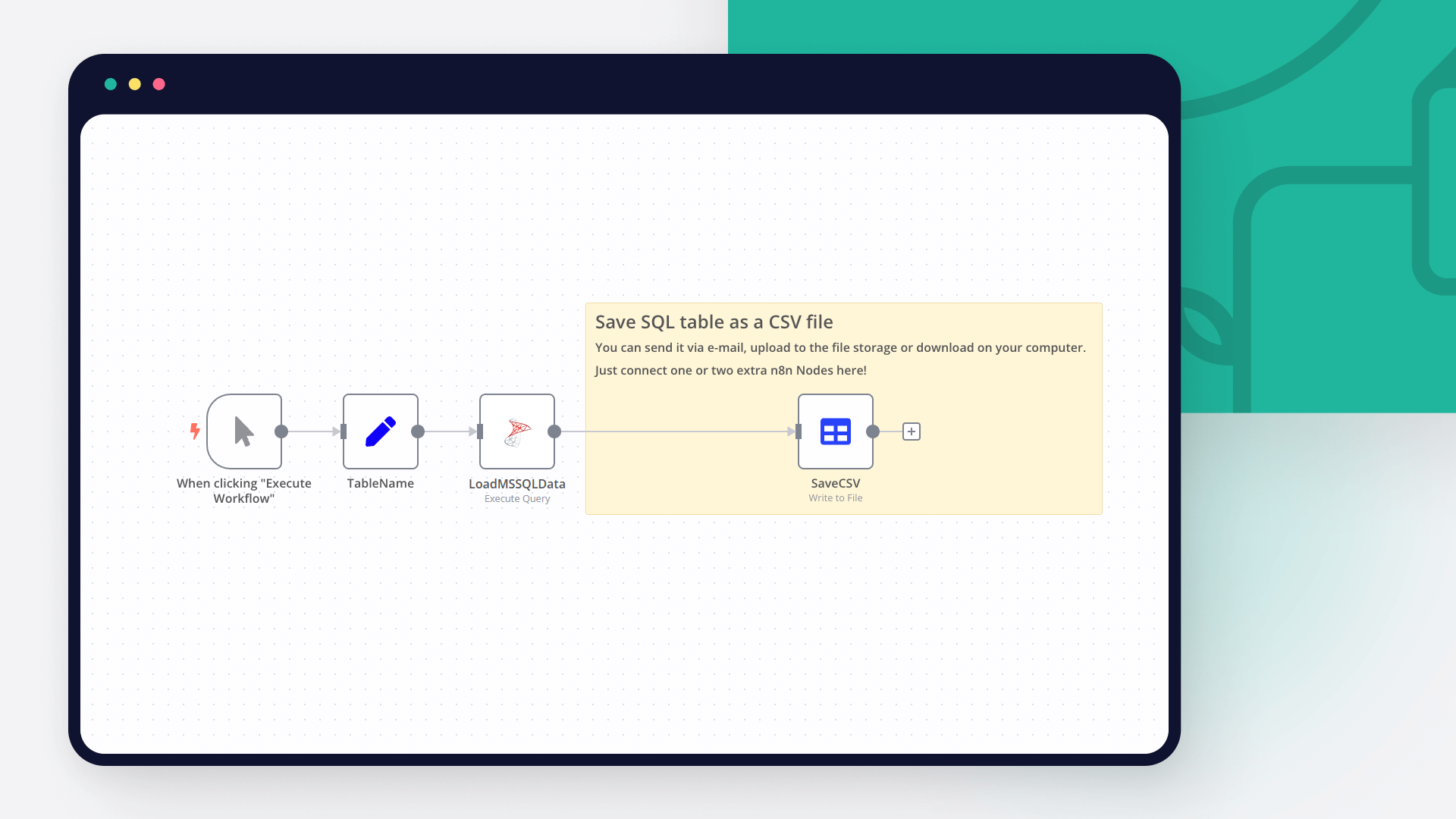
Connect Microsoft SQL with your company’s tech stack and create automation workflows

FAQ about Microsoft SQL integrations
Need help setting up your Microsoft SQL integration?
Discover our latest community's recommendations and join the discussions about Microsoft SQL integration.
 Open topic
Syntax error when inserting multiple rows using Microsoft SQL node with Azure Dedicated SQL pool
Cathryn17
Describe the problem/error/question When inserting multiple rows (items) into an Azure Dedicated SQL pool (on a regular Azure SQL Server), we receive a syntax error from the DB (“Parse error at line: 1, column: 73: Incor…

I have found the holy grail of automation.
Luisa Vidal 
n8n’s integration with third-party services is absolutely mind-blowing. It’s like a Swiss army knife for automation.
Felix Leber 
Anything is possible with n8n. I think the cloud version is great, they are doing amazing stuff.
Robyn Tindall 
Thank you to the n8n community. I did the beginners course and promptly took an automation WAY beyond my skill level.
Charley Mann
Simple enough to
understand + sophisticated
enough to ship